

KreadoAI now supports three new image models in one AI Image Generator: GPT Image 2.6, Seedream 5.5, and MiniMax H3-Image. Each one covers a different production job. You do not need three accounts or three APIs. Pick the model for the brief, generate or edit, and keep the rest of your KreadoAI workflow in the same place.
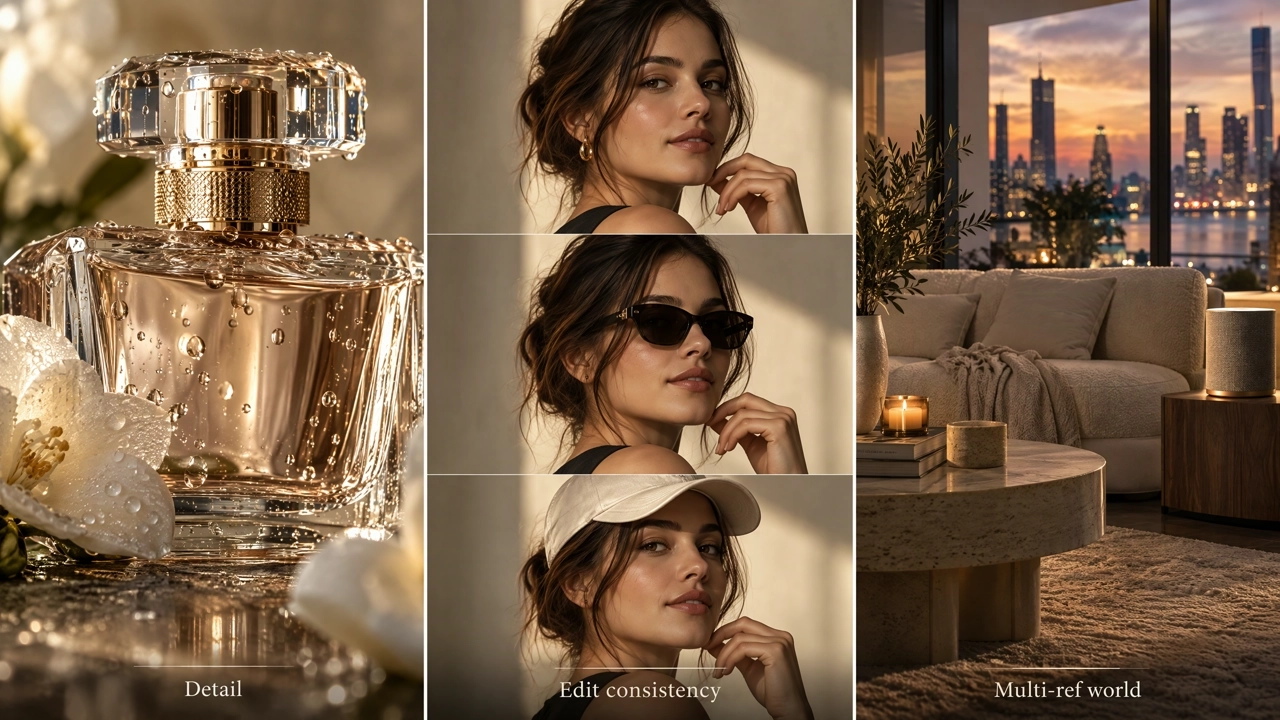
What's New at a Glance
| Model | Best for | Open on KreadoAI |
|---|---|---|
| GPT Image 2.6 | Detailed stills, precise edits, GIF and SVG paths on KreadoAI | Model page · Try |
| Seedream 5.5 | Multi-round edits, RGBA transparent assets, denser layouts | Model page · Try |
| MiniMax H3-Image | Long prompts, many reference images, full campaign scenes | Model page · Try |
They are complementary, not substitutes for each other. Use GPT Image 2.6 when format flexibility and fine detail matter. Use Seedream 5.5 when you will edit the same image for several rounds. Use MiniMax H3-Image when the brief is long and you need many references to build one scene.
GPT Image 2.6 — Detail Mode and Fast Mode in One Place
GPT Image 2.6 is OpenAI's image model for generation and editing. On KreadoAI you choose between Sunburst for more detail and precise edits, and Flare when you need a faster draft. Both modes share the same price on KreadoAI, so you pick by task, not by budget tier.
Typical jobs: product ads, ecommerce pack shots, packaging mockups, short-headline posters, and follow-up edits where character or product identity must stay readable. KreadoAI also extends the workflow with GIF and SVG export paths built on GPT Image 2.6 output. Those formats are KreadoAI extensions, not native Sunburst or Flare formats.
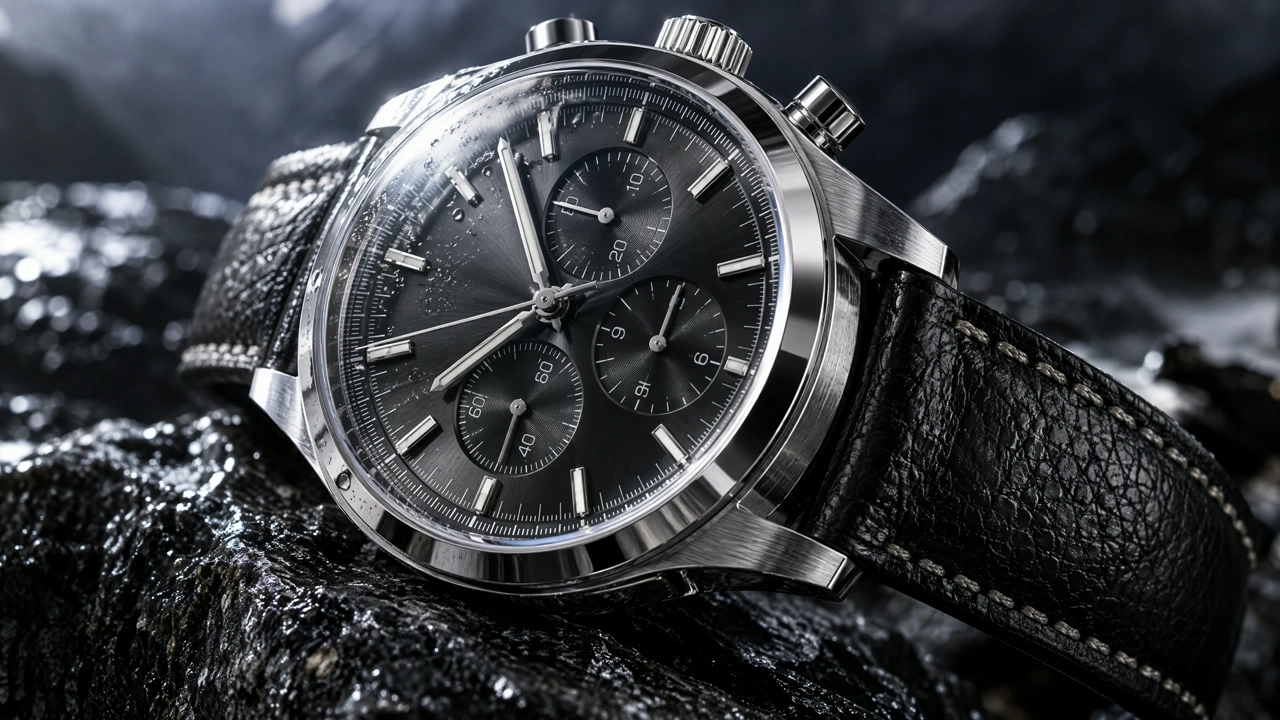
Detail pass on Sunburst: brushed steel, polished bevels, sapphire reflections, and leather grain in one keepable pack shot.
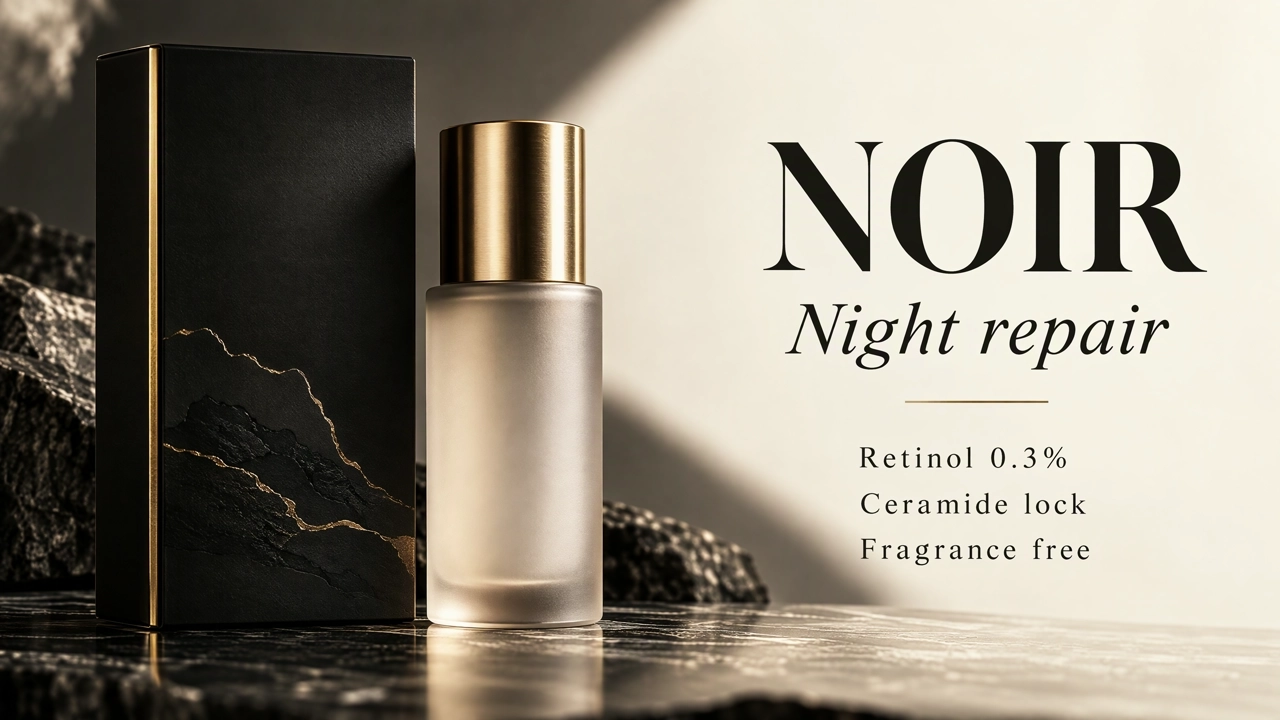
Quoted hierarchy on a packaging poster: product on the left, locked lines on the right. Proof spelling after every generate.
For prompt structure, see the GPT Image 2.6 prompt guide.
Seedream 5.5 — Multi-Round Control and Transparent Assets
Seedream 5.5 is ByteDance's Seedream image model focused on controllable editing. On KreadoAI it is the model to open when you will change one thing at a time on the same file: swap a sofa, recolor a product, adjust a layout, then keep going without starting from a blank prompt each time.
Three capabilities define the brief:
- Multi-round editing that works to keep unedited areas more consistent across versions.
- Native RGBA transparent assets for stickers, cutouts, and layered design work.
- Stronger realism in skin, materials, and lighting, plus denser in-image text layouts when you quote every line and name hierarchy.
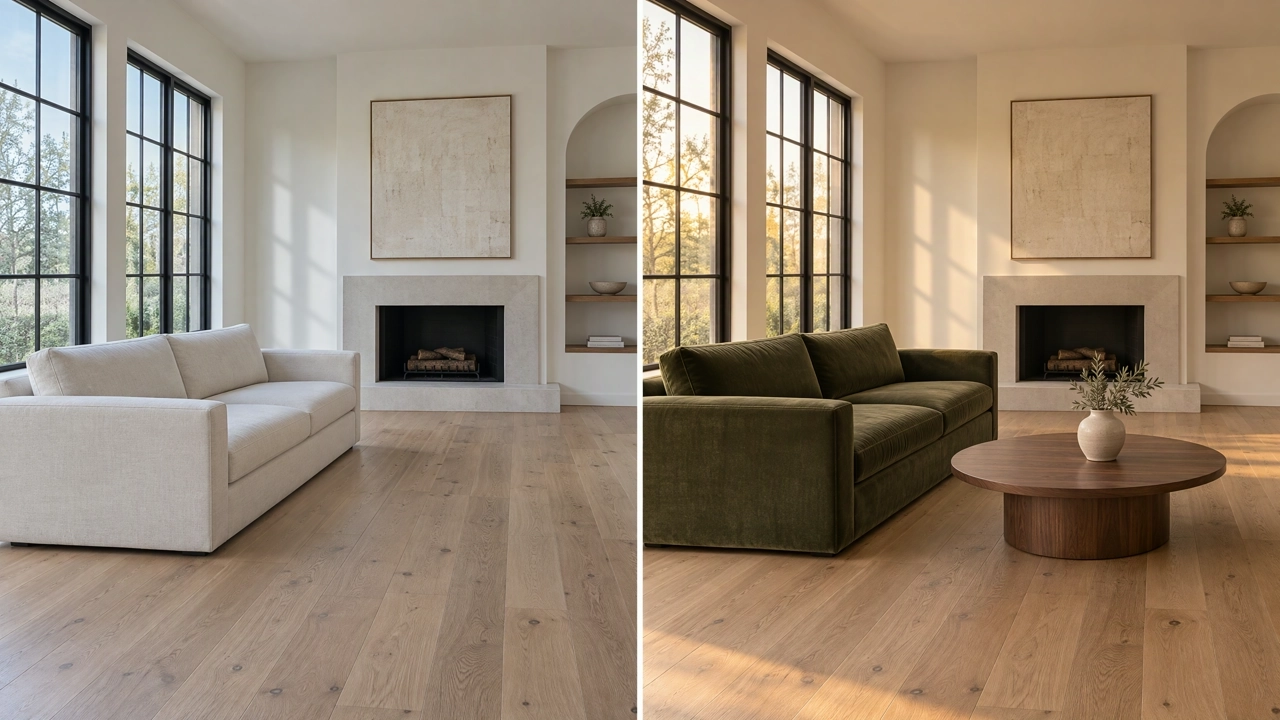
Multi-round edit look: one furniture swap, same windows, floor line, and camera. Name the keep list every round.
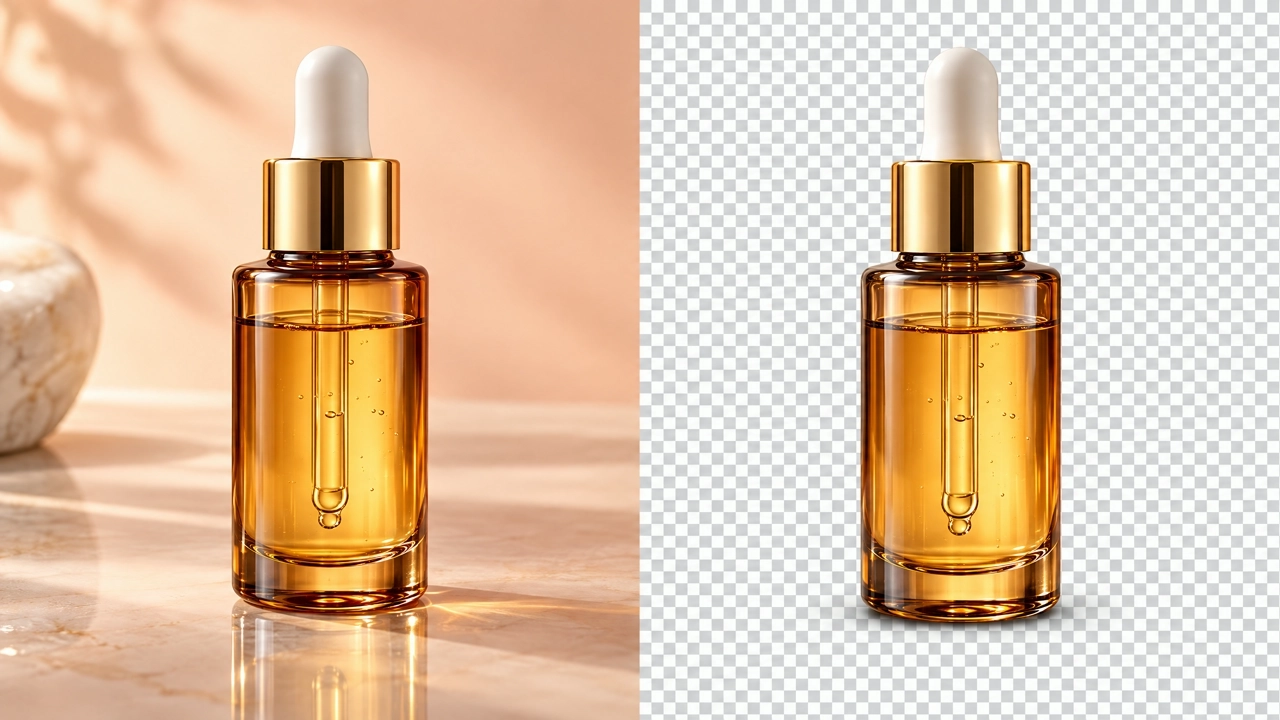
RGBA path: finished beauty still on the left, design-ready transparent cutout on the right.
Official product materials also describe finer layer separation and rich-text OCR on text layers. On KreadoAI, generate or edit first, then export the files your layout tool needs. Read the Seedream 5.5 prompt guide for keep-list templates.
MiniMax H3-Image — Complex Prompts and Many References
MiniMax H3-Image is built for long, detailed prompts and reference-heavy jobs. Describe characters, layout, lighting, mood, and spatial relationships in one pass when you need a more complete scene. On KreadoAI it also supports AI image editing with instructions that process the uploaded image.
The practical difference is how you brief references. Give each uploaded image a role: product identity, fabric texture, lighting only, outfit, or room layout. Official MiniMax image-edit documentation describes up to 16 references on the API path. Use the limit shown in the KreadoAI interface for your account. This model is not a substitute for Seedream's multi-round consistency claims; use it when the first brief needs many inputs at once.
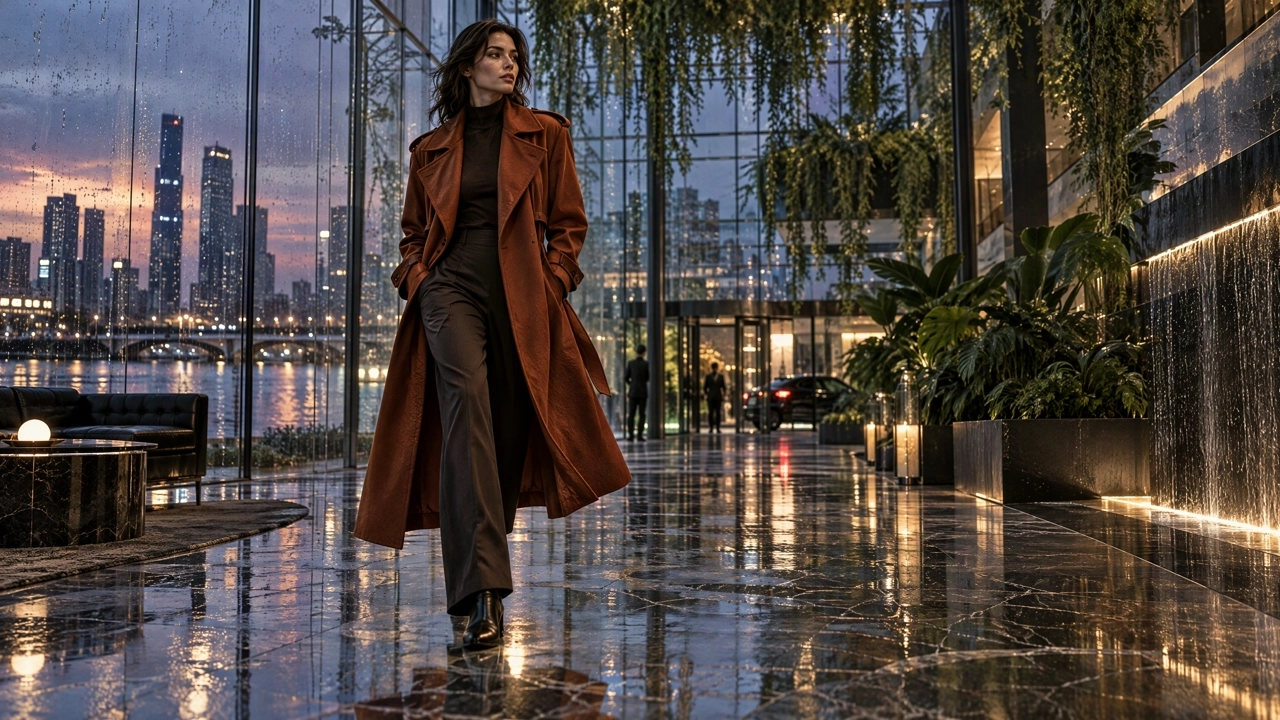
Complete visual world from a long brief: coat fabric, wet atrium, city glass, and mixed light in one campaign frame.
Copyable role templates are in the MiniMax H3-Image prompt guide.
How to Choose in One Minute
| If your brief looks like… | Start with |
|---|---|
| Pack shot, poster with short text, need GIF/SVG path, or a fast draft then a detailed pass | GPT Image 2.6 |
| Same image, many small edits; transparent sticker or cutout; dense layout with quoted lines | Seedream 5.5 |
| Long creative brief; 3–16 references with named roles; one complete campaign scene | MiniMax H3-Image |
You can move a finished still into other KreadoAI tools after export. The model pages above stay the product home for each model. The prompt guides stay the how-to home.
Try the Three Models on KreadoAI
Open the AI Image Generator, select the model that matches the job, and start with one clear prompt. Free trial credits apply by account; generation is not unlimited.
Model pages:
Prompt guides: