




Login/Register
Generate images, videos, voice, digital humans, and ad creatives directly inside Claude, Cursor, or ChatGPT using powerful MCP tools.
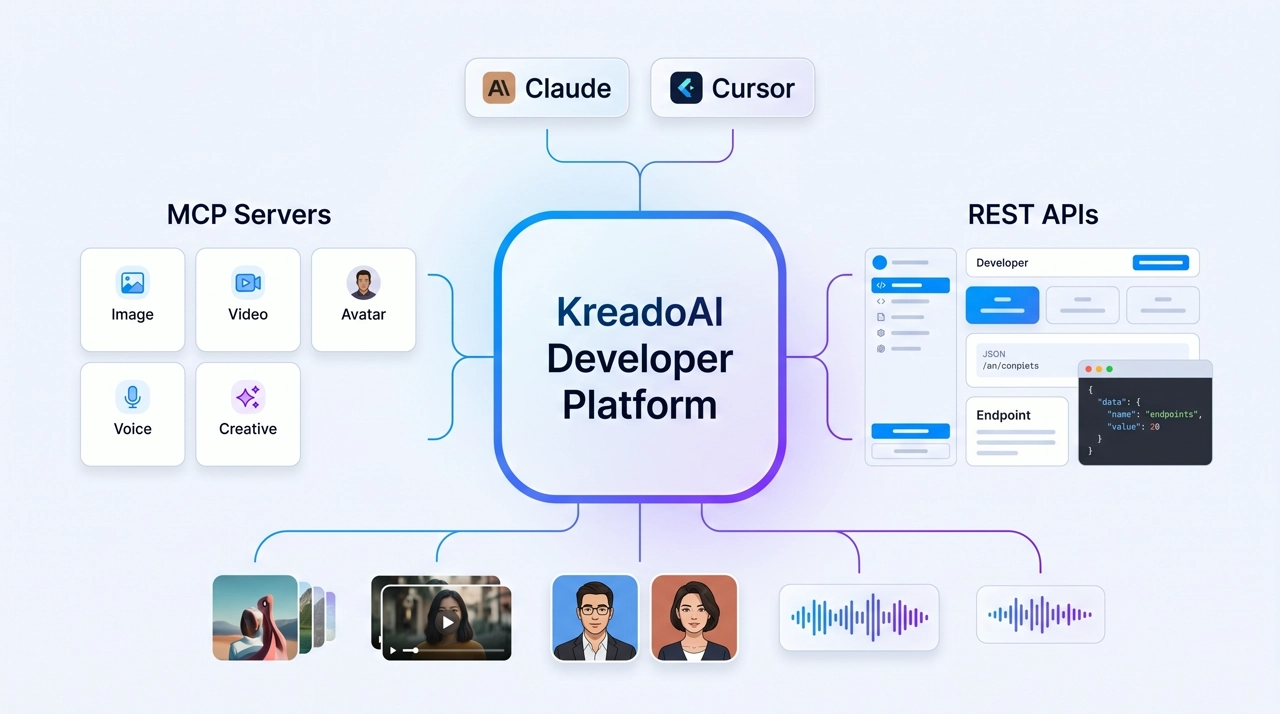
Generate, edit, upscale, remove backgrounds, and resize images; create high-converting ad creatives from URLs and product assets. Connect via AI Image MCP, Ad Creative MCP, Background Remover MCP, and Multi-Size Ad Image MCP.
Generate marketing and social videos; enhance existing clips to 1080P–8K; create avatar videos and talking photos for UGC-style ads. Connect via AI Video MCP, AI Video Enhancer MCP, and Digital Human MCP.
Generate natural voiceovers in 140+ languages for videos, ads, and avatar content. Connect via Text-to-Speech MCP.
Crawl product pages for downstream AI workflows; remove subtitles and watermarks from video automatically. Connect via Web Crawl MCP and Subtitle Remover MCP.
Pick the KreadoAI MCP server you need—images, ad creatives, video, digital humans, voice, web crawl, resize, or subtitle removal.

Upgrade to a Professional plan, then go to Personal center > API Setting in your KreadoAI account to generate and copy your credentials.

Add KreadoAI MCP to Claude Desktop, Claude Code, Cursor, or ChatGPT—configure credentials in your agent per the MCP developer guide.
Produce images, videos, digital humans, voice, and ad creatives from product URLs, scripts, and briefs—retrieve assets inside your agent session.
Simple, Flexible Plans for Developers
Web Crawl MCP → Ad Creative MCP. Crawl a product page, extract selling points, and return campaign-ready static ads in one agent session.
Web Crawl MCP → AI Video MCP → Digital Human MCP. Turn a listing page into a vertical video hook, then add a presenter read for paid social.
Text-to-Speech MCP → Digital Human MCP. Generate voiceover in 140+ languages, then sync lip movement to a digital avatar for localized ads.
Web Crawl MCP → Ad Creative MCP → Ad Image Resize MCP. Crawl or batch URLs, generate variants, resize for every placement, and hand off to Ads Manager.
Images, videos, avatars, speech, and ad creatives across KreadoAI MCP servers—one credential set, one content stack for AI agents.
Native MCP support for Cursor, Claude Desktop, Claude Code, and ChatGPT—generate content through natural-language prompts, not custom backend code.
Optimized for ad production, localization, and content generation—not generic image tools disconnected from campaign specs.
High-volume content generation for marketing teams and automated agent pipelines.
Each MCP tool covers a specific content workflow—pick one and start building in your agent.
Connect AI agents to KreadoAI MCP and generate images, videos, digital humans, and speech at scale.