




KreadoAI offers background removal with a single click.🤩
Here are the steps for using AI Smart Cutout:
Step 1: Select a digital avatar

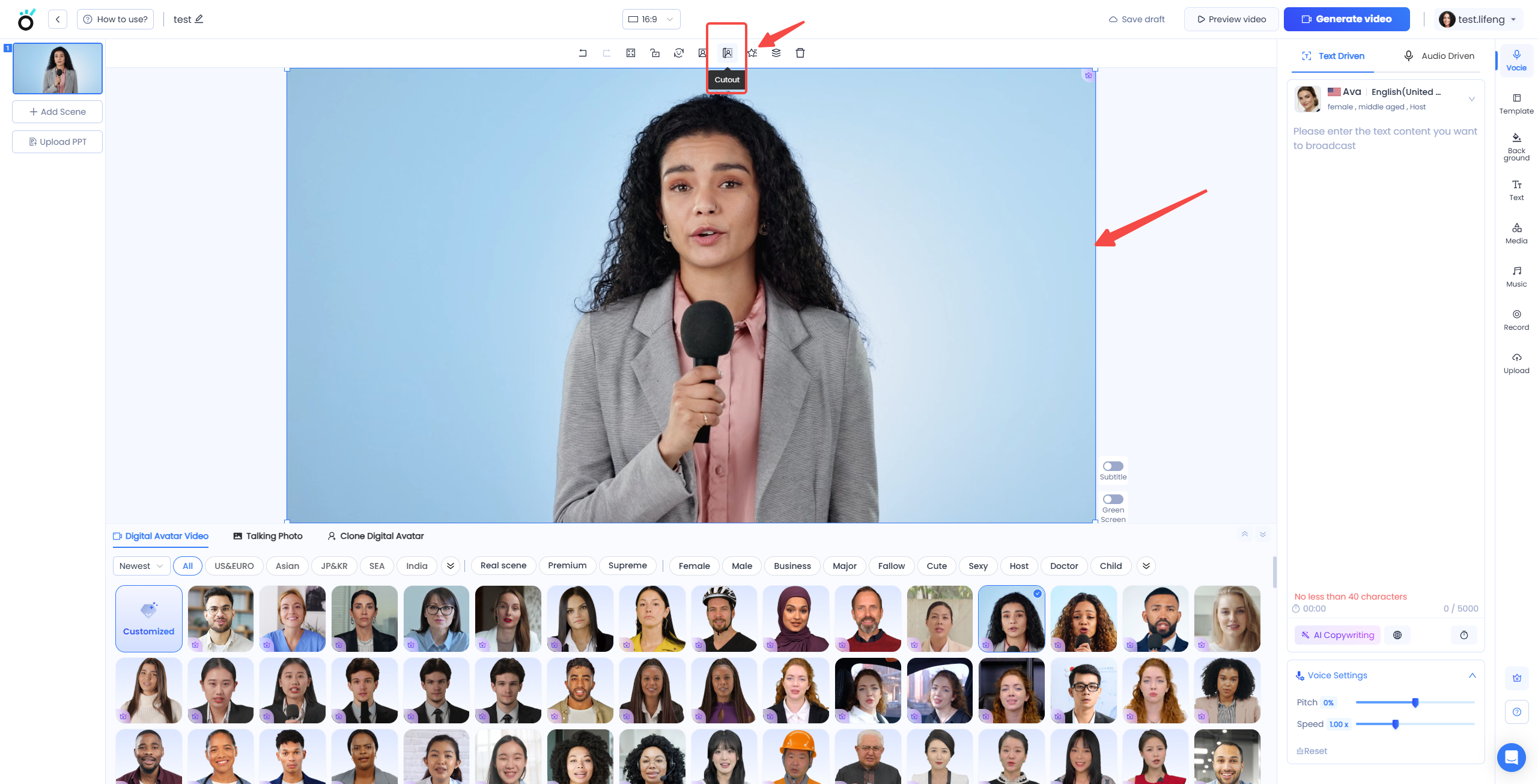
Step 2: Click on the digital avatar and choose "Cutout"
Step 3: Change the Background 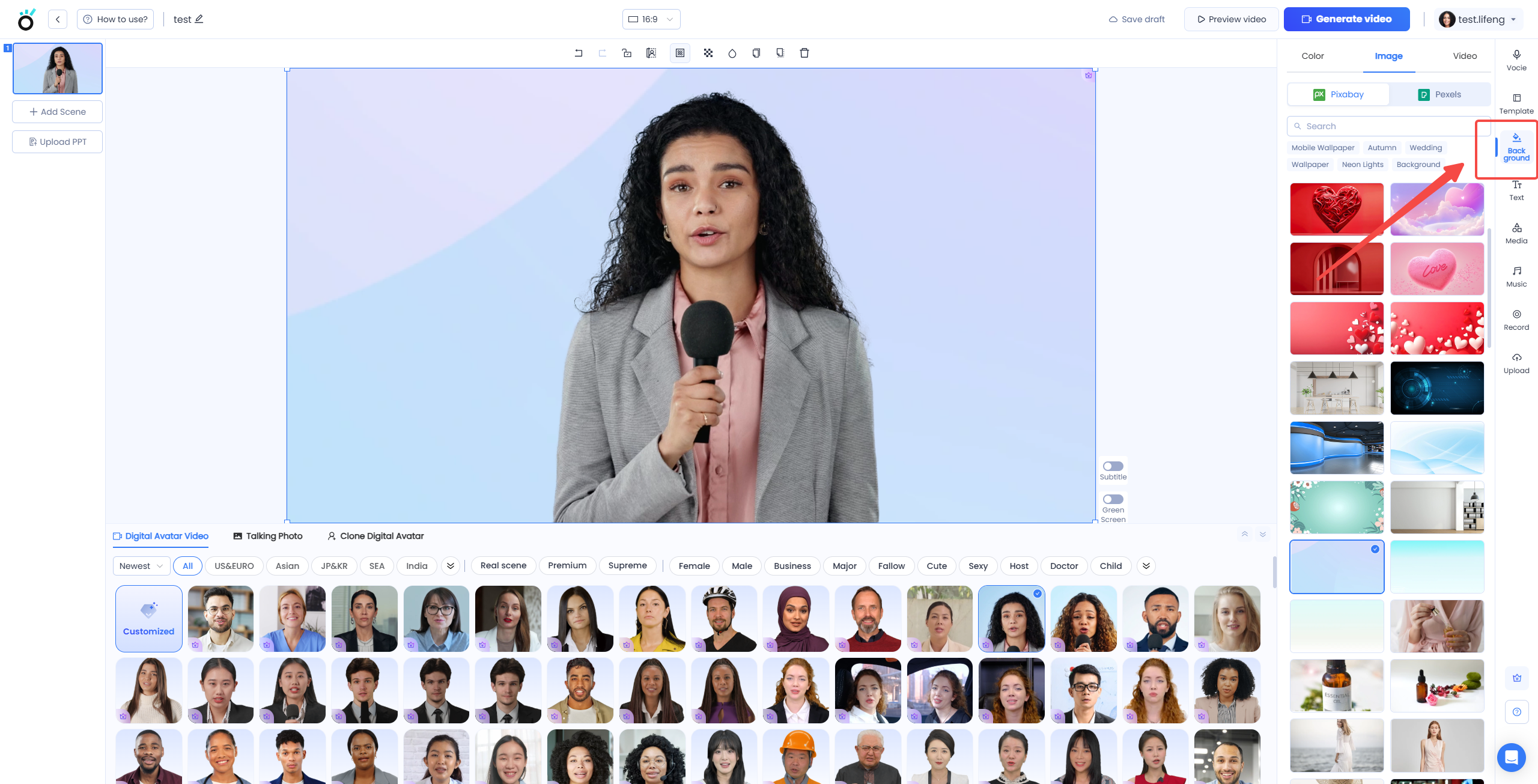
This is a very practical tip that allows you to remove the background of your photo or video subject with just one click.
Enjoy seamless video processing without the need to switch between different software—saving you time and effort‼️
If you're interested in creating short videos with digital avatar video creation, click to explore more handy tips‼️


