




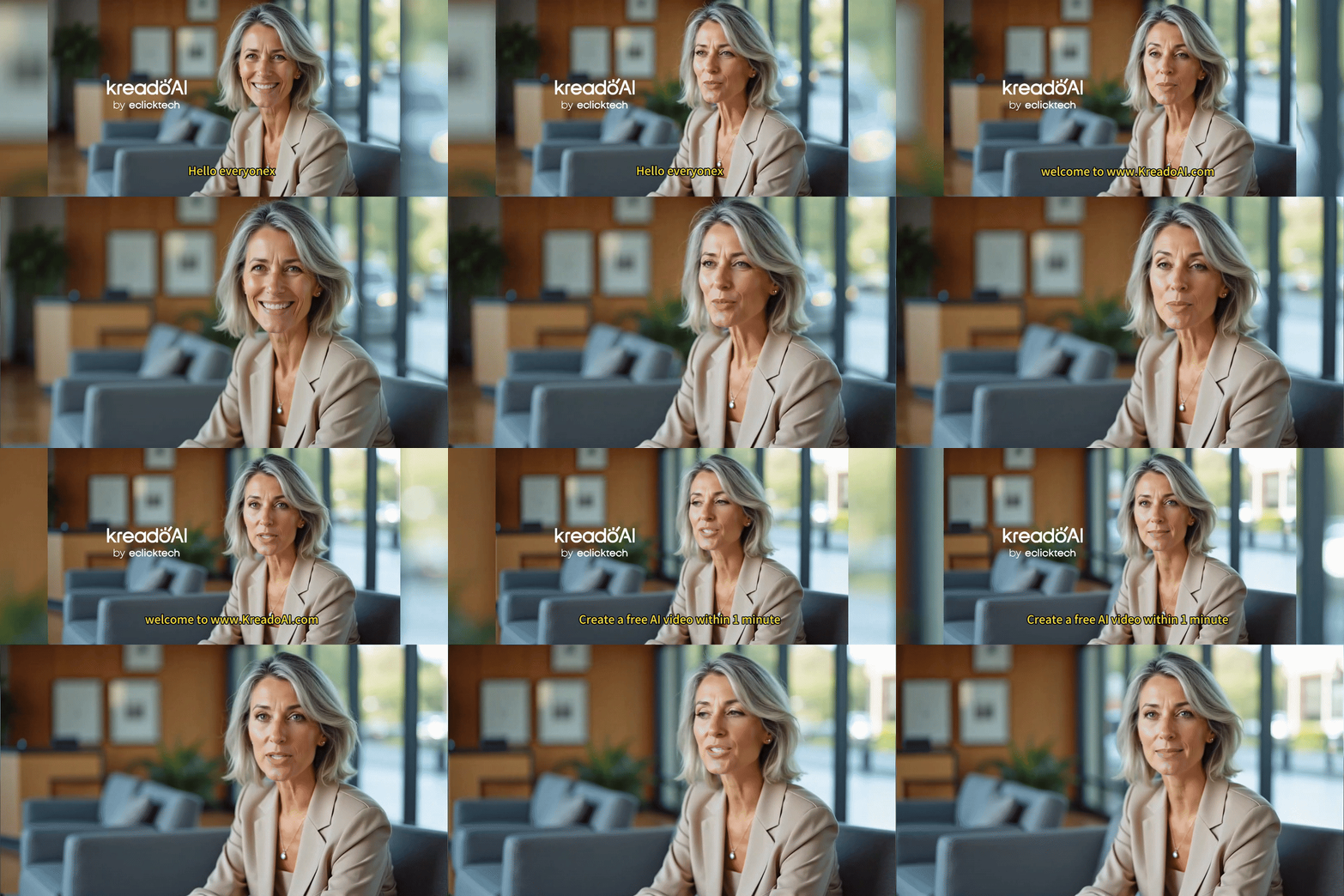
Are unwanted subtitles, watermarks, or logos ruining your video experience? These distracting elements not only affect visual appeal but also limit creative freedom in video editing.
With KreadoAI’s AI Subtitle Removal Tool, you can easily erase subtitles, logos, faces, and license plates in just one click. Whether you need blur, mosaic, or seamless removal, this guide will walk you through the simple steps to achieving a clean and polished video!
How to Use KreadoAI’s AI Subtitle Removal Tool?
With just 3 simple steps, you can remove subtitles and logos effortlessly!
How to Access KreadoAI Subtitle Removal Tool
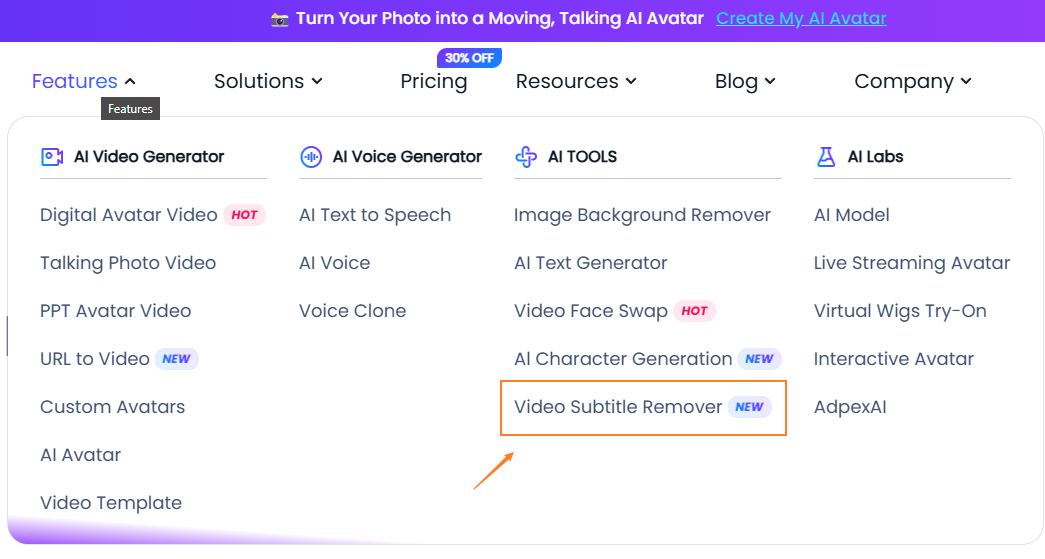
✅ Go to the KreadoAI, navigate to the homepage menu, and select the "Subtitle Removal" feature.
✅ Or, visit the AI Subtitle Removal page directly for quick access.
1️⃣ Upload Your Video
Easily upload your video file and get started!
✅ Supported Formats: MP4, MOV
✅ File Size: 1MB - 200MB
✅ Resolution: Recommended 1080P and below (Supports 2K & 4K)
✅ Video Length: 5 seconds - 10 minutes
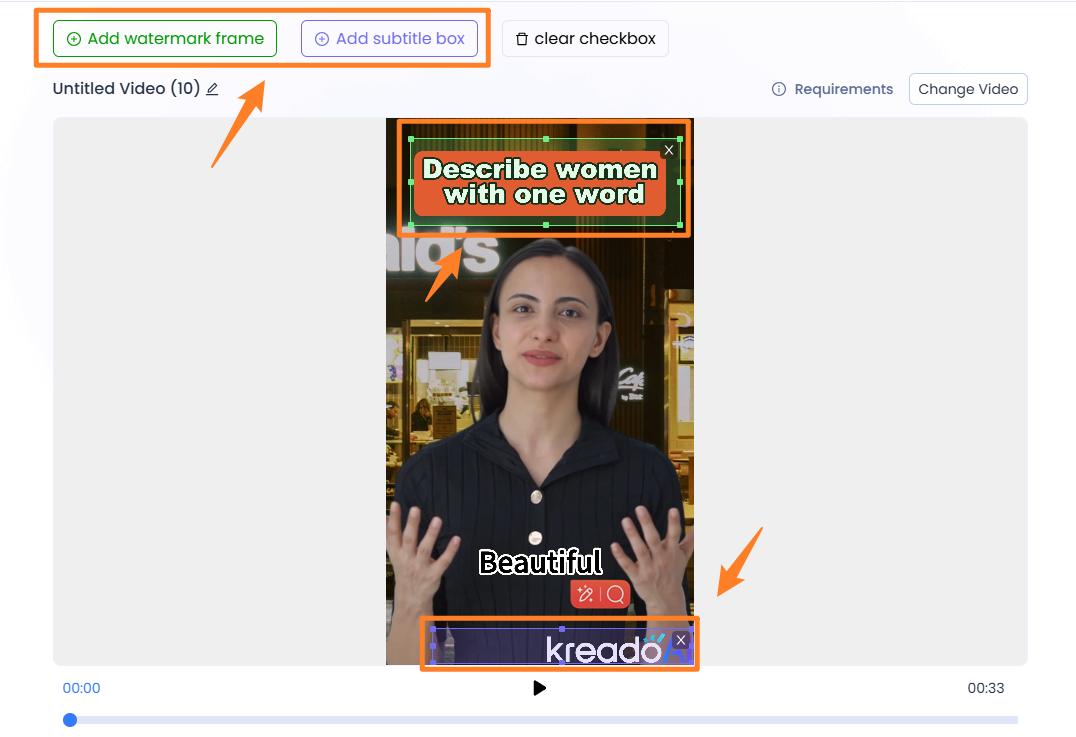
2️⃣ Select the Removal Area
🔹 Precisely mark the subtitles, watermarks, or logos
🔹 Remove specific sections or multiple elements
🔹 Logos & icons → Select Watermark Removal
🔹 Text subtitles → Select Subtitle Removal
🔹 Adjust and zoom for accurate selection
👉 Easily switch videos from the top-right corner without re-uploading!
3️⃣ Process & Download
📌 Click Submit Task, and let AI automatically remove subtitles & watermarks.
📌 Once processing is complete, download your high-quality, clean video.
📌 Supports batch removal and easy management of source files.
Important KreadoAI’s AI Subtitle Remover Usage Notes
🚨 Ensure you have legal rights to use and modify the video.
🚨 Unauthorized modifications may violate copyright laws—please comply with legal regulations.
Why Choose KreadoAI?
✅ AI-Powered Precision – Smart detection for accurate subtitle & watermark removal
✅ Lossless Quality – Maintain HD visuals without distortion
✅ One-Click Simplicity – No video editing skills required
✅ Multi-Format Compatibility – Works across multiple platforms
Whether you’re a beginner or a professional content creator, KreadoAI’s AI Subtitle Removal Tool helps you quickly enhance videos and achieve a cleaner visual experience!
🎬 Try it now and remove those unwanted distractions in seconds!


