




KreadoAI’s TikTok Script Generation tool is designed to help marketers, creators, and businesses quickly produce high-quality TikTok-style marketing scripts based on your product or service descriptions. Whether you’re new to scriptwriting or want to accelerate your content creation process, this tool offers a simple and effective way to get multiple script ideas optimized for TikTok videos.
Here’s how to use the tool step-by-step:
Step 1: Access the TikTok Script Generation Tool
Visit the tool page here:
https://www.kreadoai.com/ai/tiktok-script
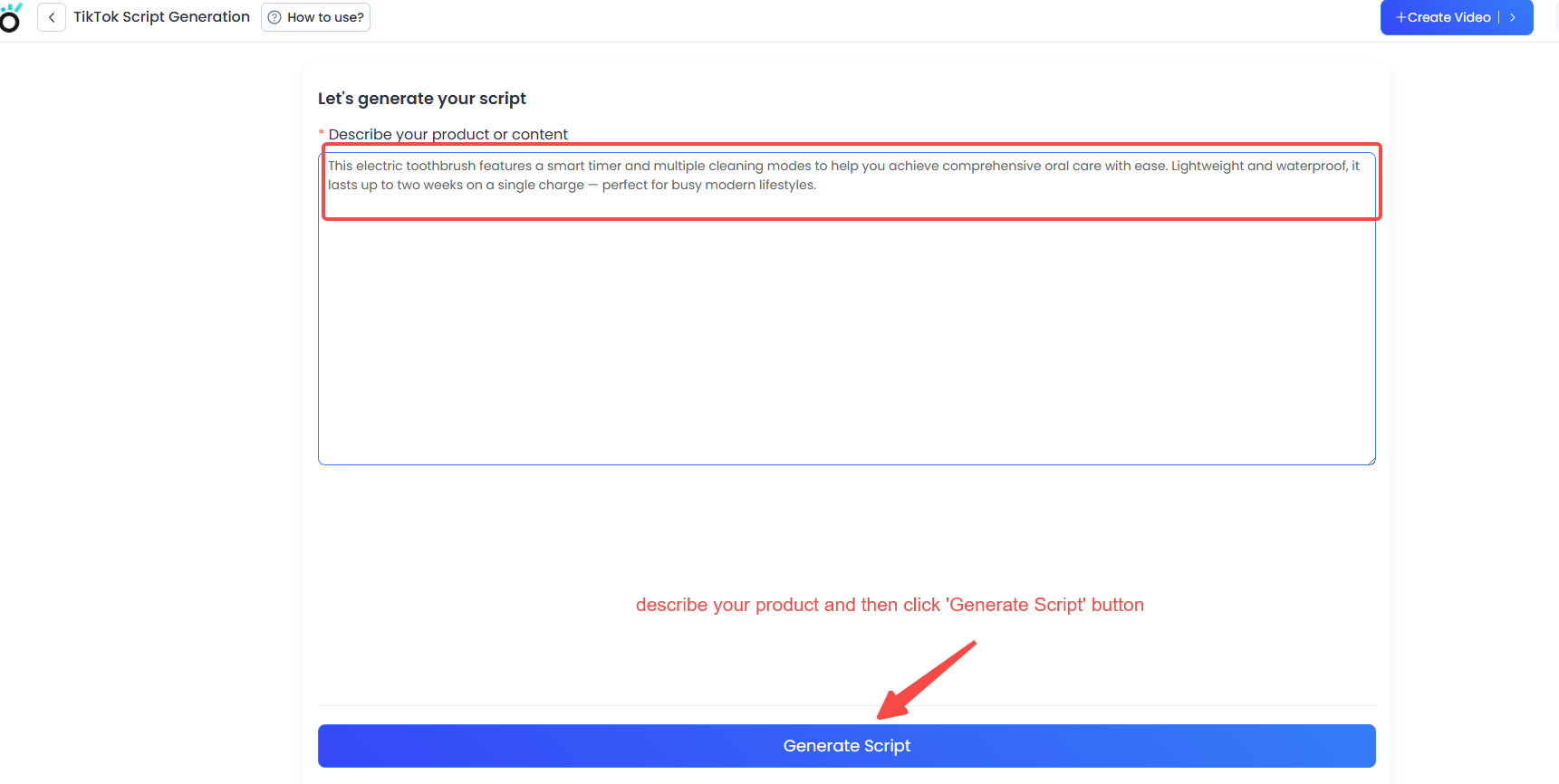
Step 2: Enter Your Prompt
In the text input box, provide a clear description or brief of your product, service, or campaign idea.
- You can enter between 10 and 3000 characters.
- If your input is shorter or longer than this range, an error message will prompt you:
- “The input text is between 10–3000 characters, please check and try again.”
Step 3: Generate Your Scripts
Click the “Generate Script” button fixed at the bottom of the page to start the AI generation process.
Step 4: Review Generated Scripts
By default, the system will produce 4 script variations, displayed with the newest at the top.
You can generate more scripts at any time by clicking the “Generate Again” button; new results will appear above previous ones.
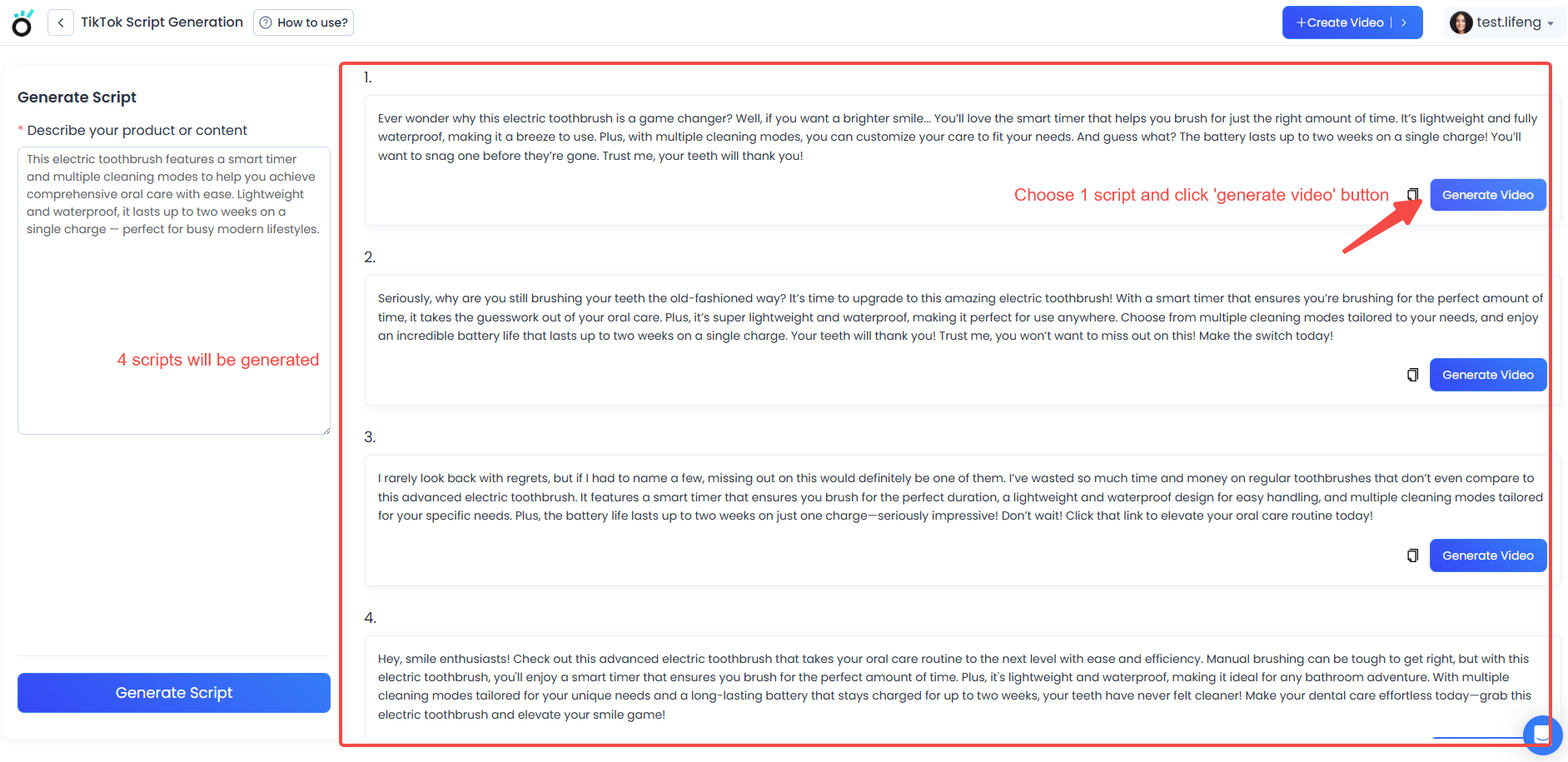
Step 5: Select and Create Your Video
Choose the script you like best, then click “Generate Video” to use KreadoAI’s digital avatar feature and transform the script into an engaging TikTok-style video.
Additional Notes
- The script generation loads instantly; there is no progress bar.
- All scripts are AI-generated and tailored to TikTok’s style and trends, helping you save time while producing fresh content.
With these simple steps, you can easily generate creative, effective TikTok scripts and bring them to life with digital avatars — all within KreadoAI.


