




Have you ever imagined creating stunning videos with a virtual presenter that mimics your voice and facial expressions perfectly?
Well, in this video, I’ll show you how to do exactly that using KreadoAI — a revolutionary AI tool that turns any text into a professional talking avatar video. No camera, no mic, no production crew needed.
What is KreadoAI and who is it for?
KreadoAI is perfect for anyone who wants to create content without being on camera. Whether you're making YouTube videos, business presentations, or even turning PowerPoint slides into videos, KreadoAI can help.
After clicking the link in the description below, you’ll land on the KreadoAI homepage. Sign up for a free account and you'll get:
✅ Up to 3 minutes of video for free
✅ Access to 100+ ready-made avatars
✅ Ability to generate 3 custom avatars using AI
If you need more, they have flexible paid plans too.
🎭 Feature Spotlight: Create Your Own Avatar Clone
One of the coolest features is the Real-Time Avatar Clone.
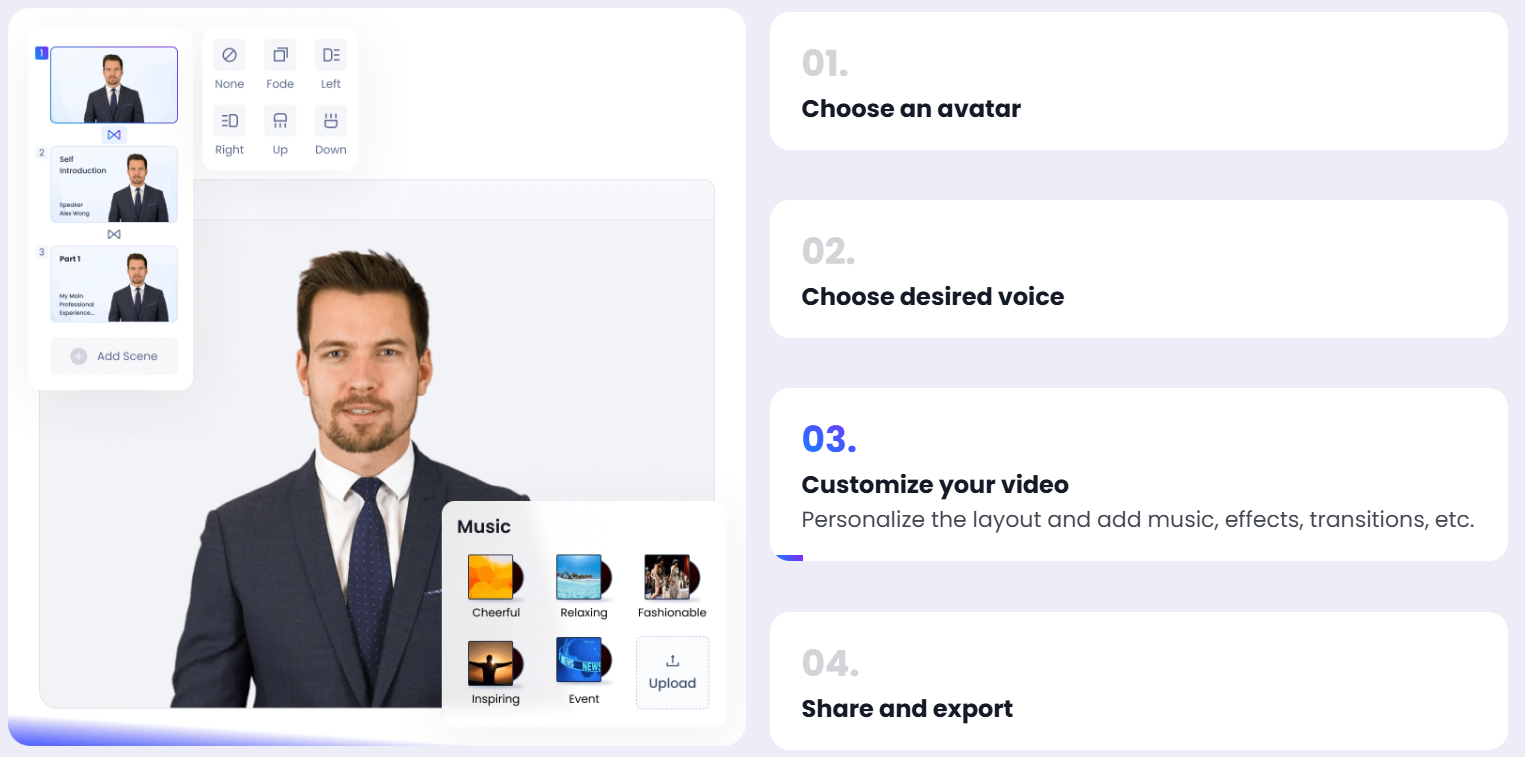
Here's how to use it:
🔹 Go to the "Instant Avatar Clone" section
🔹 Upload a video of yourself (follow the guidelines for best results)
🔹 Accept the terms and confirm
Once uploaded, simply paste the text you want the avatar to speak. Want it in another language? No problem — KreadoAI supports multiple languages. For example:
🔹 Paste your original script
🔹 Translate it inside the platform
🔹 Choose a voice (e.g., male, Colombian Spanish)
🔹 Adjust tone and speed if needed
🔹 Click "Generate Video" — and you’re done!
📊 Bonus Feature: Use Pre-made Templates
If you're stuck for ideas, KreadoAI has a variety of templates you can use — like weather reports, product demos, news updates, and more.
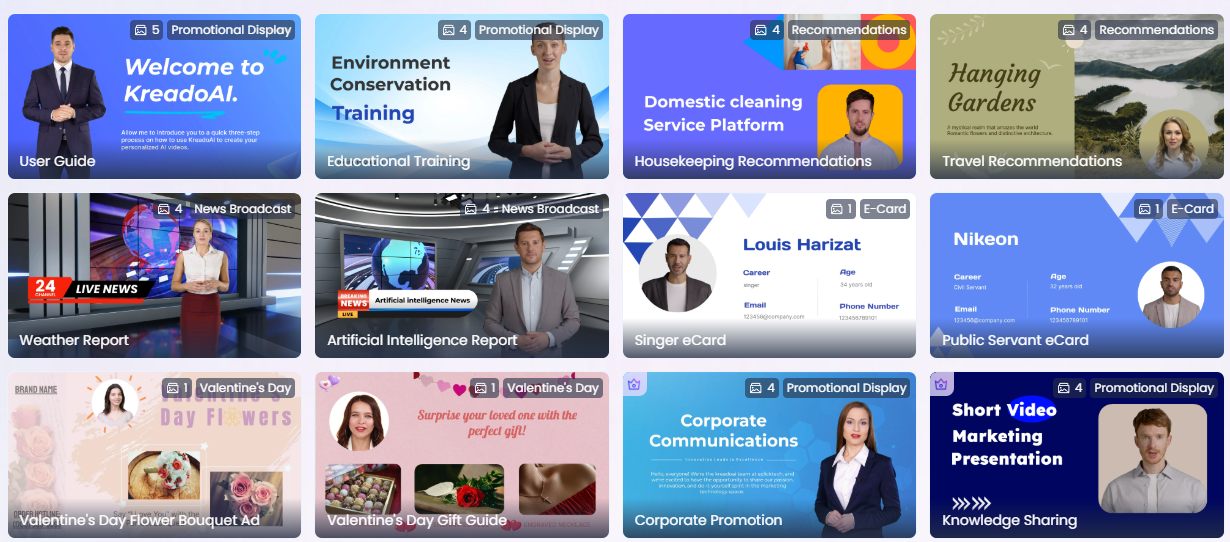
🔹 Change the avatar
🔹 Reposition it on the screen
🔹 Add or edit subtitles
🔹 Translate voiceovers and choose your preferred language and voice
It's super intuitive and beginner-friendly.
🚀 Ready to Try KreadoAI?
Whether you’re making content for YouTube, presentations, or marketing — this tool saves time and effort while delivering professional results.
🔗 Try KreadoAI for Free


