
🪄 AI Generated Videos:Veo3.1&SORA2Free Trial

How to Create YouTube Video Ads with AI: Skippable Formats

Create YouTube video ads with AI: TrueView hooks in 5 seconds, bumper constraints, and a workflow that matches Google Ads video formats

 
To create YouTube video ads with AI, start by selecting the Google Ads video format you are buying (for example, skippable in-stream vs bumper), build a hook-first script for skippable ads because viewers can skip after 5 seconds, export 16:9 HD masters for typical in-stream placements, then validate claims and destination pages. AI helps you draft and iterate; auction dynamics, targeting, and measurement still determine outcomes.
 
Key takeaways
  • For skippable ads, seconds 0–5 are the entire pitch to earn continued watch time.
  • Bumper ads are 6 seconds or shorter—one idea, one proof, one branding moment.
  • YouTube is often sound-on, but subtitles still improve comprehension.

What is a YouTube video ad?

A YouTube video ad is a video creative served within the YouTube environment (and Google video partners, depending on campaign settings) through Google Ads. Common formats include skippable in-stream ads, non-skippable in-stream ads (where available), and bumper ads. Each format changes the creative constraint: skippable ads demand an immediate hook; bumpers demand a single memorable message.
 
Use Google's official help documentation as the authoritative reference for definitions and policies.

YouTube video ad formats: planning table

Confirm durations and availability in the Google Ads UI for your account and country. This table reflects common planning constraints advertisers use when storyboarding.
 
Format
Typical resolution
Aspect
Length (planning)
Creative implication
Skippable in-stream
1920×1080 (1080p)
16:9
Often 12s+ creatives used in tests
Must win first 5 seconds
Non-skippable in-stream
1920×1080
16:9
Often short (regional rules vary)
Tighter story; avoid slow intros
Bumper
1920×1080
16:9
Up to 6 seconds
One claim + brand finish
In-feed video ads (discovery-style surfaces)
Often 16:9
16:9
Varies
Thumbnail + title matter too
 

Use cases: when YouTube video ads are the right channel

  • High-Consideration Purchases: Use the extra time to explain setups or specs. Use AI to nail the first 5 seconds, then deliver a deep dive for viewers who stay.

  • Search & Video Synergy: Use Search to capture intent and YouTube to build the narrative. Consistent messaging across both channels drives higher trust and conversion.

  • Time-Sensitive Promos: Combine 6s Bumpers for deadlines/codes with skippable ads for lifestyle context. This two-pronged approach builds both desire and urgency.
Why the first 5 seconds dominate skippable YouTube ads

Skippable in-stream ads can be skipped after 5 seconds in many cases. That means your “ad” is really two ads:
  1. A 5-second audition to earn continued viewing
  2. The remaining narrative for people who stay
AI tools help teams generate multiple hook variants and opening shots so you can test what reduces skip rate and improves downstream metrics.

What is the most important rule for skippable YouTube ads?

Answer in one breath: Treat the first five seconds as a standalone ad—state the category, the benefit, and why the viewer should keep watching; everything after is optional if the hook fails.

Step-by-step: YouTube video ads with AI

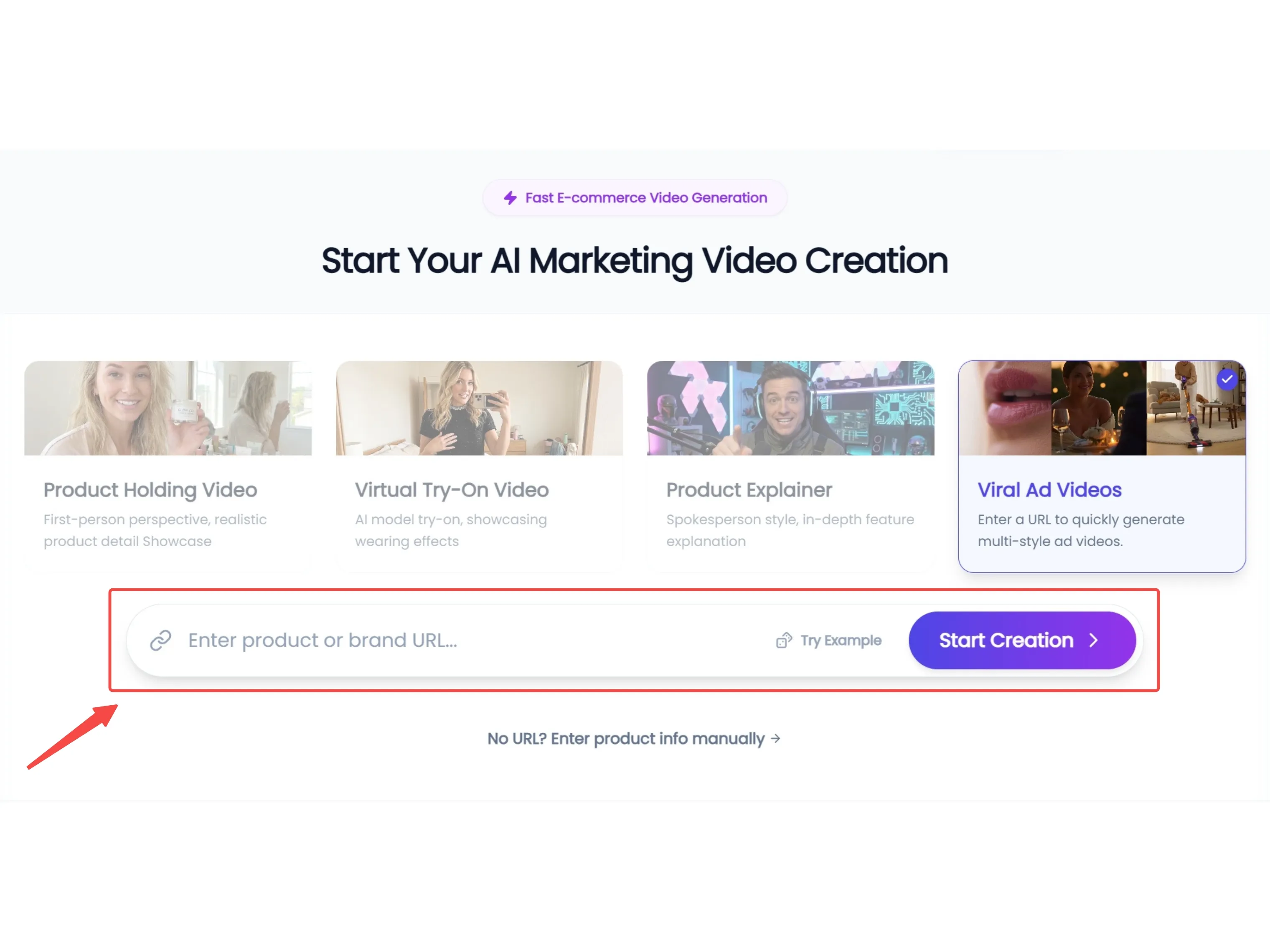
Step 1: Horizontal Asset Sync & Scene Selection

Input your product URL, and KreadoAI will extract high-resolution assets optimized for a 16:9 widescreen layout. Select from YouTube-native scenarios,ensuring your video has the professional polish required for desktop and TV viewership.
 

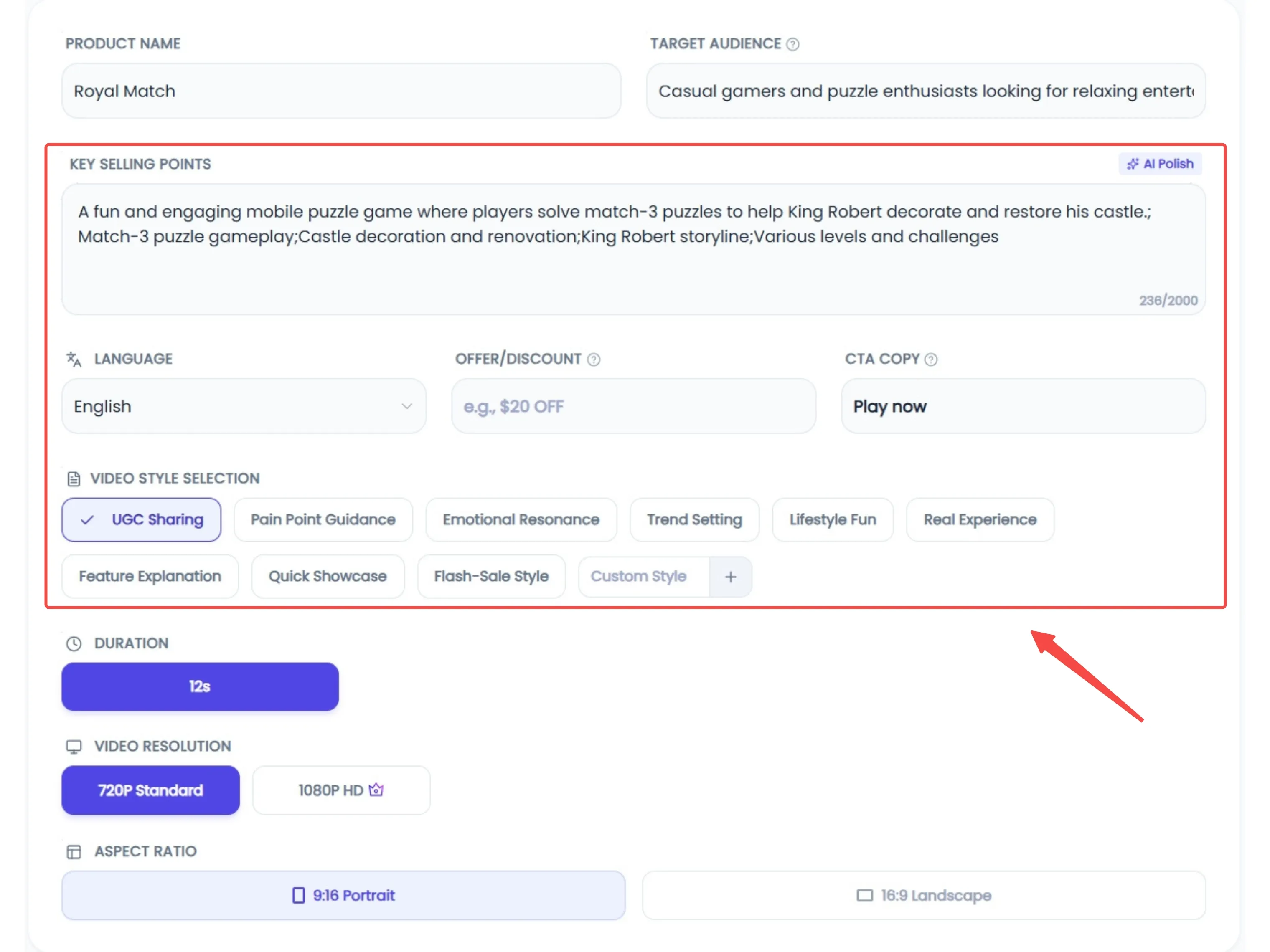
Step 2: Hook-Centric Scripting & Global VO

On YouTube, you have just 5 seconds to beat the 'skip' button. Use the AI Polishing tool to craft a hook-first script that captures attention instantly. With support for 20+ languages and professional voiceovers, you can transform technical specs into a compelling narrative that keeps viewers engaged past the 30-second mark.
Step 3: End-Card Optimization & Deployment

Maximize your ROI by selecting the perfect opening and closing frames, with a focus on strong End-Card calls to action. Once the AI generates your 16:9 master, conduct a final quality review and deploy your ad directly to Google Ads Manager with a single click.

Measurement notes advertisers overlook

  • CTR alone can mislead on video—pair with view rate, conversions, and incrementality where possible.
  • Creative fatigue appears as rising CPVs and declining engagement—plan refreshes.
Industry publications such as Think with Google discuss creative effectiveness patterns; use them as orientation, not guarantees. For format definitions, cross-check Google Ads Help articles on video campaigns (About video campaigns).

Pitfalls and limitations

 
Pitfall
Symptom
Fix
Slow logo intro
High skip rate
Move brand after hook
Too many claims in 6s bumper
Confusing message
One benefit + brand
Mismatch with landing page
Low conversion
Align offer and product
Ignoring policy
Disapprovals
Pre-check restricted claims


Refining Your YouTube Ad Production with AI

Developing effective YouTube ads requires a balance of technical precision and compelling storytelling. KreadoAI's specialized workflow assists in bridging the gap between a raw concept and a polished 16:9 master.This platform helps you maintain a consistent presence in the auction without the typical production overhead.


Explore KreadoAI’s YouTube ad solutions 

FAQ

How do I create YouTube ads with AI without editing skills?

Use AI to draft scripts, generate voiceover, and assemble a first cut—then review on-device for readability, policy, and brand accuracy. “No editing skills” does not mean “no QA.”

What is the best YouTube skippable ad length?

There is no universal best length. Many teams use 15–30 seconds for testing, then expand winners. Optimize for retained views and downstream conversions, not duration vanity.

How important is the first 5 seconds on YouTube?

For skippable in-stream, it is often the difference between being seen and being skipped.

Can KreadoAI generate YouTube bumper ads?

Yes—treat bumpers as a separate creative with a single message. Six seconds punish complexity.
 

Does KreadoAI support YouTube ad formats?

Use the YouTube-focused page (YouTube video ads) and confirm export settings in the product for 16:9 HD outputs.

Where can I read official YouTube / Google Ads requirements?

If YouTube is part of your performance mix, begin with the YouTube workflow page (YouTube video ads ) and route generation through the marketing video hub (AI marketing video).
