




Ever wanted to create talking avatar videos but don't want to be on camera? Hiring professional actors is expensive, and editing can be time-consuming. Many existing AI-generated talking photos can speak, but their bodies remain static—lacking realism.
What if there was a way to generate a fully animated AI avatar from just a single photo—one that can speak, blink, nod, wave, and perform natural movements? No need for a real person on screen, no complex editing—just one click to create a lifelike AI-generated video. Sounds intriguing? 💡
Now, KreadoAI makes it possible with its latest AI Video Generator! 🚀
Free AI Image to Video – Bring Any Photo to Life!
With KreadoAI, simply enter a text prompt, and AI will generate a highly realistic full-body video. From facial expressions and body gestures to hand movements and even object interactions, your static image will truly come to life!
🎬 Check out the results!
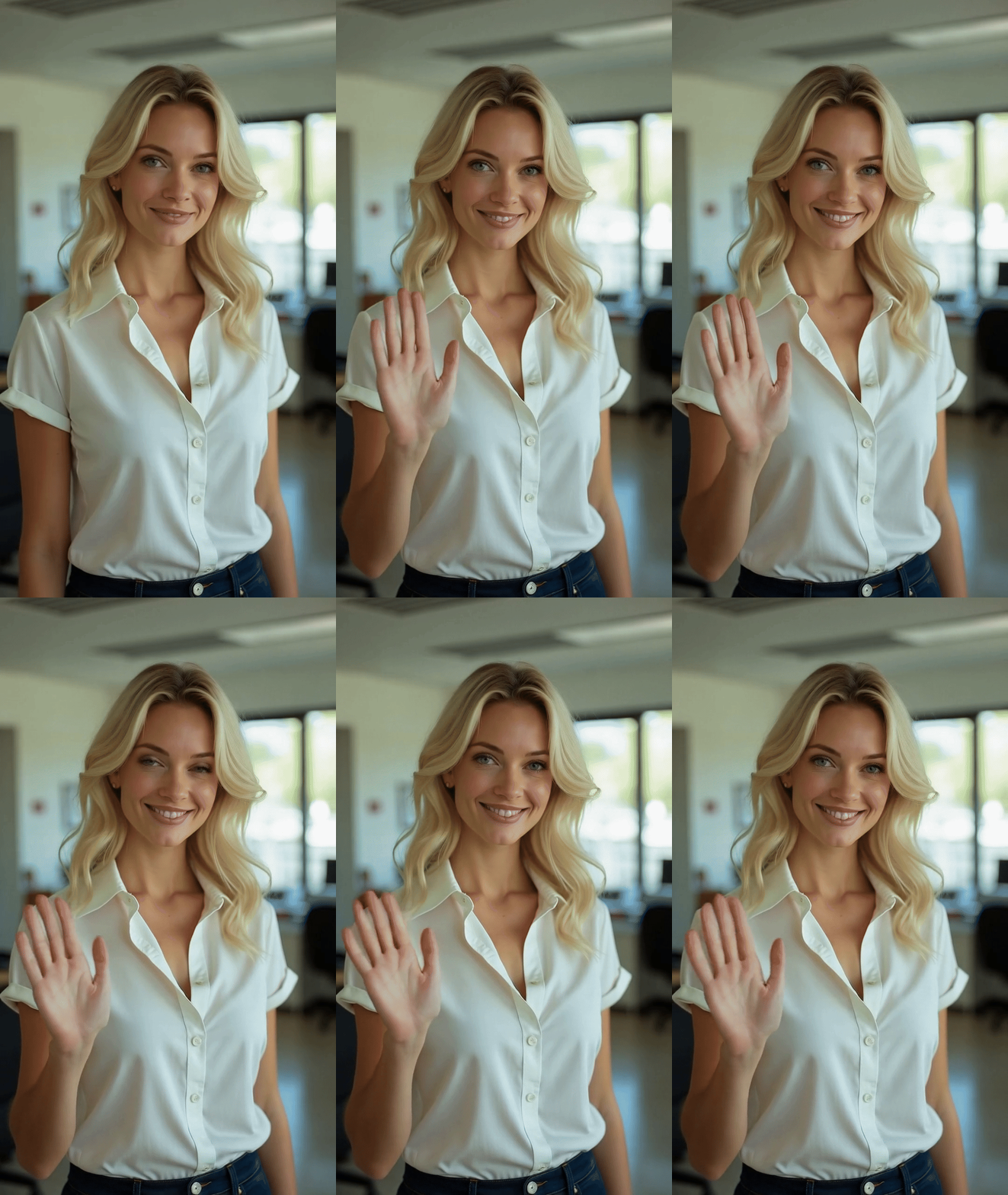
Looks natural, right? But guess what? This dynamic video was created from just a single static photo! Simply replace it with your own image, enter your desired actions, and create your own AI-powered digital human video effortlessly.
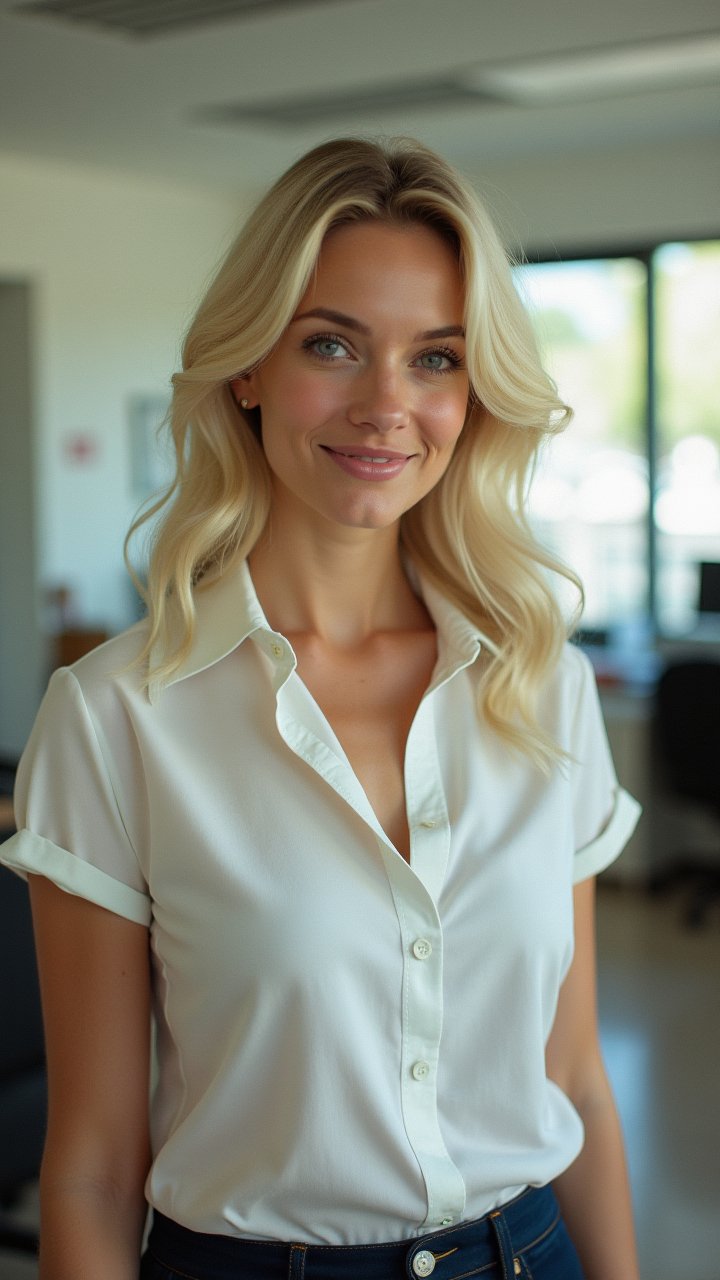
How to Get Started?
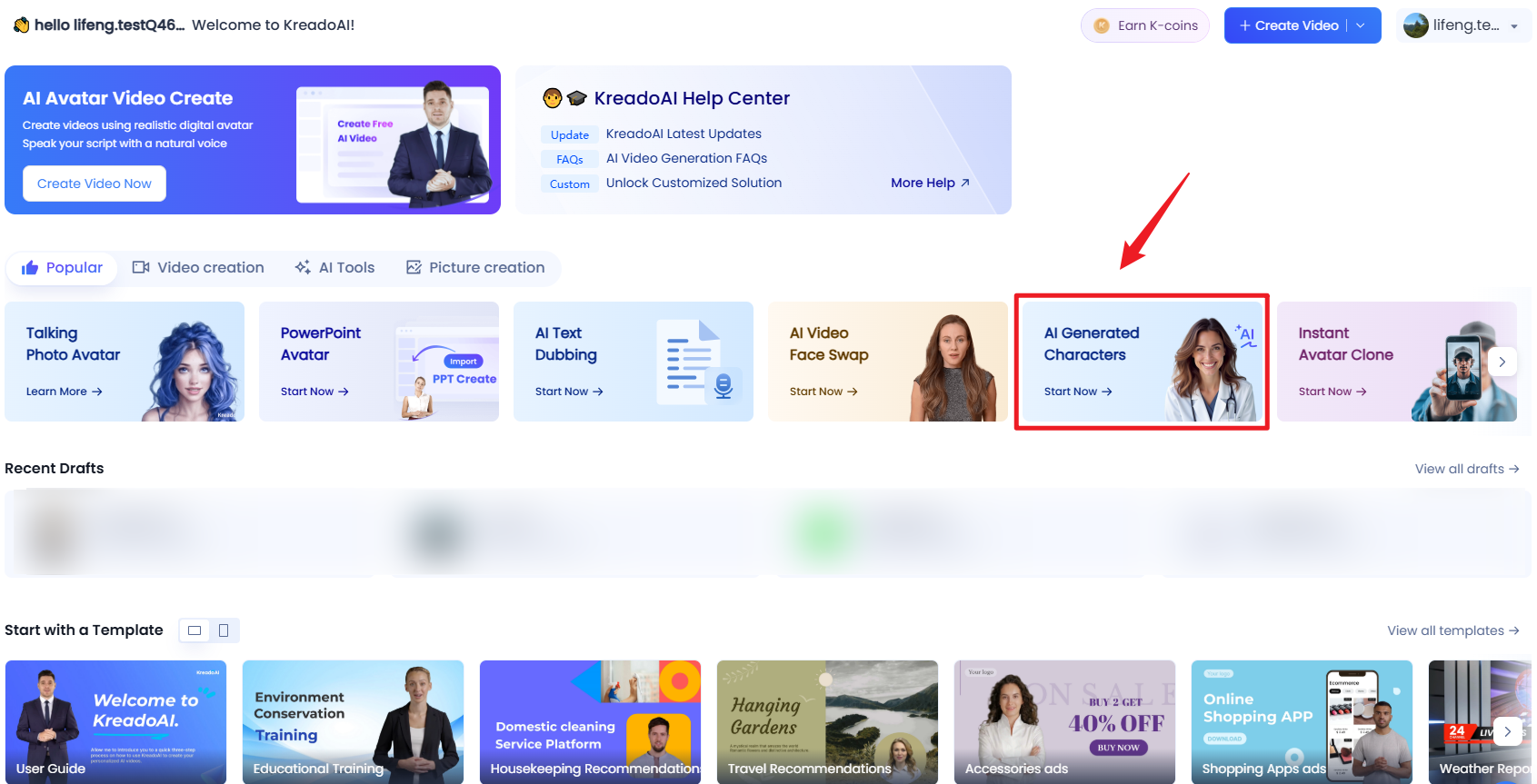
Option 1️⃣: Sign up on KreadoAI, go to the dashboard, and select “AI Generated Character”.
Option 2️⃣: Directly visit the "create" page, select "talking photo", and generate your AI video in one click!
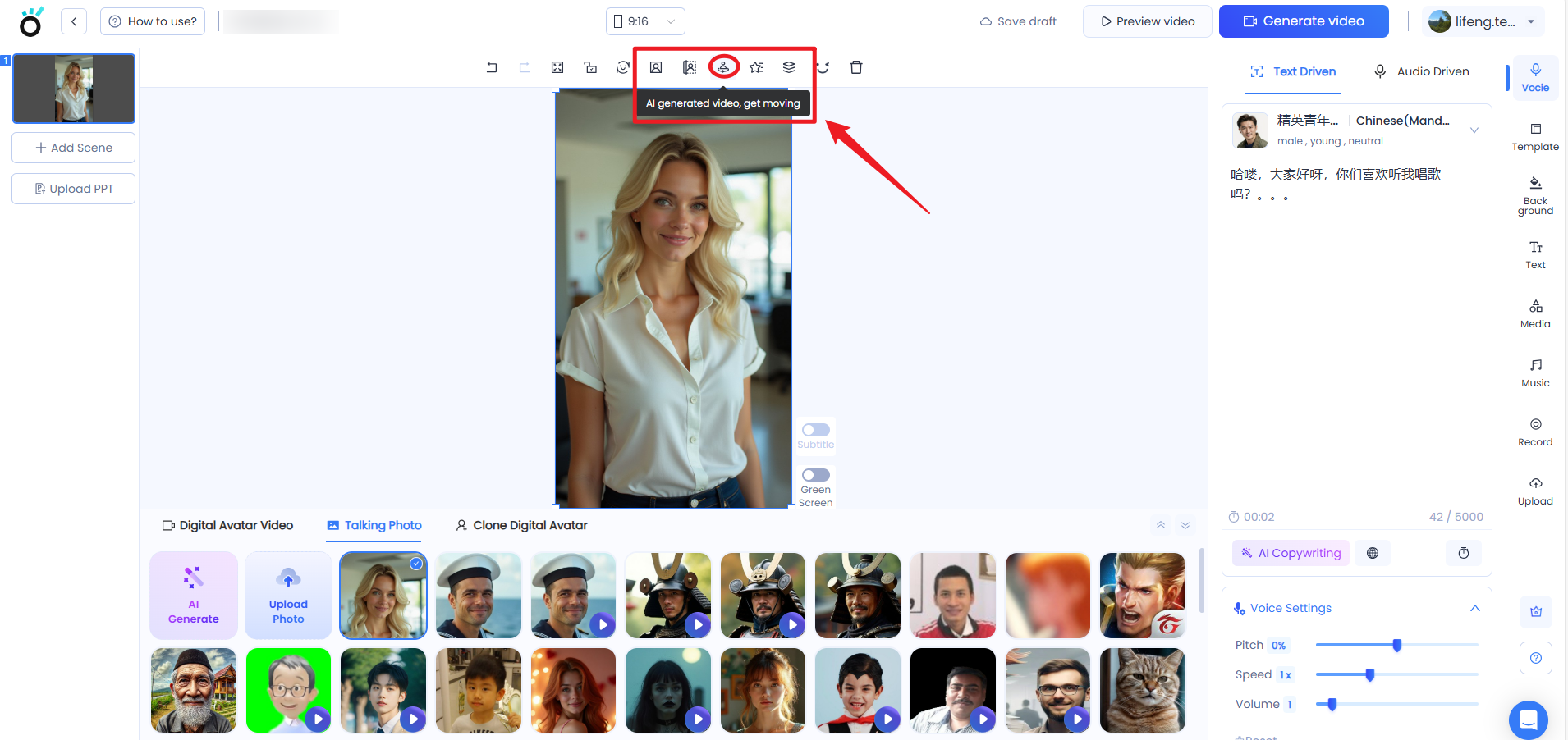
Convert Image to Video Online in Seconds!
✅ Upload a photo (or use KreadoAI’s “AI Image Generator” to create a new one).
✅ Enter a text prompt, e.g., “The person stands in the frame, waves her right hand, and greets me.”
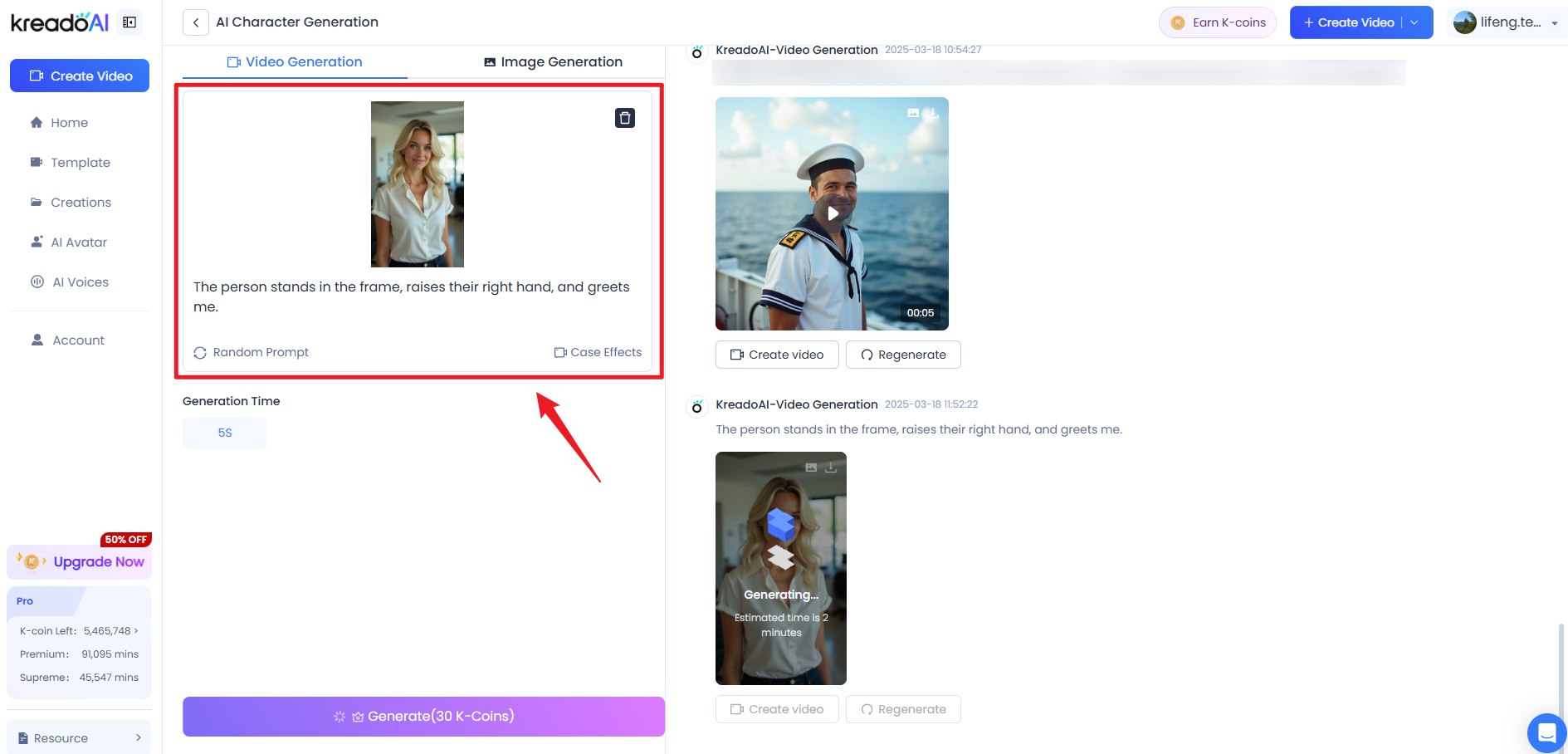
✅ Click “Generate”, wait a few seconds, and get a highly realistic animated AI avatar!
🎯 Not satisfied? Simply regenerate! You can also review your previous generations directly on the right panel.
How to Make a Digital Avatar Video?
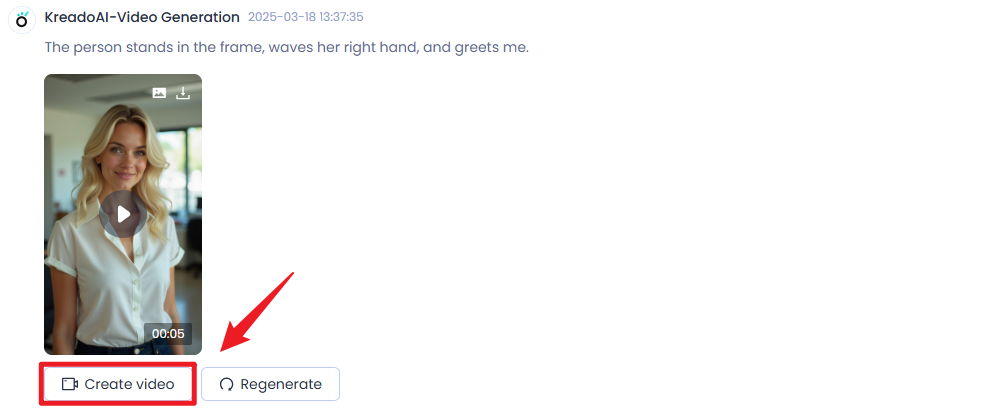
✅ Choose your animated AI avatar, then click "Create Video".
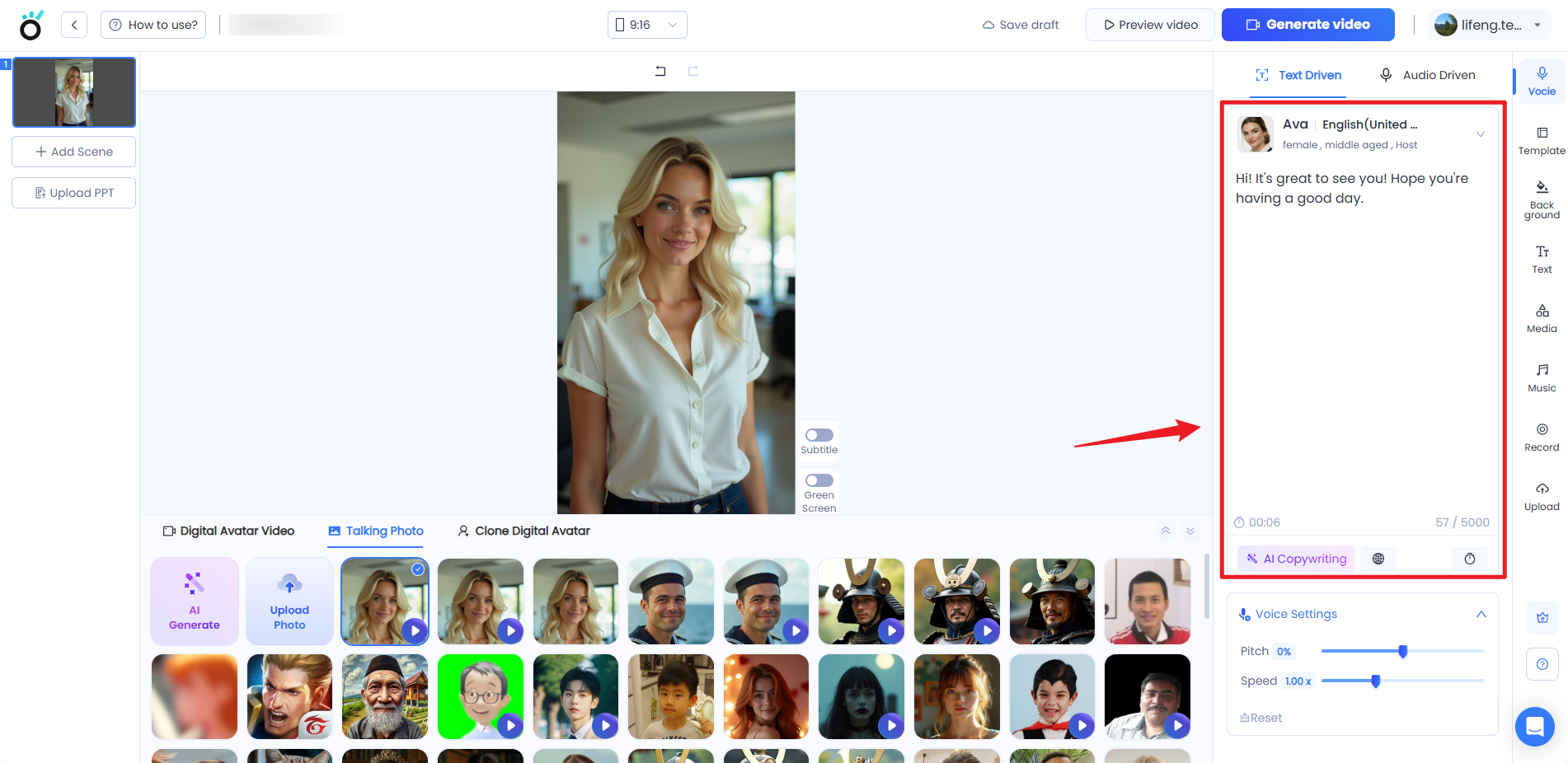
✅ Enter the script for your digital avatar. Need help? AI can enhance your text!
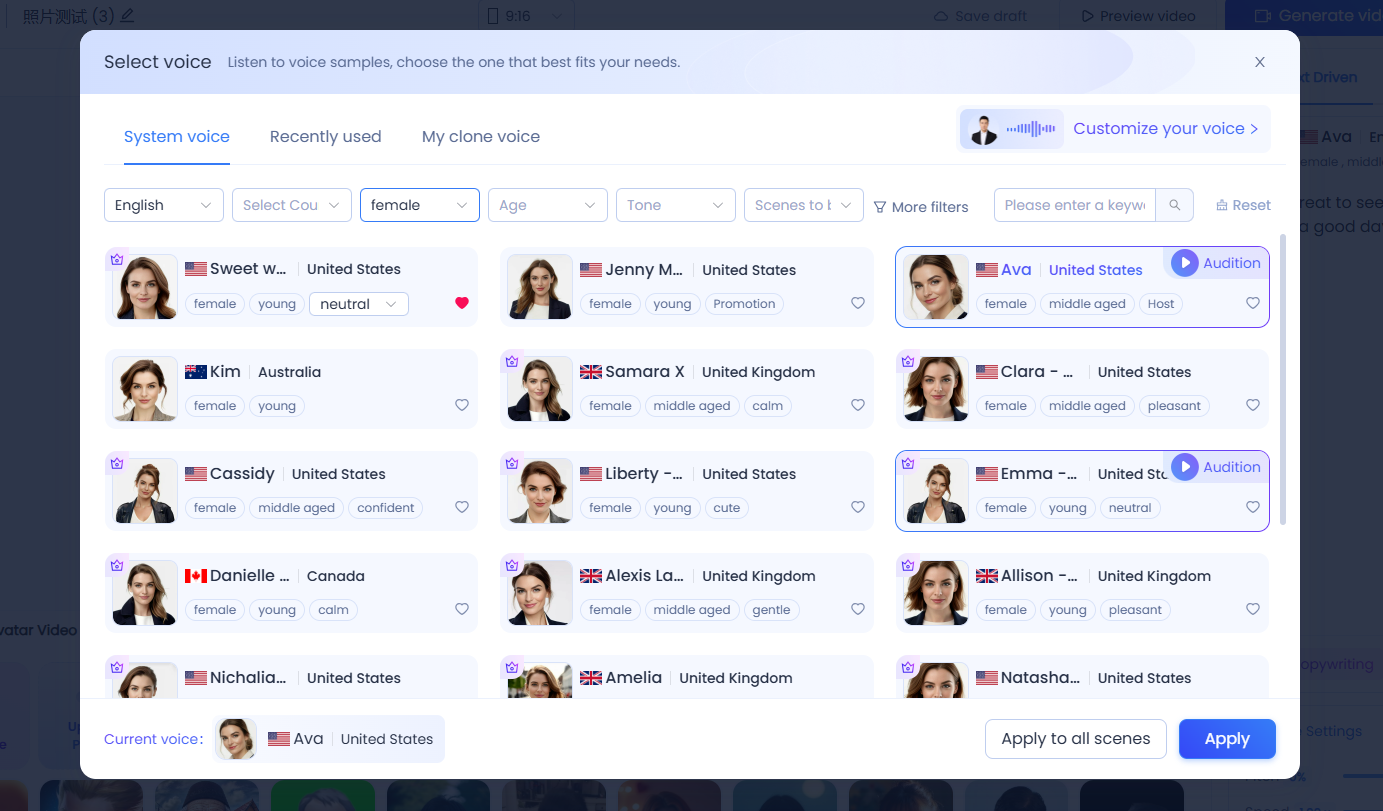
✅ Select a voice and adjust speed, tone, and emotions to match your video!
✅ Customize your video by adding background, music, stickers, subtitles, and more for a polished look.
✅ Click “Generate video”, and in just a few seconds—your video is ready!
💡 Best Image to Video AI – Key Tips
✅ Pricing: 5-second videos require 30 K-coins.
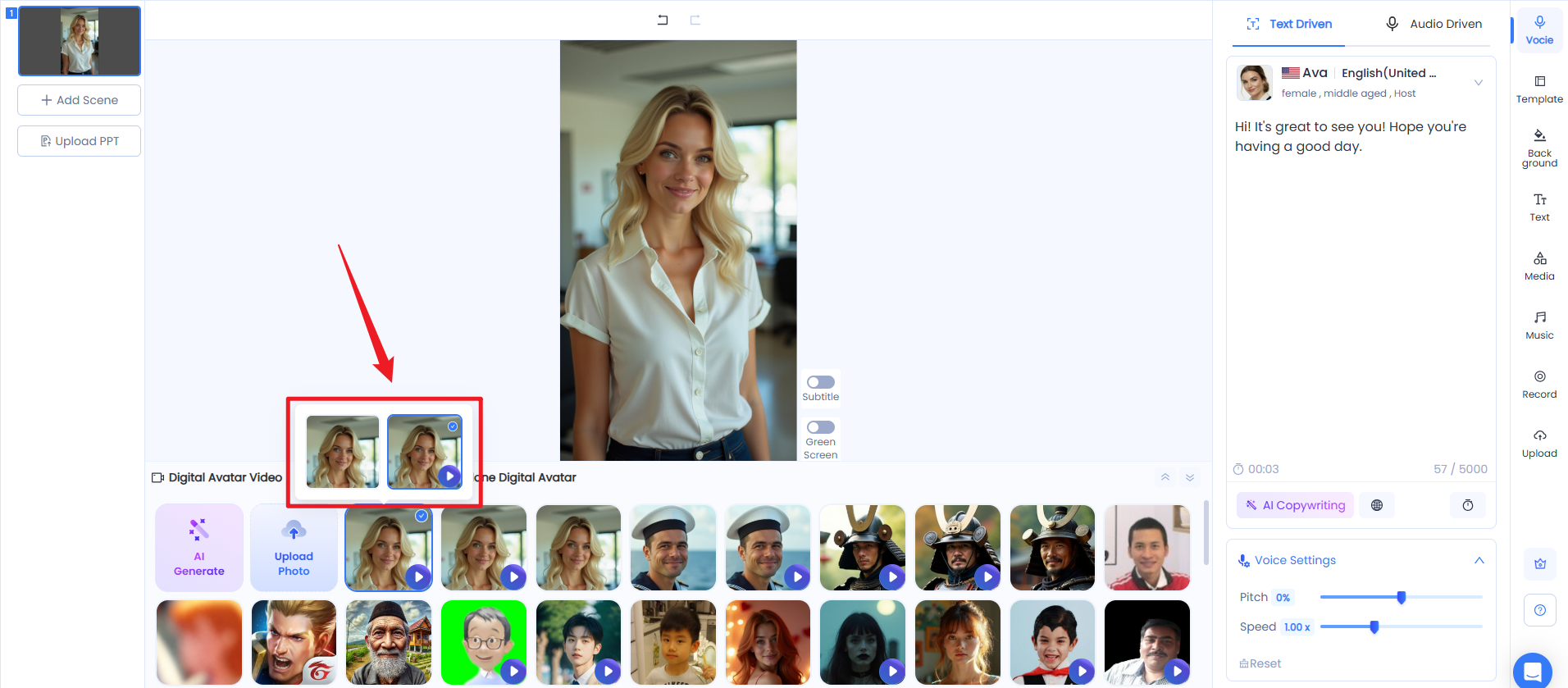
✅ View AI Digital avatars: Hover over static photos in the editor to toggle between still images and animated avatars.
Why Choose KreadoAI’s AI Video Generator?
This game-changing upgrade not only brings photos to life but also makes AI video creation easier than ever. Whether you’re making social media content, brand promotions, or educational videos, AI helps enhance your production quality and streamline content creation effortlessly!
With just one photo and one click, AI does all the work—turning your image into a dynamic, lifelike video.
👉 Start creating with KreadoAI today!


