




Simply upload a 5-minutes recorded video, and KreadoAI will instantly recreate your appearance with a 1:1 AI avatar clone—perfect for social media, branding, AI video creation, and more.
Why choose KreadoAI?
✅ AI-powered instant cloning, accurately replicating personal features
✅ Various styles for customization, catering to diverse needs
✅ User-friendly, one-click generation, easy to use
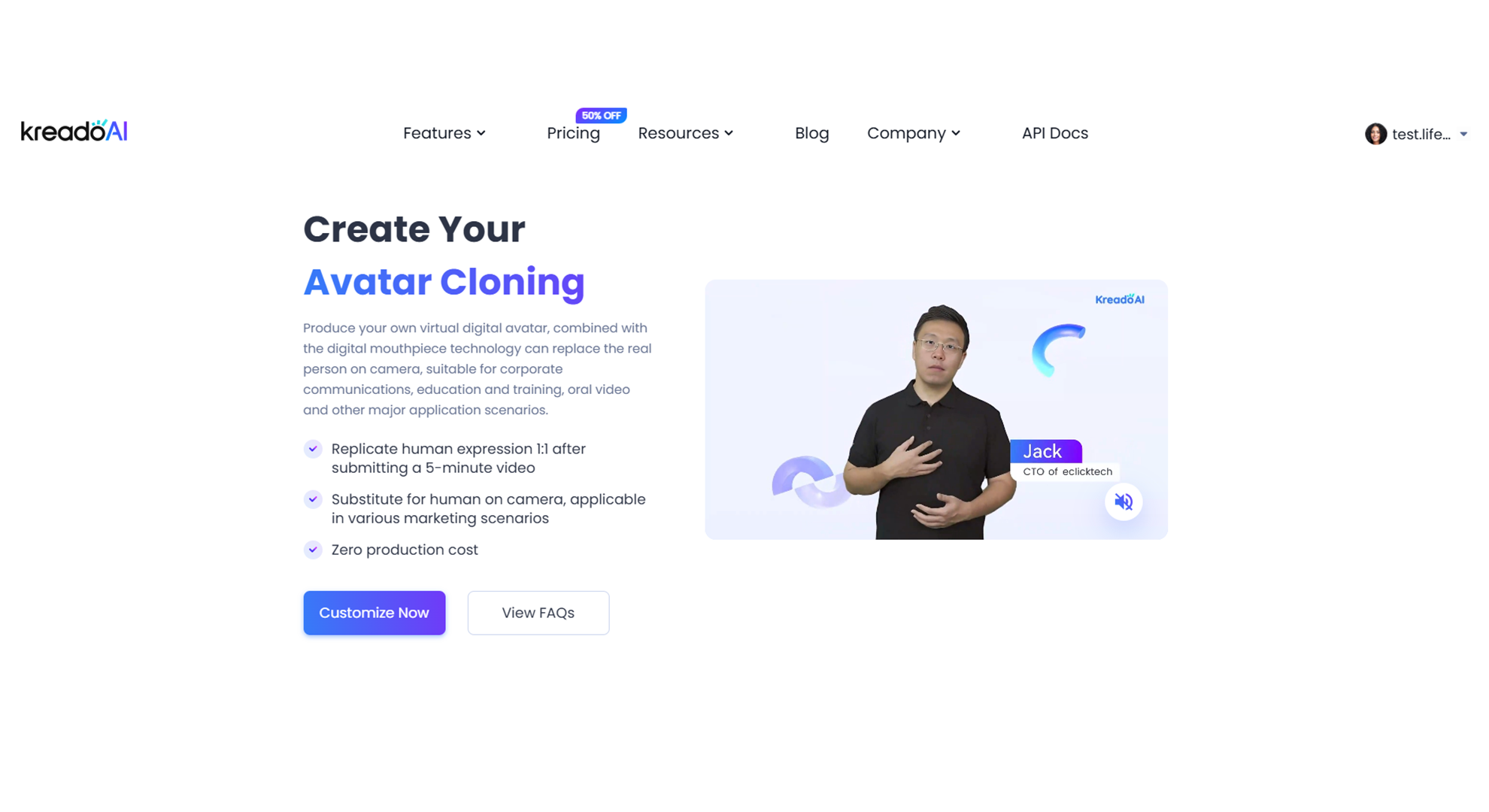
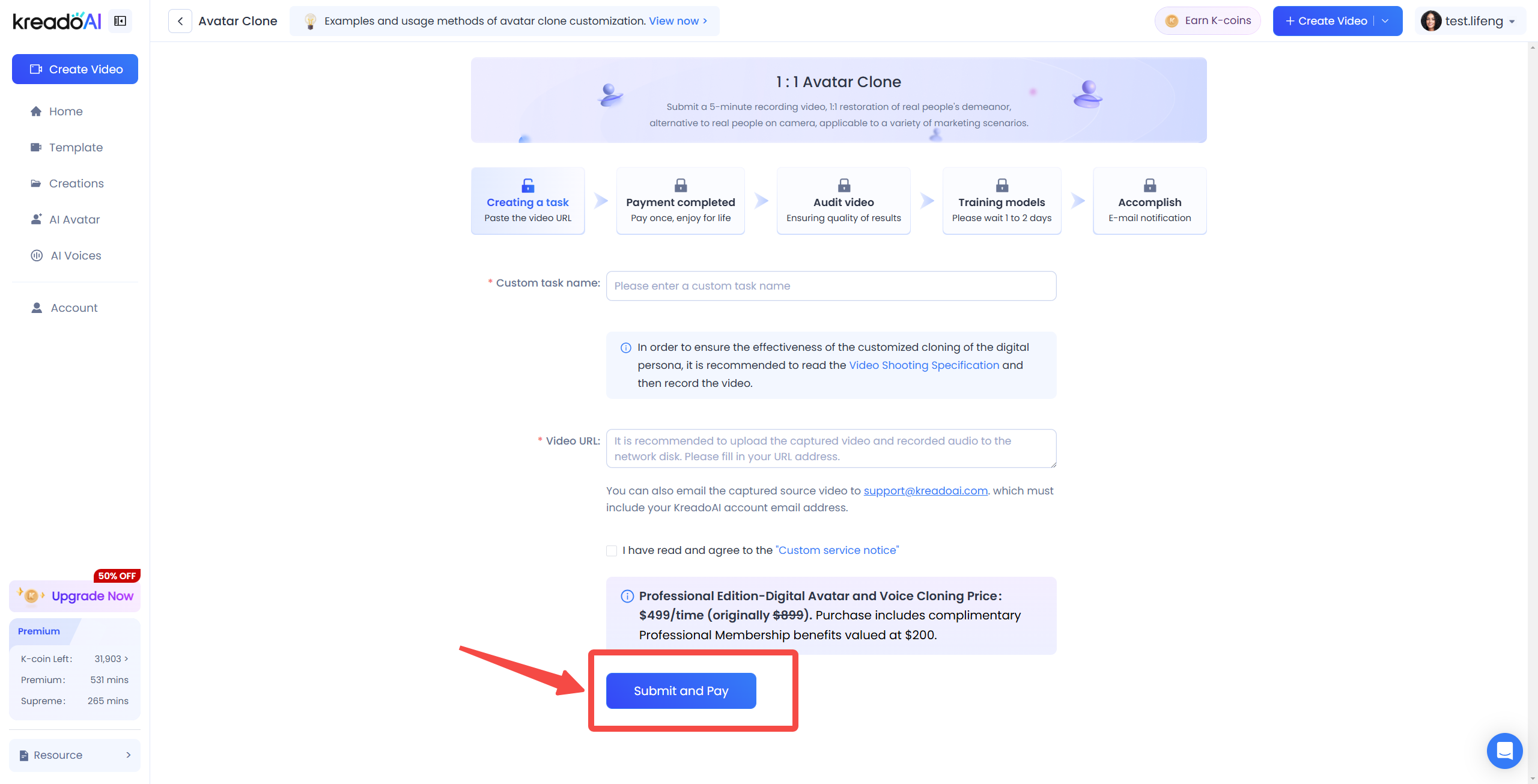
Step 1: Access the Avatar Clone Page
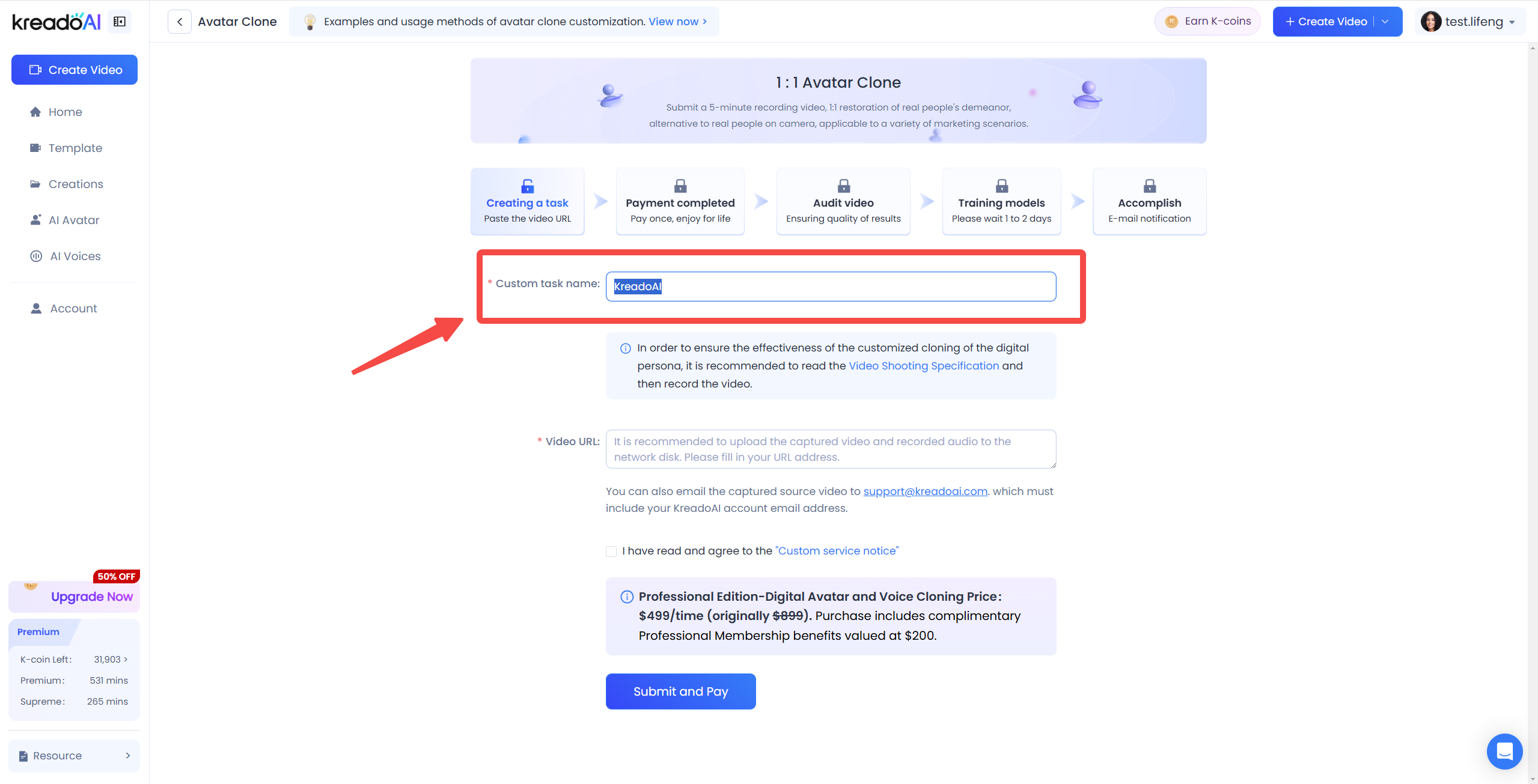
Step 2: Enter Your Clone Task Name
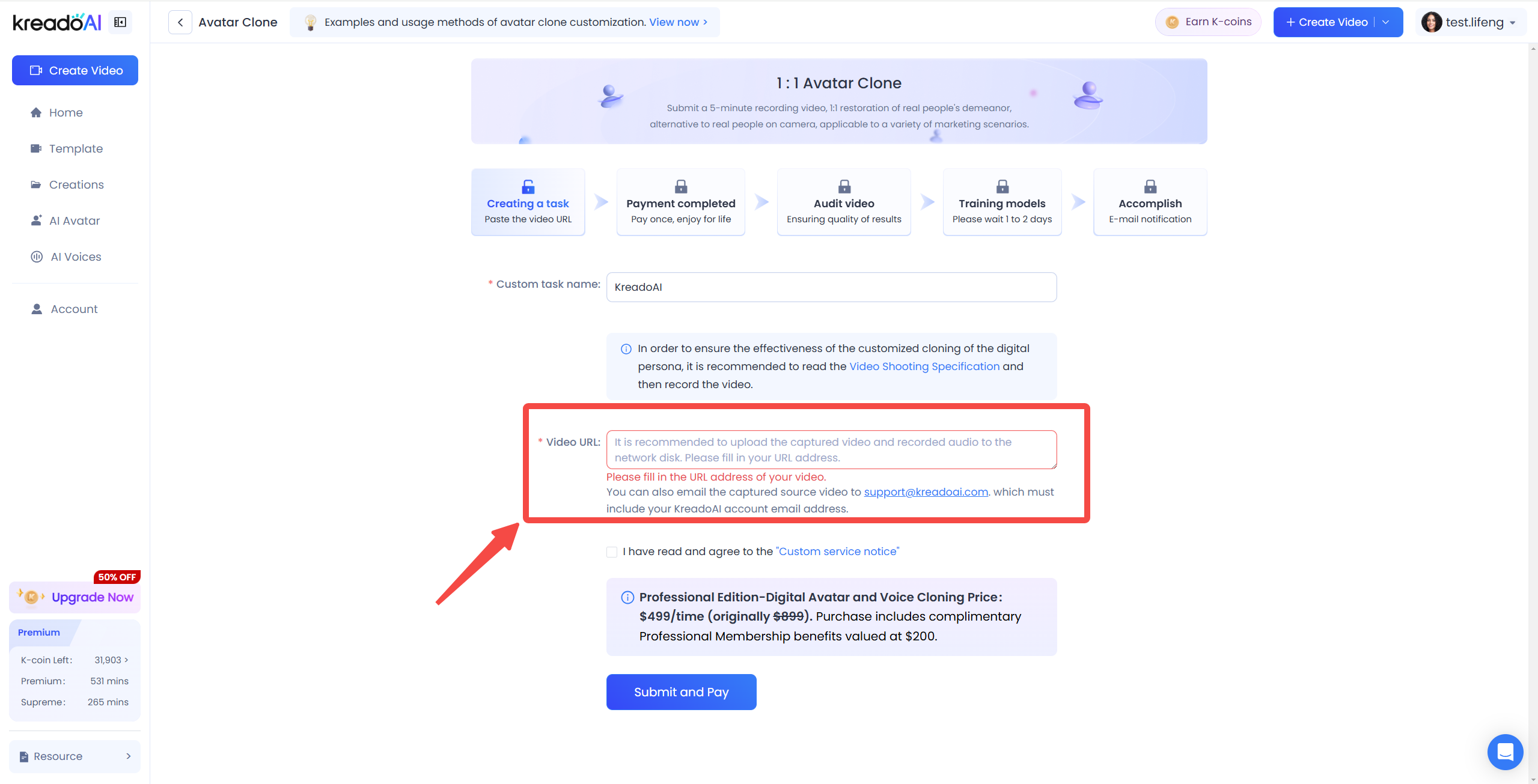
Step 3: Upload Your (viewable and downloadable) URL Link
URL link: refers to uploading the video you shot to a cloud disk such as Google Drive, Baidu Netdisk, etc., and copy and paste the link with access and download permissions to the arrow.
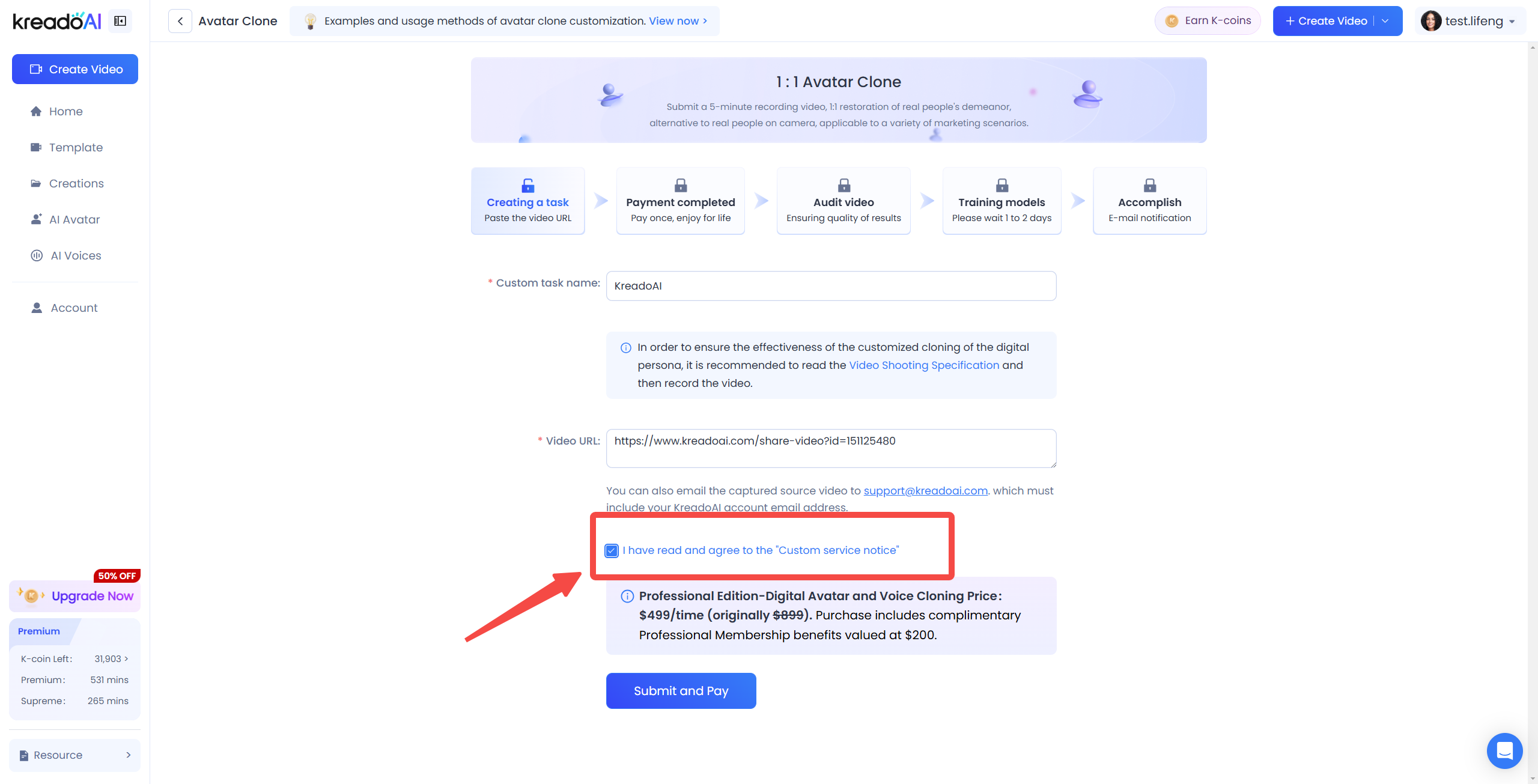
Read and check "I have read and agree to the Custom Service Notice."
Step 4: Submit and Pay
After the above operations are completed, click "Submit and Pay".
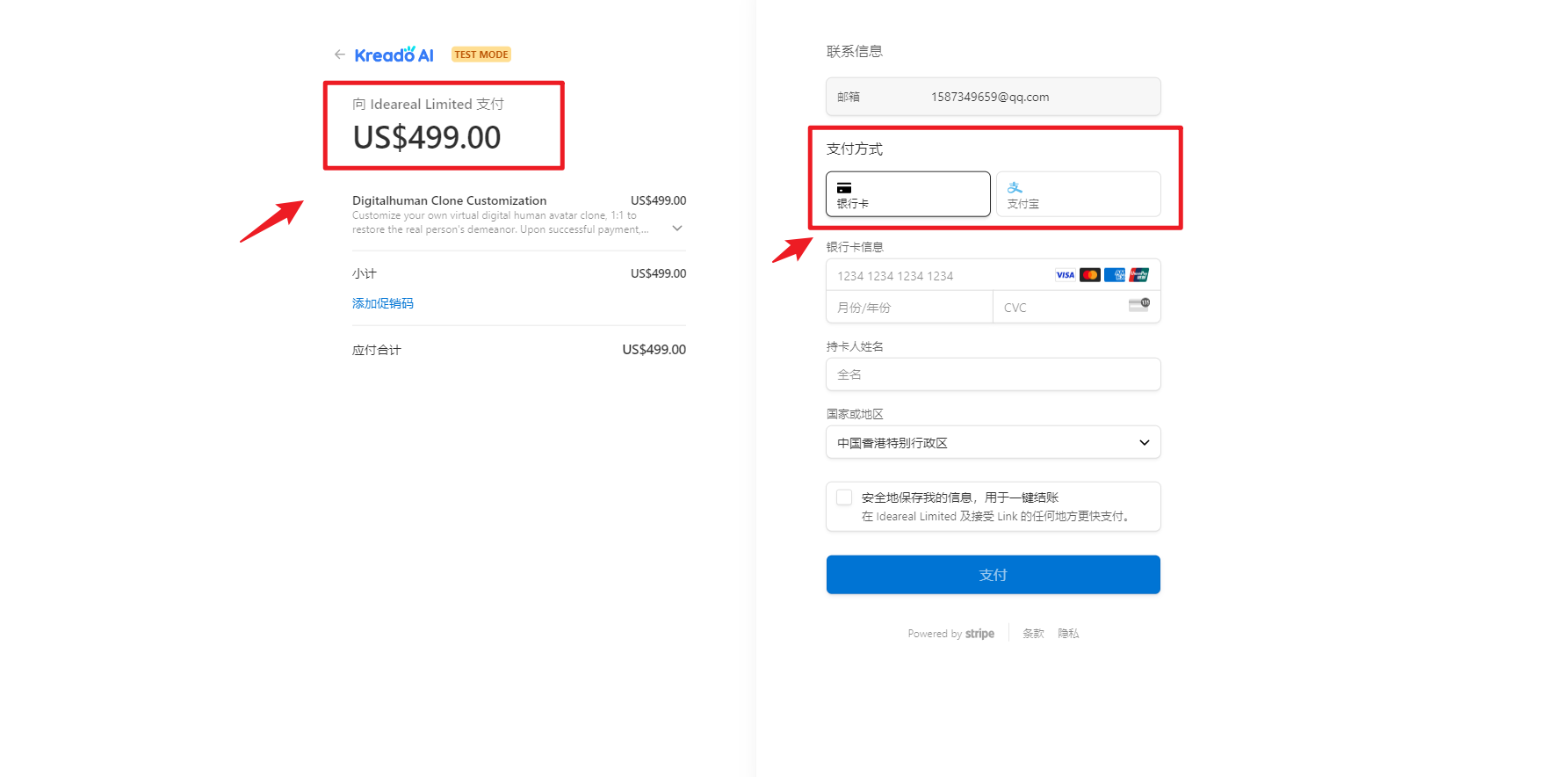
Fill in your information, confirm its accuracy, and proceed with payment.
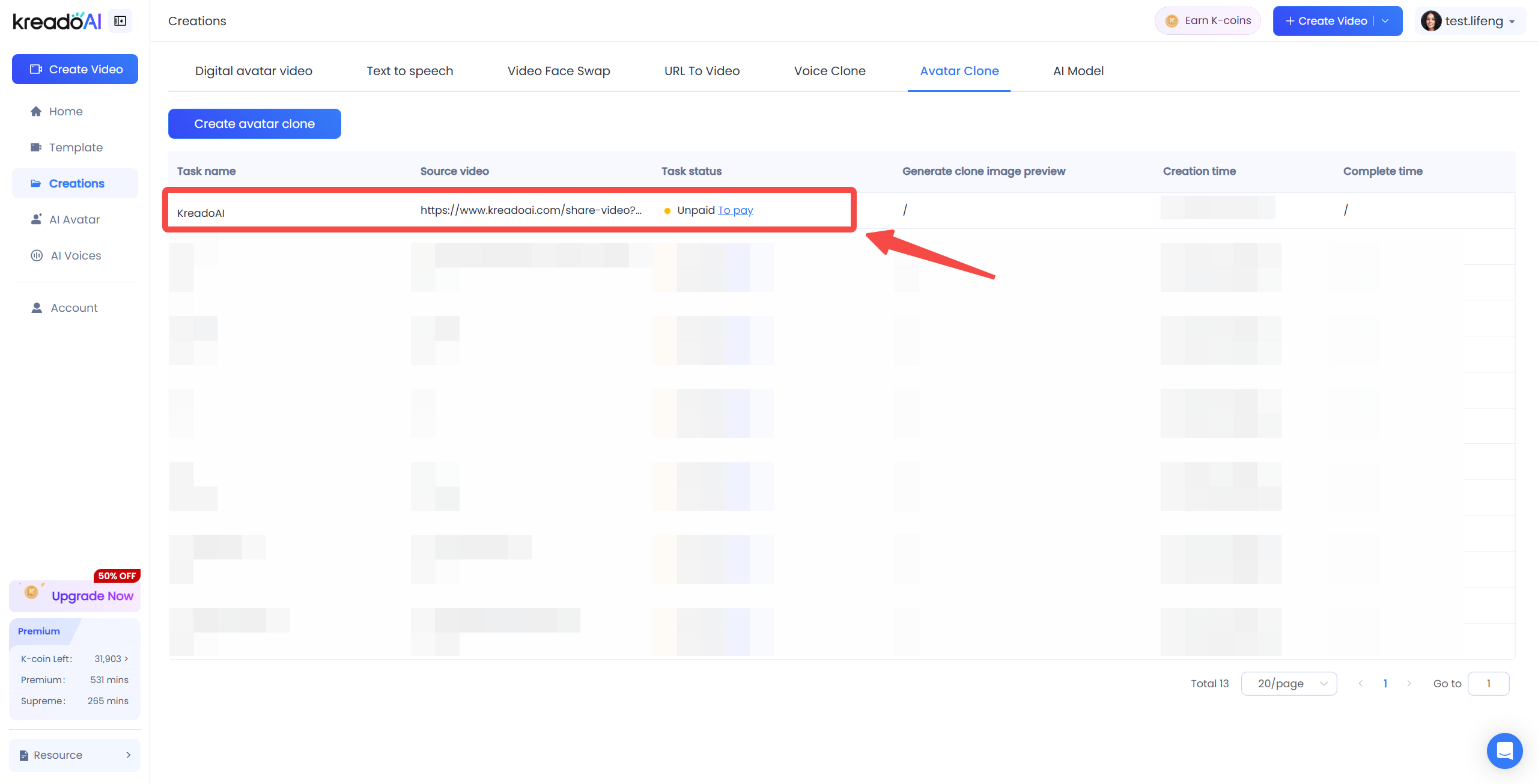
Step 5: Check Clone Progress
View the cloning progress in "My Projects." You can also contact your dedicated support at support@kreadoai.com for more cloning details.
Step 6: Notes
If you have questions about the AI avatar cloning submission process, contact your dedicated support at support@kreadoai.com for one-on-one guidance.
For questions about the payment process, please contact support@kreadoai.com to understand the details before making the payment.
Create and customize your digital avatar with KreadoAI—start today!🚀
👉More details: Custom AI Voice Colon


