




In today’s increasingly globalized world, multilingual content has become a key step for brands expanding overseas. KreadoAI’s all-new AI Video Translation tool is designed exactly for that. Simply upload your original video and generate localized versions in 13 different languages with just one click. It supports subtitle translation, voiceover dubbing, and even lip-sync alignment, delivering a more natural and immersive multilingual experience.
Whether you're posting on TikTok, YouTube Shorts, or Instagram Reels, you can effortlessly repurpose existing content and scale your reach across global markets.
📌 Try AI Video Translation now and scale your content worldwide.
🔍 Feature Overview
KreadoAI’s AI Video Translation tool enables you to convert existing videos into 13 languages including English, French, Spanish, and Italian. With synchronized subtitles and optional lip-syncing, your translated videos will feel native and natural — no awkward dubbing or mismatched visuals.
Video translation supports:
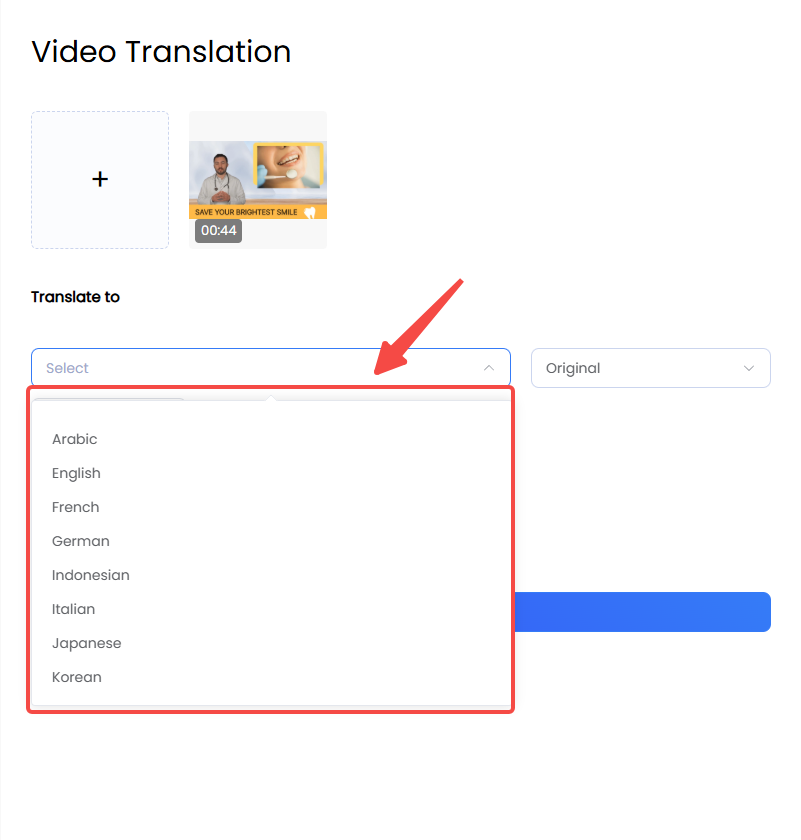
Arabic, English, French, German, Indonesian, Italian, Japanese, Korean, Portuguese, Spanish, Thai, Turkish, Vietnamese,
✅ Perfect for
Brands running cross-border marketing campaigns
Repurposing existing videos for new international audiences
Distributing multilingual content on TikTok, YouTube Shorts, and Instagram Reels
📘 How to Use It
🔹 Step 1: Go to the AI Video Translation page
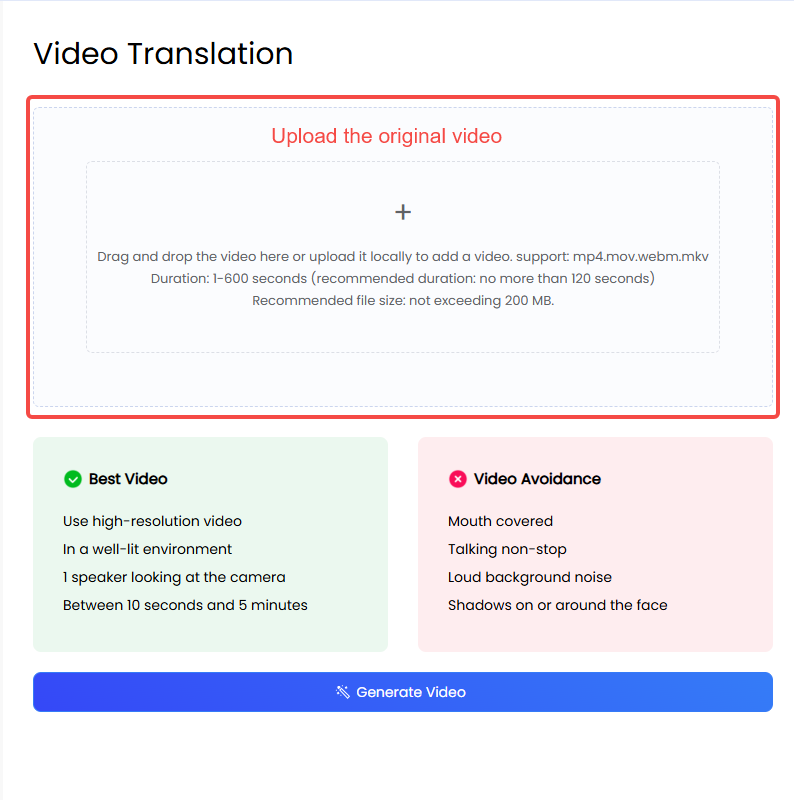
🔹 Step 2: Upload your original video (MP4 or MOV supported)
🔹 Step 3: Choose your target language (e.g., French)
🔹 Step 4: Optional – Turn on Subtitle Translation and/or Lip-sync Alignment
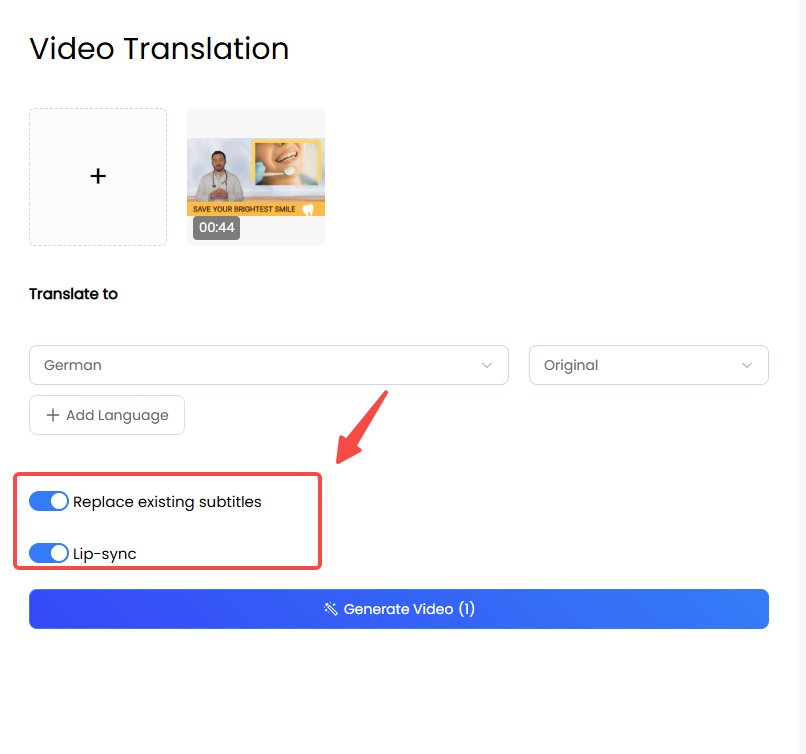
🔹 Step 5: Click submit and wait for your new localized video to be generated
Tips for Best Results
For optimal translation and lip-sync quality, follow these guidelines:
🎥 Use high-resolution video
🎥 Make sure lighting is bright and even
🎥 One speaker facing the camera works best
🎥 Keep video length between 10 seconds and 5 minutes
🎥 Natural, clearly spoken speech improves subtitle and lip-sync accuracy
Quickly Expand Your Global Impact
KreadoAI’s AI Video Translation tool not only saves time and cost in creating multilingual content but also boosts your global reach and brand influence.
Let your content speak the languages your audience understands.
AI Video Translation Feature is now available for free — with unlimited usage. No subscriptions, no hidden costs. Just create, translate, and publish as many videos as you like. Start using KreadoAI today and supercharge your TikTok content creation — at zero cost.
Break down language barriers — and go global with ease.
📌 Try AI Video Translation now and scale your content worldwide.


