How to Create High-Converting AI Marketing Videos: Full Tutorial
Quickly learn to create Product Holding, Virtual Try-On, and Explainer videos in 3 simple steps to showcase products, engage audiences, and boost sales
In today's competitive e-commerce and DTC landscape, video has become one of the most powerful drivers of conversion. Yet traditional production remains slow, costly, and difficult to scale.
With AI marketing videos, you can eliminate the need for filming, actors, and complex workflows—making it faster and more cost-effective to produce, test, and scale high-performing creatives.
In this tutorial, you'll learn how to create high-converting marketing videos in three simple steps using four core AI video formats.
Perfect for: electronics, beauty, food & other visual-first products
Show your product the way customers actually experience it—in hand.
KreadoAI recreates a natural, first-person holding experience that brings out texture, details, and real-world usage. Instead of cramming in every feature, it prioritizes the moments that actually drive clicks—based on what matters most in each category.
It's not about having someone talk—it's about saying what converts.
KreadoAI generates multiple script angles (UGC-style, pain-point-driven, emotional hooks) based on real campaign data, not guesswork. Each version is tailored to different platforms and stages of the buyer journey—then paired with a fitting AI avatar and voice, fully editable down to each scene.
Turn any product URL into ready-to-run ad creatives—instantly.
Just drop in a link, and KreadoAI will generate multiple video variations in different styles, optimized for performance. Quickly test what works, double down on winners, and scale without the usual production bottlenecks.
AI Marketing Video has become a must-have tool for modern brand marketing due to its multiple advantages, perfectly matching marketing scenarios and meeting the needs of e-commerce, DTC brands, and marketing teams:
✅ Cost Reduction & Efficiency: Replace traditional filming and editing, producing videos quickly at a fraction of the usual cost.
✅ Full Scene Coverage: Adapt videos for product pages, social media, live clips, and launches with multi-size output for all platforms.
✅ Conversion-Oriented: AI showcases product details, wearing effects, or key features to better engage users and increase conversions.
✅ Global Adaptability: Generate multi-language scripts and voiceovers, easily reaching international audiences and cross-border marketing scenarios.
✅ Low Threshold: No filming, editing skills, or actors needed; beginners can quickly create professional AI marketing videos.
How to Create an AI marketing video in 3 Simple Steps
Whether you want to create a Product Holding Video, Virtual Try-On Video, Product Explainer Video or Viral Ad Video, you can follow the same three-step process. It is simple, efficient, and requires no complicated operations:
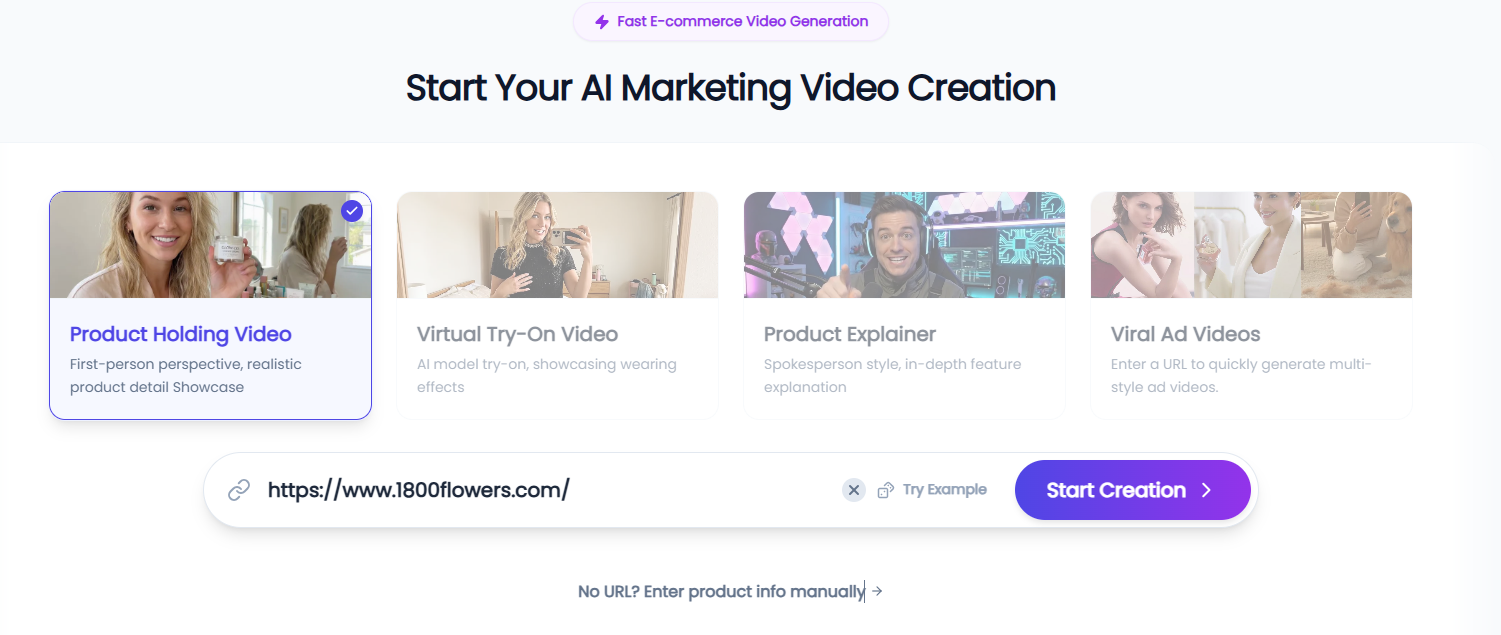
Step 1: Enter URL & Collect Content
Open the KreadoAI marketing video generation tool, select the appropriate video type (Product Holding, Virtual Try-On, or Product Explainer), and paste your product page URL. If no URL is available, you can also manually enter the product information.
The system will automatically collect core content such as product titles, descriptions, images, and videos. No manual upload is required, significantly reducing material preparation time and improving production efficiency.
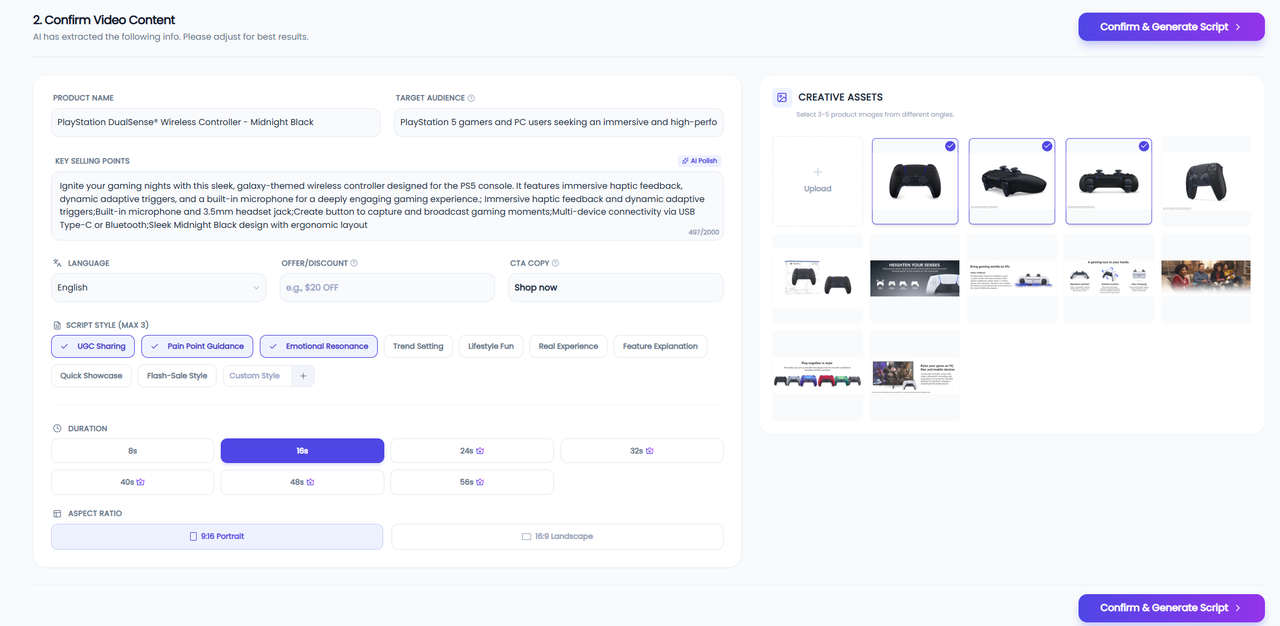
Step 2: Edit Content & Settings
Preview and confirm the product materials collected by the system. You can add or edit product copy and images based on your marketing needs. Then set key parameters, including video duration, output ratio (16:9 for websites or ads, 9:16 for short video platforms), target language, script style, and other relevant settings.
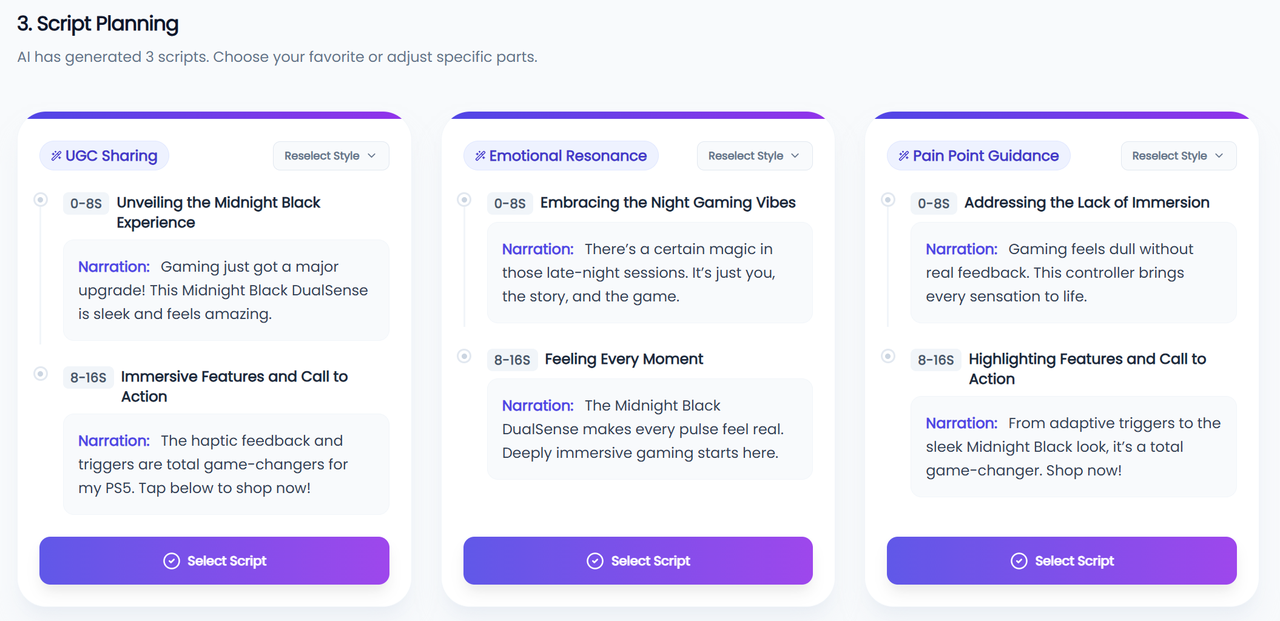
The system will generate three AI voiceover scripts tailored to this video type. You can choose one or customize it to better match your brand tone.
Step 3: Generate & Preview Video
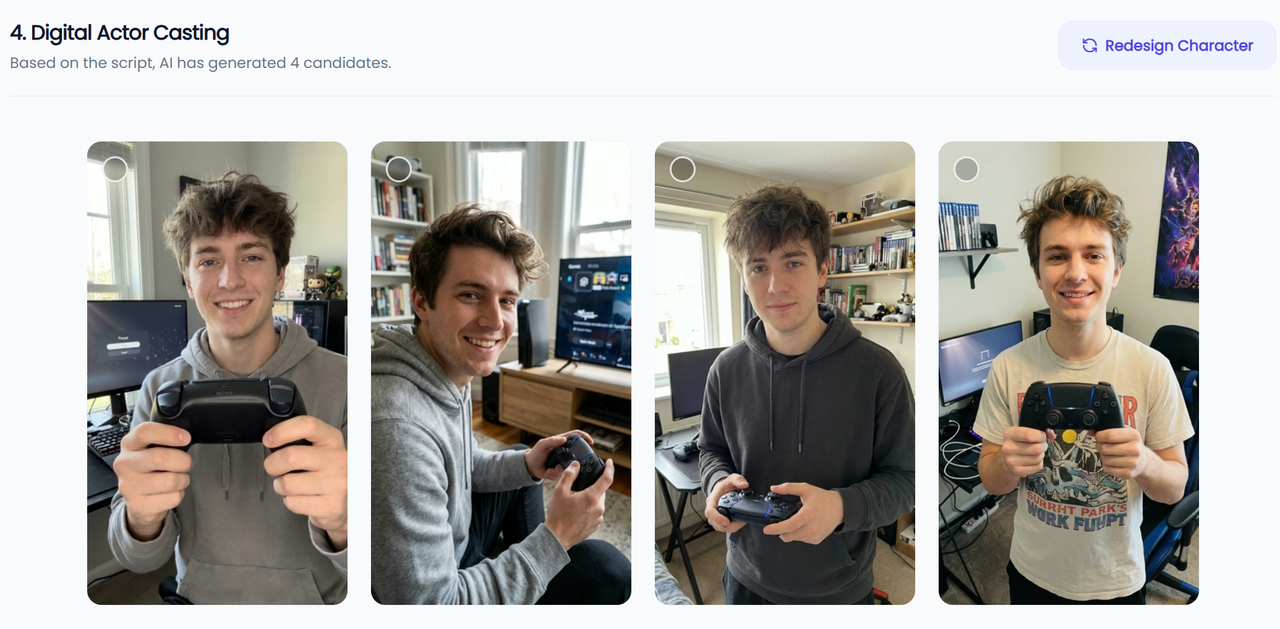
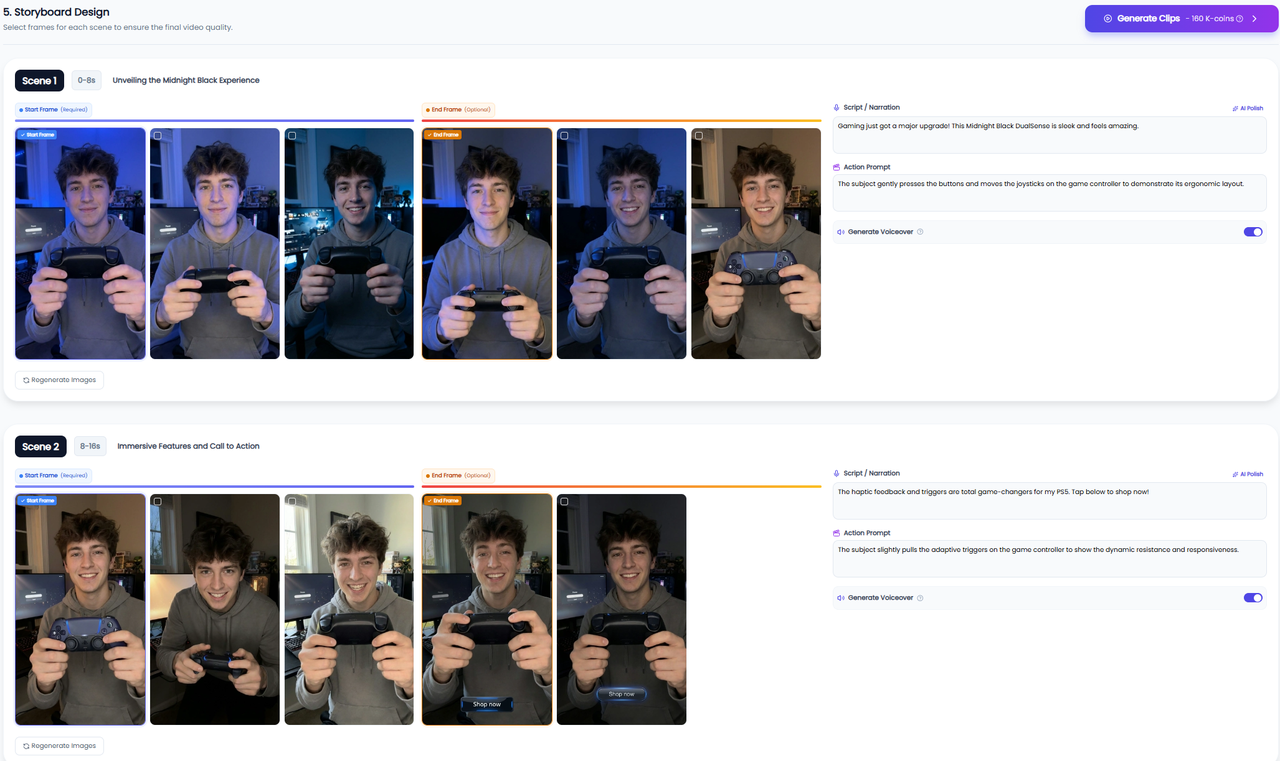
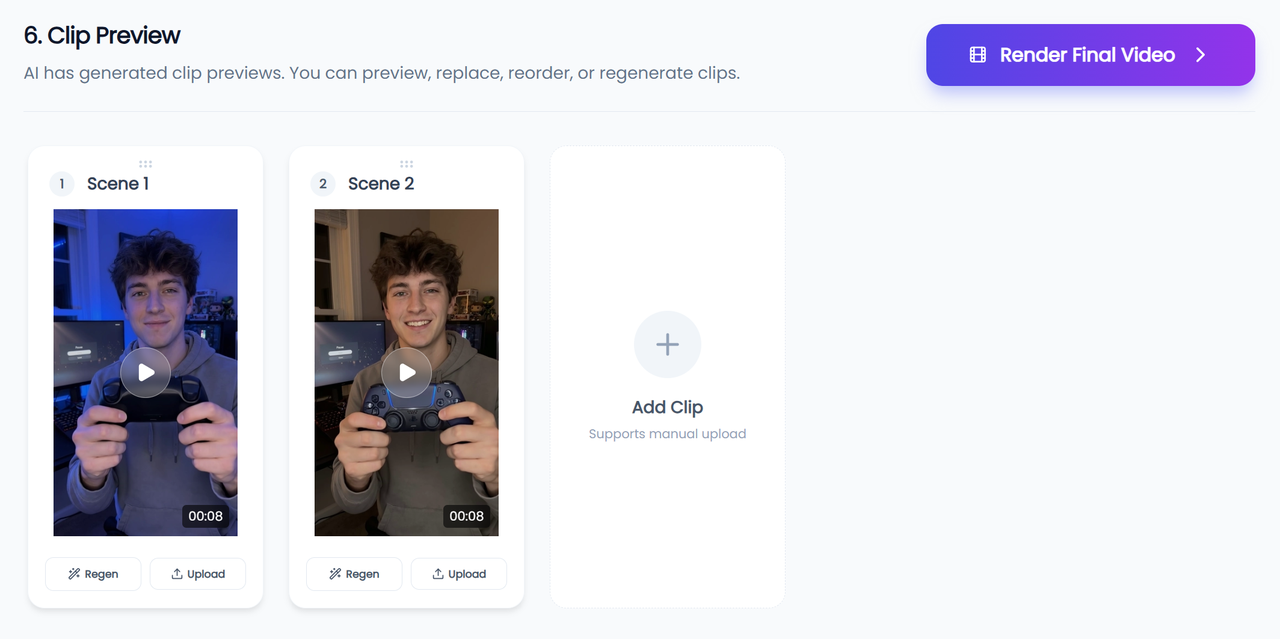
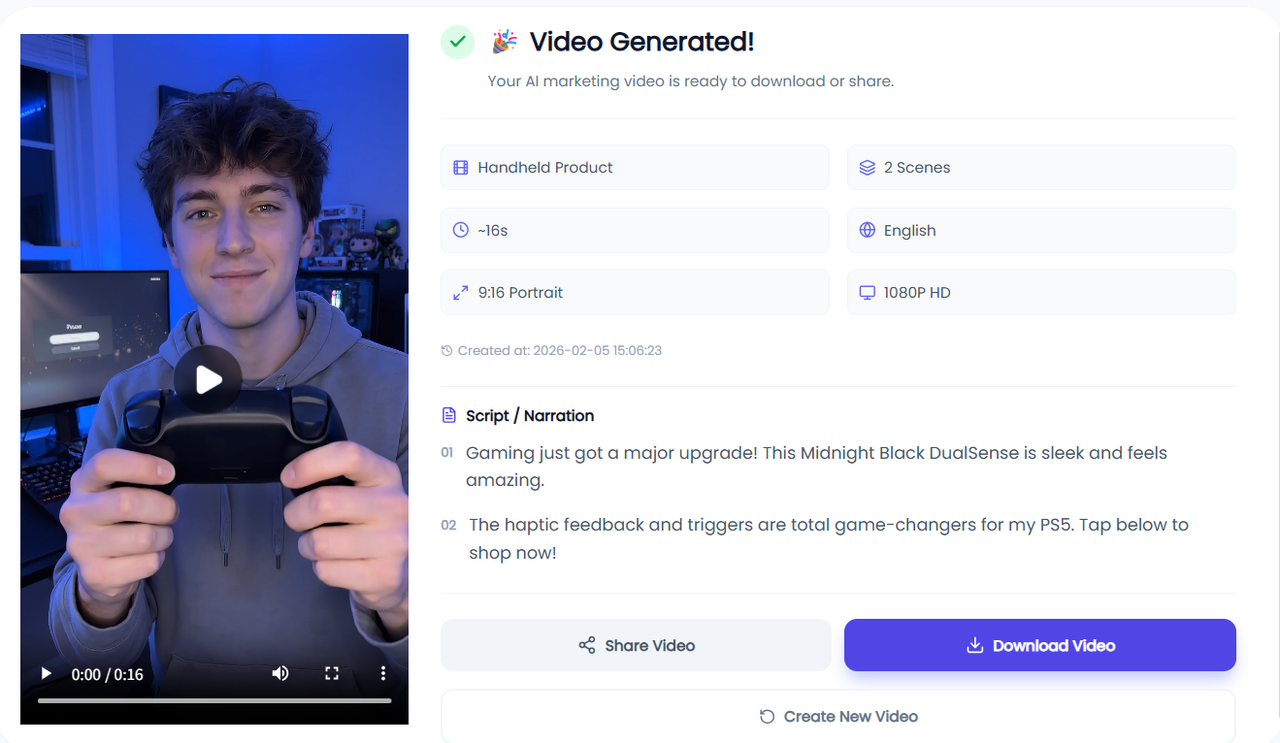
The system will suggest several AI avatars. Choose the one that best fits your brand. It will generate a storyboard, allowing you to edit opening and ending frames, voiceover scripts, or action prompts. Once generated, preview the video online, adjust materials or sequence, and regenerate any unsatisfactory clips. When satisfied, click Render Final Video to preview, download, or share.
Video Examples
Product Holding Video
Virtual Try-On Video
Product Explainer Video
Viral Ad Video
How to Create More Effective Marketing Videos
To maximize impact and conversion, manually optimize AI marketing videos during the generation process:
✅ Choose the Most Suitable AI Avatar: Pick one that fits your brand and audience.
✅ Optimize the Voiceover Script: Edit generated scripts to match brand tone and marketing focus.
✅ Adjust Actions and Expressions: Make avatar movements more natural and aligned with product features.
✅ Customize Frames and Material Sequence: Set opening/ending frames and reorder content for logical flow.
✅ Preview and Refine Multiple Versions: Replace materials, adjust sequences, or regenerate clips until satisfied.
Applying these steps allows AI-generated videos to be highly customized, maximizing marketing impact and conversion.
Take Your Marketing to the Next Level with AI
Don't wait to elevate your brand with AI-powered video marketing. In just a few steps, you can create professional, high-conversion videos that showcase your products, engage your audience, and boost sales. Whether it's a Product Holding Video, Virtual Try-On Video, or Product Explainer Video, AI makes production fast, simple, and cost-effective.
Try the AI marketing video generation tool now to create your first video. Empower your brand, reach more customers, and unlock the full potential of AI-driven marketing!