

ElevenLabs v4 is now on KreadoAI. You write the line, then mark how ElevenLabs v4 AI voice generation should sound. Audio tags such as [whispering], [excited], and [laughing] sit in the script and steer the read. ElevenLabs documents 90+ languages and natural multi-speaker dialogue for this model. (Source: ElevenLabs, Eleven v4)
On KreadoAI you stay in AI dubbing. Open the ElevenLabs v4 page, select a v4 voice, and write the tag in the script. Preview the line before you generate it. The August update already covered emotion tags on several models, including Eleven v3. This release adds the v4 voices. Speed, Stability, Similarity, Pause, and Auto emotion are on the dubbing page. The earlier workflow is the emotional AI voice upgrade.
Try ElevenLabs v4 on KreadoAI →
What's New in ElevenLabs v4 on KreadoAI
The dubbing page now includes v4 voices and square-bracket audio tags. If a control is missing from your account, it is not open on that workspace yet.
| Update | What you can do |
|---|---|
| New v4 voices | Select ElevenLabs v4 and pick a voice from the current list |
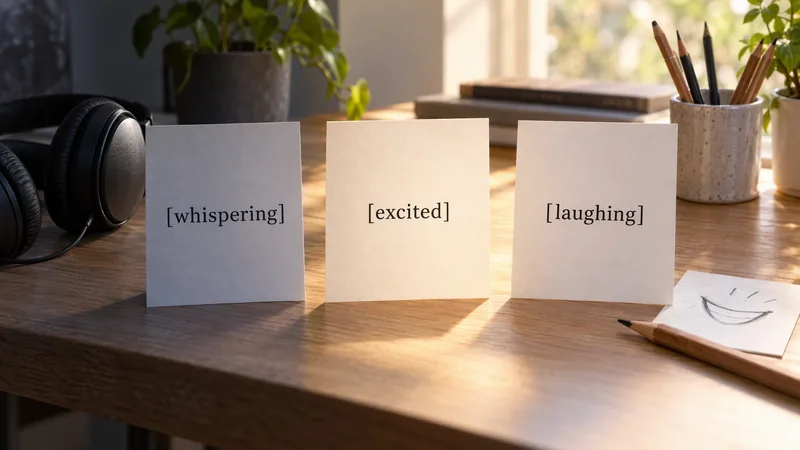
| Audio tags | Write tags in the script, such as [whispering], [excited], or [laughing] |
| Speed and Pause | Use Speed and Pause on the dubbing page. Stability, Similarity, and Auto emotion are there too |
| Multi-speaker dialogue | Explore it in the current dubbing flow. Per-line voice assignment follows the controls on that page |
ElevenLabs calls v4 its latest speech model: higher quality, wider emotion, steadier tag following, and 90+ languages versus v3. (Source: ElevenLabs, Eleven v4) Approved scripts can stay on older Eleven voices.
Make AI Voices More Expressive with Audio Tags
An audio tag is a short instruction in square brackets. ElevenLabs v4 treats it as direction. The voice does not read the brackets aloud.
Keep the sentence and change only the tag:
[whispering] The formula is quieter than it looks.
[excited] The formula is quieter than it looks.
[laughing] The formula is quieter than it looks.
Whispering pulls the line in. Use it on an ingredient or a secret. Excited lifts a hook. Laughing belongs after a joke, not on the brand name. [pause], or a longer pause, holds the beat before a price.
Write the tag in the script. ElevenLabs uses the same brackets on v3 and v4, and recommends v4 when the tag needs to be followed more closely. (Source: ElevenLabs, audio tags for v3 and v4) Gemini TTS uses emotion tags and style instructions. MiniMax TTS runs as Speech-2.8-HD and uses parenthetical tags such as (laughs).
A tag can still miss. A very even voice asked to shout may underplay the cue. On a short spot, a few tags are enough. If the take is close, edit the tag and preview again before you rewrite the sentence.
What Can You Create with ElevenLabs v4?
Audiobooks. One voice narrates. A second voice takes the spoken line when the dubbing page lets you assign it. [whispering] marks an aside without another session.
Character narration. Put curious on the setup and a laugh on the punchline, so the ad is a performance instead of a flat read.
Marketing video voiceover. [excited] on the offer, [pause] before the price, then a plain close. Keep the picture and change the read.
Scene dialogue. A podcast open, a founder-and-customer skit, or a short support scene. If the dubbing page lets you assign a voice to each line, prepare that dialogue there. If that control is not on screen, stay with one voice.
Multilingual cuts. ElevenLabs documents 90+ languages for v4. On KreadoAI, speech is generated in the language of the script. Generation does not switch the language by itself. To change language, use Translate in the editor, then preview. Use a language that appears in the current voice list. (Source: ElevenLabs, Eleven v4) Test one tagged paragraph in that language first. If a face has to speak the line, pair the audio with a digital avatar.

How to Use ElevenLabs v4 on KreadoAI
- Open the ElevenLabs v4 page, or go straight to AI dubbing.
- Select ElevenLabs v4, then pick a voice. If v4 is not in the list, it is not enabled on that account yet.
- Paste a script already written in the target language. Add square-bracket tags where the delivery should change. To change language, use Translate, then preview.
- Preview the line. Generate it once it sounds right, then download.
Start Creating with ElevenLabs v4
Pick a v4 voice and tag the beat that has to change. Add another voice only when that control is on the dubbing page. Preview a short line before you generate it.
Try ElevenLabs v4 on KreadoAI →
FAQ
What is ElevenLabs v4?
ElevenLabs v4 is a text-to-speech model for expressive speech. Square-bracket audio tags steer the delivery. On KreadoAI you select a v4 voice, preview the line, then generate. ElevenLabs also documents 90+ languages and multi-speaker dialogue for the model.
How do audio tags work in ElevenLabs v4?
Audio tags are instructions written in square brackets, such as [whispering] or [laughing], placed where the delivery should change. The model uses them as performance direction. They are not words the voice reads aloud. On KreadoAI you write the tag in the script.
What can I create with ElevenLabs v4 on KreadoAI?
You can create voiceovers, narration, and character reads for ads, explainers, and audiobooks. Scene dialogue with more than one voice depends on the controls shown in AI dubbing. For another language, translate the script in the editor, preview, then generate.
How do I use ElevenLabs v4 on KreadoAI?
Open AI dubbing, select ElevenLabs v4 and a voice, paste a script in the target language, and add audio tags in the script. Preview the line. Generate it once it sounds right, then download. Speed and Pause are on the dubbing page.