


Step 1: Select the Veo 3 Model
Open AI Video Generator and choose Image-to-Video or Text-to-Video. In the Generate model dropdown, select Google Veo 3 to unlock photorealistic ad-quality output with native audio.


Veo 3 for ads on KreadoAI turns text prompts and product images into photorealistic clips with native audio for paid social — premium lighting, lifelike motion, and hero product reveals without booking a studio crew for every campaign.
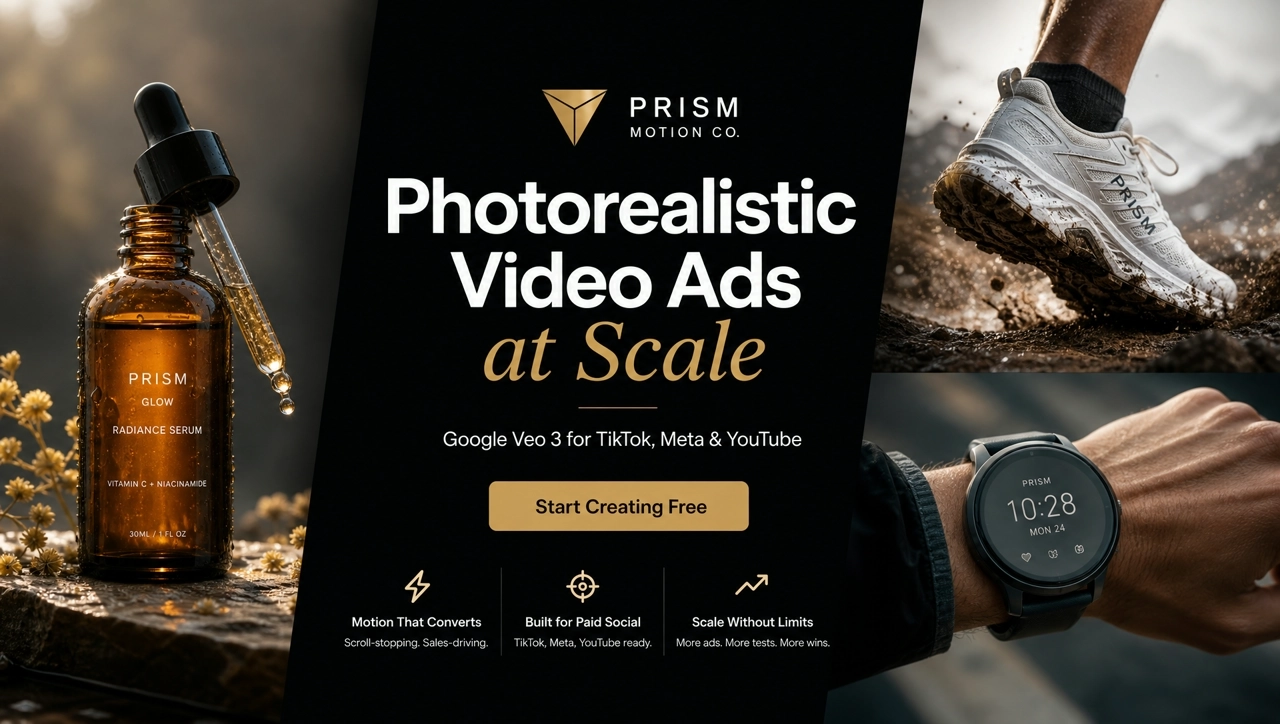
Veo 3 for ads is an AI video generator workflow inside KreadoAI's AI Video Generator. Marketing teams select Google Veo 3 from Image to Video or Text to Video, set ad ratios like 9:16 or 16:9, and export MP4 clips with native audio ready for TikTok, Meta, YouTube, and Google paid placements.
Try Veo 3 FreeProspecting ads fail when products look synthetic or lighting feels flat. Veo 3 on KreadoAI delivers Google's photorealistic video quality — natural shadows, believable materials, and smooth camera motion — so DTC and brand teams ship ad heroes that hold up on YouTube pre-roll and Meta feed at full resolution.
Silent product loops underperform on Reels and in-stream placements. Veo 3 generates synchronized ambient audio — pour sounds, fabric rustle, subtle room tone — that makes 16:9 hero clips feel like finished commercial cuts, not muted AI renders.
Daily hook volume belongs on faster models — Veo 3 earns its place on hero SKUs, seasonal campaigns, and brand films where skin texture, liquid physics, and environment realism must read as premium. Route the brief to Veo 3 when the ad is the story.
TikTok and Reels want 9:16 vertical heroes, YouTube pre-roll wants 16:9 cinematic cuts, Meta feed tests 1:1 and 4:5. Generate Veo 3 clips in the ratios your trafficking sheet requires — then pair with companion assets from the same KreadoAI account.
Open AI Video Generator and choose Image-to-Video or Text-to-Video. In the Generate model dropdown, select Google Veo 3 to unlock photorealistic ad-quality output with native audio.
Upload a product image or paste your ad prompt, then set resolution (1080P or 720P), video ratio (16:9, 9:16, etc.), and generation time (4S / 8S / 12S). Click Generate when your brief is ready.
Review the finished clip in AI Video Preview. Download MP4 for trafficking, hit Regenerate for another take, or open Create Video Dubbing to polish voiceover and export for TikTok, Meta, or YouTube.
Google Veo 3 delivers photorealistic lighting, believable materials, and natural shadows — turn pack shots into 16:9 heroes that hold up on YouTube pre-roll and Meta feed at full resolution.
Try Image to Video →Veo 3 generates synchronized ambient audio — pour sounds, fabric rustle, subtle room tone — so product clips feel like finished commercial cuts, not silent AI loops before trafficking.
Try Text to Video →Liquids, steam, glass caustics, and skin-safe product geometry render with Google-grade physical believability — ideal for sensory DTC heroes where material fidelity drives stop-scroll.
Explore Google Veo 3 →Export photoreal Veo 3 clips as 9:16, 16:9, and 1:1 MP4s for TikTok, Meta in-stream, Instagram Reels, and YouTube — one premium lane for multi-platform media plans.
Try YouTube Ad Video →Upload a product still — Veo 3 generates photoreal 16:9 heroes with natural lighting and native ambient audio, ready for YouTube skippable pre-roll and Meta in-stream without a studio reshoot.
Bind pour sounds, clicks, and room tone in the same pass as video — Veo 3 clips feel like finished commercial cuts for Reels and in-feed placements, not silent loops needing a second audio pass.
Serum viscosity, beverage pours, and glass caustics render believably — route sensory hero SKUs to Veo 3 when material fidelity and physics must read as premium on full-resolution feeds.
Same photoreal brief → 9:16 Reels, 16:9 horizontal, and 1:1 feed squares from one Veo 3 workflow — batch ratios before the weekly media plan lock.
Explore KreadoAI video model pages, for-ads scenario landings, Image to Video, and Text to Video — find the right model for your paid social brief.
Turn product images and ad scripts into photorealistic clips with native audio for TikTok, Meta, and YouTube — select Veo 3 in AI Video Generator and export ad-ready MP4s. Start free, no credit card required.