




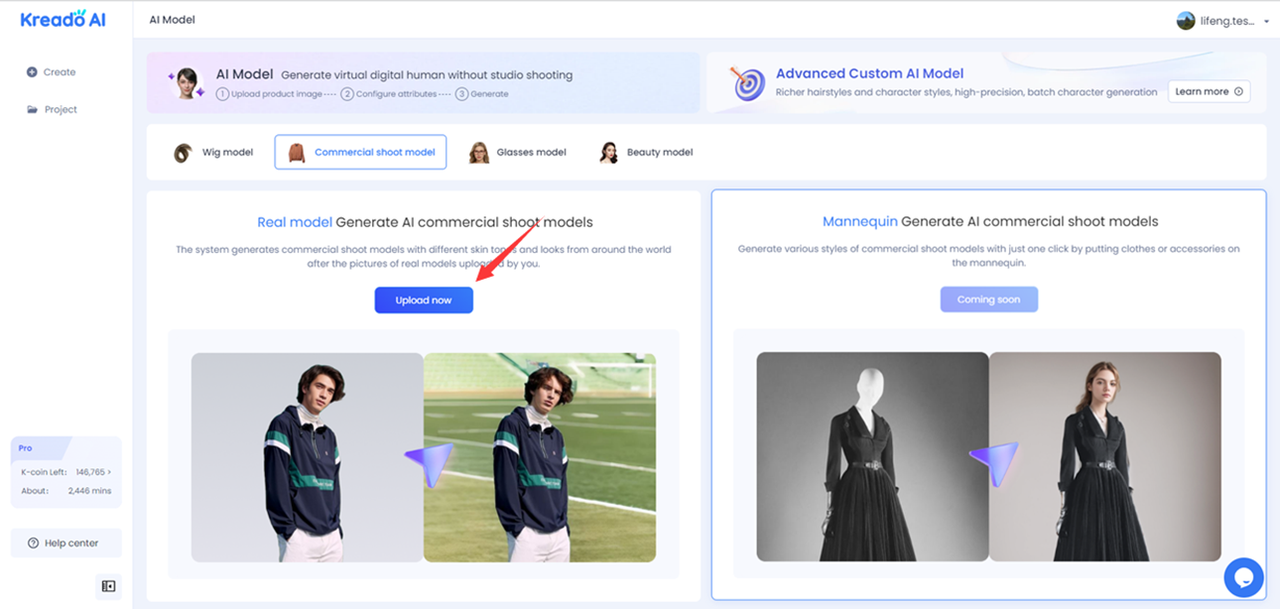
1. Click "Upload now" to enter the AI virtual model creation interface.
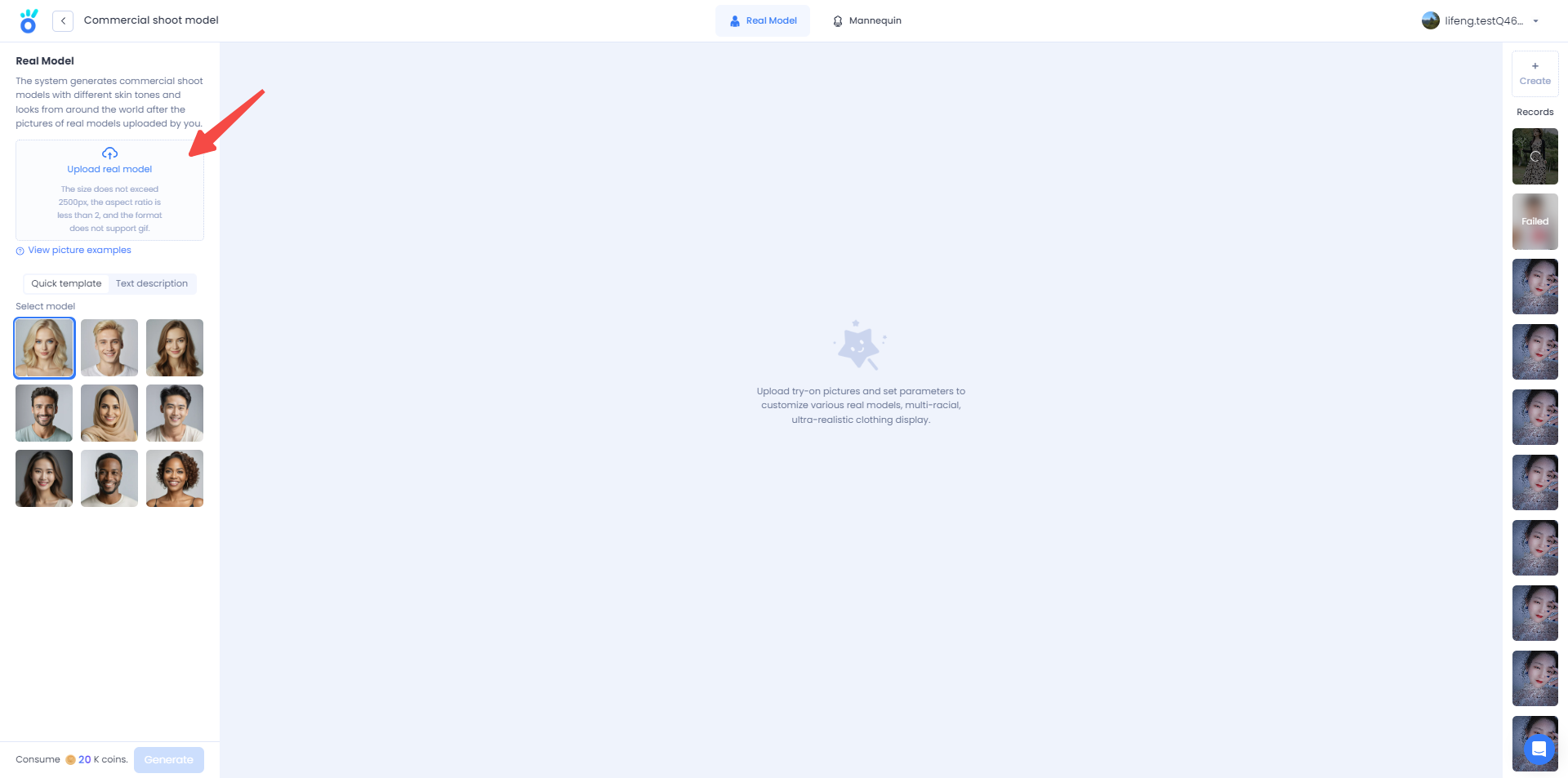
2. Click "Upload real model" to upload real model pictures.
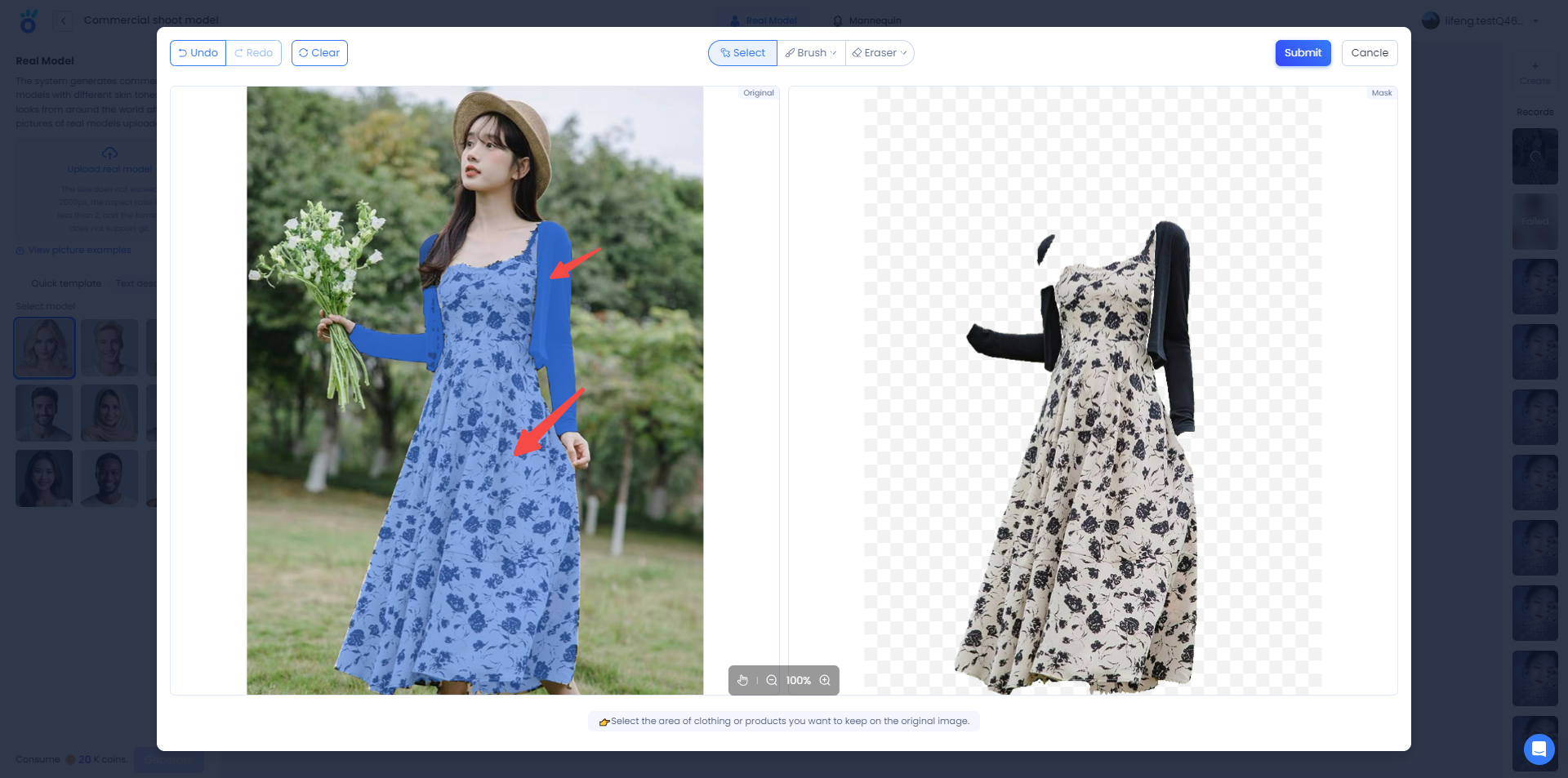
3. Select area → Display on right → Click "Submit".
Click on the clothing or product area you want to keep on the original image, and the selected area will be displayed on the right. After the selection is complete, click "Submit".
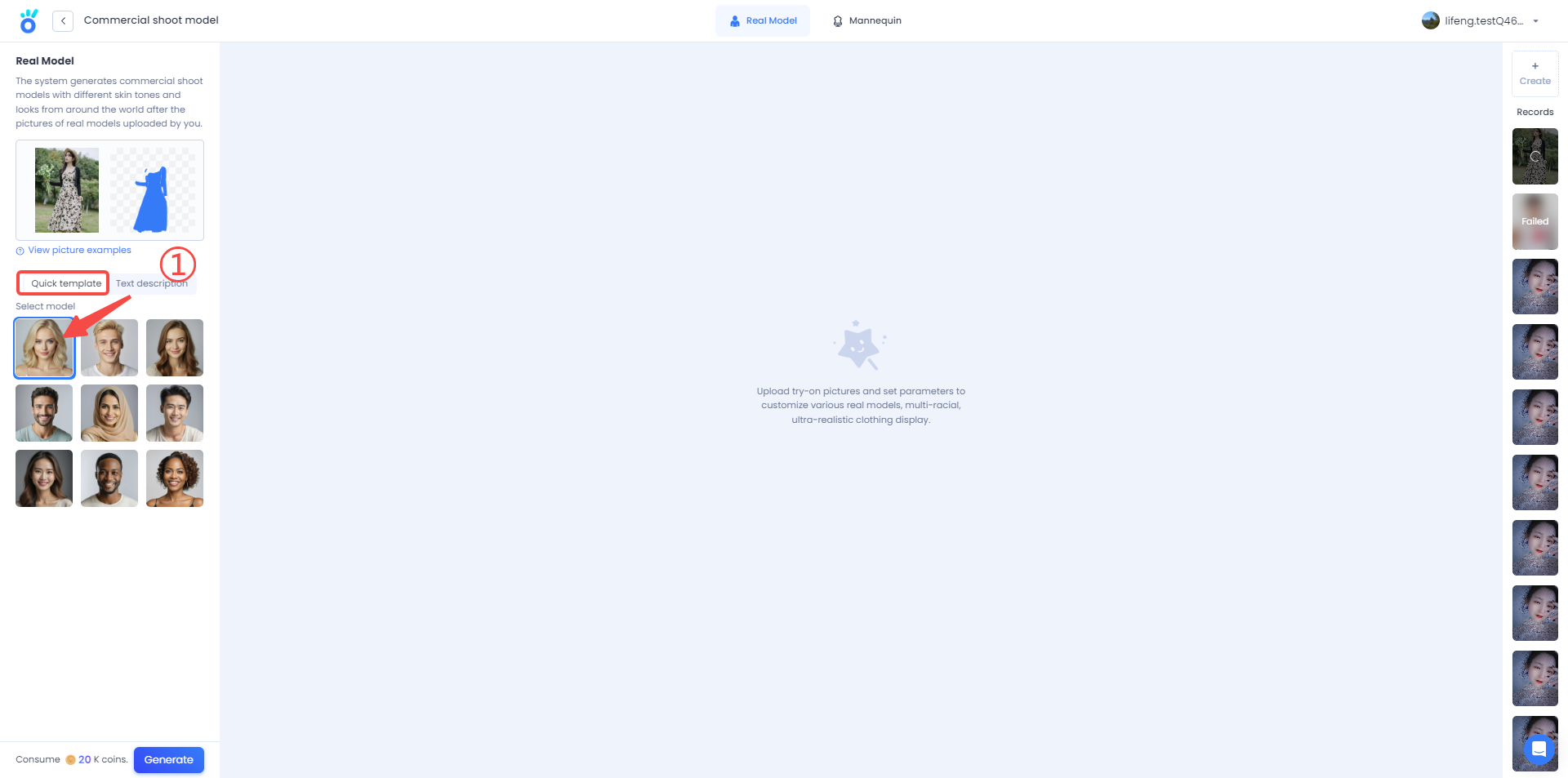
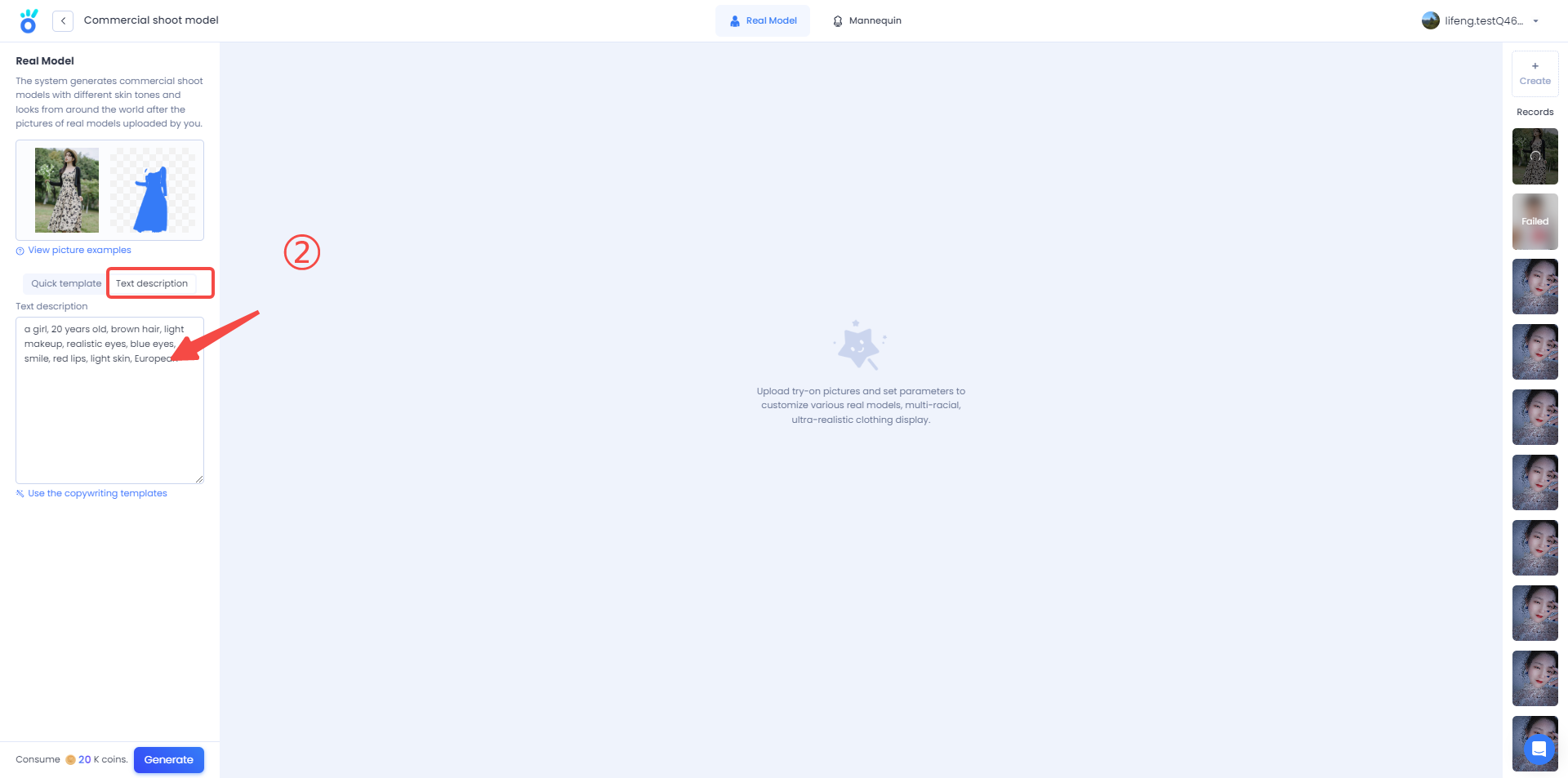
4. Choose AI model.
You can select AI models in two ways:
(1) directly click on the AI model below "Quick template".
(2) click on "Text description", in the box in English to describe the AI model's gender, age, hair color and other characteristics, customize your AI model.
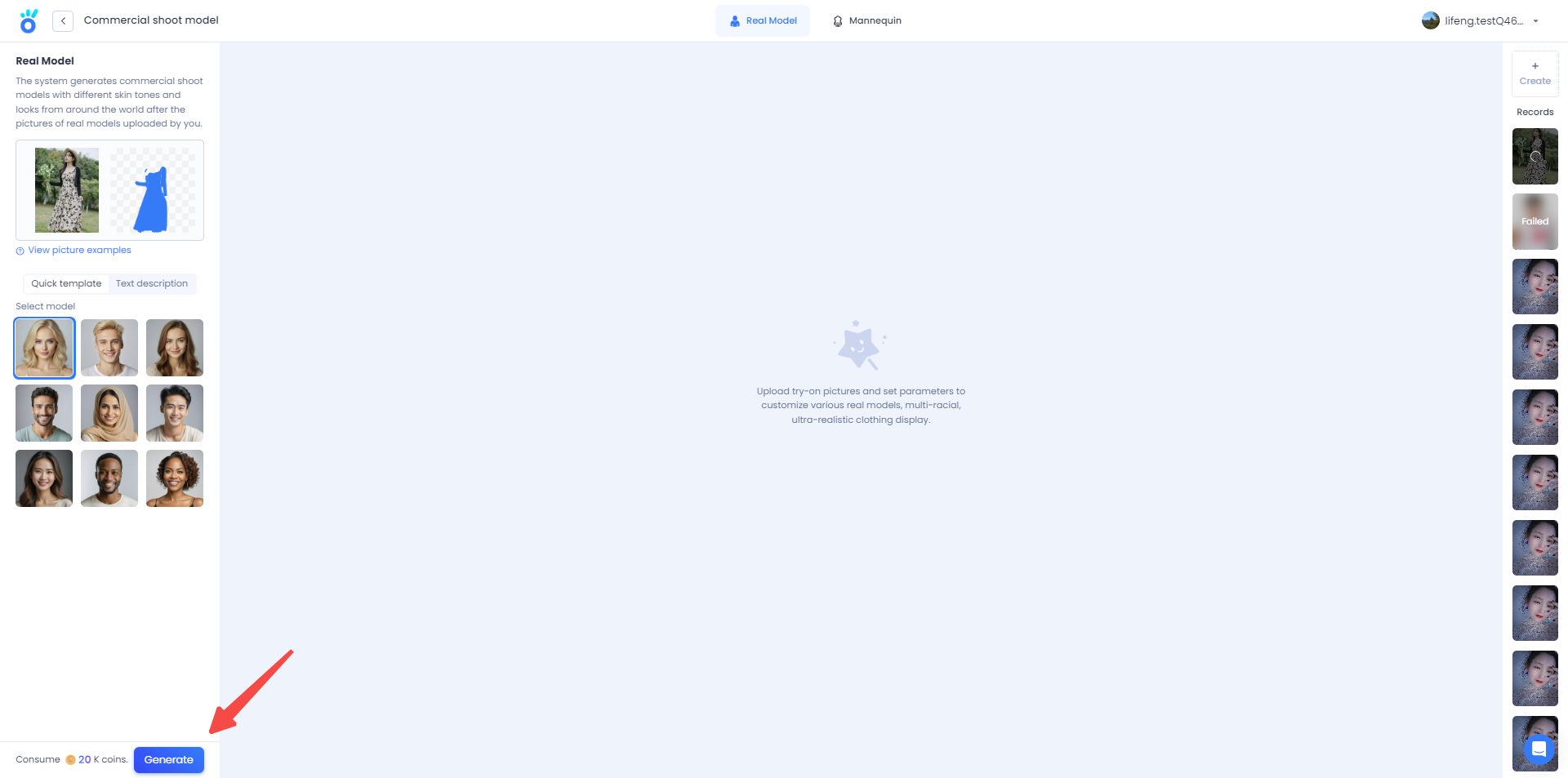
5. Click "Generate" to generate AI models.
You can view the generation progress and past projects on the far right of the page.
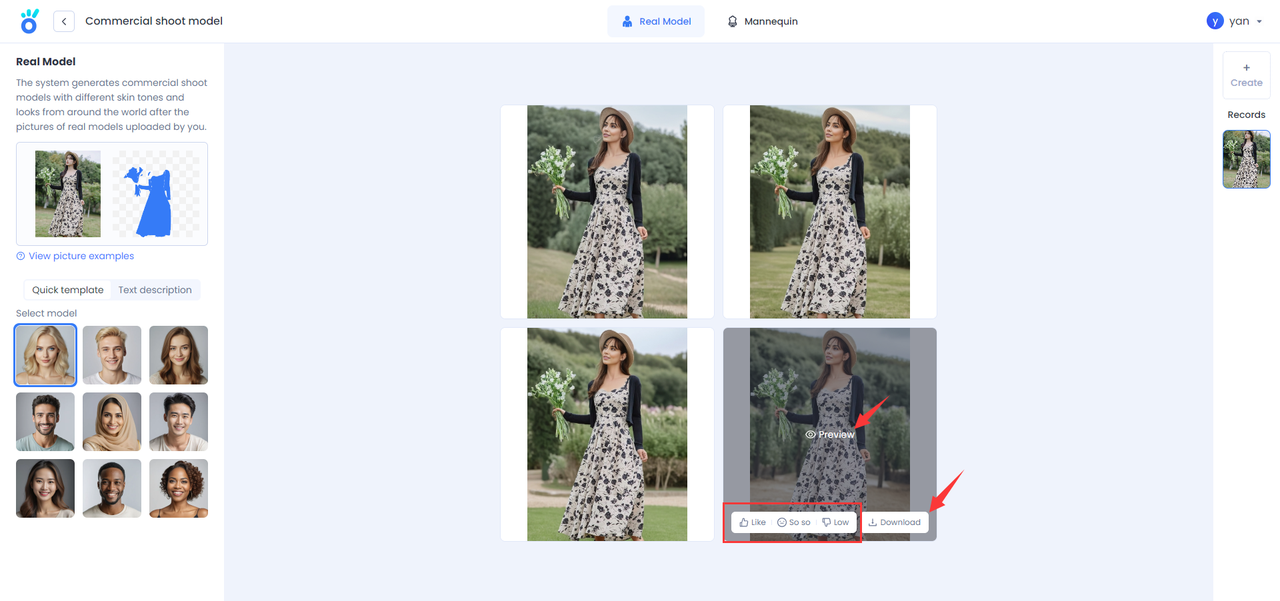
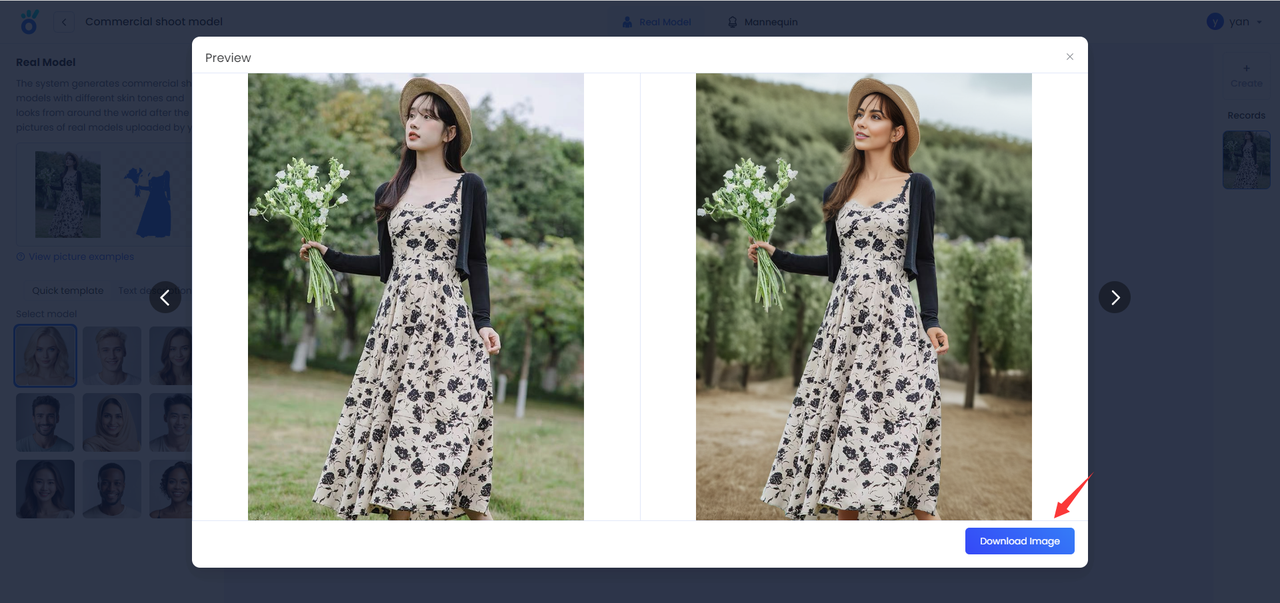
6. Preview the result & Download the model picture.
Click on the picture to preview the results, click "Download" to download the AI model pictures, you can also evaluate the results, looking forward to your feedback.
✅Get more AI video generator's tips to help you advance your brand marketing more efficiently.


