




In today’s rapidly evolving AI creative landscape, content creation is moving from fragmented tool-based workflows toward a more unified and intelligent production process.
In this update, AI Canvas introduces Creative Agent as a new conversational creation entry point and reworks the workspace experience. Users can now drive the entire creative process—from ideation to final output—through natural language.
This marks a shift for AI Canvas from a tool collection platform to a conversation-driven creative production system.
1. New Capability: Creative Agent (Creative Assistant)
AI Canvas now includes a new Creative Agent module, serving as the main entry point for conversational content creation.
Users can start creative tasks directly using natural language, turning ideas into finished content without switching between multiple tools.
Built-in use cases include:
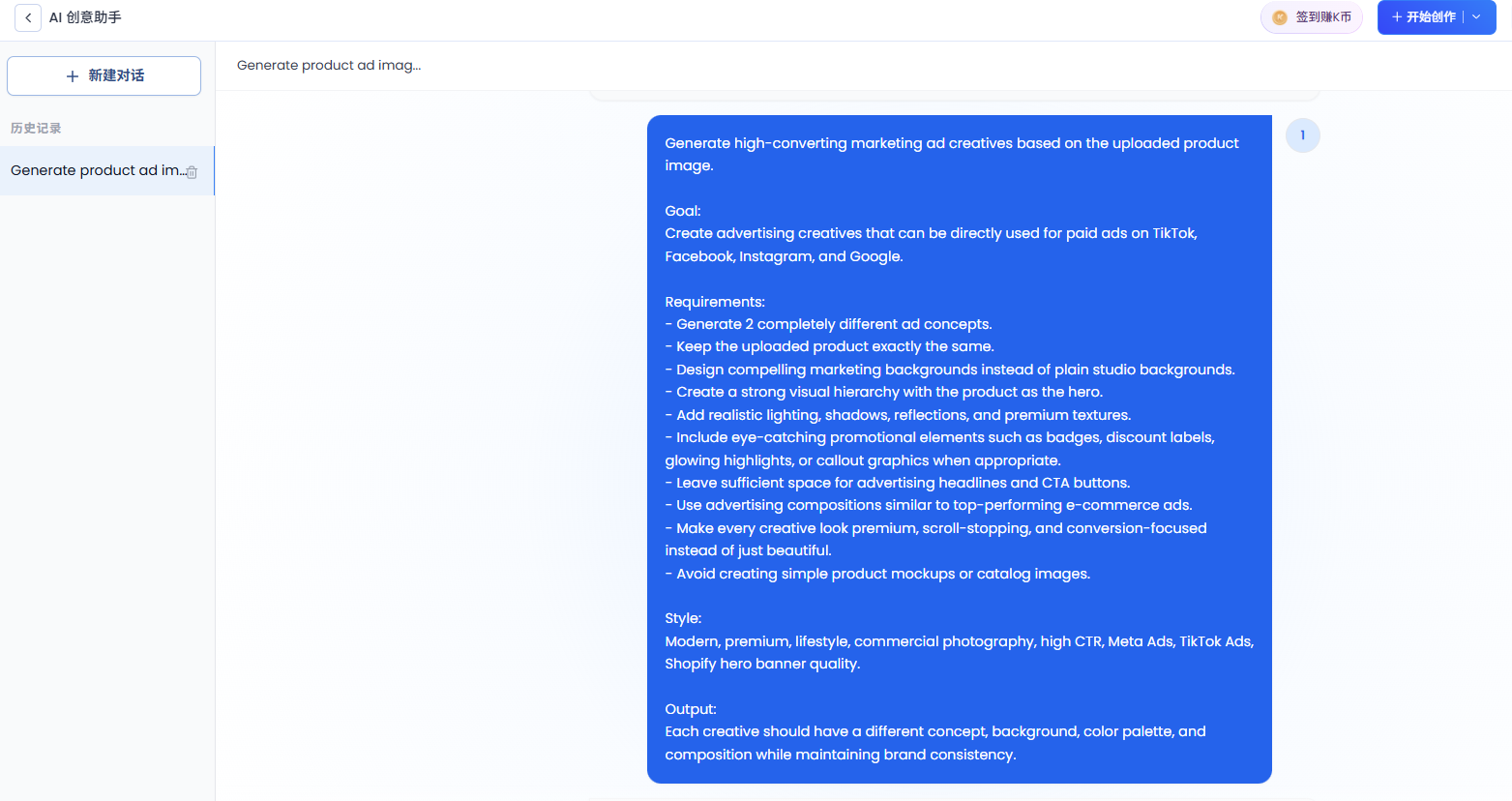
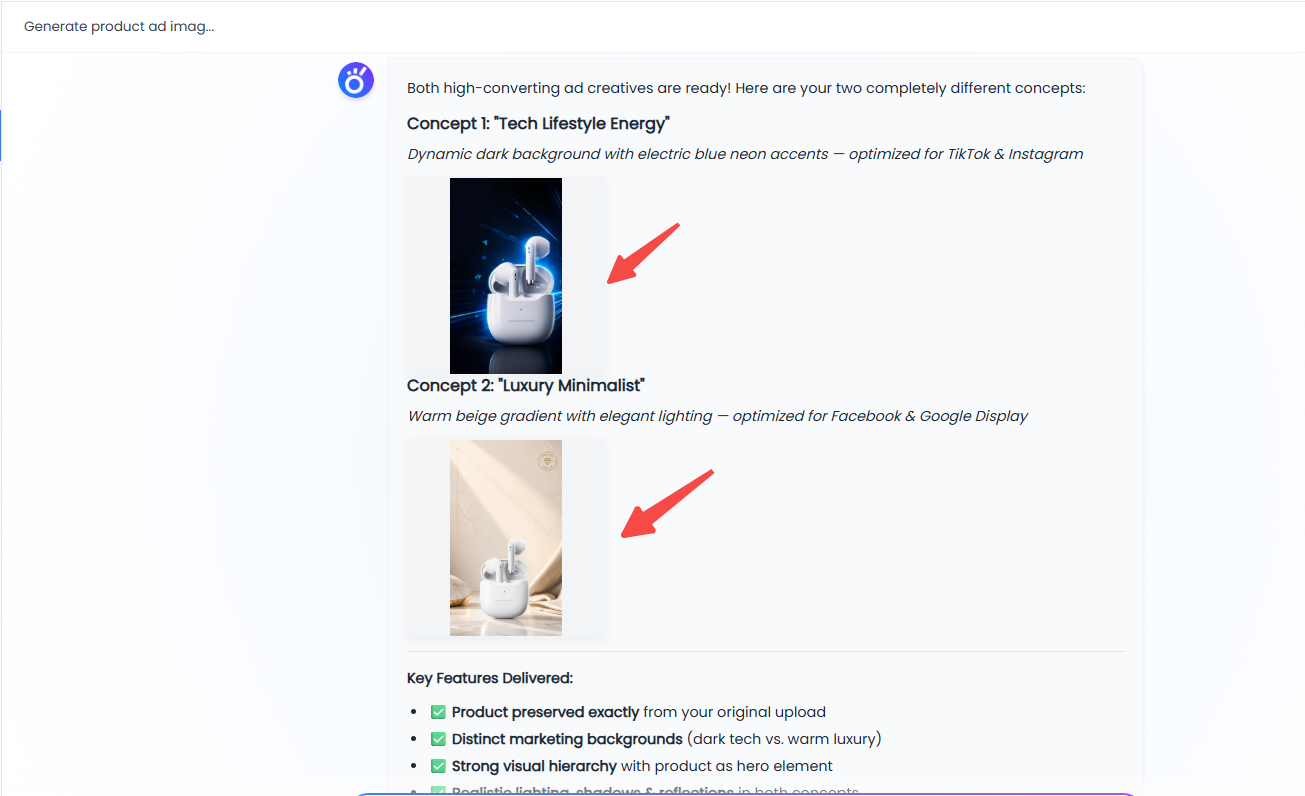
- E-commerce ad image generation
- Product marketing video creation
- Digital human explainer content
- Multilingual marketing content generation
- Other common advertising scenarios
Users can either describe what they need or start from prebuilt templates.
👉 Creative production is no longer tool-based—it is now conversation-based.
2. New Workspace Entry: Dedicated Creative Agent Page
A new Creative Agent entry point has been added to the left sidebar of the Workbench:
- “Creative Assistant” added to the left navigation
- One-click access to the conversational creation workspace
- No need to switch between multiple tools
- Direct entry into AI chat-based creation
This makes it easier to start creative work without navigating across different modules.
3. Multimodal Input: Image and Video Upload Support
Creative Agent supports uploading reference materials:
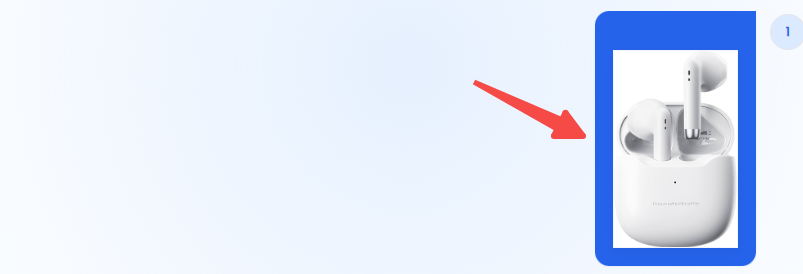
- Up to 3 images (each under 20MB)
- Up to 3 videos (each under 20MB)
These inputs can be used for:
- Product and scene references
- Style and visual guidance
- Creative direction input
- Context for content generation
1. Describe Your Needs: Tell AI what you'd like to create.
2. Upload Reference Images or Videos (Optional): Help AI understand your preferred style, layout, or visual direction.
3. Generate with AI: Create high-quality content in seconds.
4. Creative Loop Upgrade: Output Returns to AI Canvas for Editing
All content generated through Creative Agent is automatically sent back to AI Canvas for further editing, enabling a complete creative loop:
- Instant preview of generated results
- Visual editing and refinement
- Multi-version comparison
- Asset recombination and recreation
👉 From one-off generation to continuous iteration.
5. History and Project Management for Long-Term Creation
Creative Agent also supports full creative management:
- View complete conversation history
- Create independent creative sessions
- Manage multiple projects in parallel
- Track the full creative process over time
This makes it suitable for advertising, branding, education, and multi-project content production.
6. Before vs After: How Creative Production Has Changed
Before (Traditional AI Canvas)
- Multiple separate tools required
- Manual switching between generation and editing
- Fragmented workflow
Now (Creative Agent + AI Canvas)
- One conversation covers ideation and generation
- Multimodal inputs directly participate in creation
- Generation, editing, and management in one flow
- Continuous iteration instead of one-time output
👉 Creative production moves from a “toolchain” to a “conversation system.”
7. Summary
This update introduces Creative Agent as a new conversational creation entry point, along with a redesigned workflow inside AI Canvas.
By combining natural language interaction, multimodal inputs, and a full creation loop from generation to editing, AI Canvas is evolving into a more unified creative production system.
We will continue improving agent capabilities and workflow connections to make content creation simpler, faster, and more practical.


