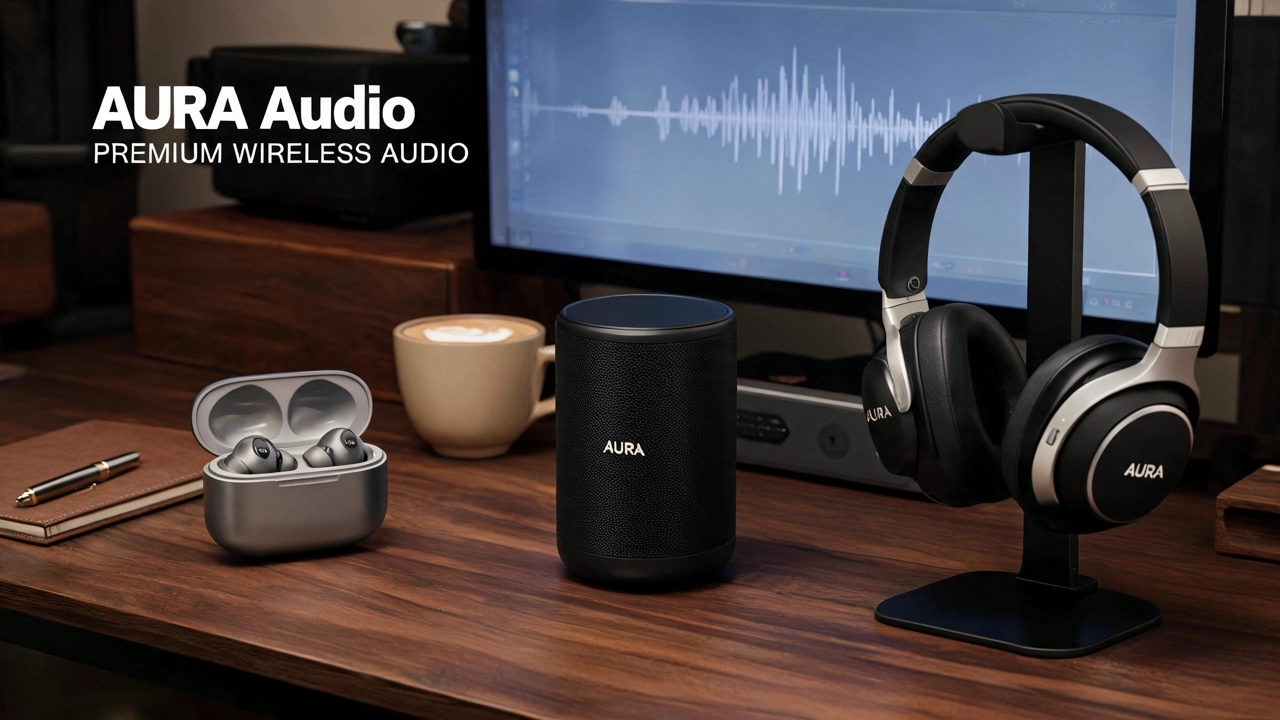
Batch Seedream Ad Images With One Campaign Look Across Your Catalog

Seedream for ads on KreadoAI turns one visual system into trafficking-ready statics across ten-plus SKUs—editorial lifestyle scenes, consistent color grade, and campaign-coherent batches for weekly media locks, not one-off hero stills that break mood when you scale to the next product line.

Seedream for Ads – Catalog & Campaign Ad Batches | KreadoAI

What is Seedream for Ads on KreadoAI?

Seedream for ads is an AI image generator workflow inside KreadoAI's AI Image Generator. Marketing teams select Seedream 5.0 (or Seedream 4.5 for lighter batches), define a shared visual system—mood, surface, lighting, seasonal styling—then generate multi-SKU ad statics that read as one campaign board. Export PNG/WebP files ready for Meta Ads Manager, TikTok, and Google Display when the bottleneck is catalog scale and visual consistency, not single-hero pack-shot fidelity or dense in-frame promo copy.

Try Seedream Free

How to Batch Seedream Ad Images in 3 Steps

  1. Step 1: Select Seedream 5.0 in AI Image Generator

    Step 1: Select Seedream 5.0 in AI Image Generator

    Open AI Image Generator and choose Seedream 5.0 (ByteDance Seedream) in the model picker—optimized for multi-SKU catalog batches and campaign-coherent lifestyle ad statics. Switch to Seedream 4.5 in the same workspace when you need a lighter batch pass.


  2. Step 2: Set Visual System, Upload References & Generate

    Step 2: Set Visual System, Upload References & Generate

    Define your shared mood—seasonal styling, surface, lighting, lifestyle scene—upload product references per SKU, then set aspect ratio (1:1, 4:5, 9:16, etc.) and quality. Generate when the batch reads as one campaign board, not isolated one-offs.

  3. Step 3: Preview, Download & Scale the Catalog

    Step 3: Preview, Download & Scale the Catalog

    Review the batch in preview. Download for Ads Manager, regenerate weak SKUs under the same visual system, or open Multi-Size Ad Image Generator to extend winning frames across ratios before launch.

Features for Seedream Ad Batch Production

Seedream Ad Image Examples

More AI Image Models for Seedream Ad Workflows

Explore KreadoAI image model pages, for-ads landings, Ad Creative Generator, and platform ad formats—route briefs to the right model in one workspace.

FAQs

Frequently Asked Questions — Seedream for Ads

Seedream for ads is a workflow inside KreadoAI's AI Image Generator that uses ByteDance Seedream (5.0 and 4.5) to create campaign-coherent static ad images from shared visual systems and product references—for Meta, TikTok, Google Display, and other paid placements.

See What Our Customers Say

See What Our Customers Say4.5
Trusted by 1,000,000+ users
Marketing
Marketing
Ten SKUs for our spring promo used to mean three different mood boards by SKU #4. Seedream holds the same warm editorial grade across the catalog batch—we lock the weekly media plan without a studio reshoot per product line.
Marketing
Marketing
Catalog refresh week no longer means rebuilding every brief from scratch. One visual system in Seedream, ten lifestyle frames out—each SKU still reads as the same seasonal campaign board.
Marketing
Marketing
Seedream for the catalog batch, GPT Image 2 only on the hero SKU when offer copy must live in-frame, Nano Banana 2 when pack-shot geometry is the hook—same KreadoAI account, clear routing per brief.
Marketing
Marketing
DTC prospecting lanes need fresh lifestyle hooks without breaking campaign mood. Seedream swaps shelf → kitchen → gift-set styling while the color grade holds—we ship image-led A/B tests before Friday trafficking.
Marketing
Marketing
Agency clients want campaign visual unity across twelve SKUs, not twelve unrelated heroes. Seedream batches pass QA on mood consistency—the client sees one seasonal board, not a patchwork catalog.
Marketing
Marketing
No studio budget for holiday promo across ratios. Seedream exports Meta feed and TikTok statics from one visual system—copy lives in ad primary text, campaign atmosphere lives in the batch.
Marketing
Marketing
Ten SKUs for our spring promo used to mean three different mood boards by SKU #4. Seedream holds the same warm editorial grade across the catalog batch—we lock the weekly media plan without a studio reshoot per product line.
Marketing
Marketing
Catalog refresh week no longer means rebuilding every brief from scratch. One visual system in Seedream, ten lifestyle frames out—each SKU still reads as the same seasonal campaign board.
Marketing
Marketing
Seedream for the catalog batch, GPT Image 2 only on the hero SKU when offer copy must live in-frame, Nano Banana 2 when pack-shot geometry is the hook—same KreadoAI account, clear routing per brief.
Marketing
Marketing
DTC prospecting lanes need fresh lifestyle hooks without breaking campaign mood. Seedream swaps shelf → kitchen → gift-set styling while the color grade holds—we ship image-led A/B tests before Friday trafficking.
Marketing
Marketing
Agency clients want campaign visual unity across twelve SKUs, not twelve unrelated heroes. Seedream batches pass QA on mood consistency—the client sees one seasonal board, not a patchwork catalog.
Marketing
Marketing
No studio budget for holiday promo across ratios. Seedream exports Meta feed and TikTok statics from one visual system—copy lives in ad primary text, campaign atmosphere lives in the batch.

Ready to Batch Your First Seedream Ad Catalog?

Turn one visual system into trafficking-ready statics across your SKU catalog—select Seedream 5.0 in AI Image Generator and export campaign-coherent ad images. Start free, no credit card required.