The PDP still converted last week. Returns still say "not as pictured." The listing video slot is empty because a studio day does not fit a forty-SKU drop.
Image to video for ecommerce is the short path: take the live product photo, add one 5–10 second motion pass, and put the MP4 where shoppers already look. On Image to Video in KreadoAI, that is a still plus a listing brief — not a new shoot.
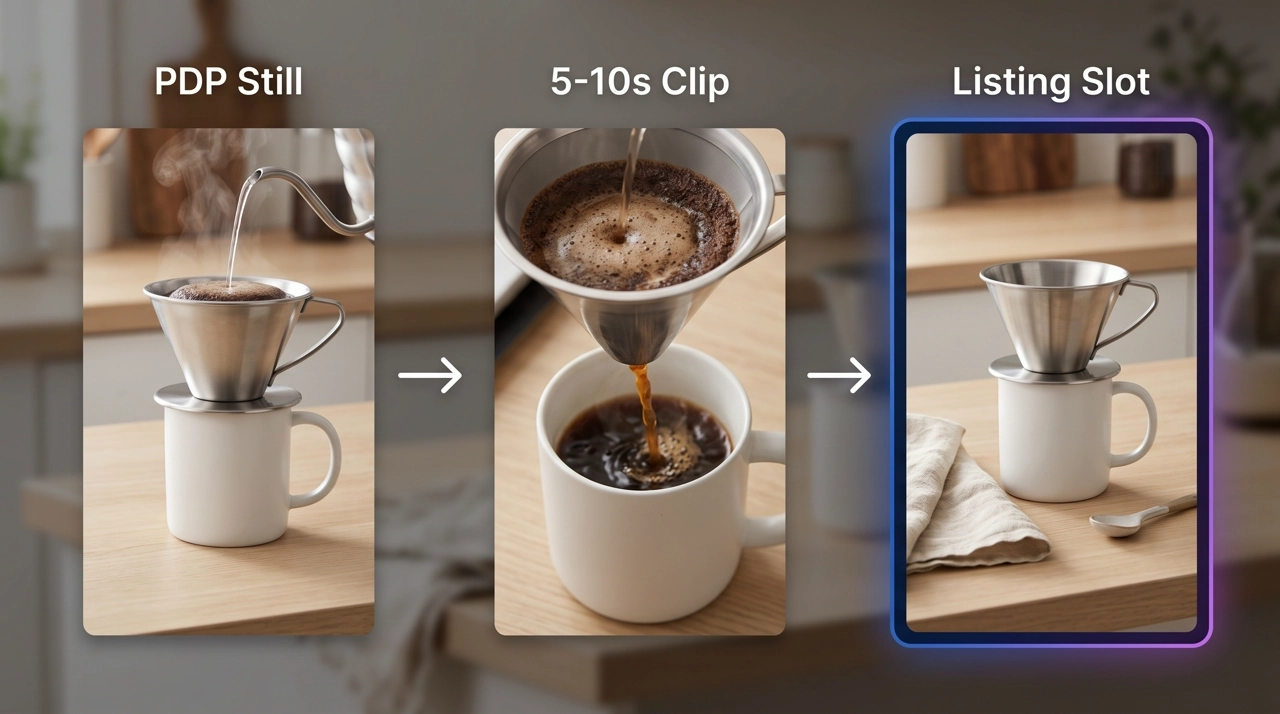
We ran a stainless pour-over still through that loop in September 2026: 8s 1:1 for a Shopify gallery, then a 9:16 Shop cut from the same frame. Two exports. Same SKU. The water-pour line held on take two.
Need the button-by-button product tour? Use How to Use KreadoAI Image to Video. This page is the listing job only.
What Is Image to Video for Ecommerce?
Image to video for ecommerce means animating a catalog still — pack shot, PDP hero, marketplace main image — into a short clip the shopper can play on the product page or Shop tile. The still is the SKU. The clip is scale, texture, and use.
We call the job Listing Clip Loop:
- Still — the photo already live on the listing. Not a mood board.
- Clip — one 5–10s motion that a muted shopper can understand.
- Slot — Shopify gallery, Shop 9:16, landing-page hero, or Amazon ads. Duration rules differ. Do not fake a one-size upload.
This is not a full conversion ad. If you have a product URL and need script, VO, and a 10-minute path to a selling video, that is URL to Video — no model picker there. Image to Video is the motion fragment from the photo you already paid for.
Prompt grammar for the clip itself lives in the image to video prompt guide. Do not re-describe the kettle. Name camera, subject, constraint.
Why Use AI for Ecommerce Listing Clips
Teams reach for image to video for ecommerce when the catalog photo is done and the gallery still looks dead. A studio orbit for every new colorway is how catalogs stall. The photo is already in the gallery. Motion is the missing layer.
In our September 2026 pour-over test on KreadoAI Image to Video, the first 8s 1:1 was usable for Shopify after one regen. A second 9:16 from the same still took another four minutes. We did not reshoot. We did not open a new tool.
Four reasons this job belongs on AI:
The still already passed legal and brand review. You are not inventing a new pack. You are adding time.
Muted playback is the default on PDP. A 6–10s pour or slow orbit reads without sound. That is the listing clip. It is not a 45s brand film.
SKU volume. Forty stills with one motion recipe beats four hero videos and a backlog.
Placement is a generate-time choice. 1:1 for many theme galleries. 9:16 for Shop. 16:9 for site heroes. Cropping a 16:9 into a square after the fact eats the kettle handle.
Limits to say out loud. KreadoAI I2V clips are typically 4–15s by model — fine for Shopify and Shop, not a substitute for Amazon shoppable video when that program wants a longer cut. Native audio often fails copyright review, so we test silent. Face-forward lifestyle stills can reject. Credits are usage-based as of September 2026; a messy still burns regen.
Turn one PDP still into a clip →
How to Run Image to Video for Ecommerce on KreadoAI: Step-by-Step
Walkthrough: pour-over kettle, live PDP still, 8s 1:1 for Shopify media, then a 9:16 Shop variant. About eight minutes for both if the first take holds.
Step 1 — Pull the live still and pick a model
Open Image to Video or AI Video Generator. Upload the same file as the listing main image — or a cleaner crop of it. 1000px on the short side, product centered, label readable.
Do not upload a lifestyle crop where the SKU is a quarter of the frame. Listing clips fail when the still is a room.
Pick a model for a short product hold. Seedance for 8–15s pours and orbits. Hailuo when you only need a 6s stamp. Kling for a slow turntable. Leave Veo/Sora for glass and liquid if the still already shows water.
Expected result: catalog still locked as first frame. About 30 seconds.
Step 2 — Write a listing motion, not a commercial
One action. One camera. Lock the kettle.
Example we used:
Slow push-in. Water darkens in the carafe. Keep the uploaded steel geometry and logo. No extra mugs. No burned-in price. No face.
That is enough for a listing loop. If you need a three-layer prompt worksheet, steal it from the prompt guide — then come back. This page is placement, not poetry.
Expected result: a silent 5–10s clip a shopper can loop with sound off.
Step 3 — Generate for the slot, then upload
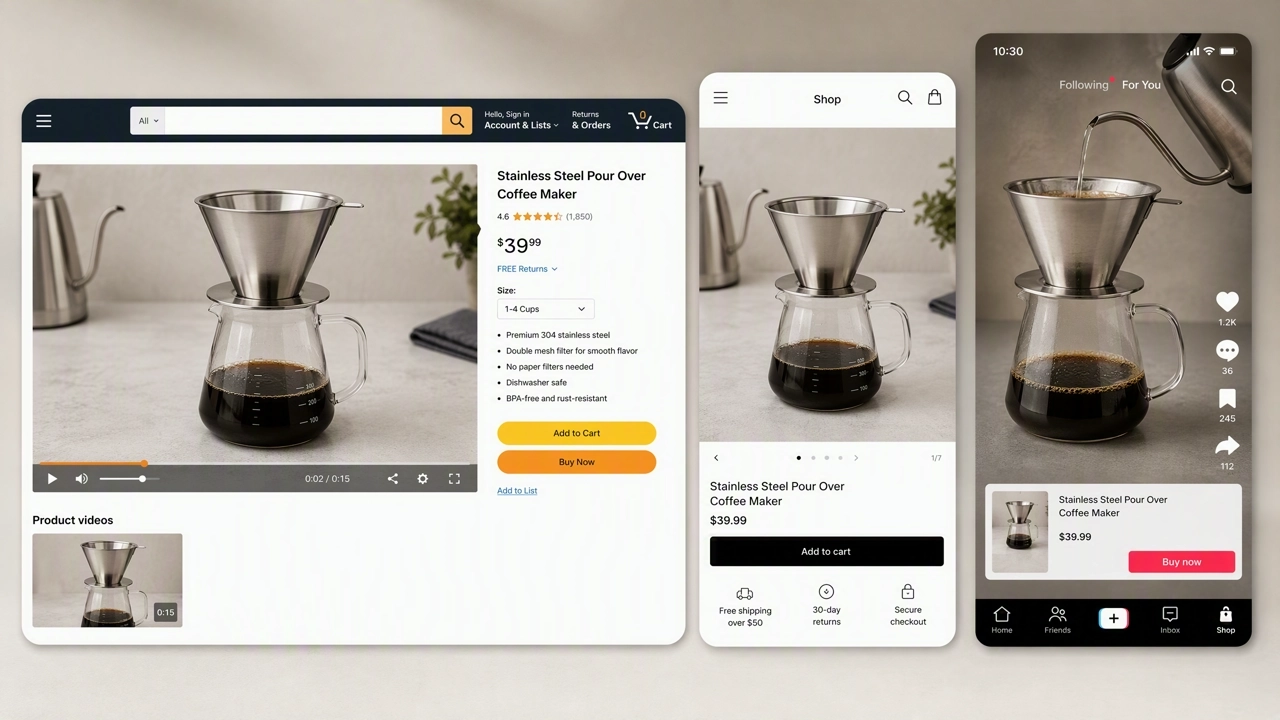
1:1 or 4:5 for many Shopify product galleries. 9:16 for TikTok Shop and Reels-style Shop tiles. 16:9 for a site PDP hero.
Generate once per ratio. Download MP4. Upload into product media (Shopify), Shop asset manager, or the ad unit — not into every Amazon video tool blindly. See the specs table.
Watch the first three seconds. If the logo smears, regen with a harder lock line. If the motion is dead, change only the camera line.
This is the 8s 1:1 listing loop from the pour-over still — mute-first, SKU locked, ready for a Shopify gallery.
Same still, 9:16 Shop cut — generate a second ratio instead of cropping the square.
Make the listing clip in AI Video Generator →
Listing Video Specs for Shopify, Shop, and Amazon
Match the slot. A 8s I2V export is a listing loop, not every Amazon video product.
| Slot | Ratio | Typical I2V length | Where it actually goes |
|---|---|---|---|
| Shopify product media | 16:9 or 1:1 | 5–10s loop | Product gallery / theme video — confirm your theme's crop |
| TikTok Shop / Shop tiles | 9:16 | 6–10s | Shop video asset; keep subject in the center third |
| Site PDP hero | 16:9 | 6–10s | Autoplay muted on the product page |
| Amazon Sponsored video ads | 16:9 or 9:16 | 6–15s | Ads Manager / Sponsored placements, not the 1–12 min shoppable program |
| Amazon shoppable / PDP video | 16:9 preferred | Often 1 min+ | Do not upload an 8s I2V and expect that program to accept it |
According to Shopify's product media help, videos sit with other product media and play on the product page. Short, muted-friendly loops are what I2V is built for.
According to Amazon's product video overview, shoppable videos on the detail page use .mp4 or .mov, up to 1080p, and a length band of 1–12 minutes. That is a different job than a 5–10s catalog loop. Use I2V for the loop and for short ad units; use a longer edit or URL to Video when you need a minute of demonstration.
According to TikTok's advertising creative specifications, in-feed prefers 9:16 at 1080×1920. Shop tiles follow the same vertical habit. Generate 9:16. Do not crop a 16:9 kettle orbit and hope the handle survives.
Seedance-specific ecommerce routing — which model for pour vs stamp — is in Seedance 2 for ecommerce video ads. This page stays on the listing loop.
Pro Tips for Catalog-Scale Listing Clips
Reuse the listing still. If legal already cleared the pack shot, that file is the input. A prettier unused photo creates a PDP mismatch.
Design for mute. Assume autoplay with sound off. The motion has to explain the product without VO.
One SKU, one motion recipe, then batch colorways. Change the still. Keep the same camera line.
Keep price, promo, and URLs out of the frame. Marketplaces reject them. Burn type in-theme, not in the model.
If the listing has six busy images and a tiny product, crop tighter before I2V. The model cannot invent a pack shot you did not upload.
When the brief is "full ad from the Amazon URL," stop this workflow. Switch to URL to Video. Mixing the two paths is the usual setup error.
Common Listing Clip Mistakes to Avoid
Treating every marketplace like Shopify. Amazon shoppable length is not 8 seconds. Read the slot.
Re-describing the product in the prompt until the SKU mutates. The listing photo is the lock.
Generating 16:9 and uploading to Shop. The crop hides the label.
Using a lifestyle still where the product is small. You get a moving kitchen, not a kettle.
Turning audio on for the first take. Copyright fails waste a credit. Picture first.
Uploading a clip with burned-in "50% off." Marketplace policy, not a model bug.
Expecting one generate to fill PDP, Shop, and a 12-minute Amazon video. Three slots, three outputs — or a longer pipeline.
FAQ
Can I use image to video for ecommerce listings without a new shoot?
Yes. The input is the live pack shot or PDP still. The output is a 5–10s motion loop for galleries and Shop. You need a new shoot only when the still is too small, too dark, or legally the wrong asset.
How long should an ecommerce listing clip be?
For Shopify media and Shop tiles, 5–10 seconds is the I2V sweet spot: one action, muted-readable. Amazon shoppable video on the detail page is a longer program — often a minute or more per Amazon's own overview. Do not force an 8s file into that slot.
Should I use Image to Video or URL to Video for a product page?
Image to Video when you already have the photo and need a motion fragment with a model picker. URL to Video when you paste a listing URL and want a script-to-final conversion ad. Most teams use both, not one.
What ratio should I generate for Shopify versus TikTok Shop?
Shopify galleries often want 16:9 or 1:1 depending on theme. TikTok Shop wants 9:16. Generate separately. A crop is not a second native ratio.
How do I keep the product from warping on a listing clip?
Upload a sharp, centered still and lock geometry in the prompt. Regen one variable at a time. Full prompt structure is in the image to video prompt guide.
Can I add a voiceover on the listing loop?
You can, after the picture works. Native generateAudio often fails copyright checks on KreadoAI, so we add VO in-edit for PDP. Many listing players start muted anyway.
Does this replace Amazon A+ or Brand Store video?
No. Those modules have their own specs and brand-registry rules. I2V listing clips are the short motion layer from catalog photography. Check Seller Central for the module you are filling.
Why did my lifestyle photo get rejected?
Face-heavy crops can trip a real-person check. Use the pack shot. Pull back, or crop the person out before you generate.
Listing Clip Loop is the ecommerce job: still, 5–10s clip, correct slot. The catalog photo keeps the SKU. The model supplies time. Amazon's long shoppable unit is a different upload.
Open Image to Video, drop in the live PDP still, and run image to video for ecommerce on one SKU before you batch the colorways.