An image to video prompt is the motion brief you attach to a still — camera path, subject action, and what must not change. The upload already owns look, lighting, and SKU geometry. On Image to Video in KreadoAI, that brief sits next to the frame; it does not replace it.
We ran the same burgundy lipstick still through three prompts in September 2026 on KreadoAI. The paragraph that re-described the tube warped the cap by second three. The Motion Stack version — slow push-in, lid twist, keep label undistorted — held the SKU. Three takes. One usable 9:16 TikTok hook.
If you need the product walkthrough, use How to Use KreadoAI Image to Video. This page is the prompt layer only.
What Is an Image to Video Prompt?
An image to video prompt tells a video model how a still should change over time. It is not a second product description. The still is the first frame; the prompt is the motion plan.
Three jobs, and only three:
- Camera — locked-off, push-in, orbit, pan, or pull-back. Pick one.
- Subject — what the product, fabric, liquid, or person does.
- Constraint — label, logo, bottle shape, face identity, and background stay true.
That is Motion Stack. Camera / subject / constraint. We use it on every KreadoAI still-to-clip brief because vague "make it cinematic" lines force the model to invent motion — and invented motion is where SKUs drift.
Need a first frame that does not exist yet? Start on Text to Video, then switch to Image to Video once photography lands. The prompt job changes at that switch: text-to-video describes a world; image-to-video describes time.
Why Use AI Motion Prompts for Product Stills
Reshooting a pack shot for every hook is slow. Writing a motion prompt on the still you already paid for is the faster path — if the prompt stays a motion plan.
In our September 2026 lipstick test on KreadoAI Image to Video, the re-describe prompt failed once, then again after we "fixed" it by adding more adjectives. The Motion Stack prompt passed on take two. Same still. Same Seedance 2.5 slot. The gap was the brief, not the model.
Four reasons we write prompts this way:
Speed without a new shoot. One 1000px+ still can yield a 9:16 hook and a 16:9 hero if you change ratio and one camera line — not the product.
SKU lock. Constraint sentences ("keep the uploaded bottle geometry") beat hope. We still get drift when the still is a busy lifestyle crop. Clean pack shots win.
Platform-native frames. TikTok's advertising creative specifications recommend 9:16 at 1080×1920 for in-feed. Generating at that ratio beats cropping a 16:9 later.
Model retries in one account. If Hailuo feels too short for a 10s pour, switch to Seedance on the same still. You are not rewriting a world — you are retrying motion.
KreadoAI still has limits. Extreme face close-ups can hit a real-person check and reject. Native audio (generateAudio) often fails copyright review, so we leave audio off for prompt tests. Duration caps differ by model; a 15s script on a 6s model is wasted tokens. Pricing is credit-based as of September 2026 — regen cost adds up if you rewrite the whole prompt every take.
Try Motion Stack on Image to Video →
How to Write an Image to Video Prompt on KreadoAI: Step-by-Step
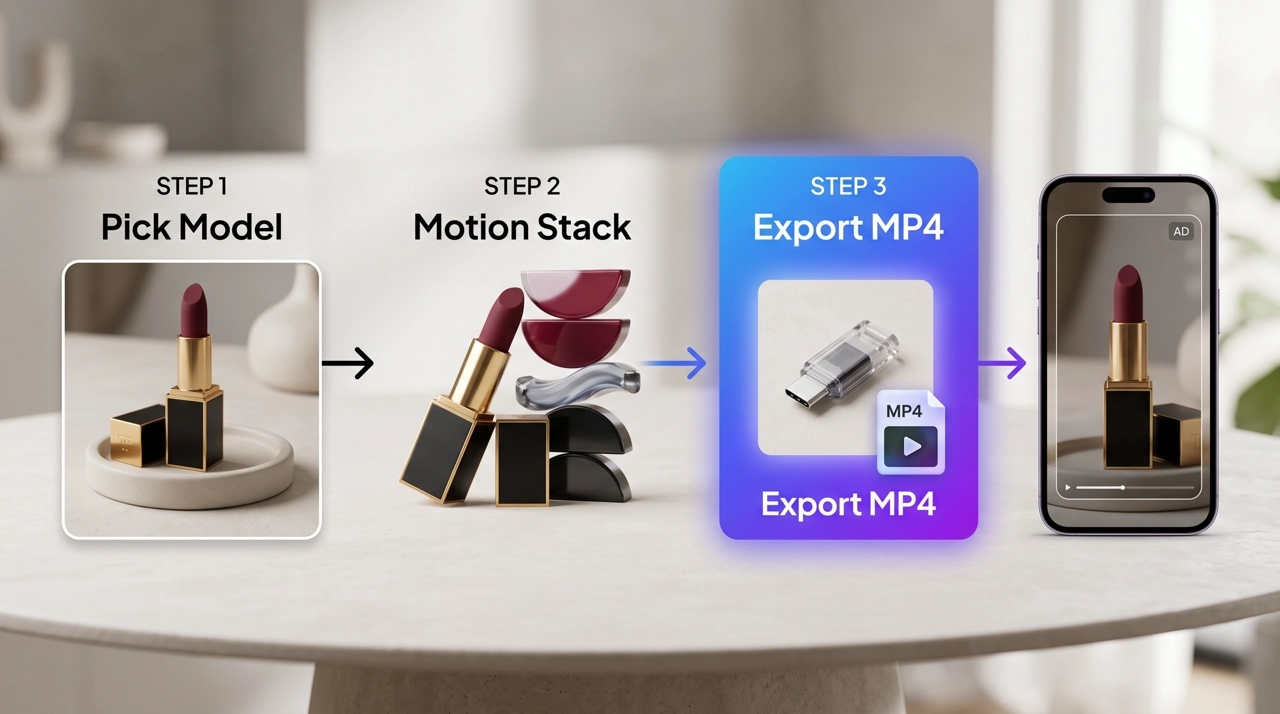
We use a lipstick pack shot → 9:16 hook as the walkthrough. Door-to-door, one clean take is about four minutes including a single regen.
Step 1 — Pick a model and upload the still
Open Image to Video or the AI Video Generator. Choose a model first. Seedance for 8–15s product holds. Hailuo when you need a 6s stamp. Kling when you want a slow orbit. Veo or Sora when the still has glass, liquid, or physics you cannot fake with a pan.
Upload a centered still. 1000×1000 or larger. Product in the clear. Busy lifestyle crops fight the constraint layer.
Optional: add a video reference if you want the new clip to borrow camera rhythm from a previous take. One reference. One job. Do not dump a folder of "inspiration."
Expected result: model selected, still locked as first frame. About 30 seconds.
Step 2 — Build the Motion Stack
Write the image to video prompt in three lines. Paste them as one block.
Camera: Slow push-in, camera locked on the lipstick axis. No whip pan.
Subject: The cap twists a quarter turn. A soft specular glide moves down the burgundy tube.
Constraint: Keep the uploaded product geometry, label text, and color. No new objects. No burned-in words. Face absent.
That is the whole brief. Do not re-list "burgundy matte lipstick on marble" — the pixels already said it.
Weak version we killed in testing:
Cinematic luxury beauty commercial, elegant lipstick, beautiful lighting, product photography, high end, 8k, masterpiece.
The model treated that as permission to redesign the SKU. The Motion Stack version did not.
This is the 8s 9:16 take from that lipstick still on KreadoAI Image to Video — slow push-in, specular glide, cap locked. Audio off.
If you later need second-by-second beats on Seedance 2.5, leave this page and use the Seedance 2.5 prompt guide. Timestamps are a model-specific layer. Motion Stack is the layer that works across the picker.
Expected result: one motion idea, one camera idea, one lock sentence.
Step 3 — Set ratio, generate, download
Pick 9:16 for TikTok / Reels / Shorts. Pick 16:9 for YouTube in-stream or site heroes. One ratio per generate — do not expect a free crop to look native.
Duration: match the model. A 6s Hailuo clip cannot hold a three-beat pour.
Leave audio off until the picture works. Then decide if you add SFX in-model or in-edit.
Generate. Watch the first three seconds. If the label warps, change only the constraint line and regen. If the camera is dead, change only the camera line. One variable.
Download the MP4. Post or upload to Ads Manager. If the clip is soft after a long orbit, that is a finish problem — not a prompt problem. Fix it after you like the motion.
Run it in AI Video Generator →
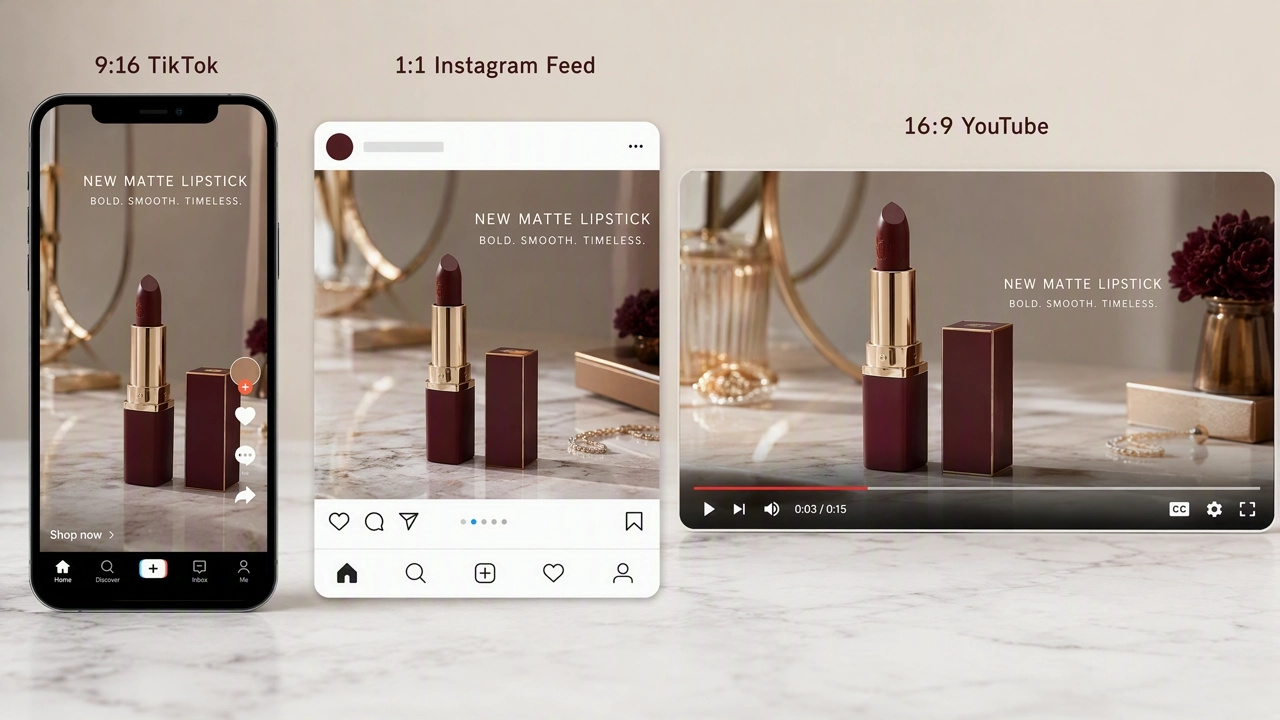
TikTok and Meta Video Specs for 9:16 and 16:9
Write the prompt for the frame you will ship. Ratio is not a post-export afterthought.
| Placement | Ratio | Resolution to generate | Prompt note |
|---|---|---|---|
| TikTok in-feed / Spark | 9:16 | 1080×1920 | Subject action in the center third; keep top ~15% and bottom ~20% clear of critical label |
| Instagram Reels / Stories | 9:16 | 1080×1920 | Same stack; Meta UI also eats the bottom |
| YouTube in-stream / site hero | 16:9 | 1920×1080 | Wider orbit reads; keep product from drifting to the far edge |
| Feed 1:1 (optional variant) | 1:1 | 1080×1080 | Shorter camera travel; subject motion > orbit |
According to TikTok's advertising creative specifications, in-feed video prefers 9:16 with 1080×1920 recommended. Auction placements can accept other ratios, but letterboxing wastes the first second.
According to Meta's Instagram Reels ads guide, Reels placements are built around vertical 9:16 full-screen video. A 16:9 prompt on a 9:16 generate will crop the sides — and your constraint line cannot save a label that was never in frame.
According to YouTube's advertised product specs, in-stream inventory is a 16:9 canvas. Generate 16:9 when the still is a site hero or YouTube bump; do not rely on a vertical export to fill that slot.
Duration: 6–10s for a single Motion Stack beat. 10–15s only if the model supports it and you add a second subject action, not a second product description.
Copy-paste ratio line we append:
Format 9:16. Keep the product in the vertical center. Leave top 15% and bottom 20% free of critical packaging text.
Swap to 16:9 and drop the bottom-safe sentence for YouTube.
Pro Tips for Camera Movement Prompts
One motion per take. "Orbit plus pour plus fabric ripple plus lens flare" is four prompts pretending to be one. Split them.
Name the camera like a DP, not a poet. Slow push-in. Locked-off. 30-degree orbit. Handheld micro-shake. "Cinematic camera" is not a move.
Put environment motion in the subject line only if the product is still. Steam, dust, curtain, rain on the windowsill — those save a locked-off pack shot. They are cheaper than asking the bottle to dance.
Iterate one layer. Camera failed? Do not rewrite constraints. Constraint failed? Do not add a new orbit.
Portrait stills need a softer subject line than products. "Hair moves in a light breeze, eyes blink once, camera locked" beats "she walks toward camera and smiles." Walks invent legs the crop does not contain.
Product stills need a harder constraint line. "Keep logo, keep cap silhouette, no extra text." We would rather a boring hold than a pretty warp.
Match implied motion in the still. A pour already in progress wants continue-the-pour, not a sudden orbit. Fighting the still is how you get cuts you did not ask for.
Common Motion Prompt Mistakes to Avoid
Re-describing the still. If half the prompt is color and brand adjectives, the model treats the upload as a mood board. Kill those lines.
Stacking three camera moves. Push-in then orbit then crane in six seconds looks like a glitch, not a director.
No constraint sentence. Then you blame the model when the label melts.
Asking for burned-in headlines. On-screen text hallucinates. Add type in-edit. Write no burned-in text in constraints.
Wrong duration for the model. A 15s three-beat script on a 6s model truncates the stack. Check the duration control before you write beat three.
Face-first crops on KreadoAI. Extreme close-ups can reject under the real-person check. Use a three-quarter or product-forward still, or crop tighter after a wider generate.
Audio on the first take. Copyright fails waste a credit. Picture first.
Pasting a Seedance timestamp script into Hailuo. Different models, different grammar. Motion Stack travels; timestamps stay on Seedance 2.5.
FAQ
How do I write a prompt that does not warp the product?
Lead with one camera move and one subject action, then lock geometry to the upload. Skip color essays. If the label still drifts, tighten the constraint line and regen — do not add a second camera move.
What is the Motion Stack formula?
Camera + subject + constraint. Camera is how the lens travels. Subject is what moves in the frame. Constraint is what must match the still for the whole clip. Paste them as three short sentences, not a mood paragraph.
Should the prompt re-describe the still?
No. The still already supplies composition, lighting, and product design. Re-describing it invites a redesign. Name the product only if you need to point at which object moves in a busy frame.
How long should the prompt be?
Long enough to name one camera, one action, and one lock. In our lipstick tests that was 40–70 words. Past 120 words we started smuggling in a second brief. Clarity beats length.
How do I keep logos and labels stable?
State it. "Keep the uploaded label readable. No extra text. Product geometry locked." Use a sharp still. Soft JPEGs smear under any orbit. If the logo sits in a TikTok bottom-safe zone, move the product up in the still before you generate.
Do 9:16 and 16:9 need different prompts?
Same Motion Stack. Change the ratio control and the safe-zone sentence. Vertical wants center-weighted subject motion. Horizontal can take a wider orbit. Do not generate 16:9 and crop to 9:16 if the label lives on the sides.
Can I add timestamps like Seedance 2.5?
Yes — on Seedance 2.5, after Motion Stack is solid. Timestamps are a second grammar. See the Seedance 2.5 prompt guide. Other models on the KreadoAI picker should stay on three sentences.
Why did KreadoAI reject my portrait still?
Face-dominant close-ups can trip the real-person filter. Pull back so more of the scene is visible, or animate a product still instead. This is a platform check, not a prompt typo.
Motion Stack is the prompt layer we actually reuse: camera, subject, constraint. The still keeps the SKU. The model supplies time.
Open Image to Video, paste a three-line image to video prompt, and generate the 9:16 take before you write a longer Seedance script.