




TikTok is a global hub for creative videos, from viral dances to niche tutorials—but those watermarks can ruin your content. They disrupt visuals, limit creativity, and make videos look unprofessional when shared elsewhere.
KreadoAI TikTok Watermark Remover lets you remove watermarks and captions in one click, keeping videos in full HD. Fully online, no software needed—get clean, professional videos instantly and make content creation faster and easier!
Why Should You Remove TikTok Watermarks?
1.Content Creators
Removing the watermark helps your video perform better on other platforms like Instagram, YouTube, or Facebook, as these platforms tend to downrank videos with competing logos.
2.Brands and Marketers
Watermarks can make videos look messy and unprofessional. Removing them helps create cleaner, more polished content that aligns with your brand's image.
3.Casual Users
If you're just sharing or saving videos, removing the watermark makes the video look more polished and gives you more flexibility in editing or combining content.
4.Avoiding Copyright Issues
Removing the watermark can help avoid potential copyright issues, but always remember to credit the original creator when necessary.
When sharing or repurposing TikTok videos, watermarks can affect the visual appeal and content reach. Whether posting on other platforms or optimizing personal videos, removing the watermark enhances professionalism and performance.
To help you choose the best solution for your needs, we've compiled 6 proven methods for removing watermarks from saved TikTok videos in 2026, along with a detailed breakdown of the pros and cons of each method.
6 Proven Ways to Remove TikTok Watermarks from Saved Videos (2026)
Method 1: Crop or Zoom the Video
How it Works: Use built-in video editors on your phone or computer (e.g., iMovie on iPhone, FilmoraGo on Android, or Windows Video Editor) to crop out the watermark or slightly zoom in to hide it.
Pros: No extra tools needed, free, and fast.
Cons: May cut off parts of the video or reduce resolution; not suitable for complex videos.
Method 2: Add Borders or Overlays
How it Works: Use video editing apps (e.g., InShot, Kinemaster, CapCut) to add decorative borders, text boxes, or graphic overlays to cover the watermark.
Pros: Easy to use, adds creative flair, and keeps original content intact.
Cons: Can look unnatural and may cover important parts of the video.
Method 3: Blur the Watermark Area
How it Works: Apply a blur effect to the watermark area using video editors like CapCut or iMovie.
Pros: Simple, preserves the rest of the content, and fast.
Cons: The blurred area can be noticeable, affecting overall video quality; not suitable for moving watermarks.
Method 4: Use Mobile Apps
How it Works: Download watermark removal apps (e.g., InShot, Video Eraser) and upload your video for automatic watermark removal.
Pros: Convenient, fast, automatic detection, mobile-friendly.
Cons: Free versions may have ads or add their own watermark, potential privacy risks, limited features.
Method 5: Use Professional Video Editing Software
How it Works: Use professional software like Adobe Premiere Pro or Final Cut Pro to manually remove watermarks with tools such as masking, cloning, or content-aware fill.
Pros: High precision, high-quality output, advanced editing capabilities.
Cons: Steep learning curve, expensive, time-consuming.
Method 6: Use KreadoAI Online TikTok Watermark Remover (Best in 2026)
How It Works:
KreadoAI provides a fully online AI-powered TikTok watermark removal tool, designed specifically for removing TikTok watermarks, subtitles, logos, and text without damaging video quality.
You simply upload your saved TikTok video through your browser, select the watermark area, and let KreadoAI's advanced AI automatically remove it frame by frame. No software installation, no editing skills required.
Step-by-Step Guide:
Step 1: Upload TikTok Video
Import your downloaded or saved TikTok video into our free video watermark remover. This is the first step to get started!
Step 2: Select Subtitles & Watermarks to Remove
Choose your ideal brush size and outline the areas you want to remove, including the subtitle box and watermark frame. Our AI-powered tool will automatically process the video to remove the watermark and subtitles.
Step 3: Remove & Download
Once you're happy with the selection, click “Confirm Submission.” You'll receive a high-quality video with no watermarks or subtitles, ready to download using the best watermark remover video online free tool.
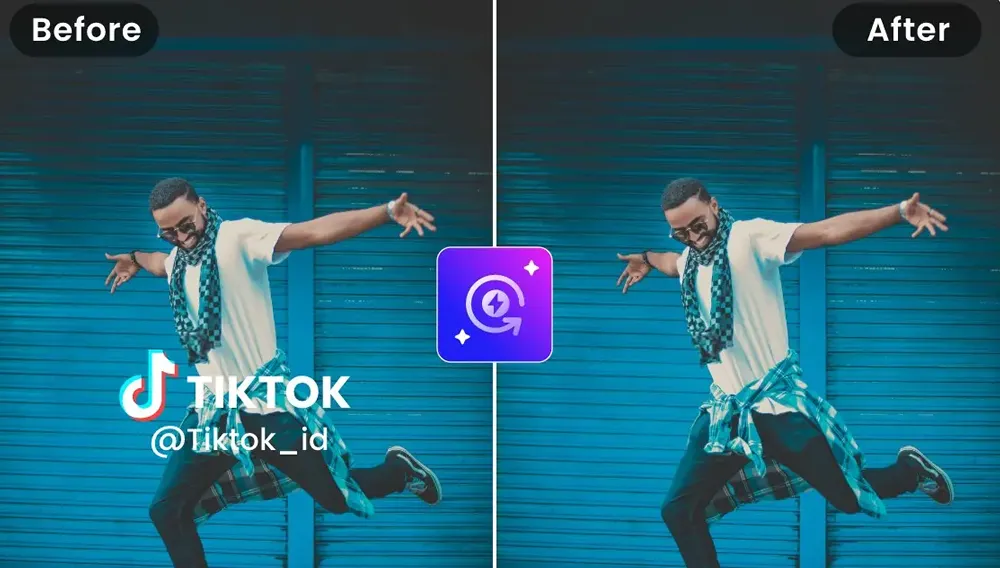
Make Your TikTok Videos Shine with KreadoAI!
Powered by advanced AI technology, KreadoAI removes watermarks, subtitles, and logos with precision, all while preserving your video's original resolution. The process is fully online, simple to use, and requires no advanced editing skills or software installation.
Whether you're a content creator aiming for polished, professional videos, a brand marketer enhancing visual quality, or a casual user optimizing videos for sharing, KreadoAI delivers clean, professional results quickly and effortlessly.
With KreadoAI, your TikTok videos are free from distractions, maintaining both quality and creative flexibility—making it the ultimate choice in 2026.


