KreadoAI now supports Nano Banana 2.1, Google's high-efficiency image model, documented as gemini-nano-banana-2.1. Nano Banana 2.1 what's new is clearer stills, steadier short text, a subject that holds more steadily across later edits, and output at 1K, 2K, or 4K.
Select it in the KreadoAI image generator. No separate API. The page is Nano Banana 2.1.
Nano Banana 2.1 vs. Nano Banana 2 and Pro
All three models are on KreadoAI, each on its own page. The split is whether you are starting a new still or matching a batch that already shipped.
| Model | Best for | On KreadoAI |
|---|---|---|
| Nano Banana 2.1 | New product photos, short-headline posters, follow-up edits | 1K, 2K, or 4K, from a prompt or a product image |
| Nano Banana 2 | An approved set the next files must match | Stay on the original page and finish the set |
| Nano Banana Pro | A brief that names Pro | Open the Pro page |
2.1 is not a rename of Nano Banana 2, and it is not the 4K mode of Pro. Start new pack shots and posters on 2.1. Do not switch a live Nano Banana 2 batch mid-way.
What can you do with Nano Banana 2.1?
On KreadoAI it covers the four still jobs marketing teams repeat.
Ecommerce product photos
Name the material, the light, and the camera, or upload the product and change only the surface and the light. A pack shot can ship without a headline, so type can be set later.
Posters and feature graphics with a short headline
Settle two lines, or a title plus three points, and name which side they sit on. Keep the price and the URL in the ad text field.
Keep editing after the upload
Once the first frame works, the next prompt changes the scene and restates the product and the words. You do not rewrite the whole poster.
Pick 1K, 2K, or 4K
Keep the prompt and change the size in the generator. Read the product and the headline at 1K, then move to 2K or 4K for a larger file.
Nano Banana 2.1 image examples on KreadoAI
Three frames, three jobs: a pack shot, a promo poster, and a feature graphic. Edit the prompt for your own product.
Example 1 — Earbud pack shot
One earbud stands beside an open case on dark glass, with a warm rim light from the left. A catalog still, with no headline in the frame.
Matte charcoal wireless earbuds, one standing beside an open graphite case, on dark smoked glass, one warm rim light from the left, a slightly elevated 45-degree camera. 16:9. No lettering.
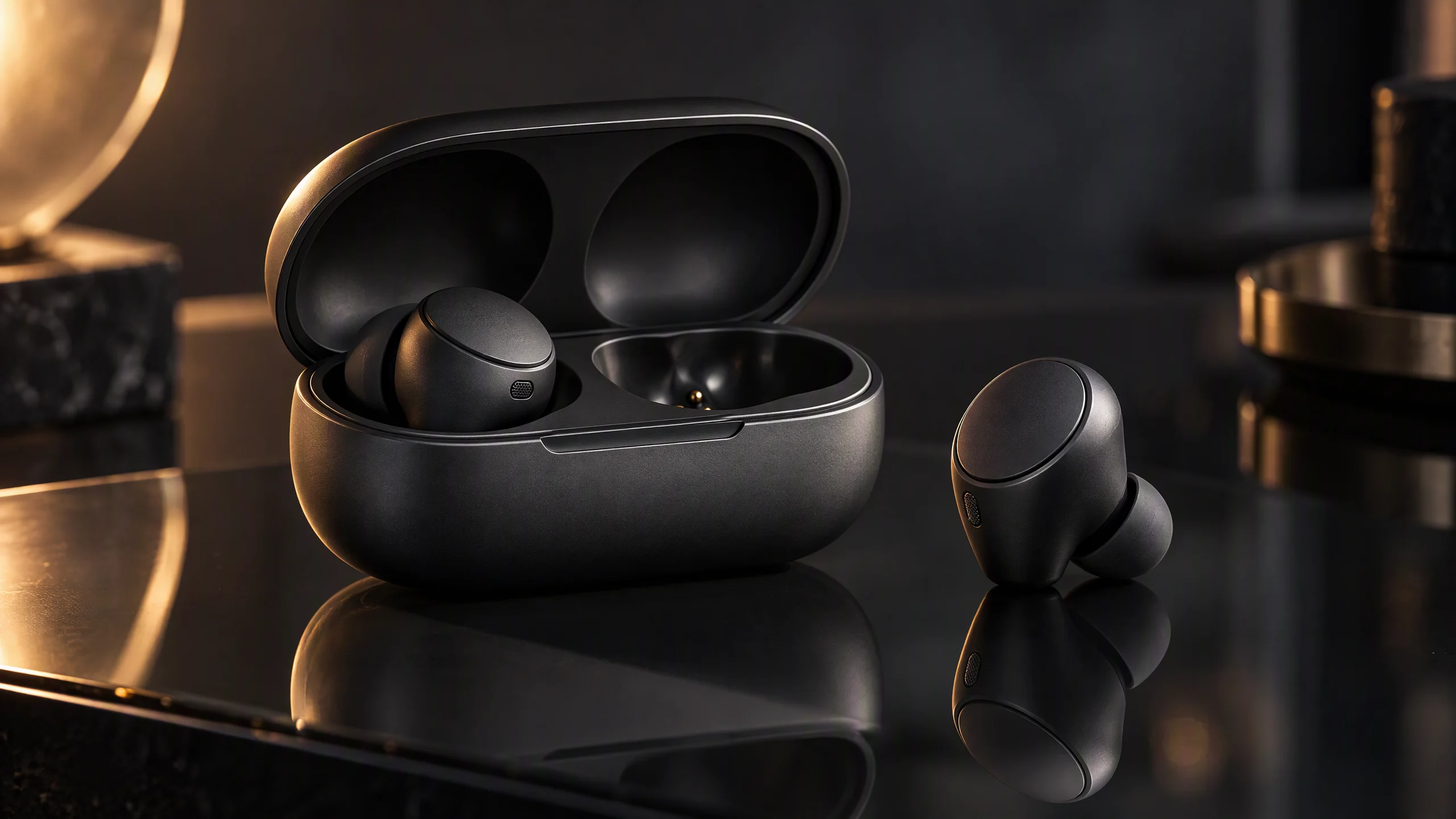
16:9 pack shot, no headline in the frame.
Example 2 — Running-shoe poster
The shoe is on the right. The left side has two lines: LIGHT, then On your feet.
Create a 16:9 running-shoe poster. One white shoe on the right. On the left, exactly two lines: "LIGHT" above "On your feet." No other words.
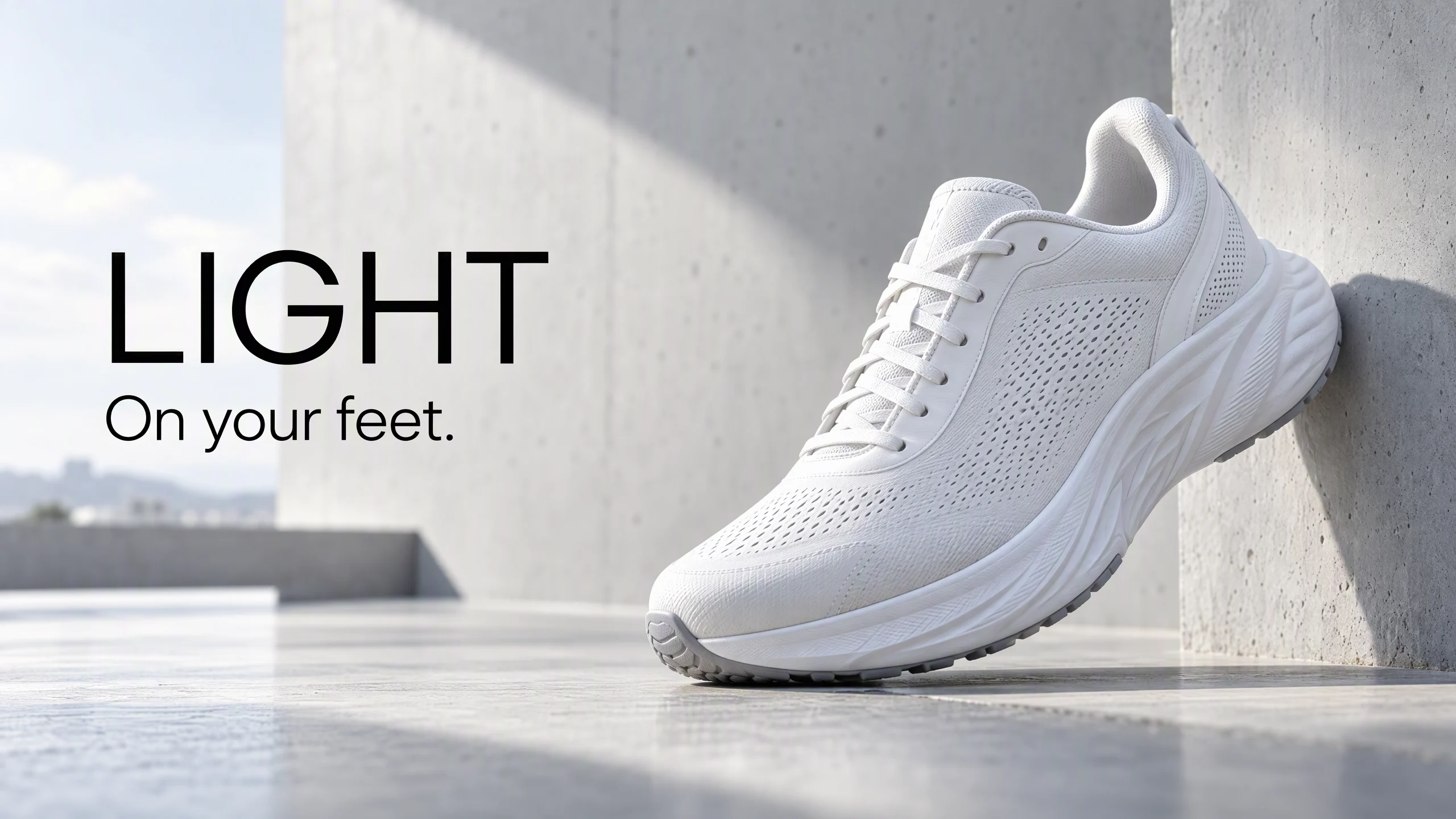
16:9 promo poster, short headline on the left.
Example 3 — Speaker feature graphic
The speaker is on the left. The right side is the title CLEAR and three points.
Create a 16:9 infographic. A sand-colored compact speaker on the left. On the right, exactly four text strings: the title "CLEAR", then "Rich bass", "All day", and "Compact". No fifth sentence.
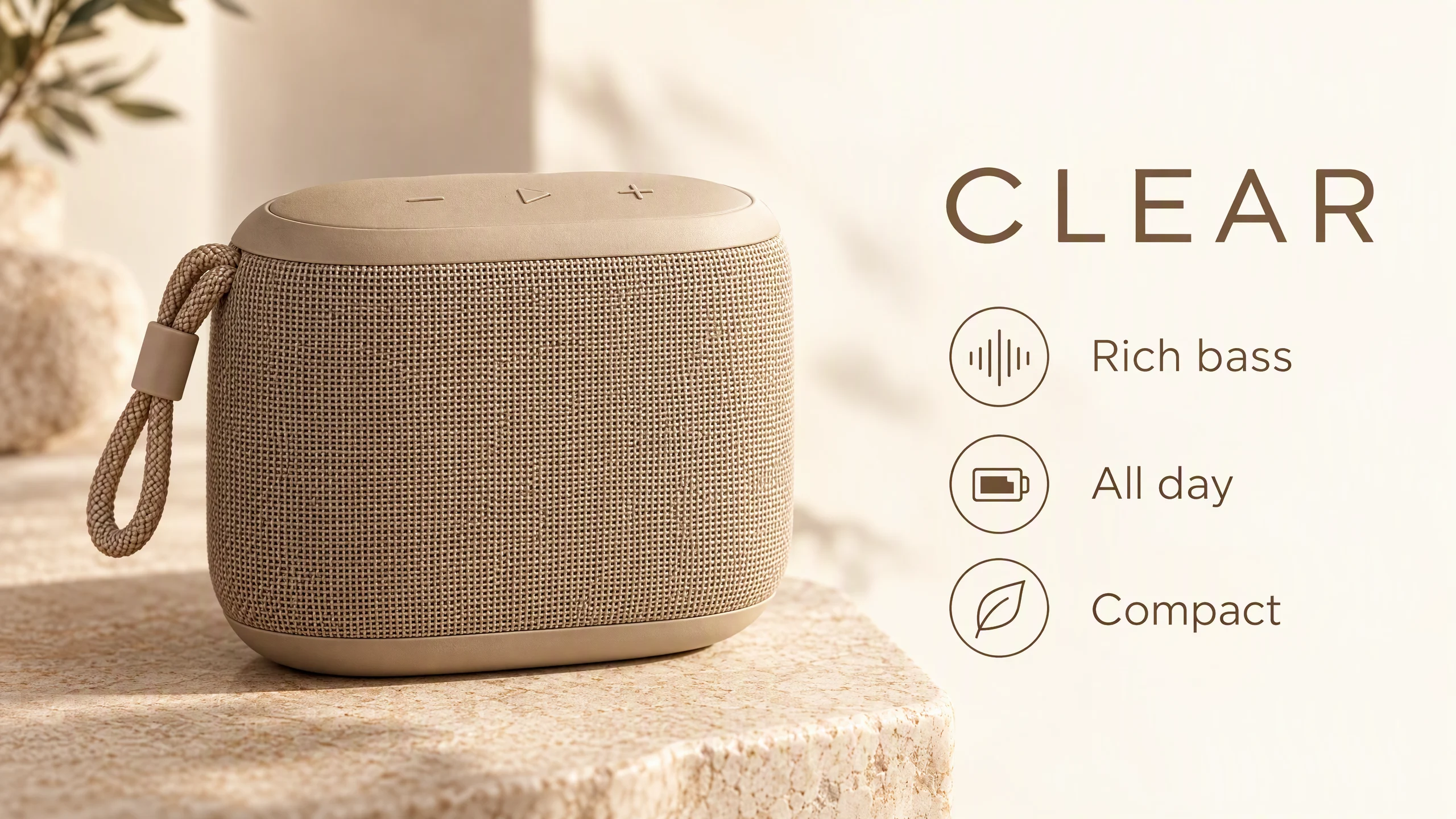
16:9 feature graphic, a title plus three points.
How to use Nano Banana 2.1 on KreadoAI
- Open the AI image generator and select Nano Banana 2.1.
- Upload a product photo, or write the subject, setting, light, framing, and any words that must appear. Settle the two poster lines first.
- 16:9 is the usual ratio. Choose 1K, 2K, or 4K.
- Check that the product is still that product and the headline is still those lines, then download.
- Generate again with a follow-up prompt when the scene should change. For other ad placements, use the Multi-Size Ad Image Generator. More lines are in the Nano Banana 2.1 prompt examples.
FAQ
What is Nano Banana 2.1?
Nano Banana 2.1 is Google's high-efficiency image model, documented as gemini-nano-banana-2.1. On KreadoAI you select it in the image generator and make product photos and posters from a prompt or a product image, then keep editing.
How is it different from Nano Banana 2?
On KreadoAI they are two pages. New product photos and short-headline posters use Nano Banana 2.1. An approved set that the next files must match stays on Nano Banana 2.
Which resolutions are supported?
1K, 2K, and 4K. Check the product and the headline at 1K, then move up when you need a larger file.
Can I try it?
Yes. Free accounts can try Nano Banana 2.1 on KreadoAI. A membership is the next step when you need more usage.
When should I stay on Nano Banana 2?
When that model already made the approved files and the next batch has to match them. Start the next concept on Nano Banana 2.1.
Start new pack shots and posters on Nano Banana 2.1. Finish a batch that is already working on the model that made it. The first image is one click away.