




AI Smart Canvas just got a major workflow upgrade.
You can now regenerate images and create videos directly inside the canvas — without switching tools or restarting your workflow.
This update transforms Smart Canvas from an AI editing workspace into a complete AI creative production environment for marketers, designers, and performance teams.
What's New
AI Image Regeneration Inside Smart Canvas
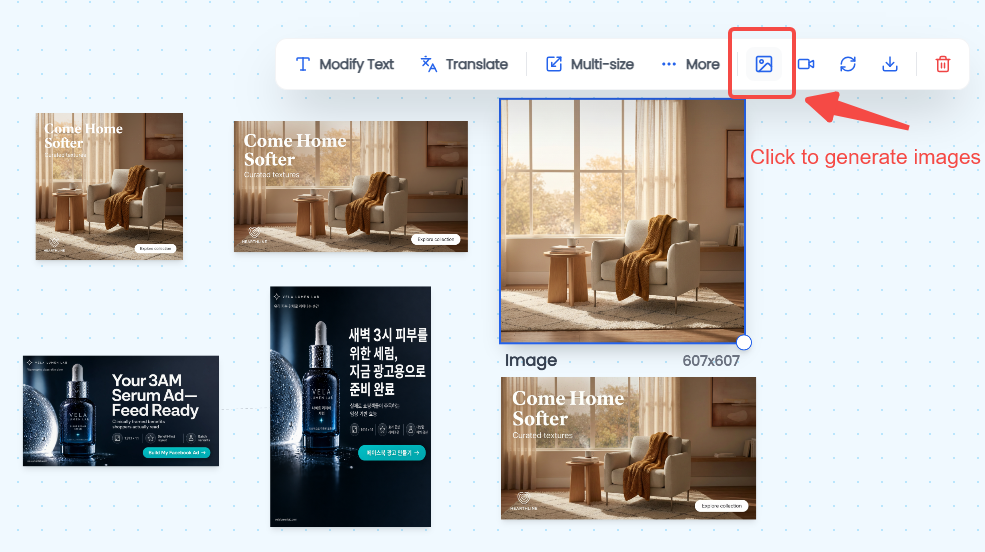
After editing a creative inside Smart Canvas, users can now click “Generate image” icon to instantly create new image variations.
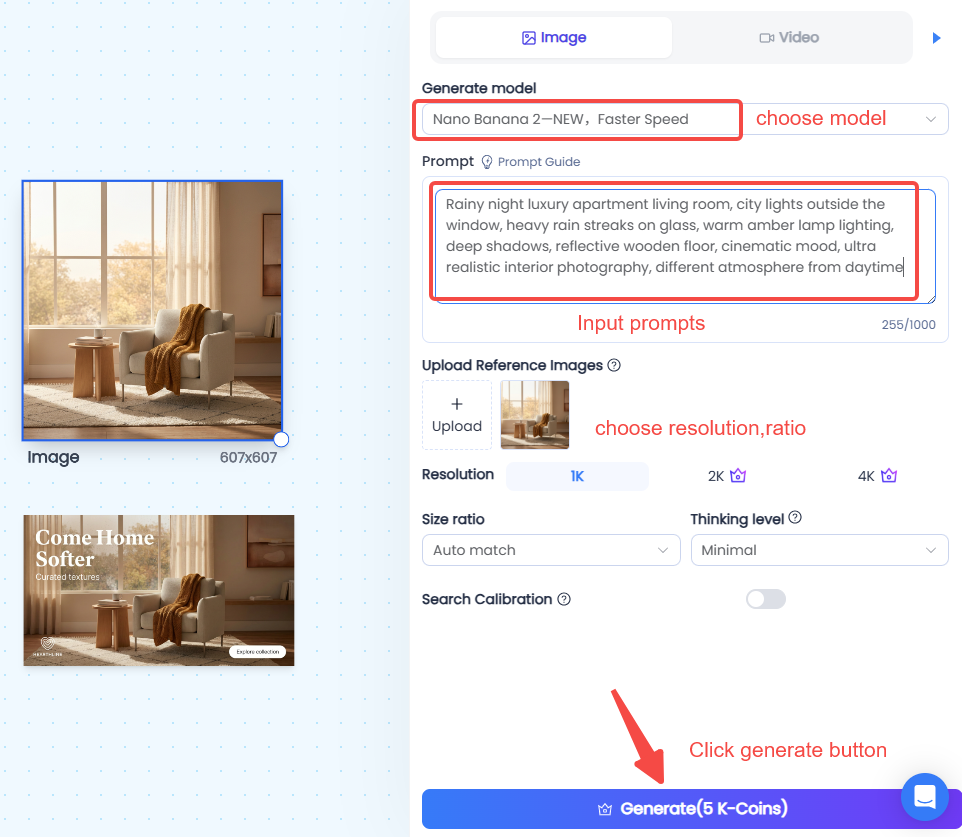
The selected image is automatically passed into the generation sidebar as a reference image, allowing users to quickly iterate on existing creatives instead of starting from scratch.
Once submitted:
- Credits are automatically deducted
- A new generation task appears directly on the canvas
- Teams can continue editing and iterating in the same workspace
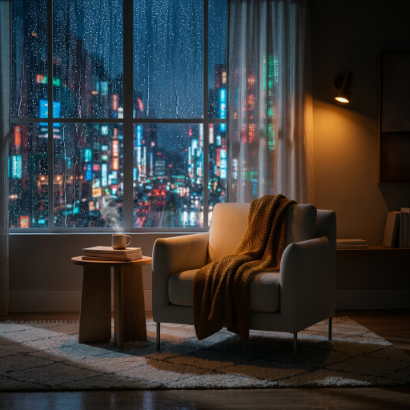
For batch workflows, users can multi-select images and use up to 10 reference images simultaneously during image generation.
New Image Models Supported
Smart Canvas now integrates some of the industry’s most advanced image generation models:
- Nano 2
- GPT Image 2
- Seedream 5.0
These models provide stronger prompt understanding, more realistic outputs, and higher-quality ad creative generation.
AI Image-to-Video Generation
Smart Canvas now also supports generating videos directly from selected images.
Users can select one or multiple images, click “Generate Video,” and instantly open the video generation sidebar with the selected visuals automatically assigned as references.
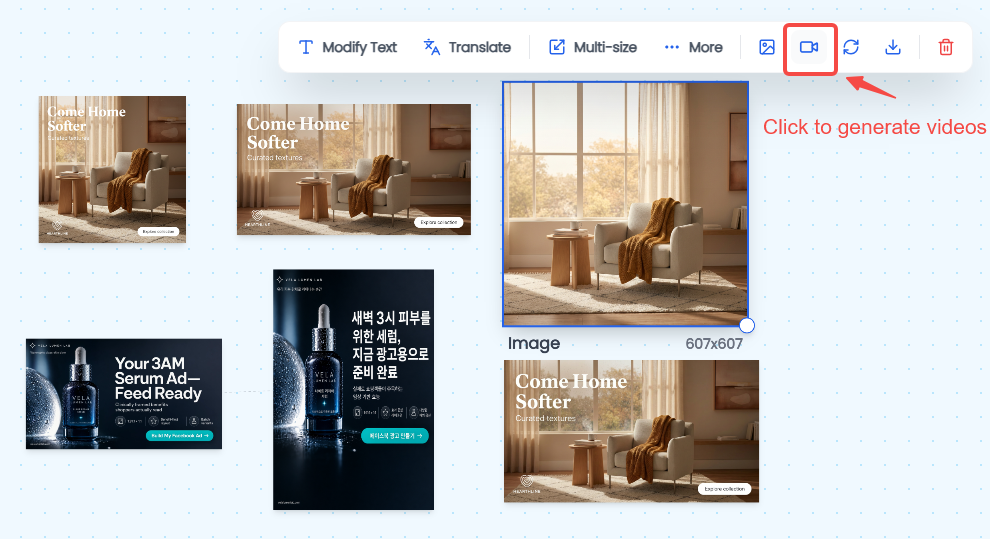
After submission:
- Credits are deducted automatically
- Video generation tasks appear directly on the canvas
- Users can continue editing and managing assets in one workflow
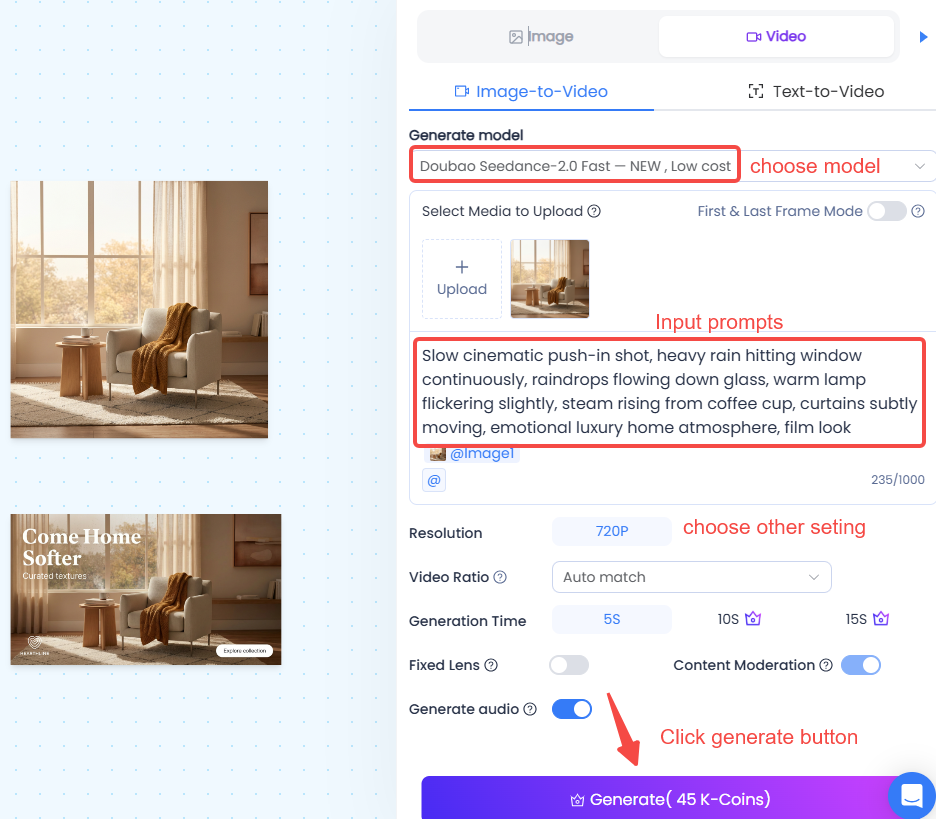
For multi-image workflows, Smart Canvas supports up to 10 reference images simultaneously during video generation.
New Video Models Supported
The update introduces support for the latest AI video generation models:
- Veo 3.1
- Veo 3.1 Fast
- Doubao 1.5
These models deliver faster rendering, smoother motion, and more realistic AI-generated marketing videos.
Why This Update Matters
Before this update, teams often needed multiple tools for:
- Editing visuals
- Regenerating image variations
- Converting images into videos
- Managing different creative formats
Now, everything happens inside one unified Smart Canvas workflow.
This means:
- Faster creative iteration
- Less context switching
- Higher production efficiency
- Better scalability for ad creative production
Whether you're creating Meta ads, TikTok creatives, Amazon product visuals, or global marketing campaigns, Smart Canvas now helps teams move from idea to launch-ready assets significantly faster.
Built for Modern Marketing Teams
This update is especially valuable for:
- Performance Marketing Teams: Rapidly test new hooks, layouts, and visual directions without rebuilding creatives from scratch.
- Cross-Border E-Commerce Brands: Generate localized image and video creatives faster across multiple markets and placements.
- Social Media Teams: Quickly transform static assets into short-form video creatives optimized for TikTok, Reels, and vertical ad placements.
- Non-Design Users: Create professional-quality image and video ads without complex editing software or production workflows.
Try the New Smart Canvas Workflow
The upgraded AI Smart Canvas is designed to make AI creative production faster, more flexible, and significantly more scalable.
From editing to regeneration to video creation, everything now happens in one place.
Create faster. Iterate smarter. Launch more creative variations with AI Smart Canvas.


