A nano banana 2.1 prompt fills six slots: subject, setting, light, framing, text, and what must stay out. A product photo can leave the text slot empty. A poster or infographic has to spell every line inside quotes and say which side it sits on. Quotes do not guarantee the spelling. Read the frame after it generates.
Open the Nano Banana 2.1 AI Image Generator and select Nano Banana 2.1. Use 16:9. Start at 1K so you can check the words and the product. Move to 2K or 4K only when that size is in the list. Free accounts can try a generation. Login and remaining allowance follow the account page.
Copy this Nano Banana 2.1 prompt template
Subject: color, material, count, and how each piece sits Setting: background and surface Light: direction, and what that light should reveal Framing: left or right, camera angle, which side is empty, ratio Text: every line, its size, and its side; or "no text" Keep out: logos, prices, URLs, and extra sentences
Each job below fills those slots once. The stills show the layout the prompt asks for: which side holds the product, which side holds the words. Judge the file you generate, not the sample frame.
AI product photo: lock the pose and the material
This earbud still has no headline.
Subject: matte charcoal wireless earbuds, one standing beside an open graphite case. Setting: dark smoked glass. Light: one warm rim from the left, so the case edge reads and the background stays dark. Framing: slightly above, 45 degrees, looking into the case, 16:9. Keep out: lettering and a brand mark.
A high-resolution, studio-lit product photograph of matte charcoal wireless earbuds, one standing beside an open graphite case, on dark smoked glass. The lighting is a single warm rim light from the left to trace the case edge and keep the background dark. The camera angle is a slightly elevated 45-degree shot to showcase the open case and the upright earbud. Ultra-realistic, with sharp focus on the earbud shell. 16:9. The frame is the product on dark glass, with no lettering and no brand mark on the lid.
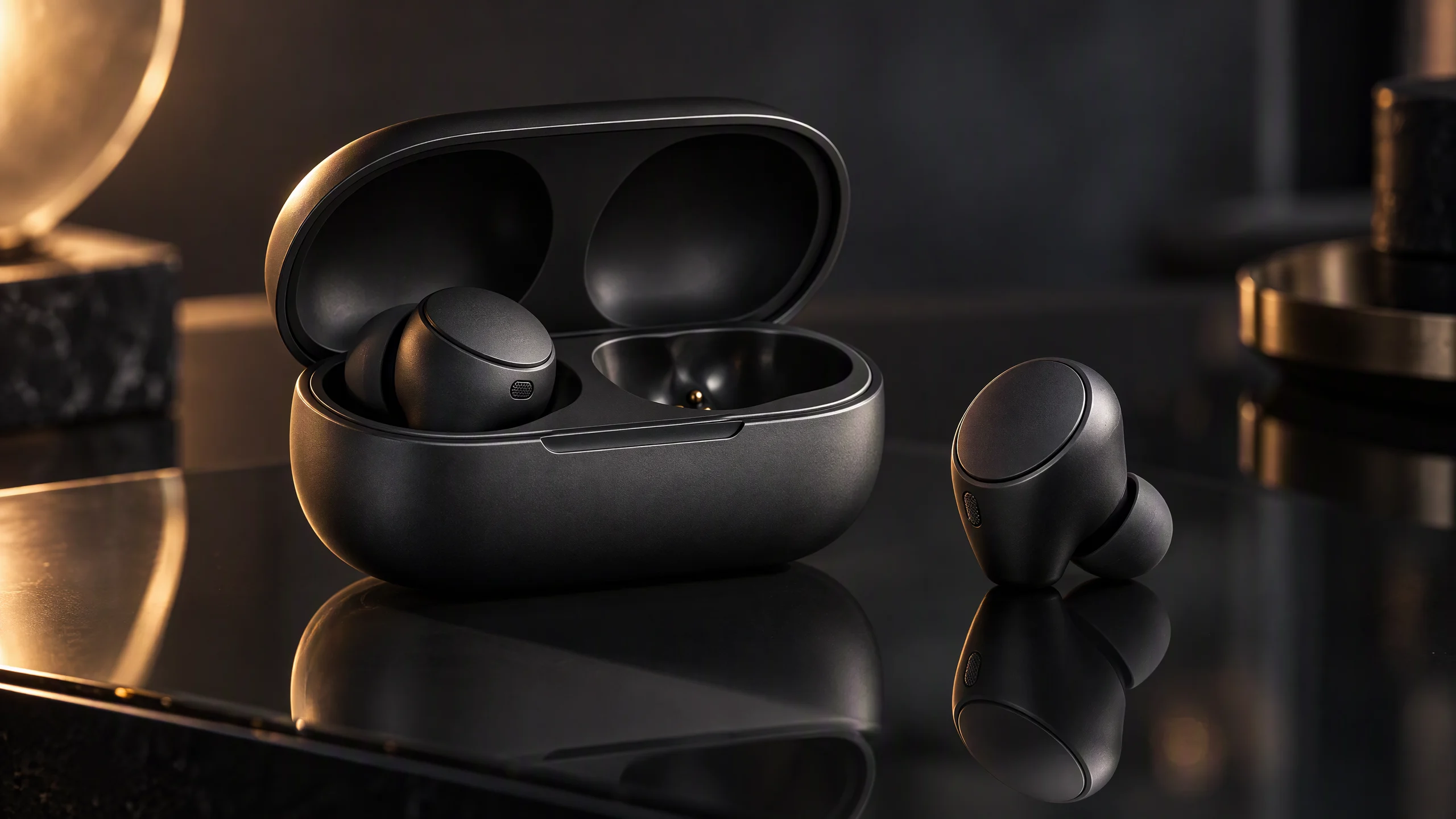
Check the result: one earbud outside the case, the case open, a warm edge on the left, no headline, no logo on the lid. If both earbuds are lying down, the standing one was missing from the sentence. Add it and generate again. If you already have the product photo, upload that file and ask only for the glass and the rim light.
Try this prompt in Nano Banana 2.1.
Swap the subject and keep the slots. A watch fills the same blanks:
A high-resolution product photograph of a steel-cased watch with a dark dial, on black glass. The lighting is a single warm rim light from the right to reveal the crown. The camera angle is a three-quarter view to show the crown and the dial. 16:9. No lettering, and no brand mark on the dial.
Check the result: the crown is visible, the warm edge is on the right, and there is no headline. If the crown is hidden, add only "three-quarter view so the crown shows." Do not rewrite the whole prompt.
AI poster: lock the lines, the empty side, and the hierarchy
Write the copy before the scene. This shoe poster has two lines, large then small: LIGHT, then On your feet. The shoe is on the right. The words are on the left.
Create a 16:9 running-shoe poster. One white shoe on the right, pale concrete. Empty space on the left for exactly two lines: a large "LIGHT", then a smaller "On your feet." in a clean, bold, sans-serif. Soft daylight. No other words, no price, no URL.
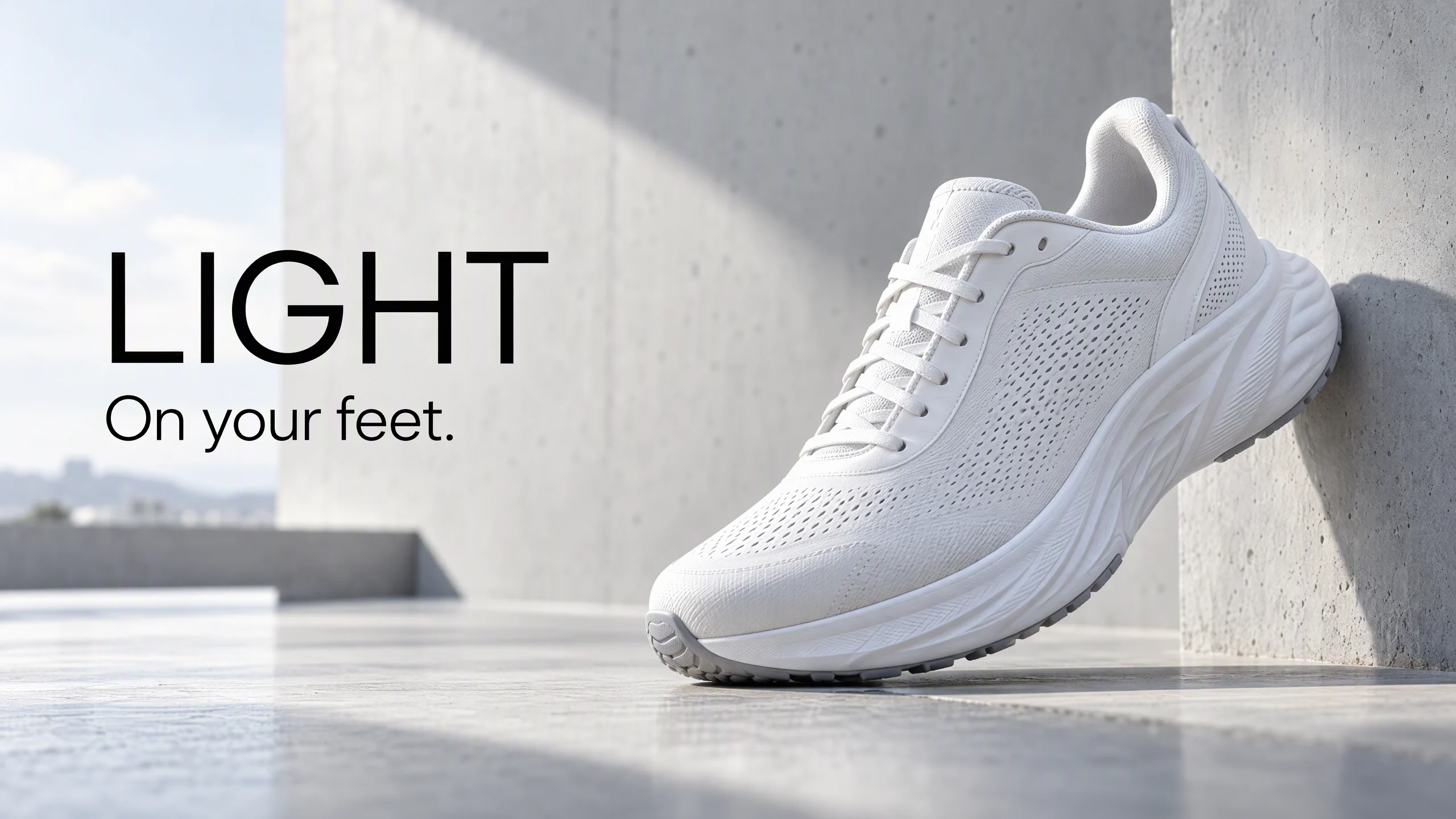
Check the result: shoe on the right, only those two lines on the left, spelling and the period intact, type clear of the laces. If the type lands on the shoe, do not redesign the poster. Move the shoe:
Move the white shoe further right. On the empty left, keep exactly two lines: large "LIGHT" above smaller "On your feet." No other words.
A launch poster uses the same slots with a bottle and two different lines: NEW, then Sparkling tea.
Create a 16:9 launch poster. An amber glass bottle on the right, on a dark bar, with condensation and no label lettering. Empty space on the left for exactly two lines: "NEW", then "Sparkling tea", in a cream sans-serif. No other words.
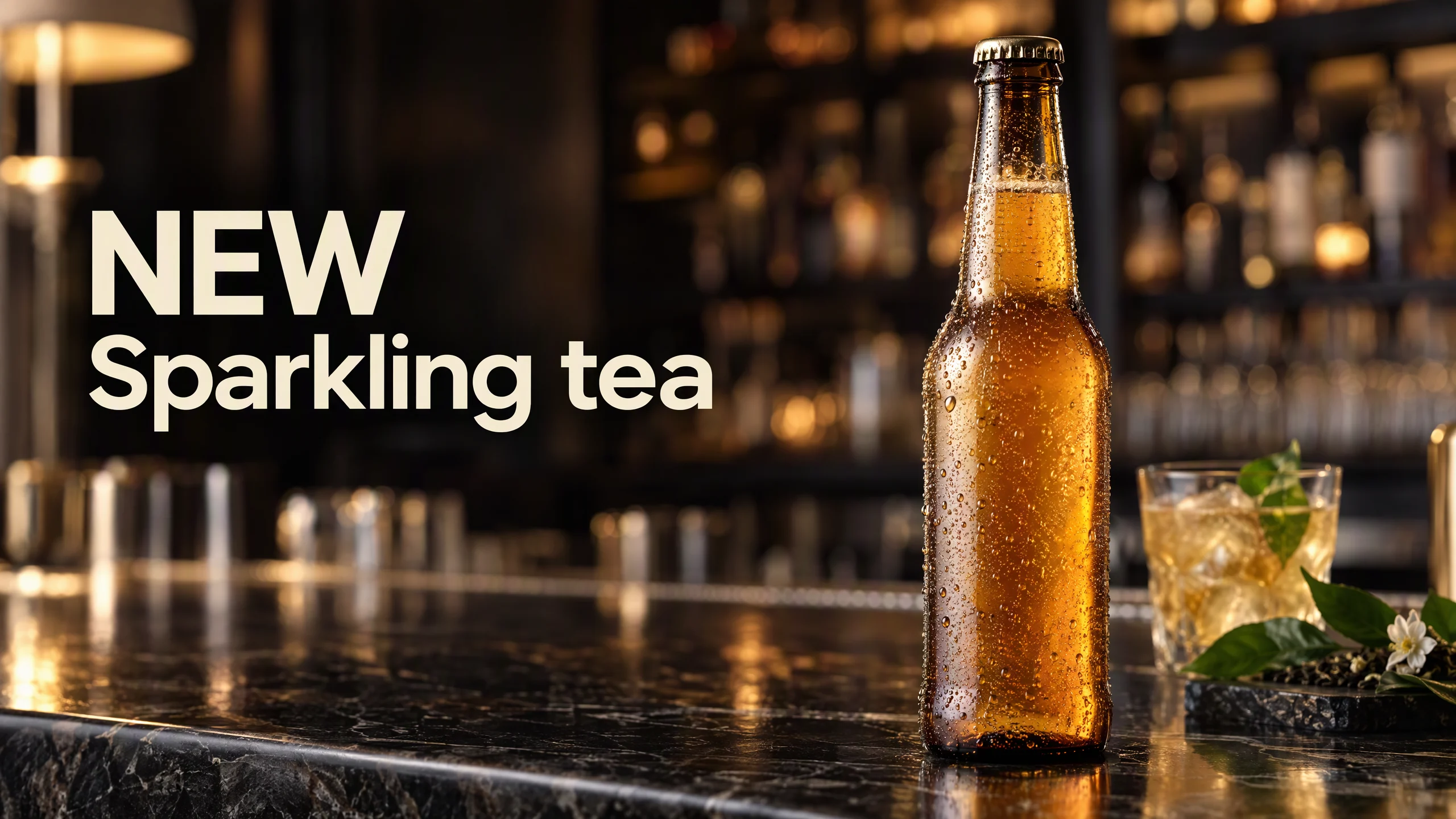
A price, a URL, or a legal line stays in the ad text field. After the spelling is right, make the other sizes in the Multi-Size Ad Image Generator. If the letters keep failing, keep the product still and set the headline in a design tool.
AI infographic: one title and three points
Settle the copy first. This graphic is a title plus three points, four strings in total, not four selling points. Title: CLEAR. Points: Rich bass, All day, Compact. The speaker is on the left. Those four strings are on the right, with a thin icon beside each point. If a point is a real spec, match it to the product sheet before it enters the prompt.
Create a 16:9 infographic. A sand-colored compact speaker on the left, warm ivory surface, soft studio light. On the right, exactly four text strings: the title "CLEAR", then three points, "Rich bass", "All day", and "Compact", in a warm brown sans-serif, with a thin line icon beside each point. No fifth sentence and no price.
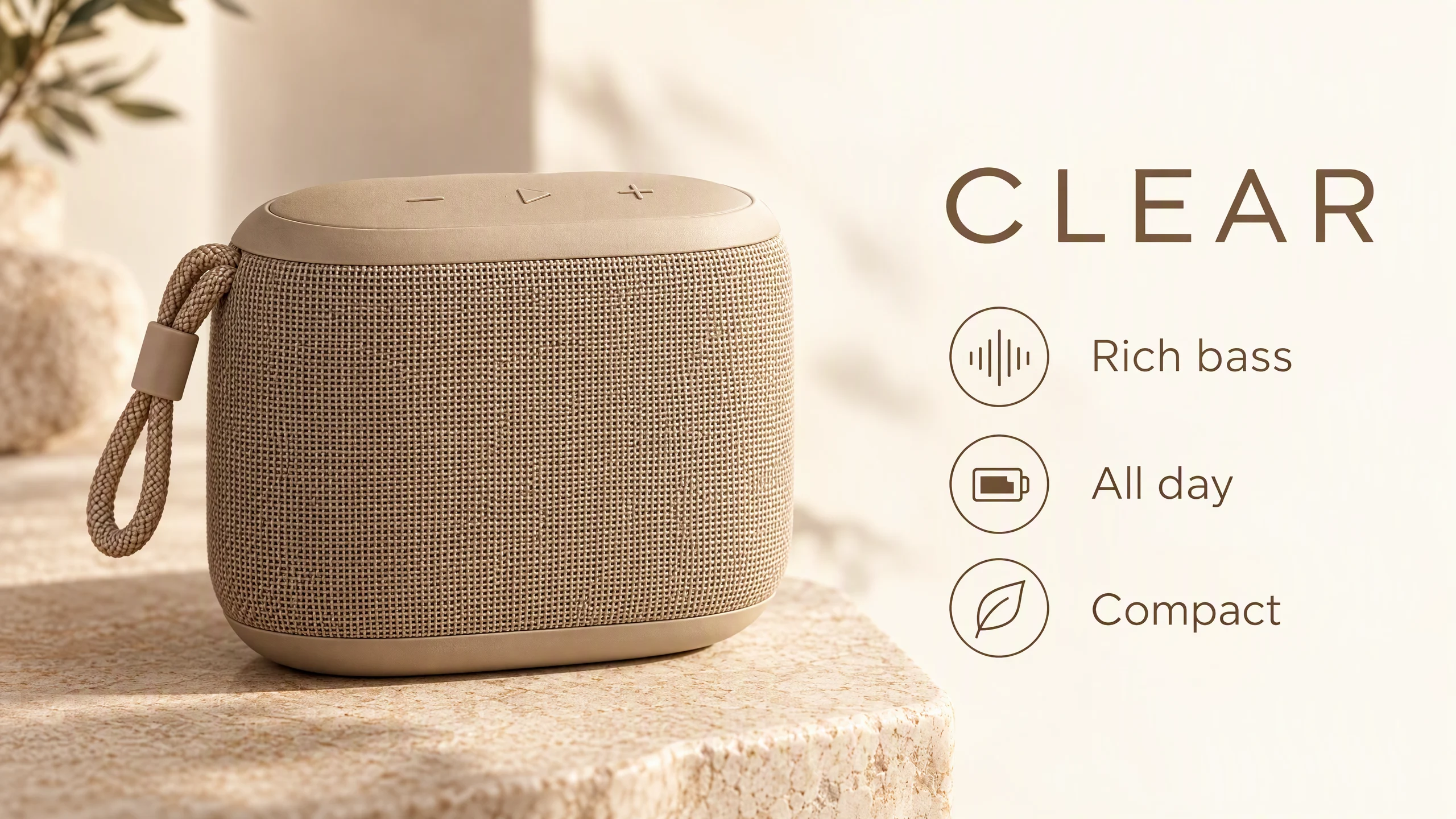
Check the result: speaker on the left, title plus three points on the right, no extra sentence. If a fifth line appears, repeat the four strings in quotes and say no other sentence.
The social frame is a different job. Two lines only, and the speaker moves to the right so the words have the left: DAILY, then For the desk.
Create a 16:9 social graphic. A sand-colored compact speaker on the right of a pale desk. Empty space on the left for exactly two lines: "DAILY", then "For the desk.", in a bold black sans-serif. Soft daylight. No other words.
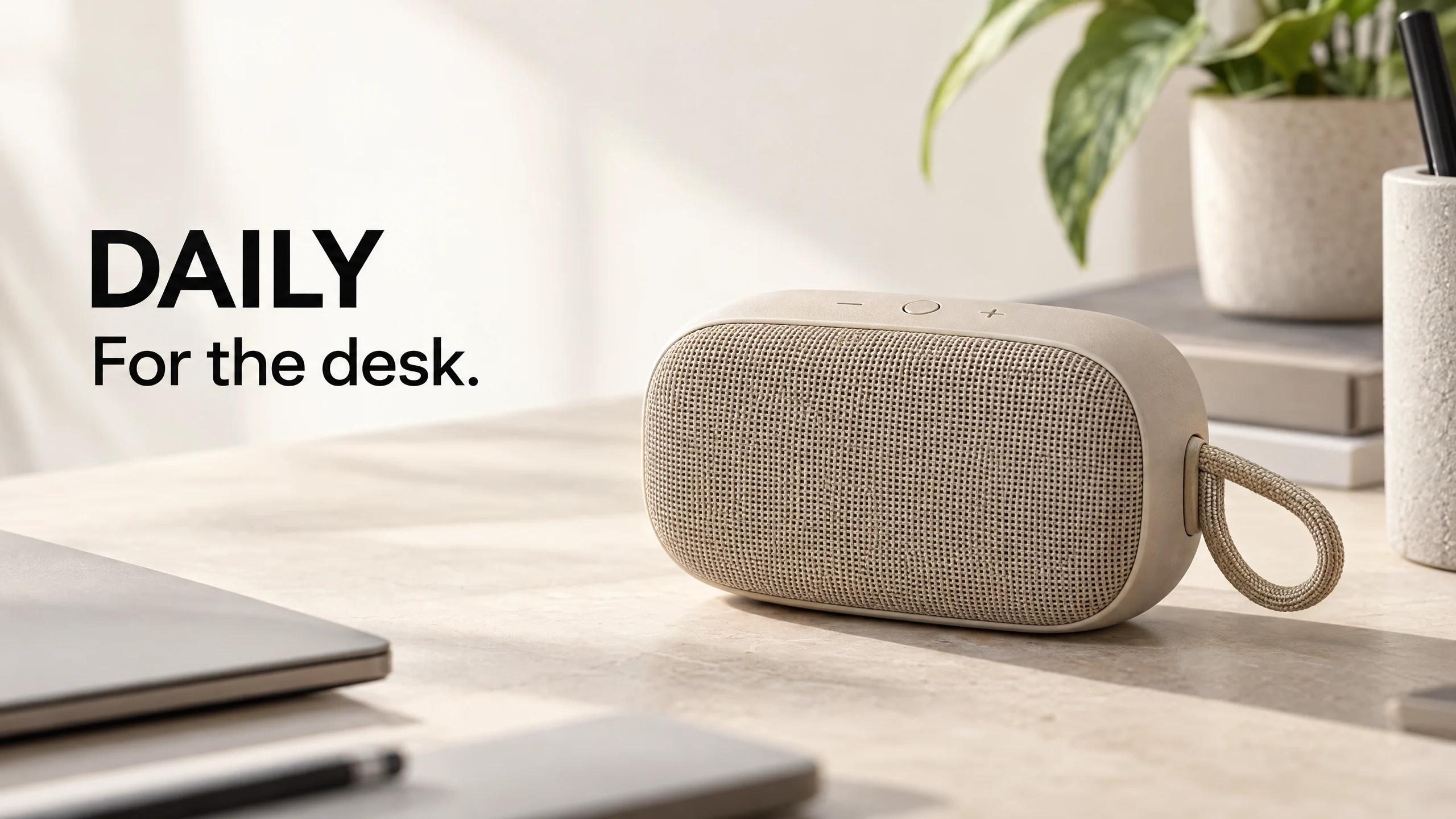
If the left side is tight, the next prompt only changes the space. The line count stays at two:
Keep the speaker on the right, same shape. Keep the two lines "DAILY" and "For the desk." on the left, and give that left side more empty space. Add no other words.
Nano Banana 2.1 image editing prompt: one change, or a labeled set of changes
Upload the daytime shoe poster. Do not mix the two edit types in one sentence.
One variable. Change day to night. Ground, shoe, and text stay:
Using the provided poster, change only the time of day from daylight to night. Keep the white shoe, the pale ground, the camera, and the two lines "LIGHT" and "On your feet." exactly the same.
Several changes at once. This prompt changes three things: night, wet pavement, and one warm lamp. The shoe, the two lines, and the left-right layout stay locked in the same sentence.
Using the provided daytime poster, change the setting to a city sidewalk at night, make the ground wet, and add one warm street lamp. Keep the white shoe on the right, with the same shoe shape and pale upper. On the left, keep exactly two lines: "LIGHT" above "On your feet." No other words.
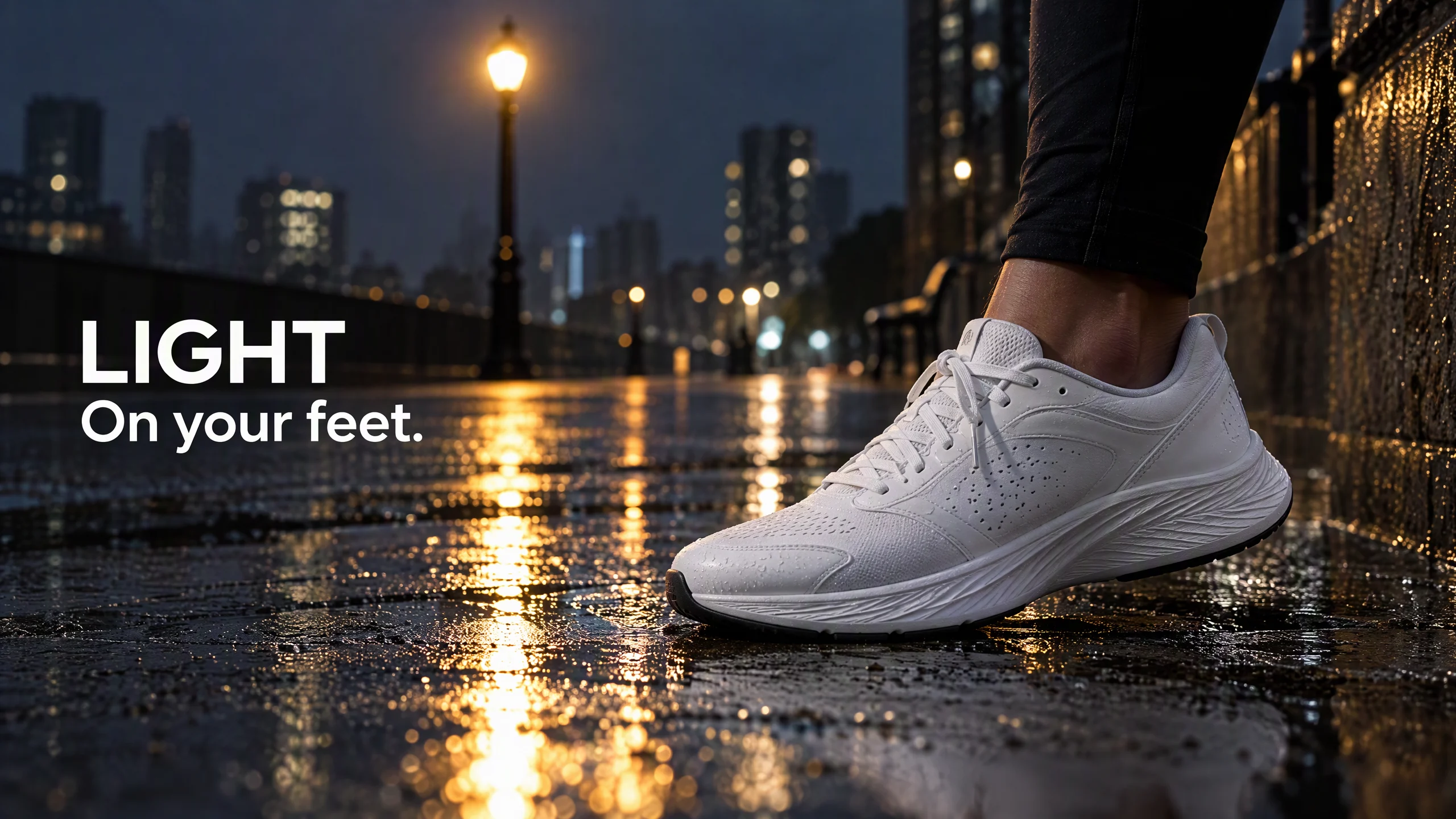
Check this combined edit: wet ground, one lamp, shoe still on the right, the same two lines on the left. If the shoe or a letter drifts, do not invent a new campaign. Upload the daytime poster again and repeat only the lock:
Keep the white shoe on the right, the pale upper, and the two left-side lines "LIGHT" and "On your feet." Keep the night setting, the wet pavement, and the one warm street lamp.
Upload as many references as the form shows. Choosing among models is covered in Nano Banana 2.1 vs Nano Banana 2. What this update changes is in what changed in Nano Banana 2.1.
Check these six things
Color, count, and placement match the prompt. Every quoted line matches, including punctuation and capitals. The words sit on the side you named and do not cover the product. No extra logo, price, or fifth sentence. The ratio is 16:9. Any spec on an infographic matches the product sheet.
If one item fails, use the follow-up written for that job. Do not paste a follow-up from a different example.
FAQ
How do I fill a Nano Banana 2.1 prompt template?
Use subject, setting, light, framing, text, and what must stay out. For a product photo, the text slot is "no text." For a poster, put each line in quotes and name its side.
How do I get the words closer to the original?
Write every line inside quotes, name the line count, which line is larger, and which side it sits on, and say no other words. Then check spelling, punctuation, and overlap. If it still fails, generate again or set the headline in a design tool.
How do I edit the scene without replacing the product?
Upload the image. For one change, name that change and list what stays: product, ground, and text. For night plus wet ground plus a lamp, name all three in the same sentence and lock the product and the copy there too.
Can one prompt run at 1K, 2K, and 4K?
Yes. Keep the sentence and change the size in the generator. Check the words at 1K first. 2K and 4K are available when those sizes are listed.
How do I keep the same product across several images?
Upload the same product photo. Later prompts change only the setting, the light, or the background, and they say the product and the text stay. Without a reference image, do not describe the product as a new object.
Can an AI image with text ship as the finished ad?
Use it to confirm the layout and the product. Keep the price, the URL, and any legal line out of the frame. If the headline keeps misspelling, keep the product still and set the final type in a design tool.
Where do I generate?
Open the Nano Banana 2.1 AI Image Generator, or try Nano Banana 2.1 for images. The model parameter is nano-banana-2-1.