By the end of this walkthrough, you will have a traffickable 1080P master from an AI draft you already approved — same motion, same VO, sharper pixels — without paying for a full regeneration on Seedance, Kling, or Sora.
Teams that upscale AI generated video for ads on KreadoAI typically save one to two regeneration rounds per hook. The motion and script already work; the file just ships soft at 720P or a noisy 1080P export. Enhancement is the post step between model output and Ads Manager upload.
This article covers the generate → enhance → traffic path inside Smart Canvas. For platform minimum specs and 1080P settings, see how to upscale video to 1080P for ads. The AI Video Enhancer landing page covers the full product; here we stay on AI-generated sources only.
What Upscaling AI-Generated Video Does Well for Ad Creative
AI video models optimize for motion and prompt fidelity first — not always the pixel density paid social expects. When you upscale AI generated video for ads after generation, you keep the approved take and fix the delivery layer.
Four wins ad teams report most often when using an AI generated video enhancer on approved drafts:
- Preserve the winning take — regeneration changes micro-motion, product angle, and lip sync. Enhancement keeps frame timing and audio from the draft you already signed off.
- Recover soft edges and grain — Seedance and Kling drafts often look fine on a laptop, then show mushy product labels in Meta preview. AI Pro mode targets that softness without inventing a new scene.
- One board for the full post chain — generate on Image to Video, open Smart Canvas, enhance, optionally translate, download. No export to a standalone upscaler and back.
- Cheaper than hook roulette — a 10-second regen across three models adds up fast. A single AI Pro pass on an approved clip is usually fewer credits than another full render.
What AI Video Enhancement Can't Fix (Ad Team Limitations)
Honest limits keep you from burning credits on the wrong file.
Enhancement will not fix wrong product geometry — if the pack shot drifted from your reference, regen with tighter prompts on Seedance 2.0 for Ads or swap model. Upscaling sharpens what is already there; it does not replace a failed reference lock.
It will not rewrite a bad script — VO and on-screen copy stay tied to the source file. Fix copy before enhancement, or after video translation if you localize.
Extreme upscales still invent texture — pushing a 480P draft to 8K creates plastic skin and waxy product edges. For social trafficking, stop at 1080P unless the placement is a full-width landing-page hero.
It does not change aspect ratio — a 16:9 Seedance export still needs a 9:16 master for TikTok. Upscale in the ratio you will upload, or crop after enhancement on the same canvas.
How to Upscale AI Generated Video for Ads with KreadoAI: Step-by-Step
Step 1 — Generate and approve the draft on KreadoAI
Create the clip on the model page that fits the brief — how to use Seedance 2 for ads for reference-locked product hooks, Sora 2 for Ads for cinematic 16:9, Kling for longer motion beats. Export or open the result in Smart Canvas only after motion, product shape, and script pass internal review.
Expected result: a 720P or soft 1080P file on the board — good motion, visibly soft in full-screen preview.
Step 2 — Run Video Quality Enhancement (AI Pro)
Select the clip → Upscale → Video Quality Enhance. For AI-generated sources, choose AI Pro (quality first), set output to 1080P, and match frame rate to the source (usually 24 or 30 FPS). Standard mode is for clean phone footage; AI drafts almost always need AI Pro.
Expected result: a second asset at 1080P with identical duration and audio.
Step 3 — QA, then download for trafficking
Full-screen the enhanced clip. Check product label legibility, hand motion on UGC-style AI takes, and dark-area noise on studio heroes. Download the file you will upload — if you need another language, translate first, then enhance the final language version once.
Expected result: a 1080P master ready for Meta, TikTok, or YouTube upload without another model run.
Open Smart Canvas enhancement →
Model → Enhancement Routing (Quick Reference)
| Source model | Typical draft issue | Enhancement mode | Target output | When to regen instead |
|---|---|---|---|---|
| Seedance 2.x | Soft edges, mild grain | AI Pro | 1080P @ 30 FPS | Product shape drift — regen, do not only enhance Seedance video for ads |
| Kling 3.x | Motion blur on fast pans | AI Pro | 1080P @ 24–30 FPS | Wrong scene composition |
| Sora 2 | Cinematic softness | AI Pro | 1080P or 2K | Character or product swap |
| Mini / Fast variants | Lower native res | AI Pro | 1080P @ 30 FPS | Prompt miss on hook beat |
Real Ad Creative Examples from AI Models
These are AI-generated drafts before enhancement — the workflow point is enhance after approval, not regenerate for resolution alone.
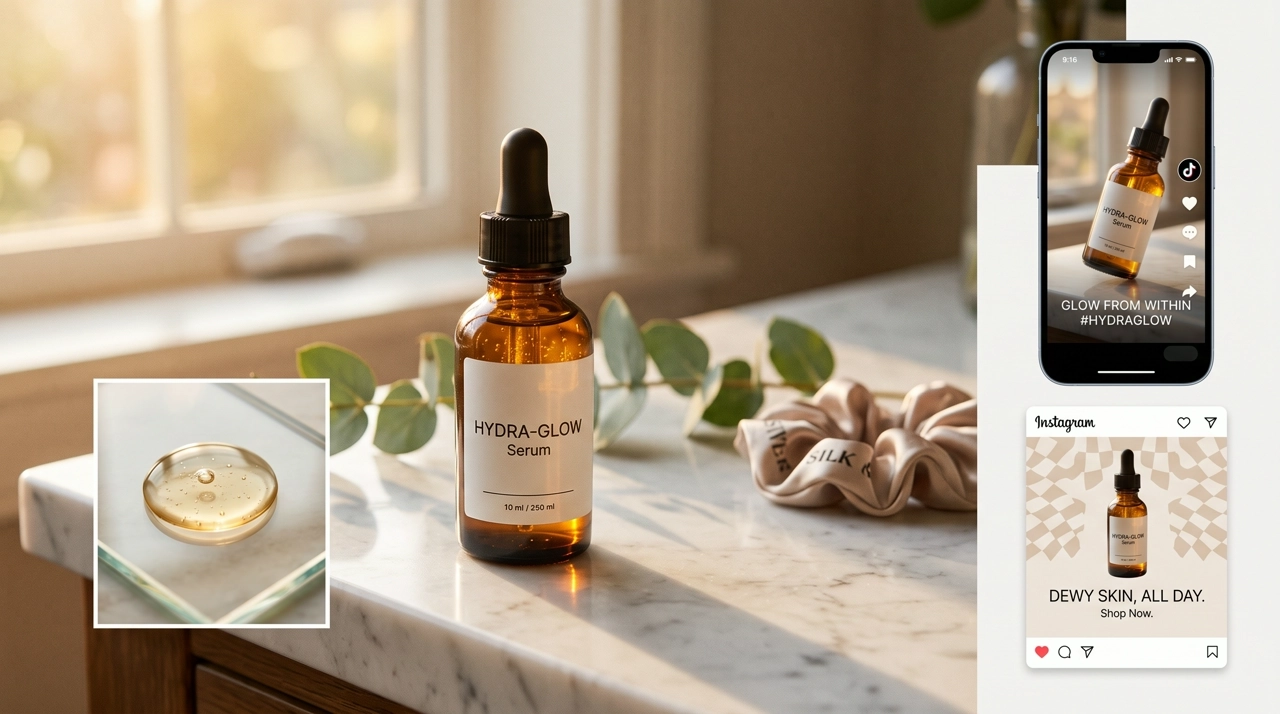
Example A — Serum hero loop (16:9, Seedance-class draft)
Input: 8-second product orbit, 720P export, acceptable motion, soft label type. Action: AI Pro → 1920 × 1080. Outcome: sharper glass reflection and readable product name in Meta feed preview — same orbit path as the draft.
Example B — Consumer electronics hero (16:9, AI orbit)
Input: matte charging case on dark studio surface, slight grain, 720P. Action: AI Pro → 1080P. Outcome: cleaner case edges for Advantage+ catalog extensions without a second Seedance render.
For the full 1080P spec table and platform minimums, see how to upscale video to 1080P for ads. Background on the feature: KreadoAI video quality enhancement.
Pro Tips for AI Draft Enhancement
- Enhance the final approved take only — batch three hook variants, pick a winner, then run AI Pro once on that file.
- Match model native fps — forcing 60 FPS on a 24 FPS Sora export creates judder that looks worse than a clean 1080P upscale.
- Keep generation and enhancement credits separate in your tracker — teams that log both see faster ROI conversations with clients.
- Pair with reference-locked generation — tighter Seedance refs mean enhancement fixes resolution, not product shape.
- Do not enhance twice — if AI Pro still looks soft, regen at higher native resolution or fix prompt; stacked passes oversharpen.
FAQ
Should I upscale AI generated video for ads before or after editing?
Enhance after the final cut — trim, end cards, and supers should be on the timeline first so you pay once for the seconds you will traffic.
Is AI Pro always required for Seedance and Kling exports?
For ad trafficking, yes in most cases. Standard mode is built for fairly clean camera footage; AI drafts benefit from the heavier AI generated video enhancer pass on Smart Canvas.
Can I upscale AI generated video for free on KreadoAI?
New accounts include free credits. Enhancement consumes credits by length and mode — check current pricing before batch-processing a hook library. Pricing as of September 2026.
Does upscaling replace regenerating on Sora or Seedance?
No — it replaces regenerating for resolution alone. Wrong motion or product angle still needs a new model run.
How does this differ from upscaling UGC phone footage?
Same tool, different source profile. UGC often carries compression blocks; AI drafts carry grain and soft edges. Both usually need AI Pro; see the UGC-focused 1080P ads guide for platform specs.
Will enhancement change the audio or VO on AI-generated clips?
No — timing and audio stay aligned with the source. Music and generated VO remain intact.
What resolution should I target for TikTok AI ads?
1080 × 1920 at 30 FPS for 9:16 hooks. Generate at native model resolution, enhance to 1080P, then upload.
Can one enhanced master run on Meta and TikTok?
Often yes for 9:16 at 1080 × 1920. Square and 16:9 placements still need ratio-specific masters.
You already paid for the motion. Open Smart Canvas, run Video Quality Enhancement on the approved AI draft, and traffic the sharper file — that is how teams upscale AI generated video for ads without hook roulette.