


In today’s highly competitive e-commerce market, product images do far more than showcase items — they play a decisive role in purchasing decisions. For fashion and beauty brands, showing how products look when worn is essential for boosting conversions and marketing effectiveness.
Traditional product photography, however, is expensive, time-consuming, and inflexible. Every new colorway, style update, or campaign often requires a full reshoot, slowing launches and limiting creative experimentation.
KreadoAI Image Generator changes this workflow. Brands and merchants can instantly swap outfits, accessories, hairstyles, and brand elements on model or user images — no reshoots, no asset rebuilding. In just a few clicks, teams can produce realistic, high-quality try-on visuals ready for ads, product pages, and social media.
👉 Start creating virtual try-on visuals with KreadoAI
Why Virtual Try-On Ads Matter for Brands & Merchants
1.Higher conversion, lower returns
→ Realistic try-on visuals clearly present fit and style, reducing uncertainty, speeding up decisions, and lowering return rates.
2.Faster, scalable content creation
→ One base image can generate multiple variations instantly—no extra models, reshoots, or manual retouching needed.
3.Cost-effective for growing brands
→ AI-powered virtual try-on replaces expensive studio shoots, helping DTC, startup, and cross-border brands save costs and invest in growth.
4.Smarter A/B testing and localization
→ Easily swap outfits, accessories, or brand elements to test and localize creatives while keeping visuals natural and consistent.
Application Scenarios for KreadoAI Virtual Try-On
Clothing Try-On
Instantly swap clothing styles, colors, and fits on the same model or user image — no reshoots needed. AI preserves realistic fabric drape, folds, and proportions, making it ideal for fashion ads, lookbooks, and e-commerce product pages.
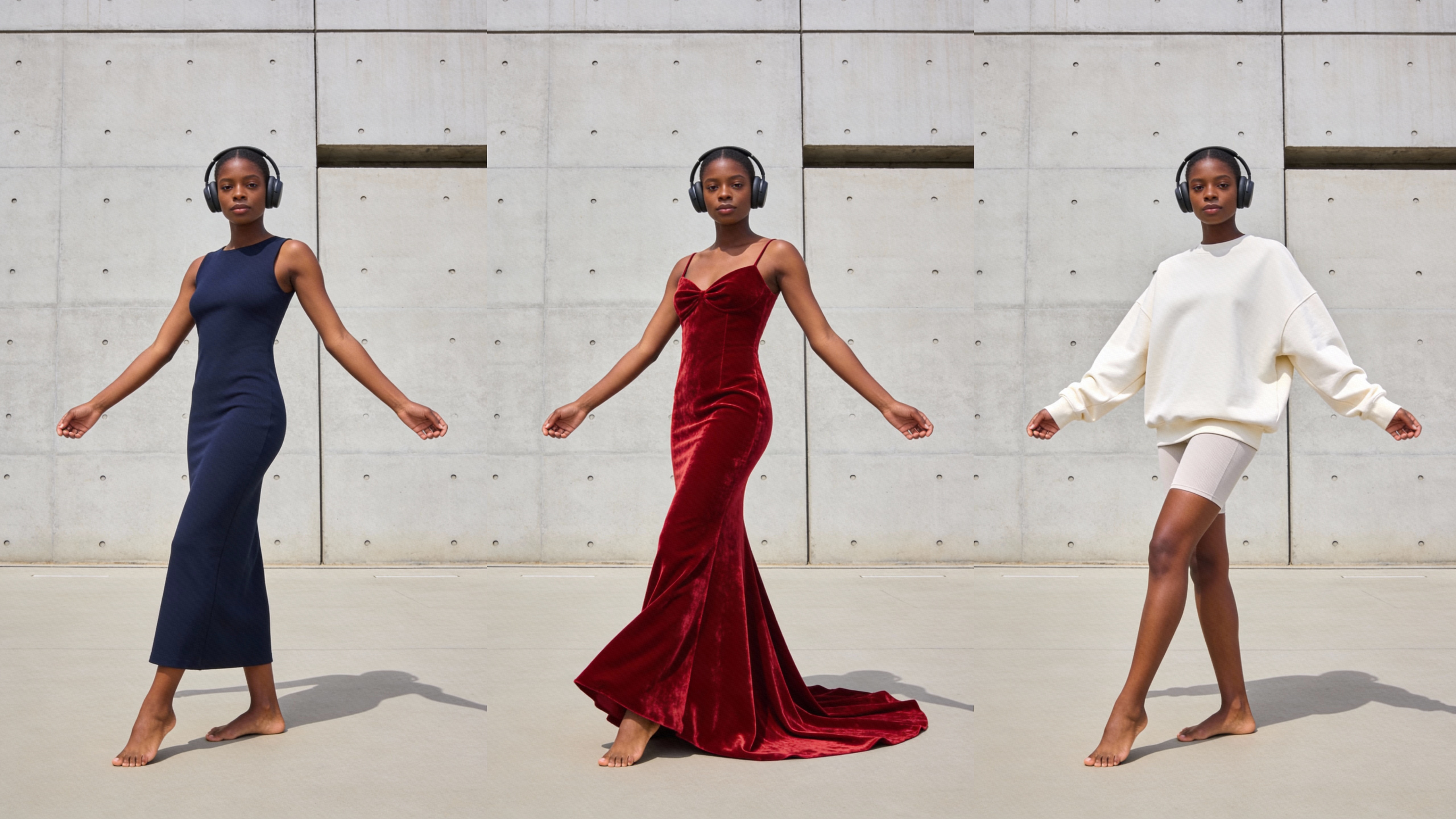
Prompts:
A tall, slender Black female model walking barefoot, wearing black over-ear headphones. She has a calm, confident expression, with her arms gently swinging in a natural walking motion.
She is dressed in [a dark blue sleeveless fitted maxi dress / a burgundy velvet evening gown / an off-white sweatshirt with shorts].
The scene is set against a light gray minimalist concrete wall, lit by natural daylight with realistic, soft shadows.
Accessory & Jewelry Wearing
Add or replace accessories like glasses, watches, necklaces, earrings, and rings with one click. Intelligent placement and realistic material rendering help shoppers quickly understand style and fit, boosting purchase confidence.
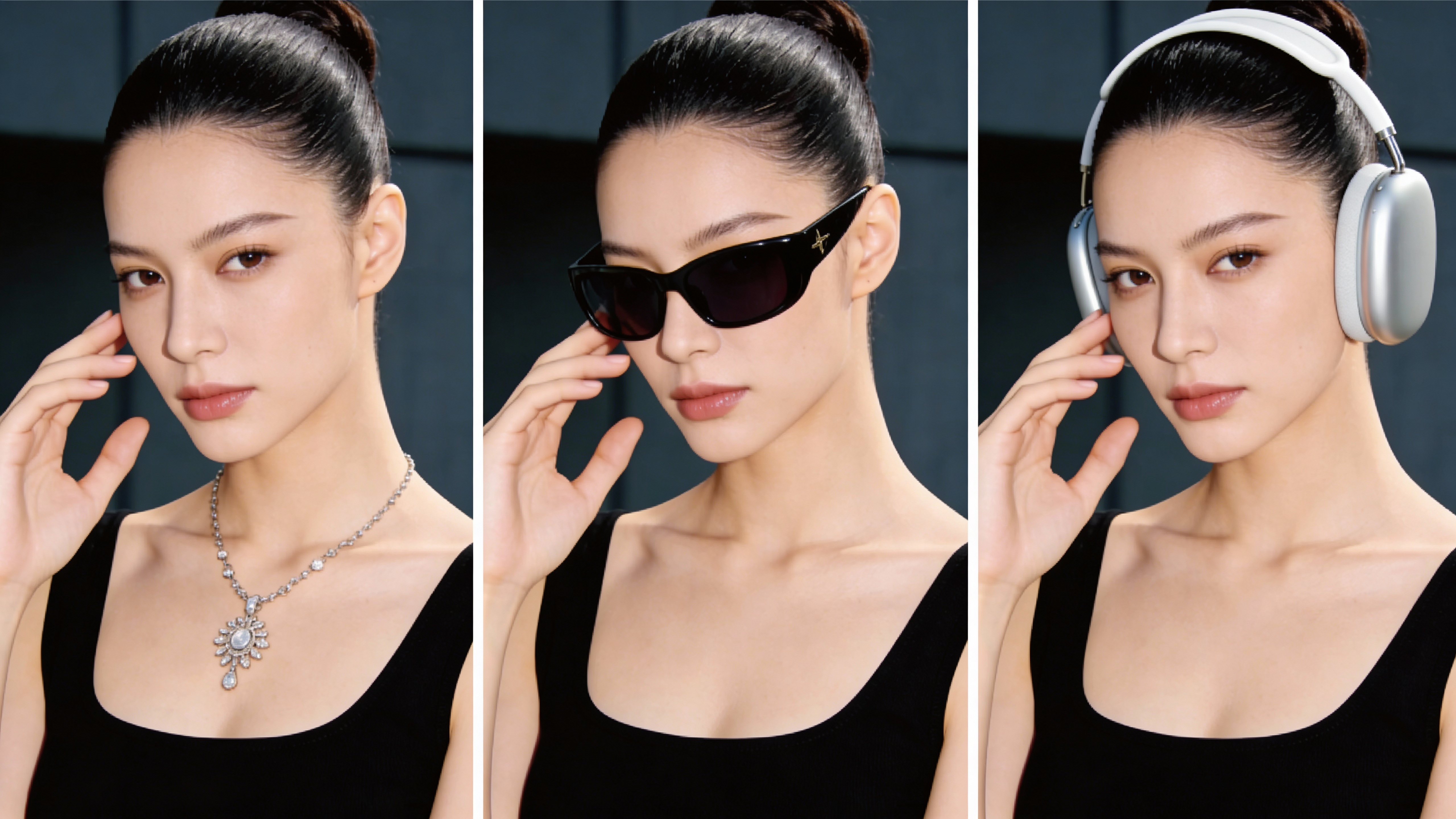
Prompts:
An Asian female model with refined facial features, her hair neatly pulled back, wearing a black sleeveless top and [an elegant silver diamond necklace / black fashion sunglasses / white over-ear headphones].
The shot is a close-up half-body portrait, with her hand gently touching her face and a natural, confident expression.
Set against a dark, minimalist background with soft studio lighting, creating a premium, high-end commercial photography look.
Beauty & Hairstyle Try-On
Easily switch hairstyles, hair colors, makeup, and overall looks while keeping facial features consistent. Perfect for beauty and personal care brands creating ads, product launches, and social content.
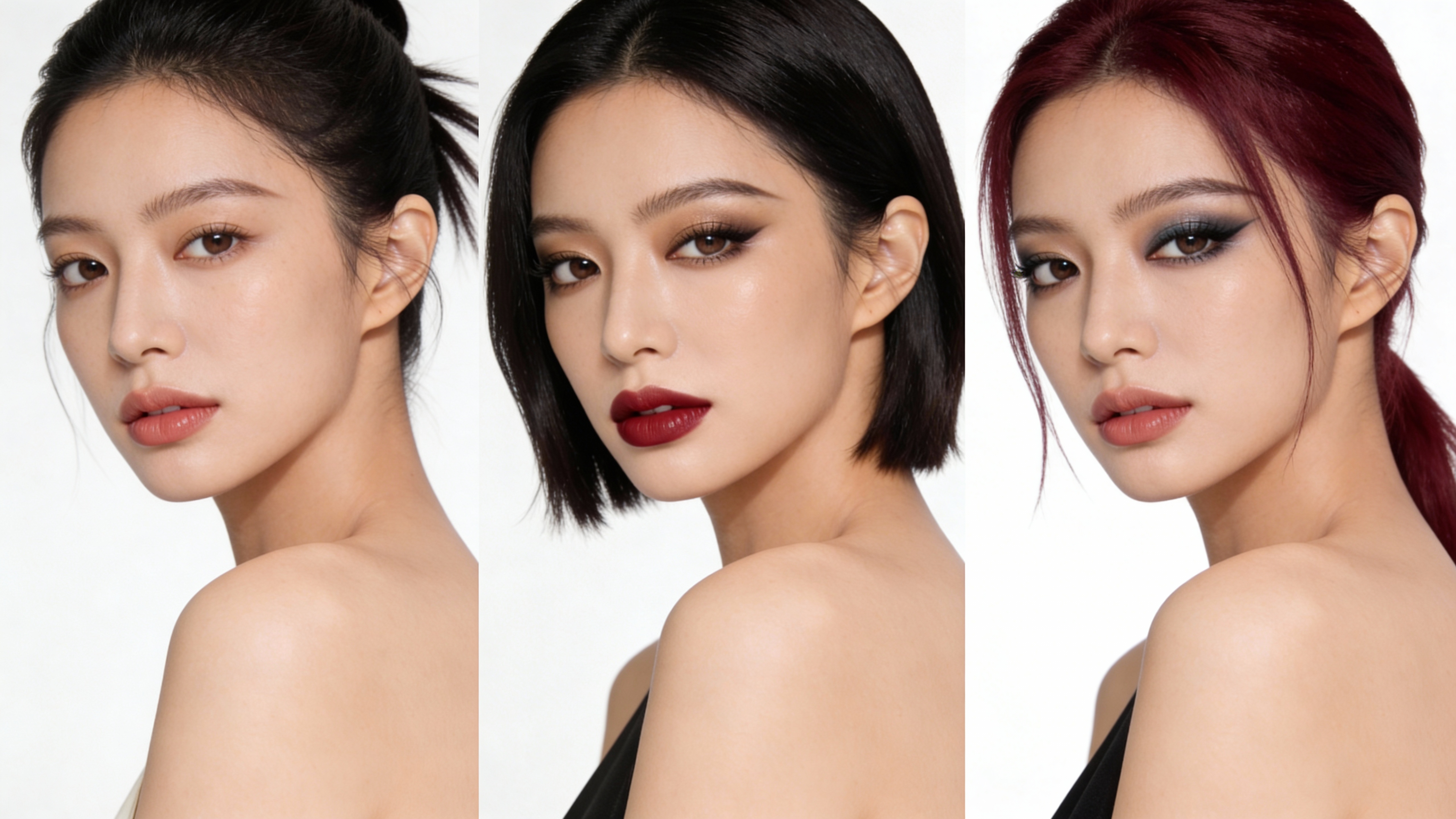
Prompts:
An Asian female model with delicate facial features, framed in an off-shoulder composition. The shot is a close-up half-body portrait with a slight side angle and a natural, confident expression.
Set against a clean white background with soft studio lighting, showcasing realistic, refined skin texture.
Makeup and hairstyle options include [natural makeup with long dark hair / polished full makeup with short black hair and red lips / smoky makeup with burgundy-colored hair].
Brand Logo & Product Replacement
Quickly replace logos or product designs on clothing, packaging, or accessories while keeping lighting, composition, and proportions consistent—ideal for localization and A/B testing across markets.
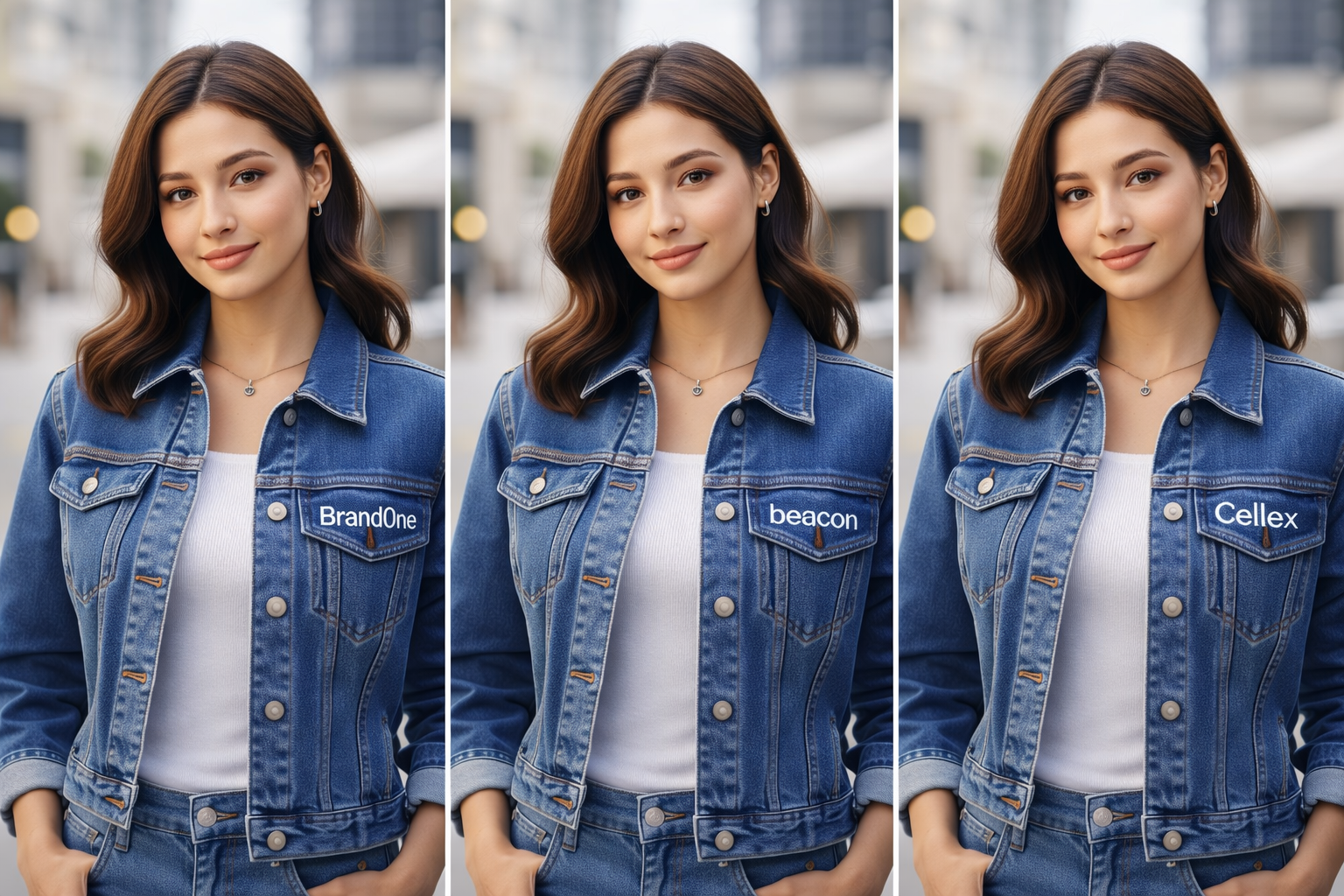
Prompts:
A young female model with a warm smile and medium-length brown wavy hair, shown in a front-facing half-body composition. She is wearing a blue denim jacket over a white inner top.
The brand logo on the chest of the denim jacket — [BrandOne / Beacon / Cellex] — is clearly visible and easy to read, placed naturally with realistic embroidery or fabric print texture.
The background features a softly blurred urban street scene, lit by natural daylight, creating a premium commercial photography look.
How to Use KreadoAI Virtual Try-On (3 Steps)
1.Upload Images
Upload photos of the model and the clothing items to be matched as the basic materials.
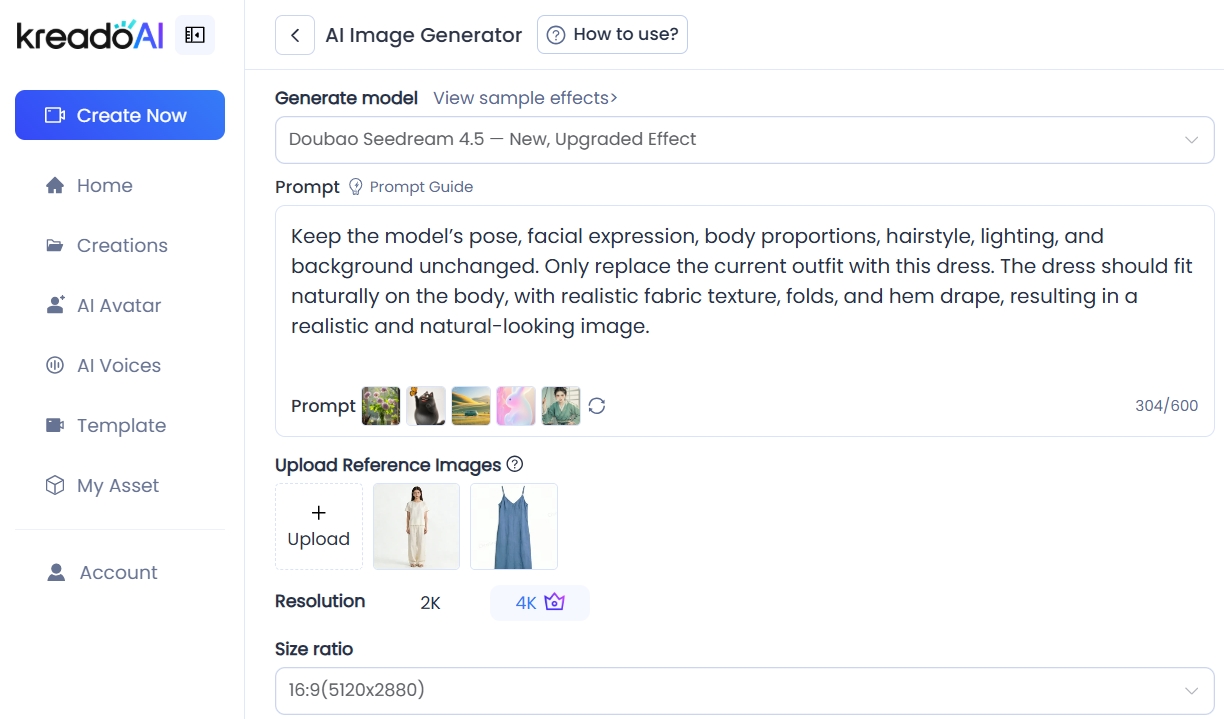
2.Select Try-On Content
Specify your requirements in detail.
Prompts:
Keep the model’s pose, facial expression, body proportions, hairstyle, lighting, and background unchanged. Only replace the current outfit with this dress. The dress should fit naturally on the body, with realistic fabric texture, folds, and hem drape, resulting in a realistic and natural-looking image.
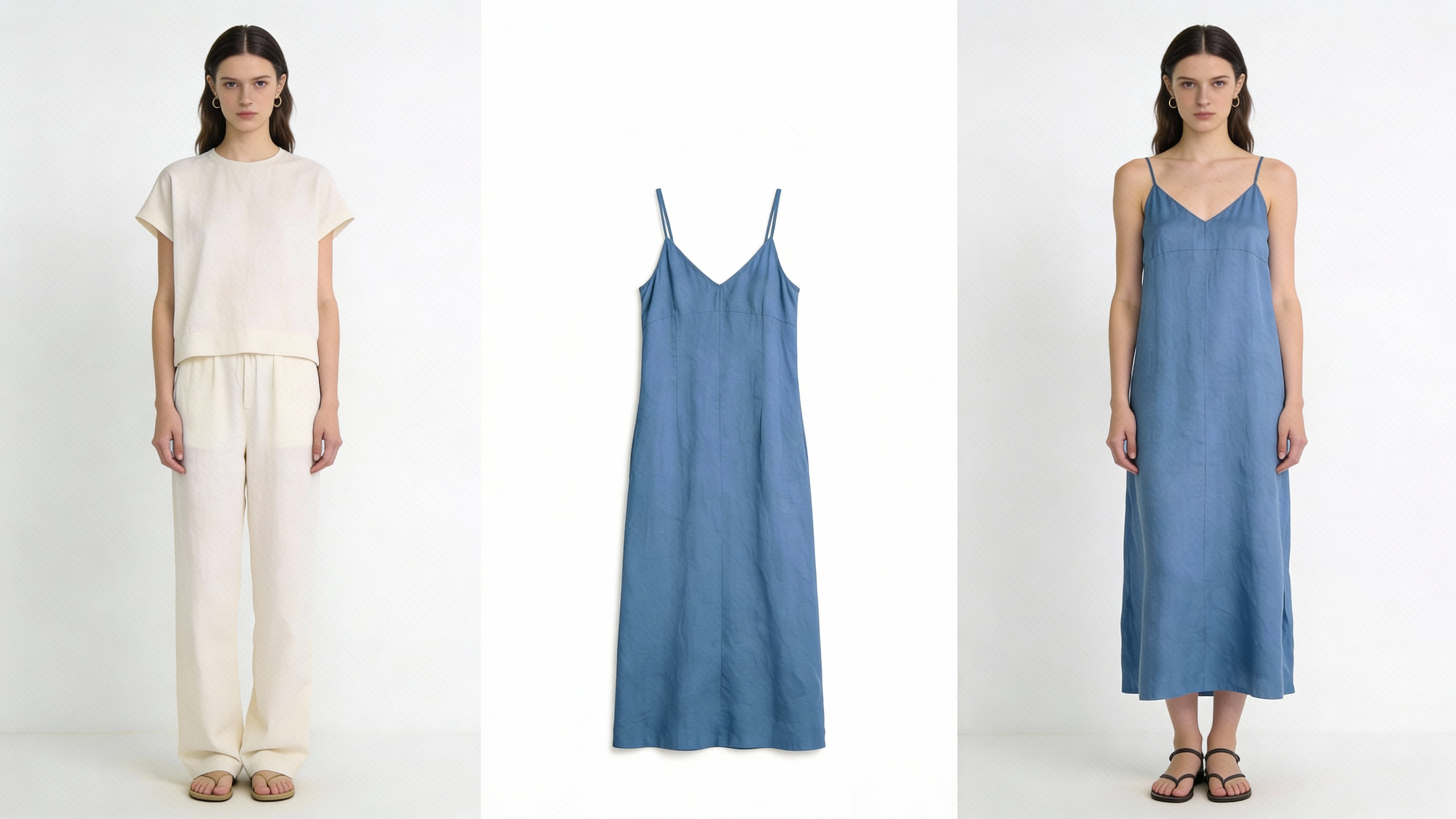
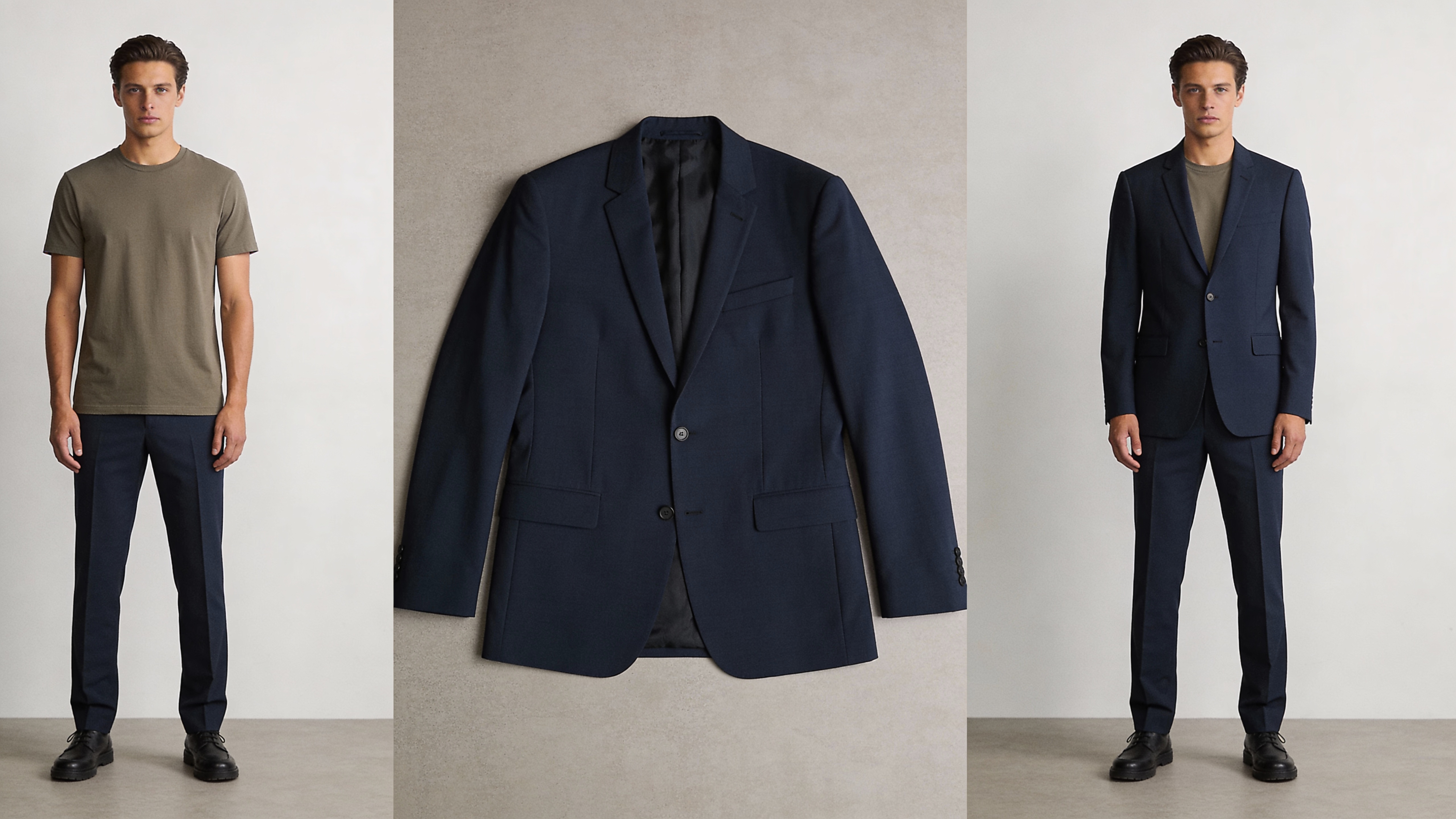
3.Generate & Download
Instantly generate high-definition, watermark-free and realistic try-on images that can be directly used for advertisements and e-commerce pages.
Create Better Ads with KreadoAI
AI is reshaping how brands create, test, and scale advertising content — and virtual try-on sits at the center of this transformation.
With KreadoAI Image Generator, merchants no longer need to choose between quality, speed, and cost. You get all three:
√ Eye-catching, conversion-focused visuals
√ Faster campaign launches
√ Improved advertising performance
If you’re ready to move beyond static product images and start creating high-converting try-on ads, now is the time to embrace AI-powered image generation with KreadoAI.


