


KreadoAI offers high-quality dubbing in over 140 languages. Simply input your marketing text or keywords, and with one click, generate multilingual voiceovers in various tones. Perfect for product promotion videos, intelligent voice assistants, and educational content.
Greatly save your time and cost. Below is the tutorial for using AI text to speech dubbing:
Step 1: Add Text
1. Add your text (The free version currently supports a maximum of 200 characters per request).
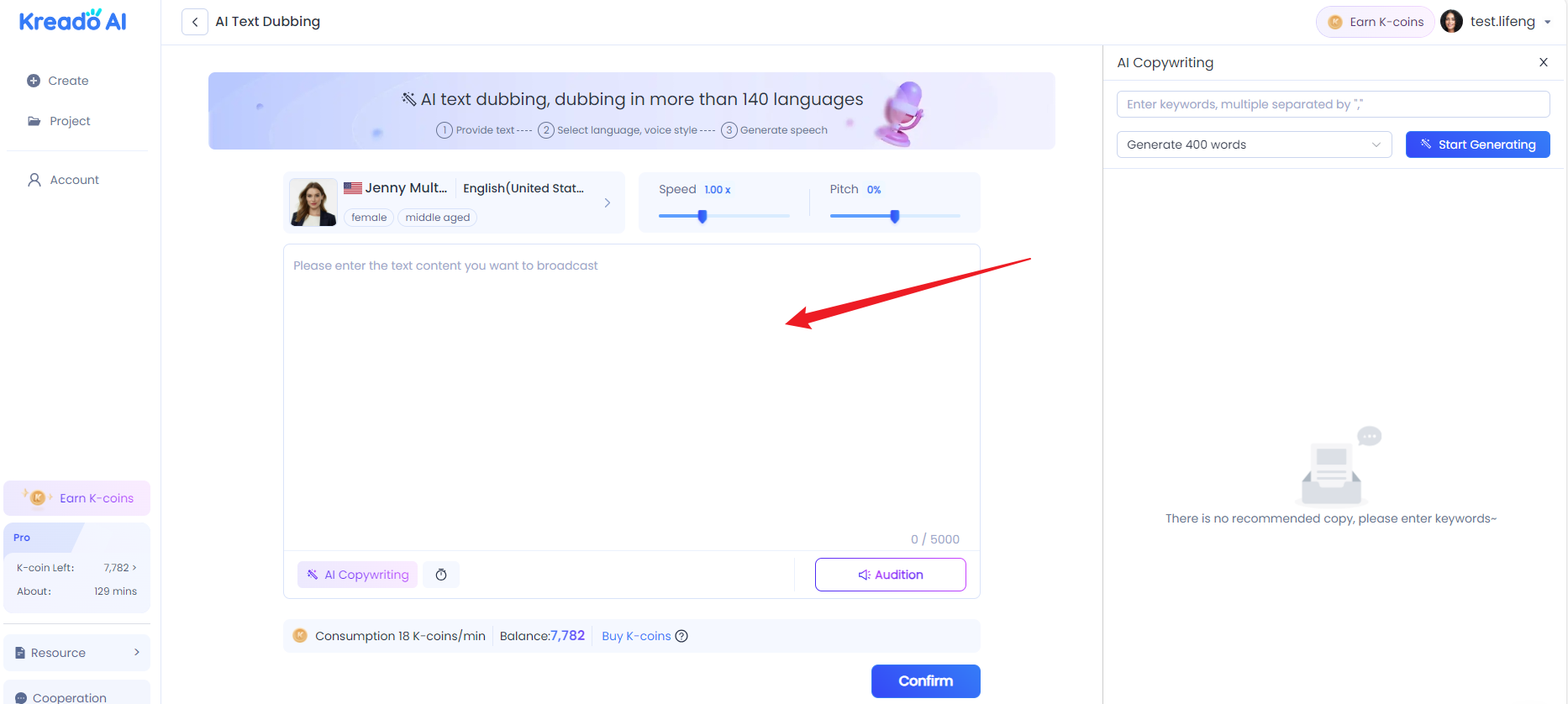
2. Use AI copywriting
🟢Click "AI copywriting"
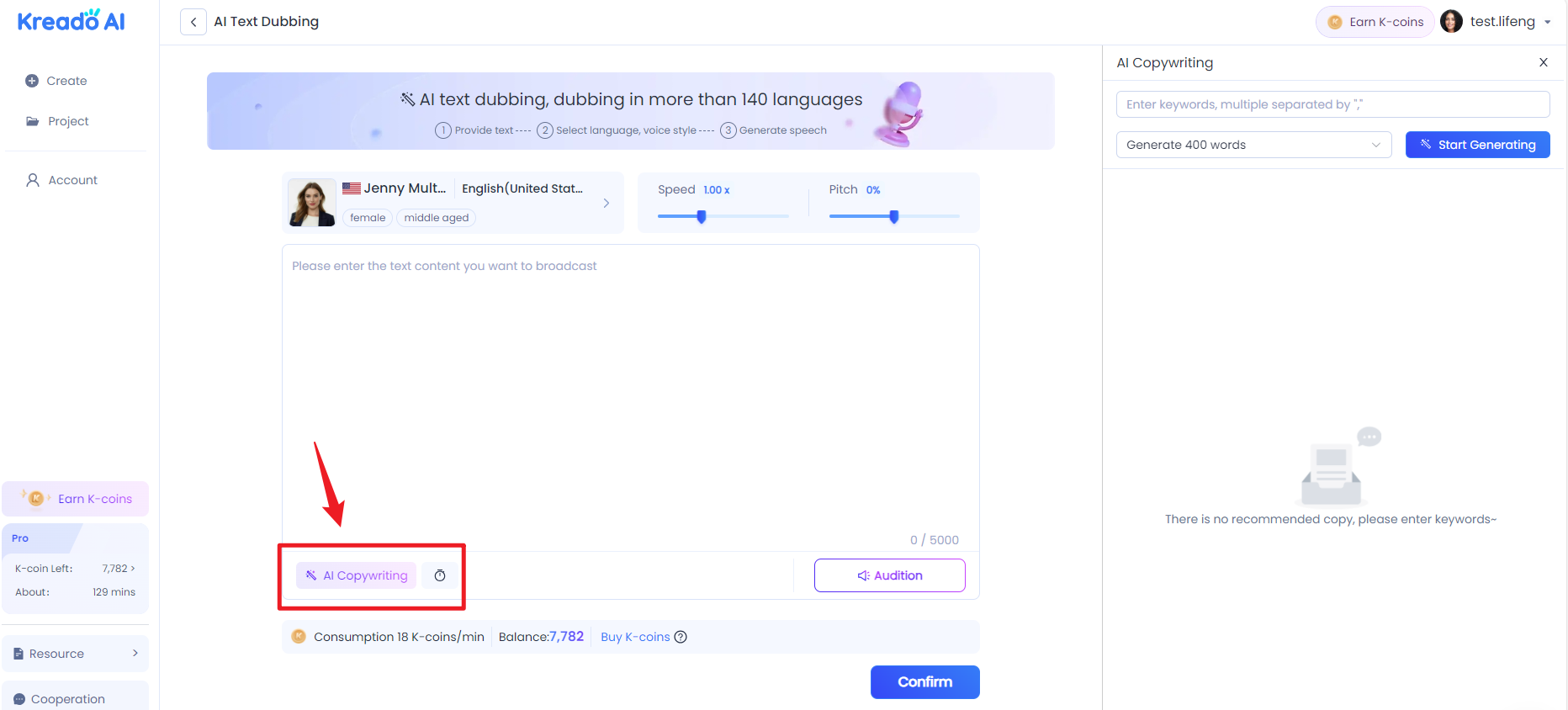
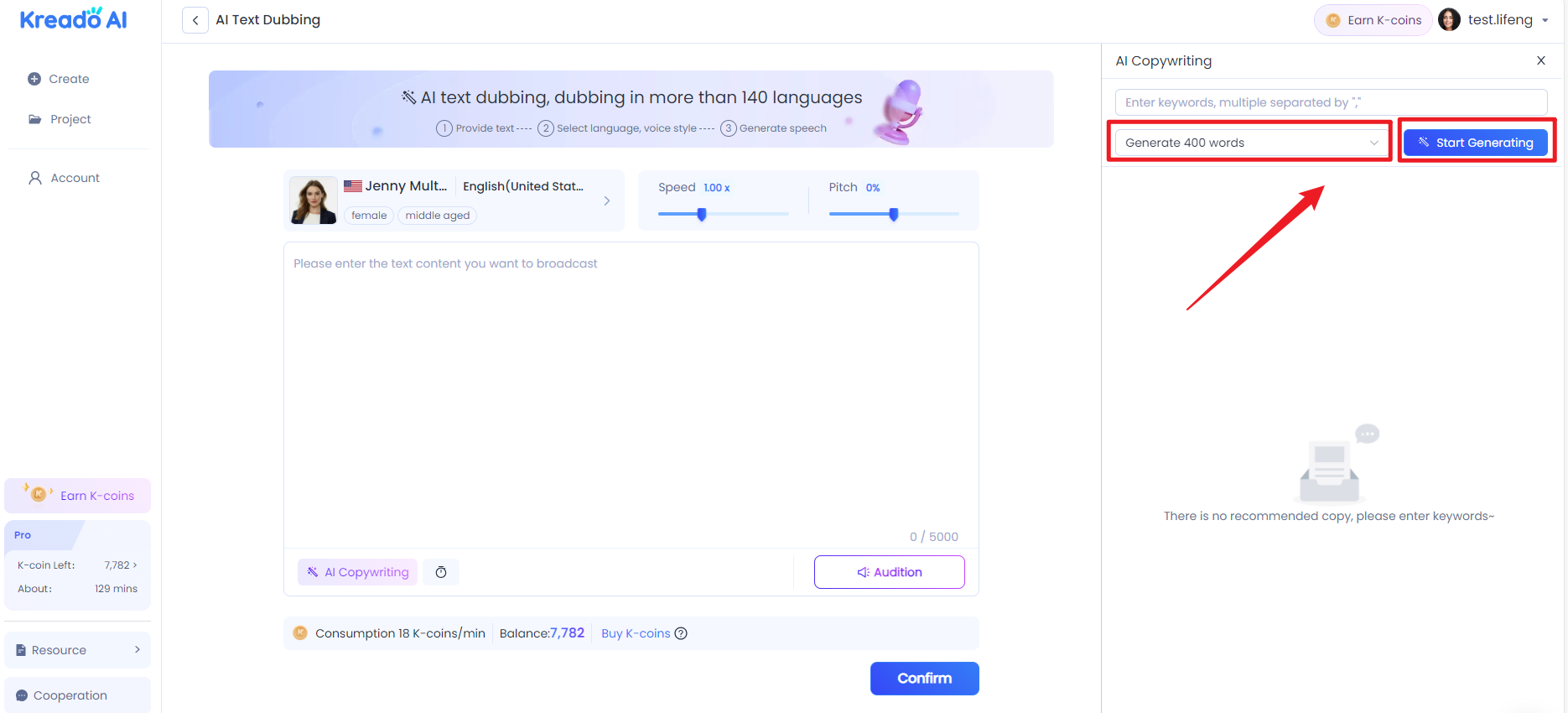
🟢Enter keywords in the pop-up box (if there are multiple keywords, separate them with ","), click "Generate" to generate the copy.
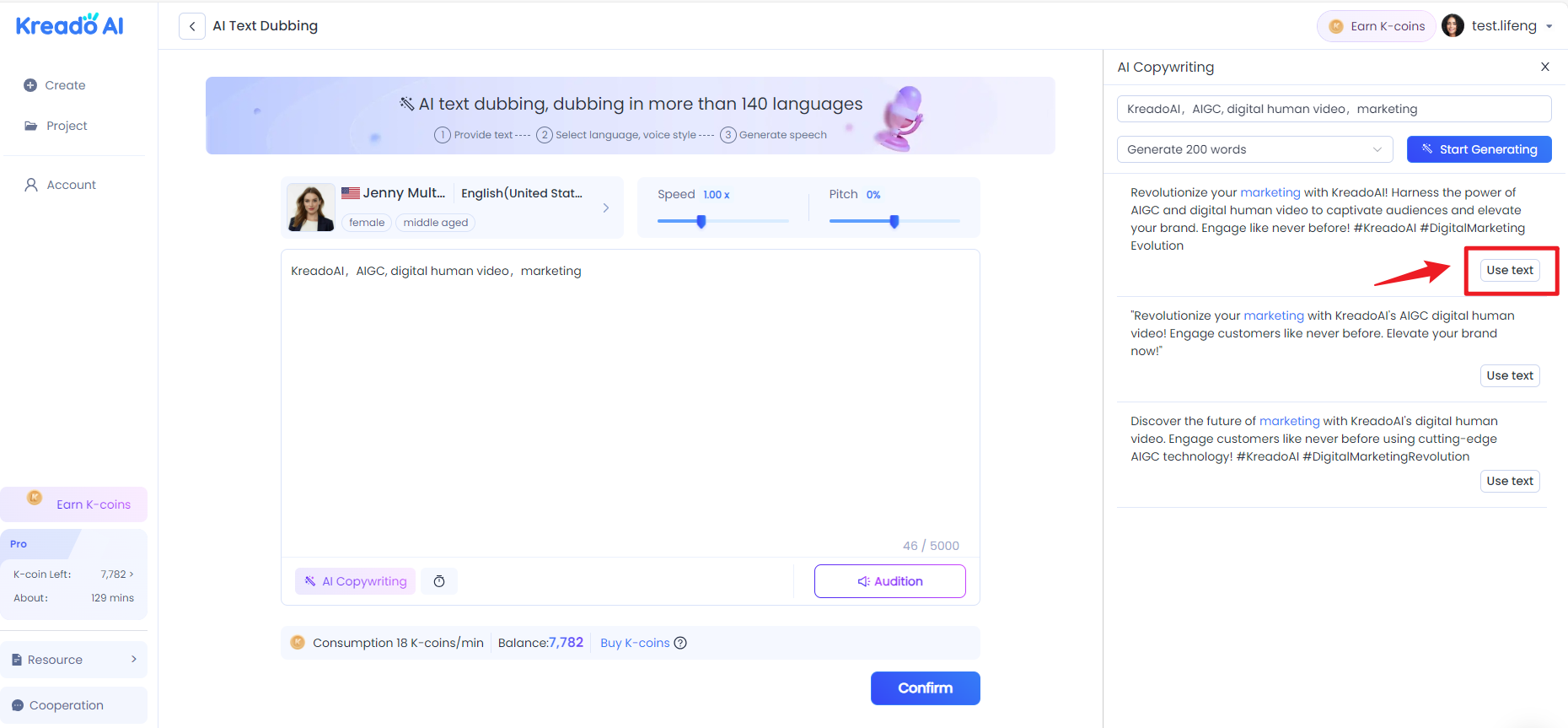
🟢Click "Use text" to use this text (if you are not satisfied, you can click "Generate" to regenerate).
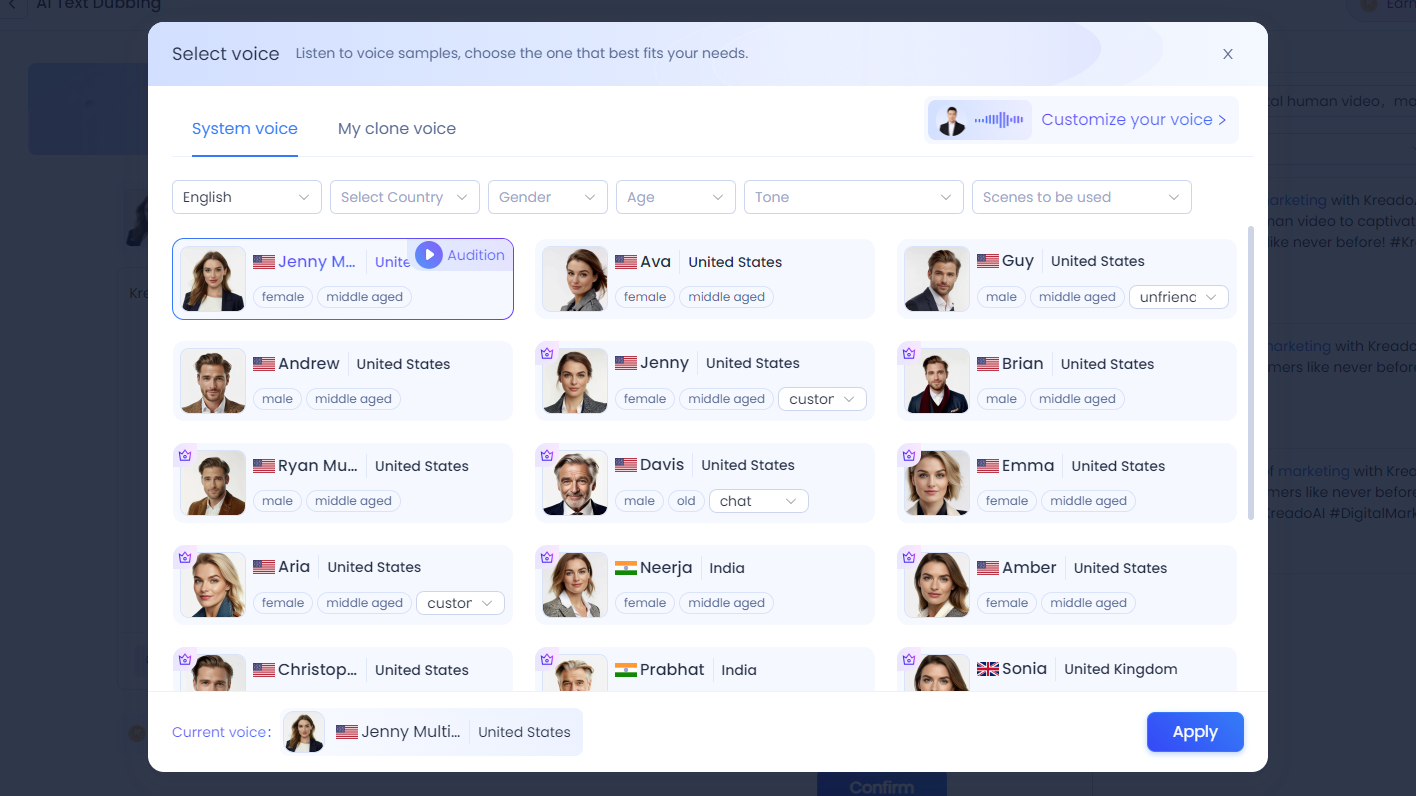
Step 2: Select the Suitable Voiceover
Filter by language, gender, age, tone style, and use case as needed.
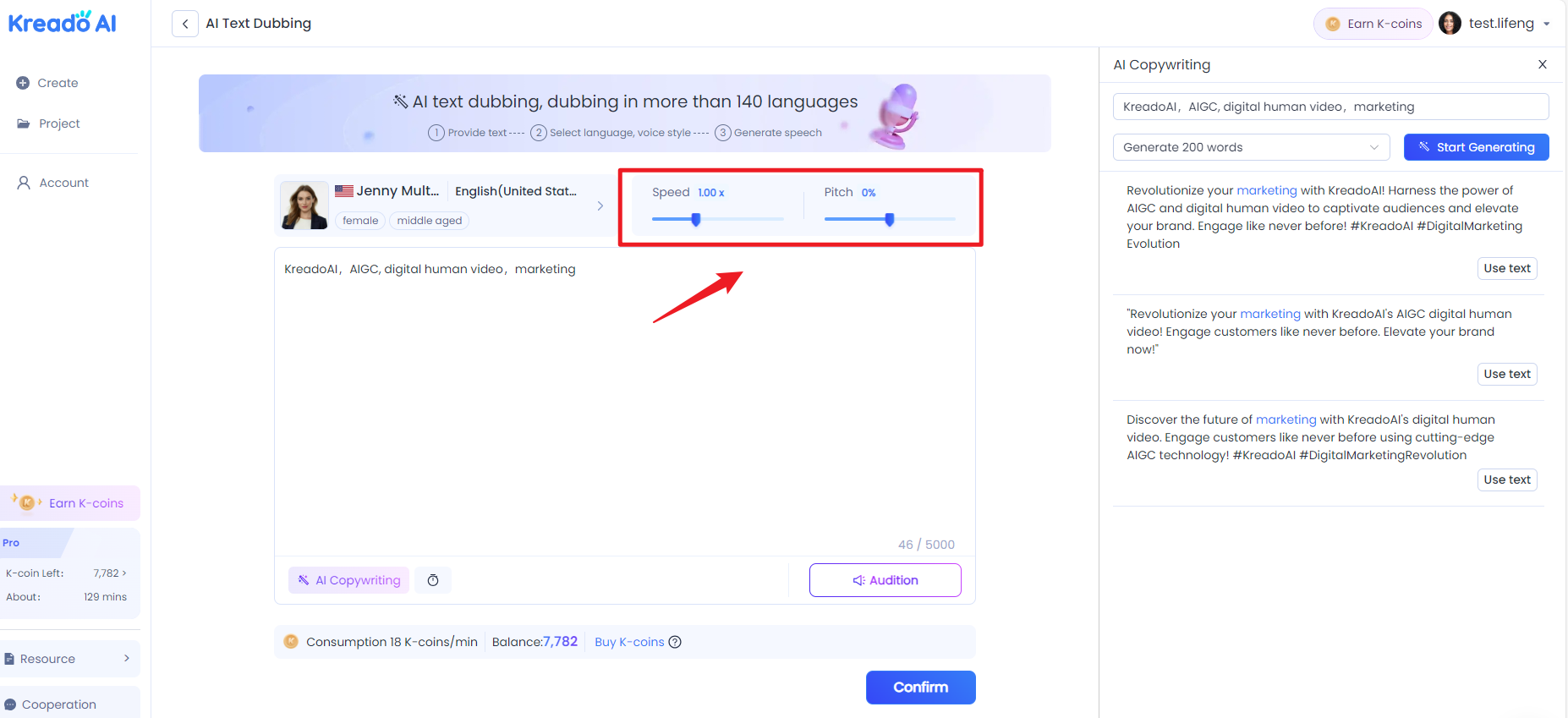
Step 3: Adjust the Speed and Tone
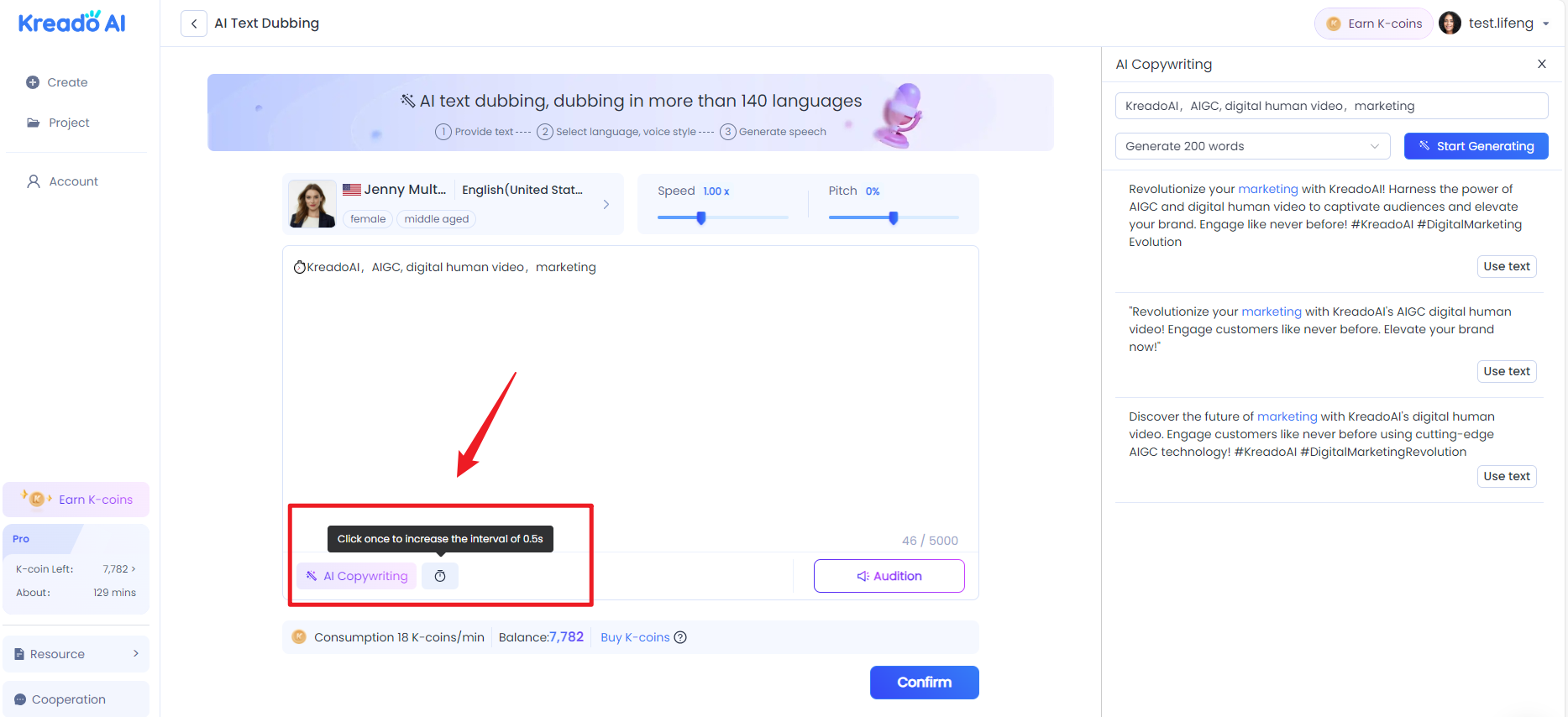
Step 4: Increase the Interval
put the cursor on the appropriate position of the text, click "Increase interval" to add a pause to the video dubbing (each time the interval can be increased by 0.5s).
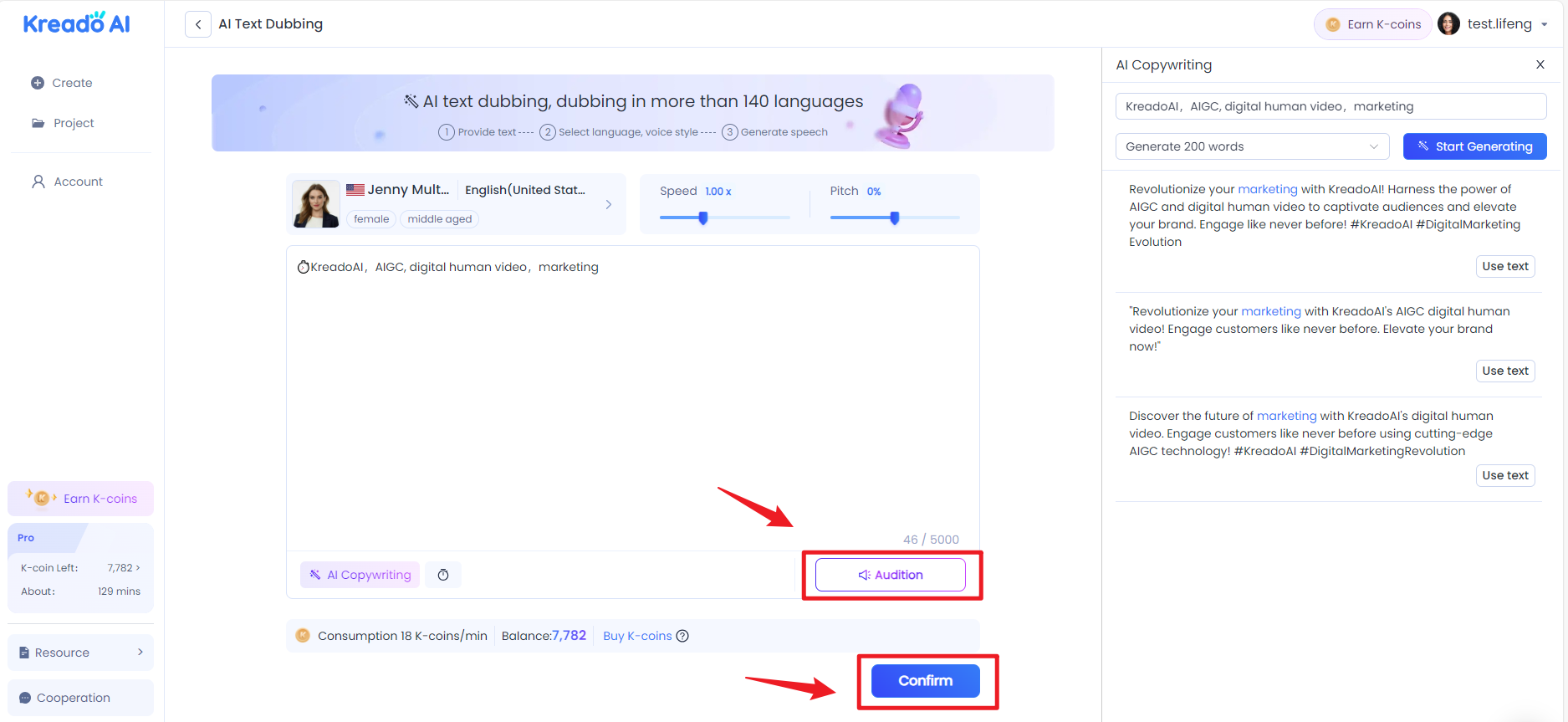
Step 5: Audition & Confirm
After the above operations are completed, first click the "Audition" button to audition the audio effect, and then click "Confirm" to confirm submitting the audio when you are satisfied.
You can click on AI Video Creation Tutorials to learn more tips.🥳


