


AI Image Generation Tutorial
With KreadoAI’s AI Image Generator, you can effortlessly turn a simple prompt into a stunning, high-quality AI-generated image in just seconds — no design skills needed!
Step-by-Step Guide
☑️ Go to the AI Image Generator page
☑️ Click Generate Photo
☑️ Enter a detailed text prompt (the more specific, the better)
Example: Skateboard boy, loose jeans, holding a skateboard, graffiti wall background
☑️ Choose an image ratio: 16:9, 9:16, or 1:1
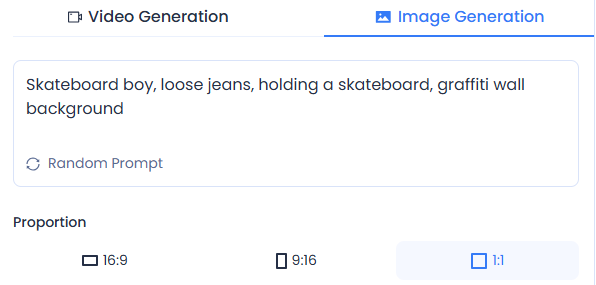
☑️ Click Generate to create the image
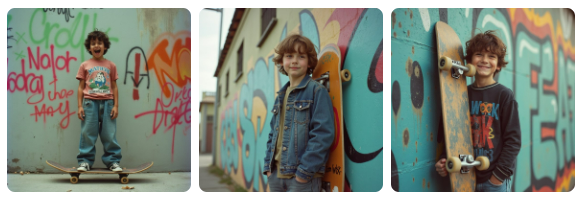
Once the image is generated, you can:
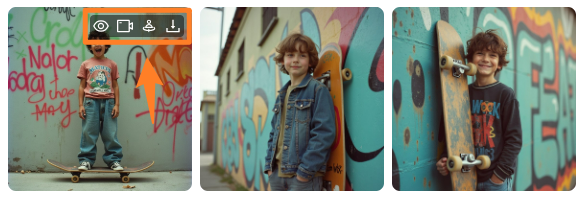
✔️ View Full Image: Check realism and details — regenerate if needed
✔️ Lip-sync & Talk: Enter your text and turn the image into a talking digital human
✔️ Animate with AI: Input motion prompts to bring your image to life
Example: Dancing on a skateboard, talking, camera remains fixed
✔️ Download: Save the image to your device
💡 You can preview and regenerate until you're happy with the result. Once satisfied, download or use it to create a video.
AI Image-to-Video Animation
This feature brings static portraits to life with motion and synced lip movements, creating engaging short videos.
How to Use
Option 1️⃣: Sign up and access AI Character Creation in your workspace
Option 2️⃣: Go to the Digital Human Creation page → under Photo Avatars, select a photo to start
Create Your Own AI Avatar
☑️ Upload a photo or use the AI Image Generator
☑️ Enter a creative animation prompt
Example: Dancing on a skateboard, talking, camera remains fixed
☑️ Select a model (Doubao or MiniMax)
☑️ Choose video duration (5s or 10s), resolution (Doubao supports 1080P), and lens type
☑️ Click Generate — your animated digital human will be ready in seconds
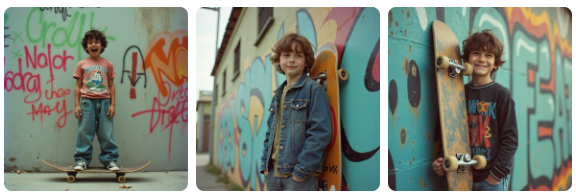
After generation, you can:
✔️ Lip-sync & Talk: Add dialogue and turn your photo into a talking video
✔️ Regenerate: Not satisfied? Fine-tune and try again until it’s just right
Start creating your AI portraits and videos today — let your imagination run wild with KreadoAI.


