


Stop Filming, Start Typing
Spending endless hours scripting, filming, and editing can be overwhelming. With KreadoAI’s all-new Text to Video feature, you can instantly transform simple text prompts into full HD (1080P) AI-generated videos. Everything—from visuals and character movements to voiceovers and sound effects—is created automatically. Whether you’re a marketer, educator, content creator, or business professional, this tool makes producing high-quality videos faster, easier, and smarter.
Step-by-Step: How to Use the Text-to-Video Feature
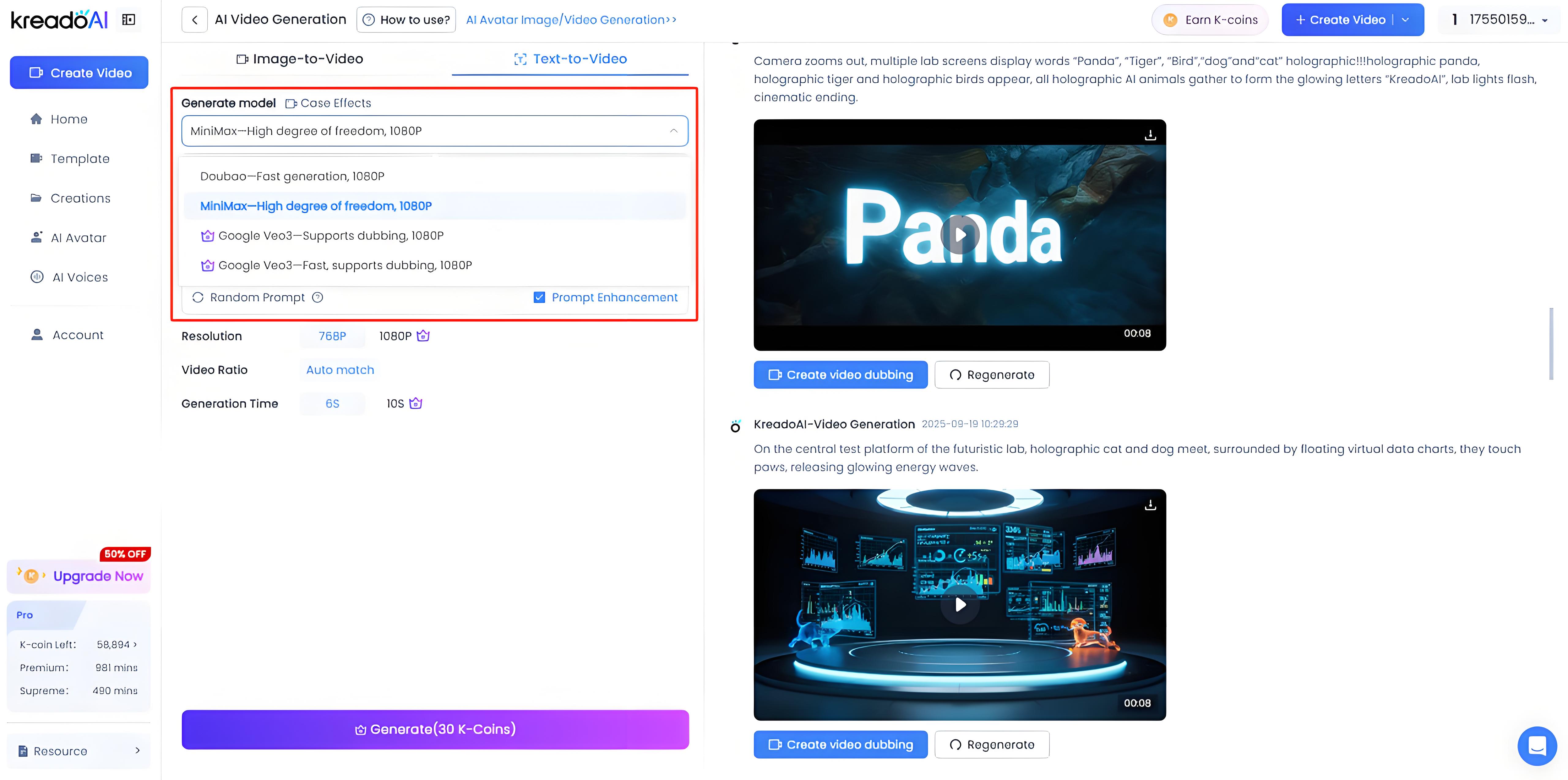
Step 1: Choose a Model
KreadoAI supports multiple top-tier models, each tailored for different needs:
Doubao – Fast generation, 1080P
MiniMax – High flexibility, 1080P
Google Veo3 – Supports dubbing, 1080P
Google Veo3 (Fast) – Quick generation + dubbing, 1080P
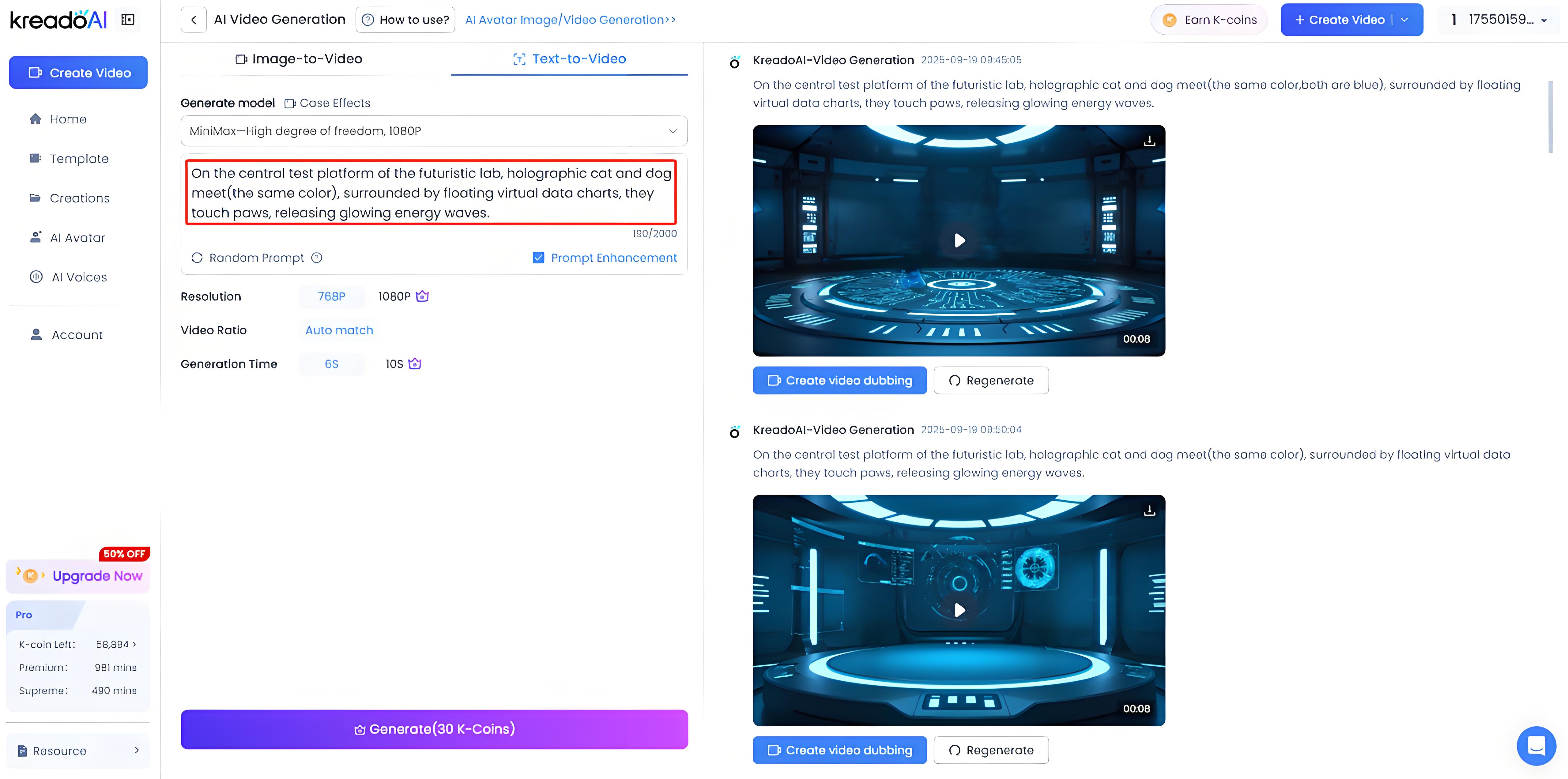
Step 2: Write Your Prompt
Simply describe your idea—whether it’s a scene, script, or short concept. The clearer the prompt, the better the video quality.
Step 3: Generate Your Video
Click “Generate” and let the AI create your video. In just minutes, you’ll have a professional-quality short film ready to use.
How to Write Effective Prompts
In Veo, high-quality video results rely on precise prompts. To help AI better understand your creative ideas, consider the following elements:
1. Identify the Subject
What do you want to appear in your video? A person, an animal, an object, or a specific scene? Clarifying the subject is the first step. For example: "a kitten playing in the garden" or "a rainy city street at night."
2. Describe the Action
What is the subject doing? Jumping, running, rolling, or other actions? The more specific the action, the more dynamic and natural the video will be.
3. Set the Style
What visual style do you want? It could be a film style (sci-fi, suspense, noir), an animation style (cartoon, hand-drawn), or any other creative style.
Need help writing effective prompts? Check our full guide: Video Prompt Writing Tutorial
Showcase: Amazing Videos You Can Create with KreadoAI
Here are a few examples of videos created with just text:
- Shiba Inu sits, blinks and shakes head, zoom in for goofy smile, then zoom out, computer model unchanged.
- Orange tabby cat with superhero cape, riding flying pizza over neon city at night, cartoon style, playful, vibrant colors, dynamic camera.
- Giant sparkling gift box floats from sky into colorful forest, opens to reveal tiny magical dragon breathing rainbow sparkles, cartoon style, whimsical, vibrant colors.
Conclusion & Call to Action
Creating videos has never been this effortless. With KreadoAI Text-to-Video, you only need your ideas—the AI takes care of visuals, narration, and editing. Whether you want to engage your audience on TikTok, deliver online lessons, or craft marketing campaigns, this tool unlocks endless creative possibilities.
Try KreadoAI Text-to-Video today and see your words come to life!


