




Think about the last time you had to record a video of yourself — maybe a company announcement, a product walk-through, or a training session. It probably meant booking a studio, setting up lights, re-recording take after take, and then waiting days for the edits to be done.
Now, imagine creating that same kind of polished video spokesperson in just one minute — no studio, no cameras, no stress.
That’s not a future idea. It’s something you can do today.
The Bottleneck of Traditional Video Production
For marketers and creators, video is essential.But traditional production is a massive bottleneck.
It's slow, costly, and inflexible. Need to update a script? That’s a reshoot. Want to target a new language? Budget for a new actor and crew all over again.
This process stifles creativity and global growth.
Introducing KreadoAI's Revolution: The 1-Minute Instant Clone
KreadoAI’s groundbreaking instant avatar clone technology shatters these old barriers with unmatched speed and simplicity.
This isn't just another text-to-video tool; it's the fastest way to create a true clone avatar ai digital double.
Our core advantage is clarity and empowerment: This is a self-service model. You are in complete control, with the freedom to redo your videos as many times as you need, for free. The best part? This powerful avatar clone feature is completely free for subscribing members, with no hidden costs. You get a one-time payment for the clone (or free with subscription), and it's yours to use long-term without expiration.
Forget complex setups: our avatar clone supports footage from your mobile phone, computer camera, or professional camera, making it accessible to everyone.
How to Use KreadoAI's Instant Clone Feature: A Simple Guide
Wondering how to make clones in avatar creator tools? Ours is the simplest. Here’s your easy guide to creating your ai clone avatar in minutes.
Step 1: Record Your Clip
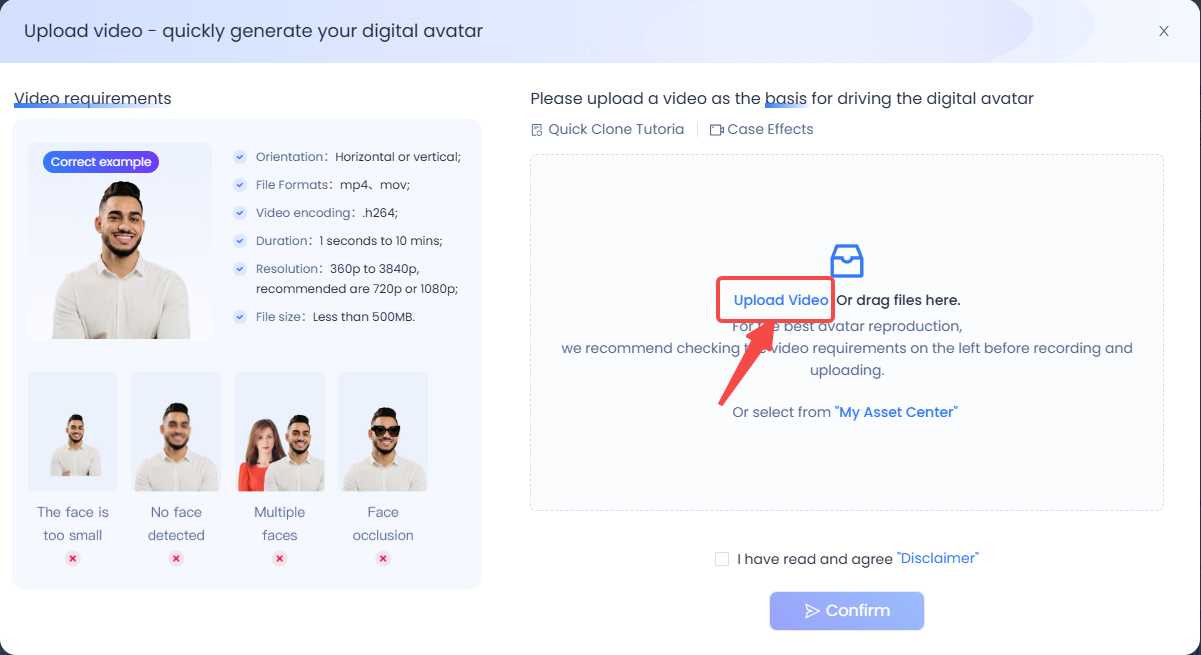
To get started, prepare a short clip of yourself (at least 5 seconds) speaking naturally. The best part? You don’t need fancy equipment — a simple selfie video from your smartphone works perfectly.
Pro tips for best results:
💡 Use bright, even lighting so your AI avatar clone looks clear and realistic.
💡 Face the camera directly, making sure your expressions are visible.
💡 Choose a clean background. Since backgrounds cannot be changed later, a simple wall or professional setting works best.
💡 By following these tips, you’ll give the AI the perfect foundation to create a convincing AI-generated spokesperson.
Step 2: Upload & Clone
Next, log in to your KreadoAI account and navigate to the Instant Clone option inside the avatar creator tool. Upload your recorded video, and let the system work its magic.
KreadoAI’s advanced AI model will analyze your video, learning your unique facial features, lip movements, and expressions. Unlike other tools that take hours, KreadoAI can generate a lifelike digital twin in just one minute.
This fast and precise cloning process means you’ll spend less time waiting and more time creating.
Step 3: Get Your Digital Twin
After processing, your AI avatar is ready to use in videos. You now have a realistic digital clone that can act as your spokesperson, presenter, or instructor.
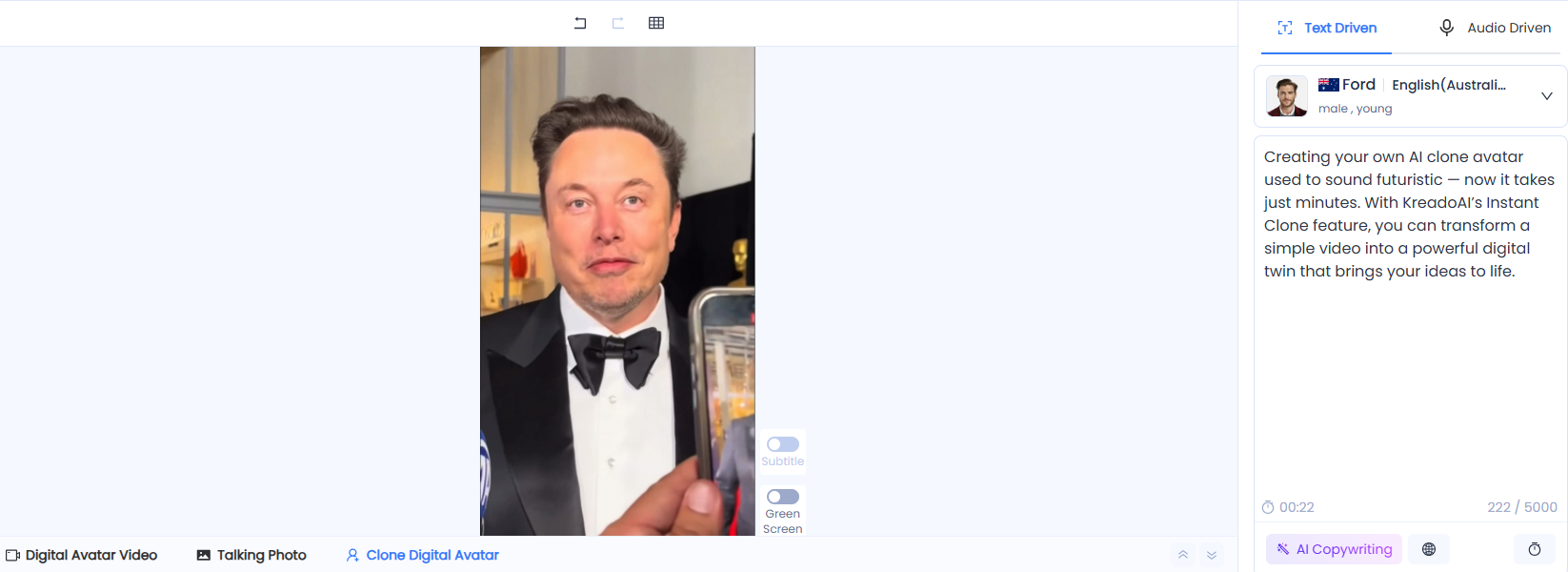
From corporate training videos and YouTube tutorials to marketing content and social media posts, the possibilities are endless. With KreadoAI, producing professional, engaging videos has never been easier.
Why Use KreadoAI's Instant Clone Feature?
Speed: Get results in just one minute.
Simplicity: No technical expertise required — just upload and go.
Versatility: Use your avatar for business presentations, product demos, or personal projects.
Cost-effective: Save thousands compared to hiring actors and studios.
Unlock Your Creative Potential Today
Creating your own AI clone avatar used to sound futuristic — now it takes just minutes. With KreadoAI’s Instant Clone feature, you can transform a simple video into a powerful digital twin that brings your ideas to life.


