




It’s a hilarious parody, a cinematic mashup, or a creative remix, chances are you’ve watched a few of these on platforms like YouTube or TikTok. These videos aren’t made in high-end studios—they’re made by everyday users with a passion for storytelling and some basic video editing skills.💻
But when it comes to editing video clips, one common challenge is dealing with original subtitles embedded in the footage. Maybe you want to replace them with your own subtitles, or just get rid of them to keep the visuals clean. So how do you remove subtitles from a video without ruining the quality?
👉Don’t worry—Try Our Watermark/Subtitles Remover for Free & Online!
In this post, I’ll show you an easy way to remove captions from your source video and get it ready for your own creative spin. Whether you're working on a YouTube video, a TikTok remix, or a fan edit, this quick tip will save you time and frustration.
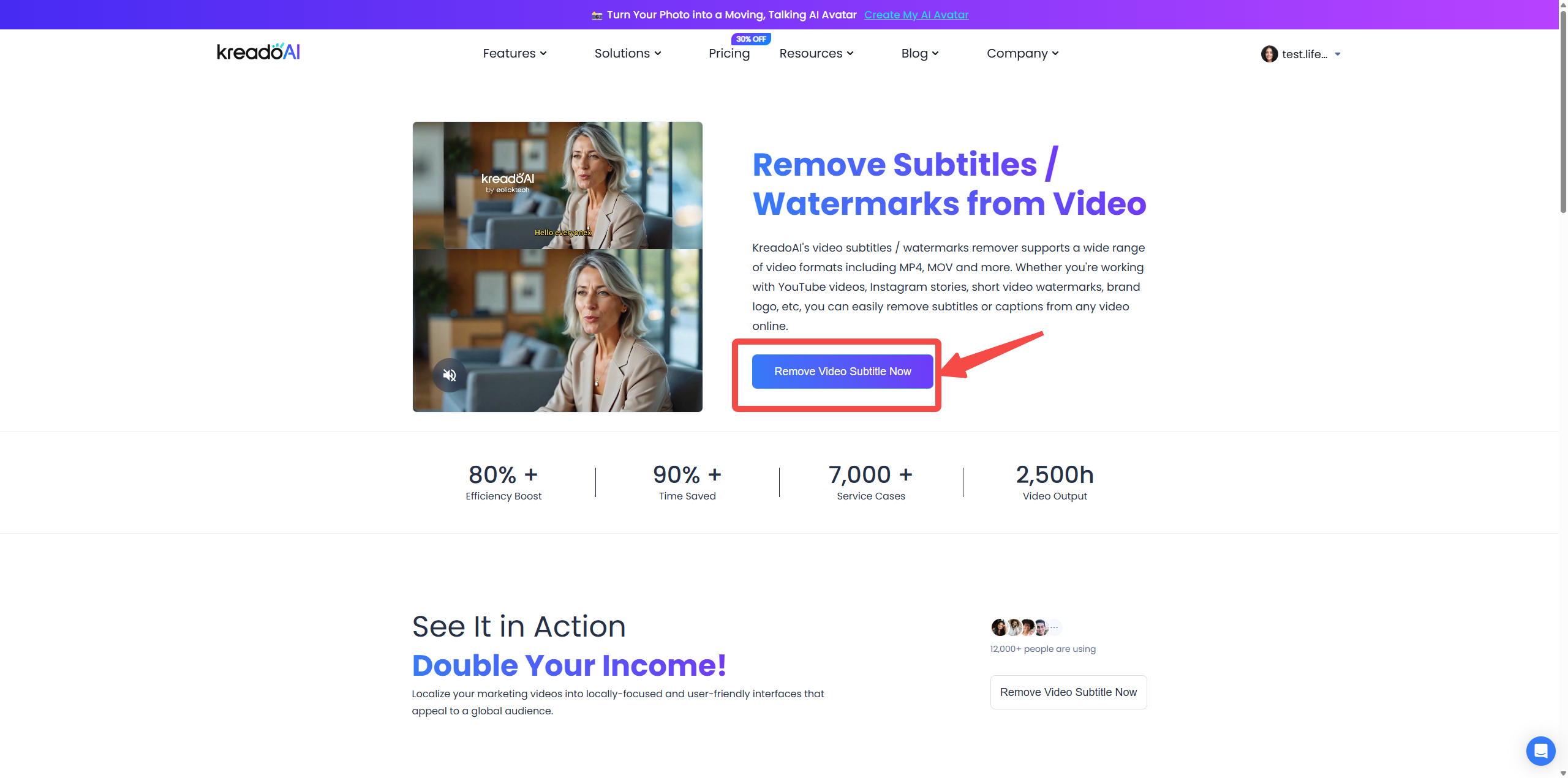
Step 1️⃣: Navigate to the Subtitle Removal Tool
From the main menu, go to Features > Video Subtitle Remover.
Step 2️⃣: Upload Your Video
Click the “Upload Video” button in the center of the screen to select and upload your source video file.
Step 3️⃣: Mark Areas for Removal
Use the visual editor to select the areas to be removed:
l Subtitle Area: Click and drag to add a purple box over the subtitle region.
l Watark/Logo Area: Add a green box over the watermark or logo.
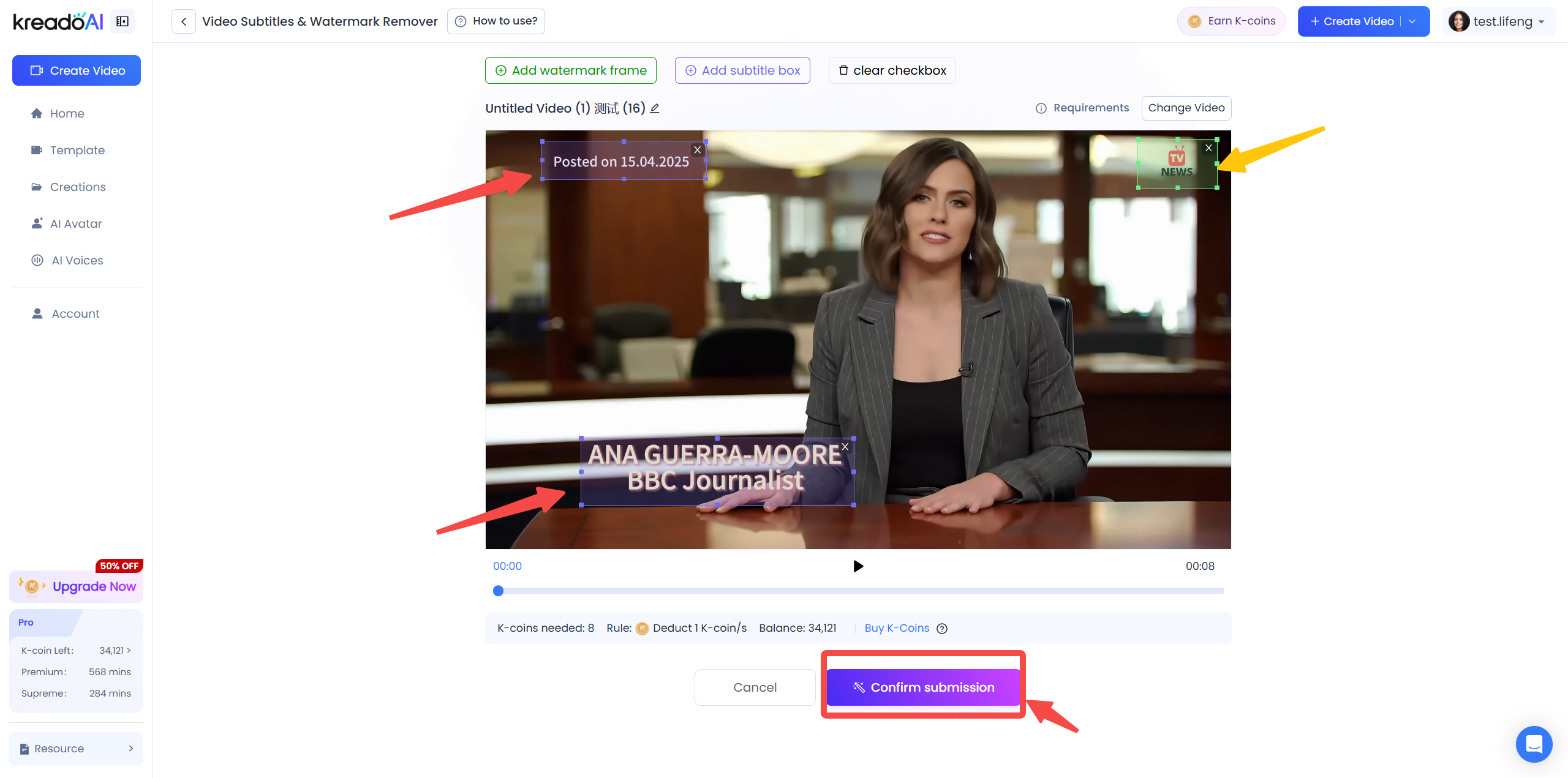
You can adjust, move, or delete boxes before confirming.
Once done, click “Confirm Submission”.
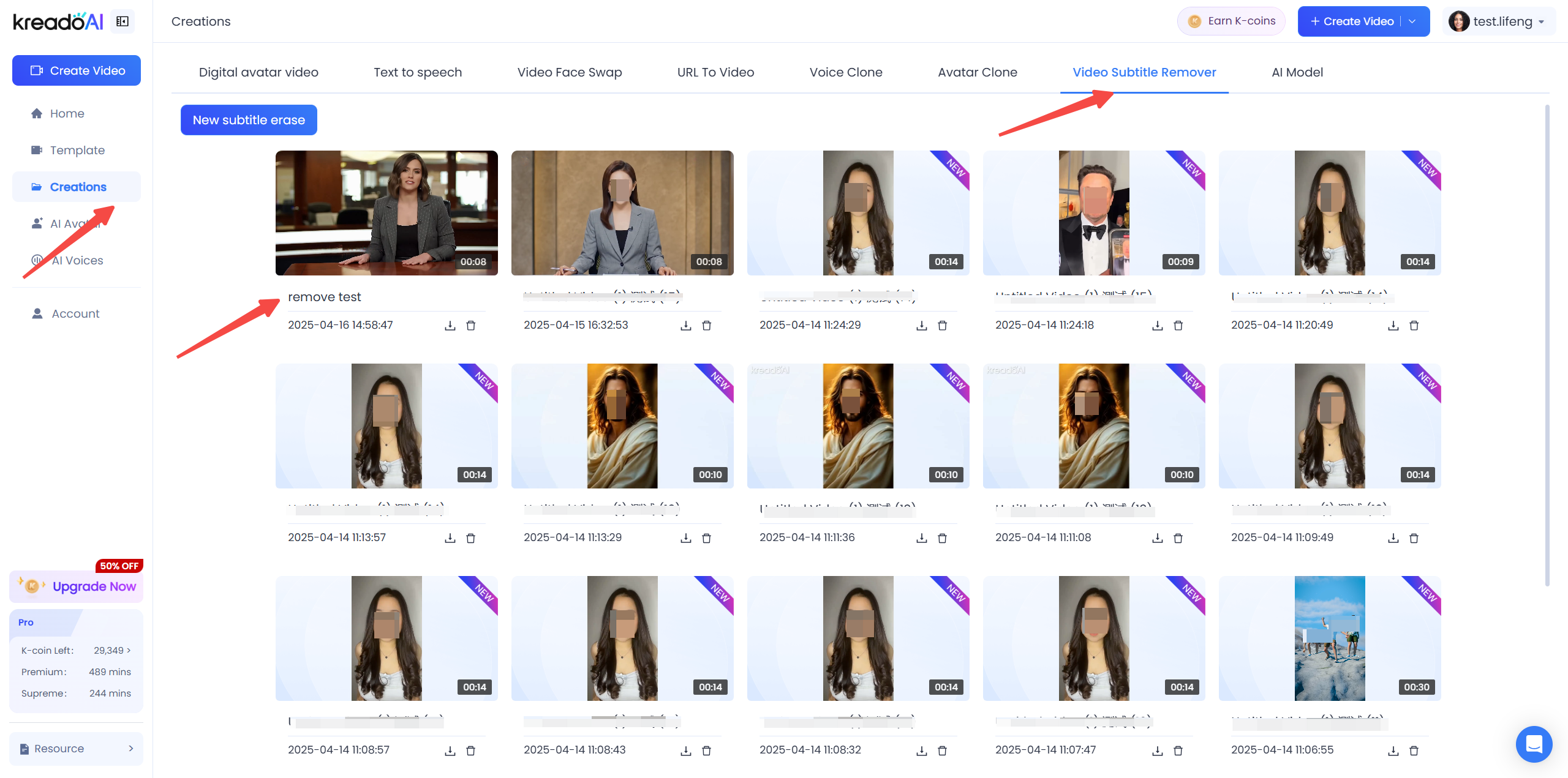
Step 4️⃣: View and Download Processed Video
Go to the Creations tab and open the “Video Subtitle Remover” section.
Your processed video will appear here—click to preview or download without any watermarks.
Ready to Clean Up Your Video Like a Pro?😆
With just a few clicks, you can easily remove unwanted subtitles, watermarks, or logos from any video — no editing experience needed. Whether you're creating content for YouTube, TikTok, or your next presentation, our AI-powered subtitle remover gives you professional results in minutes.
✨ Try it now and take your video editing to the next level!
Perfect for content creators, educators, and marketers who need fast, clean, and subtitle-free videos.
Check out more handy video editing tips here!💖


