


Welcome to KreadoAI’s Instant Avatar Clone Service! This tutorial will guide you through the fast and easy process of creating personalized digital avatars for digital human video production.
Step 1: Visit the Instant Avatar Clone Page
Open your web browser and visit the instant avatar clone page.
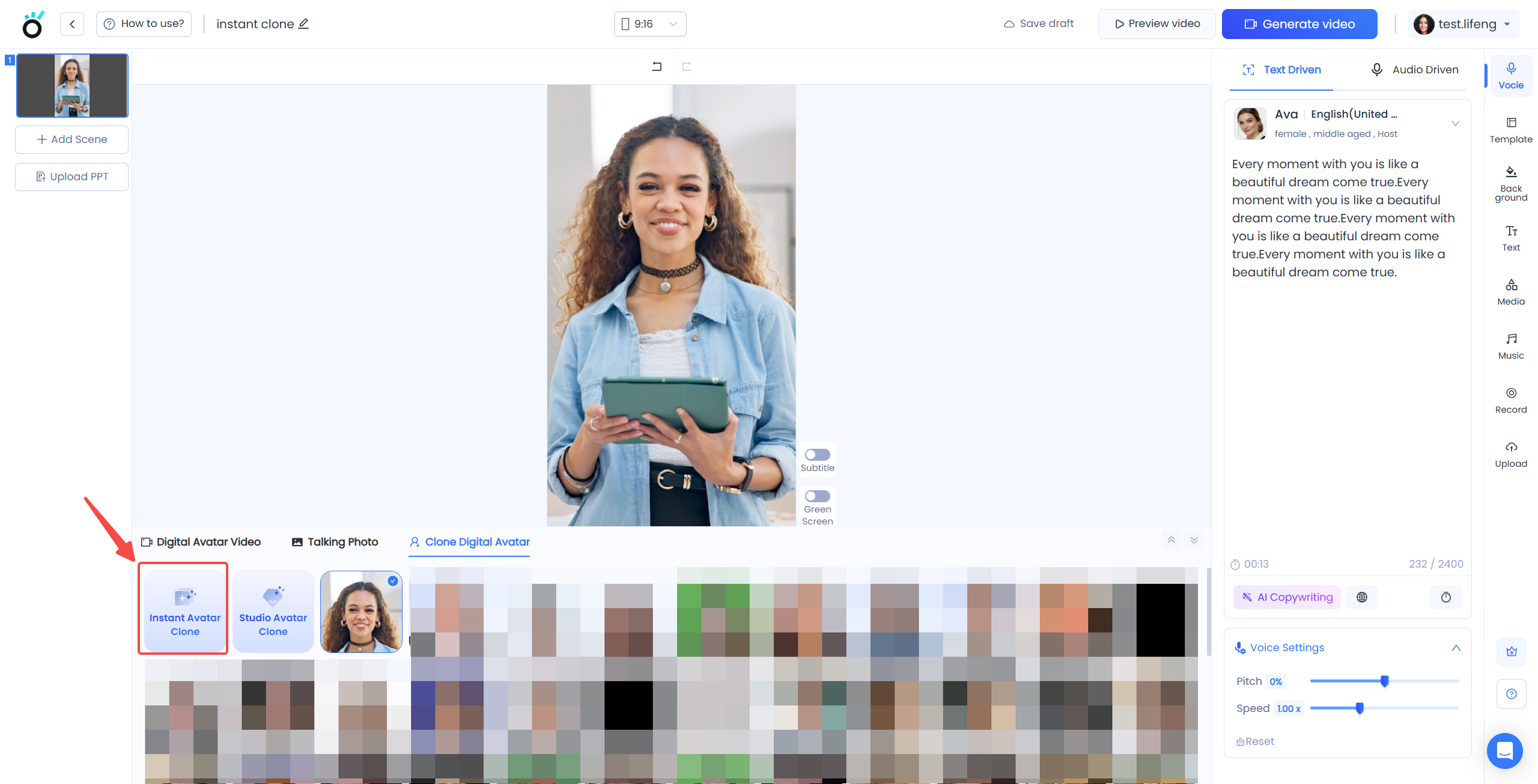
Locate the "Clone Digital Human" option on the page and select "Instant Avatar Clone" below it.
Step 2: Upload Video
Click the "Instant Avatar Clone" button. In the popup dialog, select a video file that meets the following requirements:
1.Orientation: Horizontal or vertical;
2.File Formats: mp4;
3.Duration: 5 seconds to 10 mins;
4.Resolution: 360p to 3840p,
5.recommended are 720p or 1080p;
6.File size: Less than 200MB.
7.Avoid videos with multiple people;
8.Ensure faces cover at least a quarter of the frame width.
9.Ensure the entire face is within the screen area.
10.Ensure facial features are visible and clear.
Step 3: Read Disclaimer and Submit
1.After uploading the video, please read the disclaimer.
2.If you need to change the video, select "Re-upload" and submit it again.
3.Once you confirm that the video meets the requirements, click "Confirm."
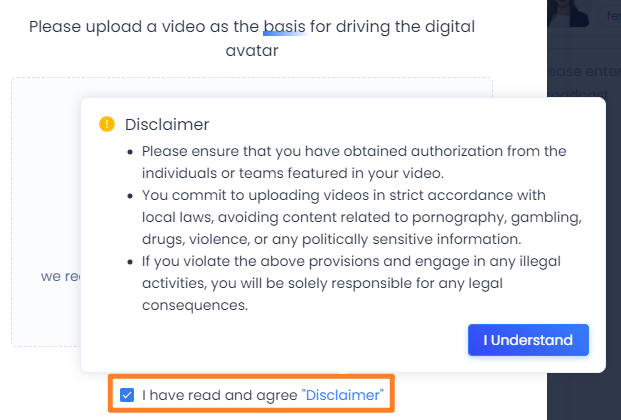
Note: If the video contains sensitive content or multiple people, please select a suitable video for cloning.
Step 4: Wait for Digital Human to Generate
After successful submission, wait for approximately 1 minute for the system to clone your digital human.
Once the cloning process is complete, you can preview and manage your cloned avatar.
Step 5: Start Video Creation
👍Your cloned avatar will be associated with your personal ID. Now, use this digital human for creative video production!
If you have any questions about the clone task submission process, please contact our dedicated support at support@kreadoai.com for one-on-one assistance.


