


AI text-to-image has become a core productivity tool in content creation, commercial marketing, and design production. With the continuous advancement of technology, text-to-image models are constantly iterating—take the Doubao Seedream 4.0 model, for example. It natively supports text, single-image, and multi-image inputs, enabling various capabilities.
KreadoAI's image generation feature has newly integrated this model, achieving full-modal coverage of native "text + single-image + multi-image" inputs. Boasting ultra-high accuracy and controllability in AI text-to-image generation, it allows image needs ranging from personal creativity to enterprise-level production to be efficiently realized.
Practical Cases: 3 Typical Scenarios from Idea to Final Product
👉 Text-to-Image Generation — Create High-Quality Images
For basic text-to-image tasks, Seedream 4.0 boasts a strong ability to understand text prompts. It can generate images that meet expectations with minimal descriptions. Additionally, the model possesses reasoning capabilities, enabling it to convert knowledge and reasoning results into high-density image content, such as formulas, charts, and educational illustrations.
For example:
[My Requirement] Generate a warm scene of "a family of kittens discussing Halloween decorations in the living room," with clear details and a comforting atmosphere.
[Input Prompt]
"9:16 aspect ratio, medium shot, an orange cat father, cat mother, and two orange kittens sitting around on the floor. The father cat has his paw resting on a decoration sketch, one kitten holds a pumpkin toy in its mouth. Light wood flooring covered with a brown fur carpet, pumpkin stickers and a mini ladder in the background, warm yellow lighting, documentary style"
[Output Result]
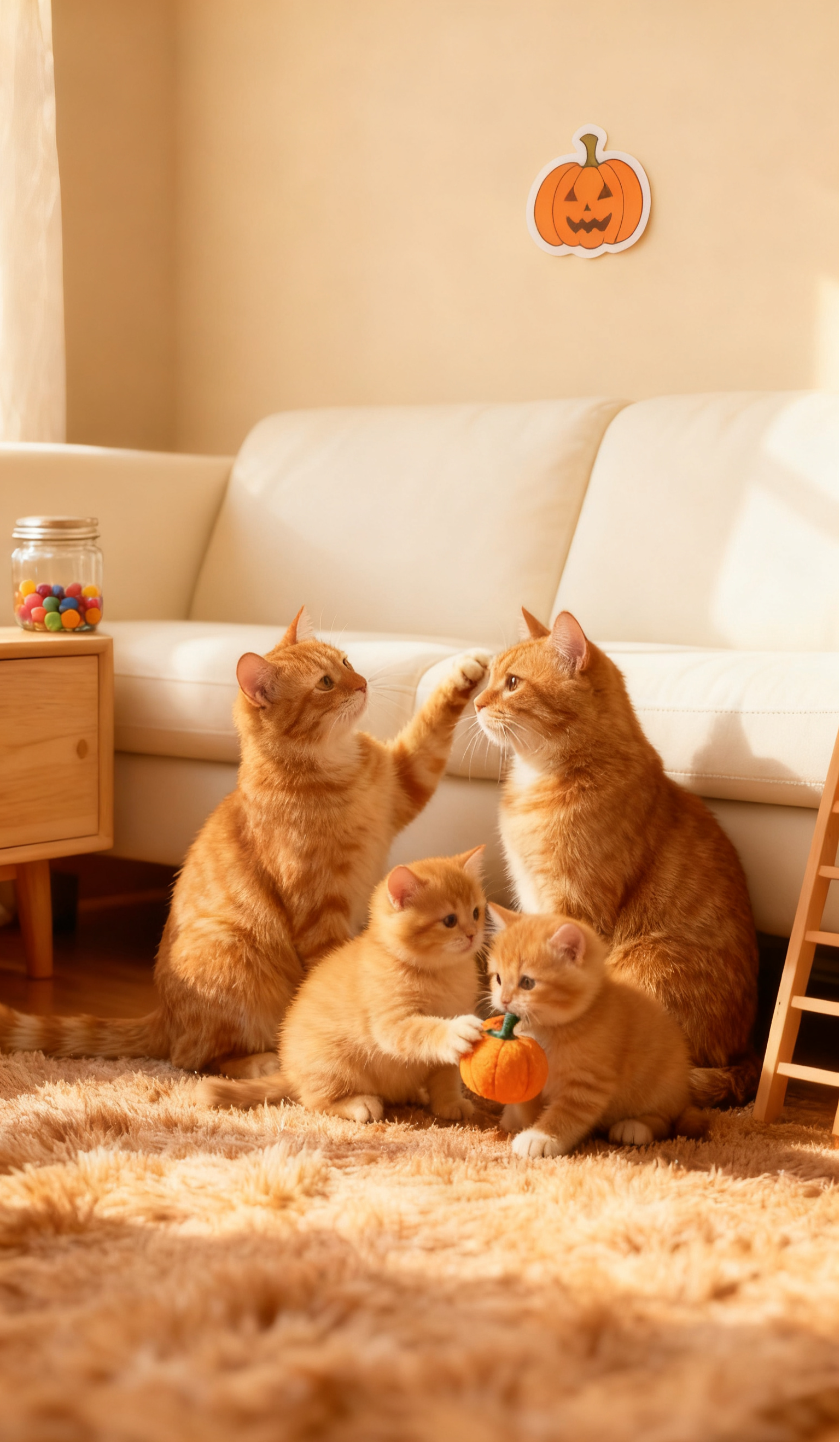
Output Effect and Analysis:
- Speed: 4K image generated in 3 seconds;
- Detail highlights: Each hair of the kittens is clearly visible, the carpet texture has a realistic tactile feel, and warm light creates natural shadows at the edges of the cats' paws—fully consistent with the lighting logic of the "documentary style";
- Beginner-friendly features: There’s no need to label professional terms like "hair texture" or "lighting type"; the model automatically optimizes details through the semantic association of "living room + warm yellow light."
👉Multimodal Fusion —— Free and Realistic Image Editing
Seedream 4.0, leveraging its multimodal fusion capability, enables easy execution of diverse editing operations such as adding, deleting, replacing, and modifying elements in images, thereby redefining the boundaries of AI image creation and editing.
When specific features need to be preserved (e.g., fixed character images, unified visual styles, accurate product designs), users only need to upload the corresponding image as a reference, clearly specify the elements to be extracted and retained from the reference image in the text prompt, and at the same time detailedly describe the content and scene details of the generated image. This ensures that the output result is highly consistent with expectations.
For example:
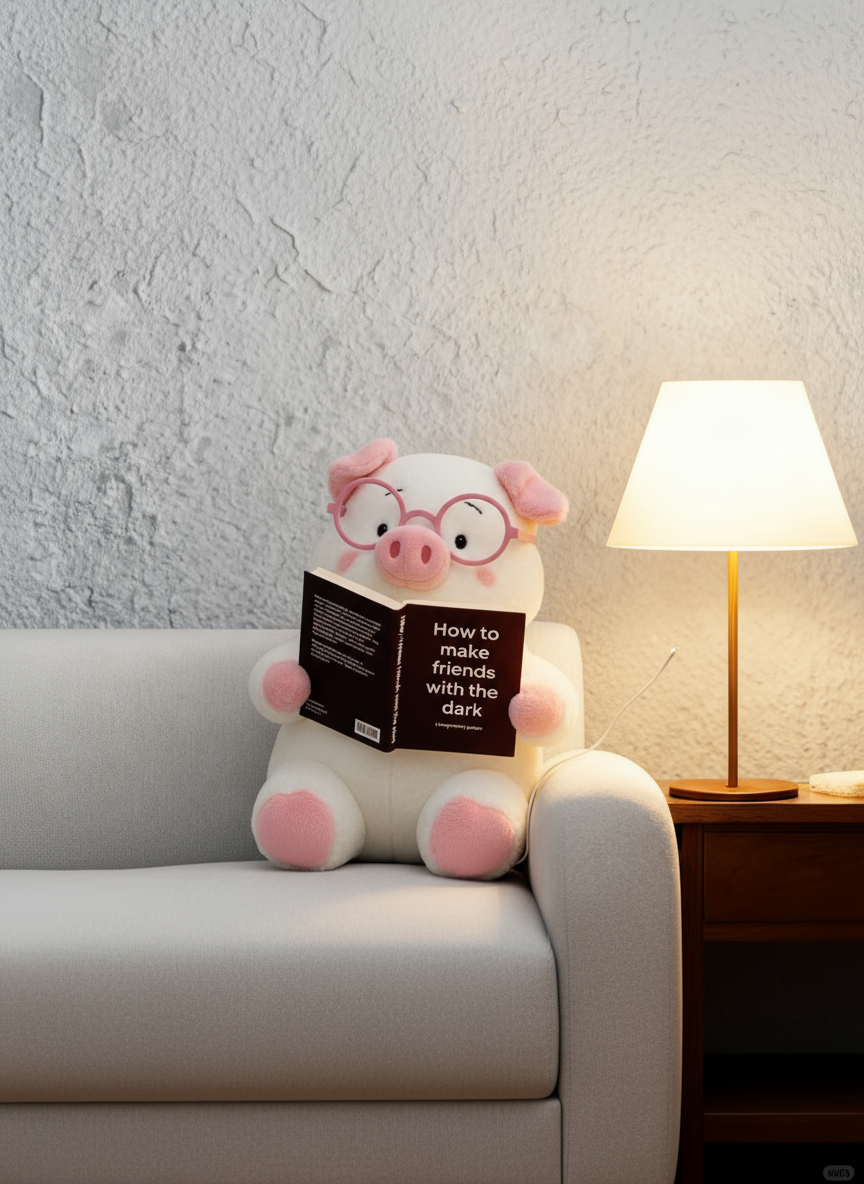
[My Requirement] Add Halloween elements to the image while keeping the original content unchanged.
[Input Prompt and Reference Image]
"Keep the little pig unchanged, darken the overall image, and add Halloween elements such as pumpkin heads and spider webs on the sofa."
[Output Result]
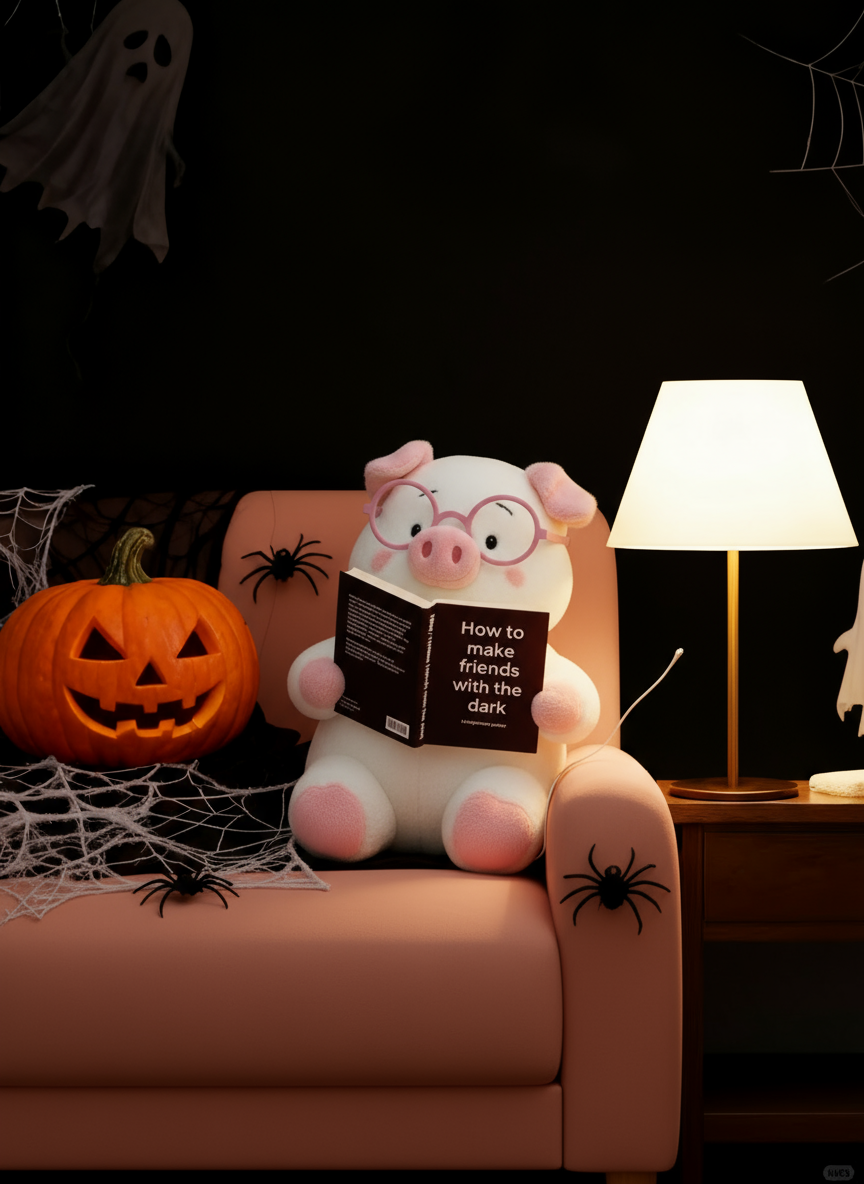
Output Effect and Analysis:
- Fusion accuracy: The little pig’s expression, movements, the book in its hand, and the text on it are 100% preserved. Newly added elements like pumpkin heads and spiders are naturally integrated, the overall image darkens naturally, and there is no "stitching effect";
- Efficiency comparison: Traditional design requires 3 hours for image cropping and color adjustment, while Seedream 4.0 completes the entire process in just a few seconds.
👉Series Creation —— IP Design with Consistent Subject Features
Seedream 4.0 can accurately output sets of images with coherent character features and highly consistent visual styles, completely addressing the pain points of "character distortion, style inconsistency, and low efficiency" in previous AI image generation.
This powerful feature accurately adapts to diverse professional scenarios. It meets the needs for bulk content in scenarios like social platforms and brand marketing, providing efficient and controllable serial creation solutions for different user groups including designers, content creators, and brands.
For example:
[My Requirement] Create a series of peripheral materials based on an image IP.
[Input Prompt and Reference Image]
"Refer to this logo to create a set of visual designs for an outdoor sports brand named 'GREEN', including handbags, hats, cards, bracelets, paper boxes, lanyards, etc. Main visual color: green; style: simple and modern."
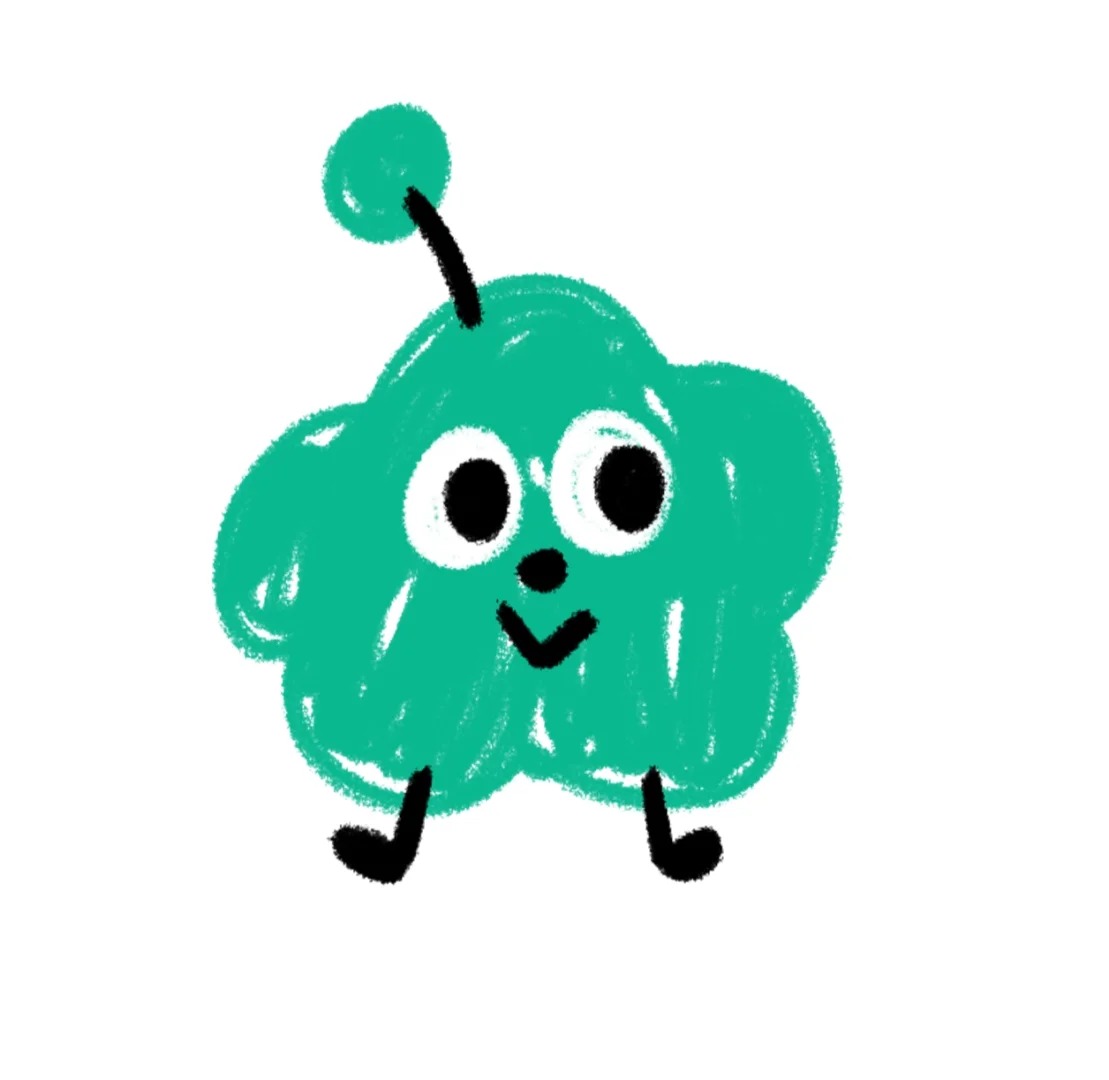
[Output Result]
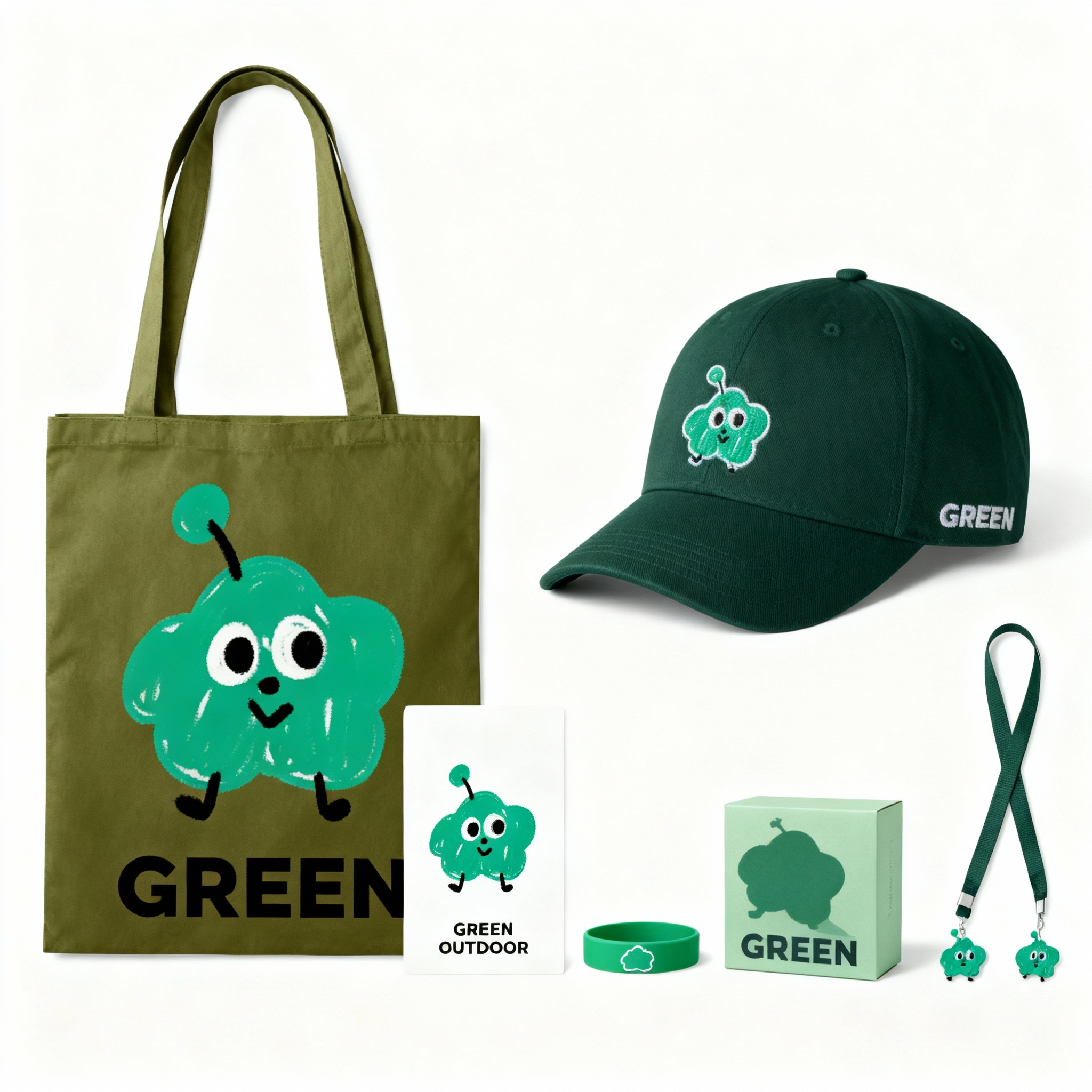
Output Effect and Analysis:
- Consistency performance: The patterns on different materials and products are completely consistent, solving the pain point of "face-swapping" in AI creation;
- Scene adaptation: It automatically adapts to the materials of different products. For example, the pattern on the hat is converted into a wool texture, all in line with scene logic;
- Commercial value: It can be directly used for peripheral design without the need for additional retouching and adjustments.
Quick Start: 3 Steps to Master KreadoAI Image Generation and Turn Ideas into Reality
KreadoAI image generator provides free access to two top-tier models: Seedream 4.0 and Nano Banana. It supports diverse tasks such as text-to-image generation, reference-image-based image creation, image editing, and group image generation, enabling you to turn your ideas into reality efficiently and with high quality.
Wondering how to use it? Let's master it in 3 steps!
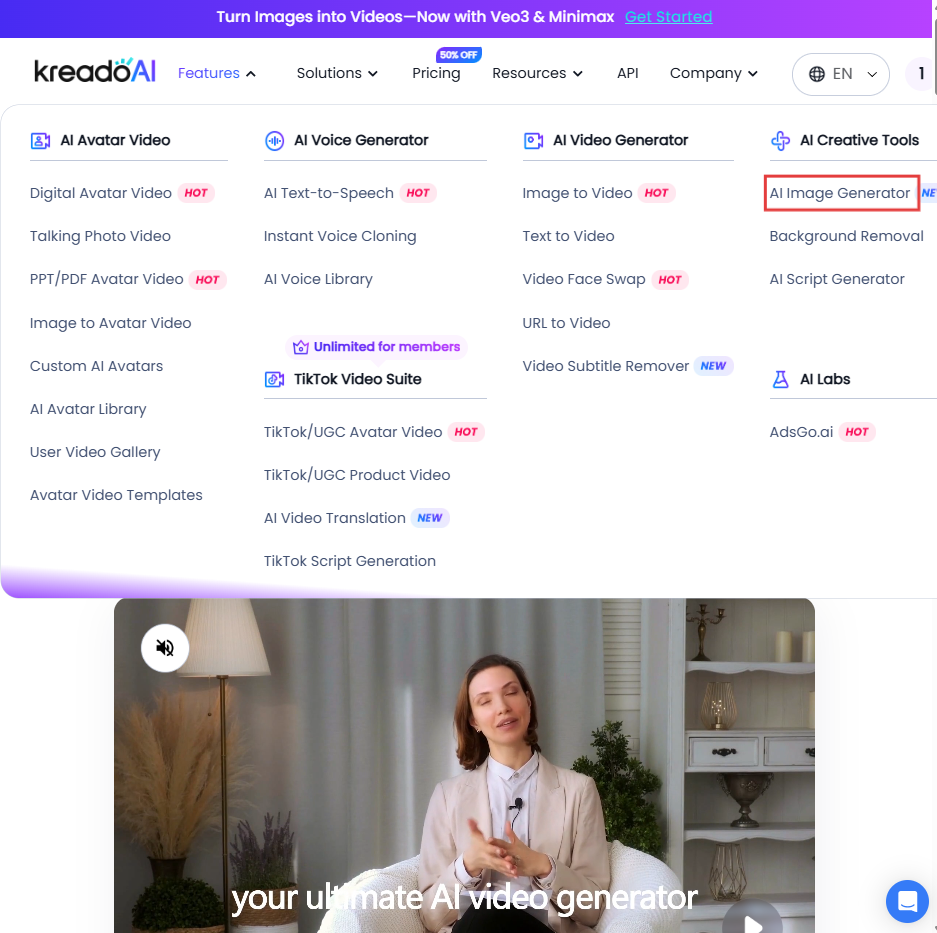
1️⃣ Open KreadoAI and select AI Image Generator
Open the KreadoAI website, click on the [Features] - [AI Image Generator] feature, and start free AI image creation!
2️⃣ Enter prompts and reference images
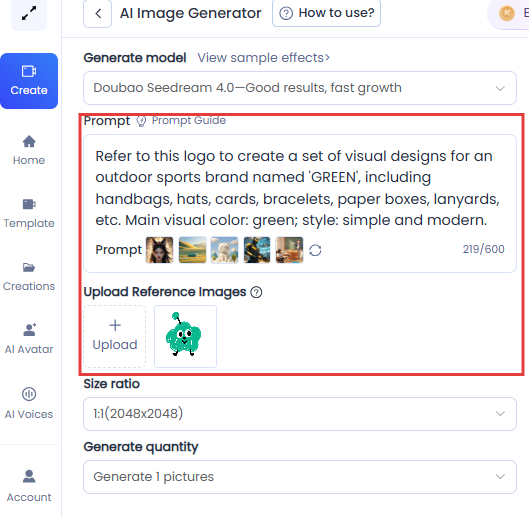
For text-to-image prompts, it is recommended to use concise and coherent natural language to specify the subject, action, and environment. If you have requirements for visual aesthetics, you can supplement aesthetic elements such as style, color, light and shadow, and composition using natural language or by adding reference images. If you encounter issues, refer to the prompt guide.
Example:
"Refer to this logo to create a set of visual designs for an outdoor sports brand named 'GREEN', including handbags, hats, cards, bracelets, paper boxes, lanyards, etc. Main visual color: green; style: simple and modern."
3️⃣ Click to submit and generate
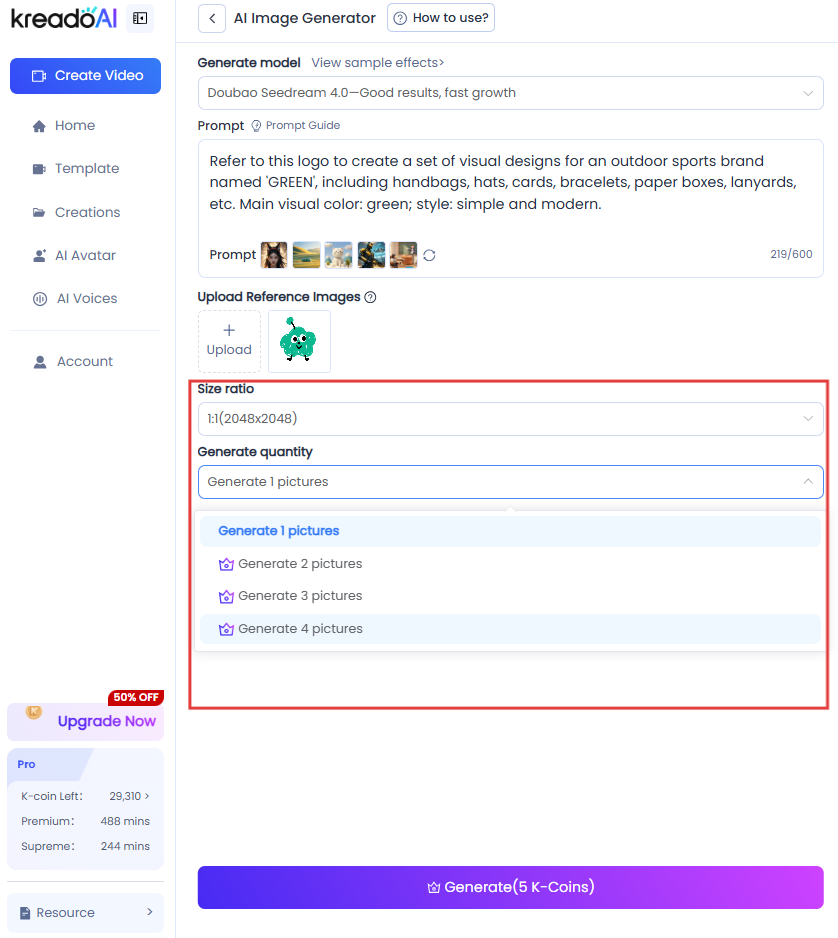
KreadoAI supports free selection of image size ratios and number of generations—just choose as needed. If the generated effect does not meet expectations, it also supports one-click regeneration, allowing you to adjust at any time according to your ideas.
The Era of Democratized AI Creation: Free Creativity from Technical Constraints
From basic scene images that beginners can craft in a minute, to precise and controllable multimodal image editing, and on to IP series creation that guarantees subject consistency, the free and open accessibility of AI text-to-image technology empowers diverse groups—including individual creators, designers, and corporate marketing teams—to break free from the constraints of professional skills and costs, realizing the creative freedom of "turning ideas into images instantly."
In the future, as AI text-to-image technology continues to iterate, the boundaries of creation will be further expanded. Right now, why not open KreadoAI immediately, letting it become your powerful assistant for turning ideas into reality? In this era where everyone is a creator, easily unleash your creative potential.
🤩 Try KreadoAI image generator for free now, and transform your ideas into high-quality images in an instant!


