
🪄 AI Generated Videos:Veo3.1&SORA2Free Trial

How to Create Facebook Video Ads with AI in 2026

Learn how to create Facebook video ads with AI: Meta placements, safe aspect ratios, sound-off design, and a practical workflow

 
Leverage AI to create high-converting Facebook video ads that perfectly fit your placement and aspect ratio, capture attention within the first 3 seconds even on mute, and deliver Meta-optimized visual quality—all while ensuring consistent messaging across your copy, branding, and landing page. AI dramatically speeds up creative drafting and version iteration, without replacing rigorous platform policy review and performance measurement. Start with KreadoAI Facebook generator .
 
Key takeaways
  • Facebook video ads often autoplay without sound; design for mute-first comprehension.
  • Match aspect ratio to placement (Feed vs Reels/Stories) before you generate variants.
  • Use AI for iterations (hooks, supers, lengths), not as a substitute for Meta policies and experiments.

What counts as a “Facebook video ad” in 2026?

A Facebook video ad is a paid video creative delivered across Meta technologies (Facebook Feed, Facebook Reels, and Stories placements). Advertisers typically run it through Meta Ads Manager, where each placement may prefer different aspect ratios and safe zones. The definitional goal is unchanged: communicate product value fast, earn the click, and keep promise consistent with the landing page.
 

Facebook video ad formats: a practical specs table

Use this table as a planning reference. Always confirm the latest requirements in Ads Manager for your account, region, and objective; Meta updates creative guidance periodically.
 
Placement family
Typical resolution (planning)
Aspect ratio
Length notes
Creative notes
Feed video
1280×720 (HD) or 1080×1080
16:9 or 1:1
Short ads often 15s or less for tests
Front-load the message; many viewers scroll quickly
Reels / vertical surfaces
1080×1920
9:16
Often short; test 6–15s vs 15–30s
Keep key text inside safe margins; avoid tiny supers
Stories
1080×1920
9:16
Commonly short
Assume fast swipes; one idea per beat
In-stream (when used)
1280×720
16:9
Often short mid-roll contexts
Hook immediately; repetition may fatigue faster
 
Sound-off note (important): Many environments default to muted playback. Industry guidance from Meta and practitioner sources consistently emphasizes captions, supers, and clear visual storytelling for short video ads. 

Why marketers pair Facebook placements with AI workflows

Marketing teams are increasingly turning to AI-powered video workflows to tackle recurring production bottlenecks.


Whether it's scaling volume for A/B testing with multiple hooks and endings, ensuring brand consistency across landing pages and ads, or accelerating the transition from raw product assets to a polished first cut—AI is the catalyst.


KreadoAI is designed to bridge this gap. By transforming simple inputs like product URLs and campaign briefs into platform-optimized content, it streamlines your creative process. You can jump straight in via the dedicated Facebook Video Ads portal or explore the broader AI Marketing Video workflow.
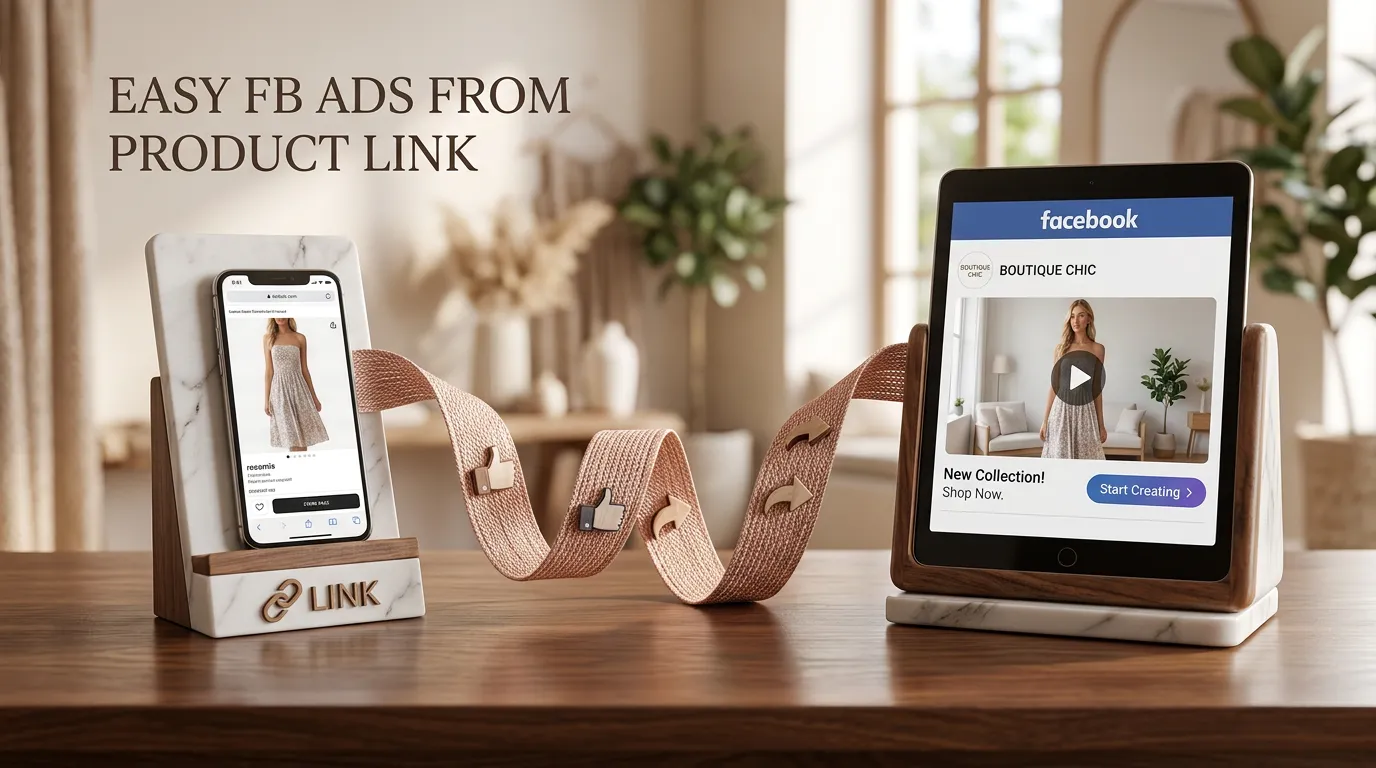


Step-by-step: create a Facebook video ad with AI

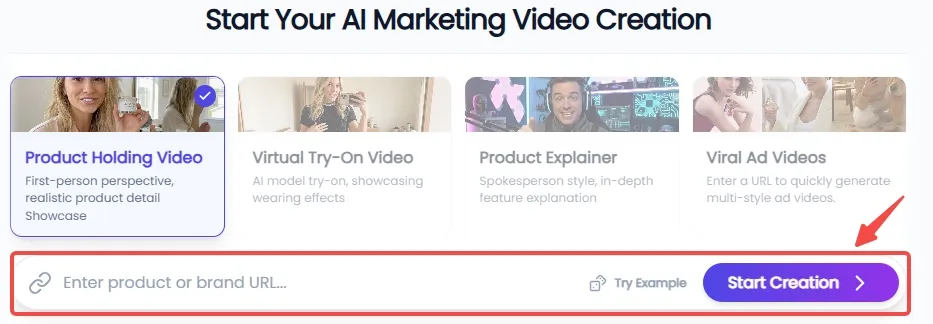
Step 1: Sync Your Product & Define the Scene


Simply paste your product URL, and KreadoAI will automatically parse the details to extract high-resolution, multi-angle imagery. From there, choose from four high-converting video scenarios—Product holding, Product Explainer, Virtual Try-on, or Viral Ads—to perfectly align with your campaign goals and target audience.


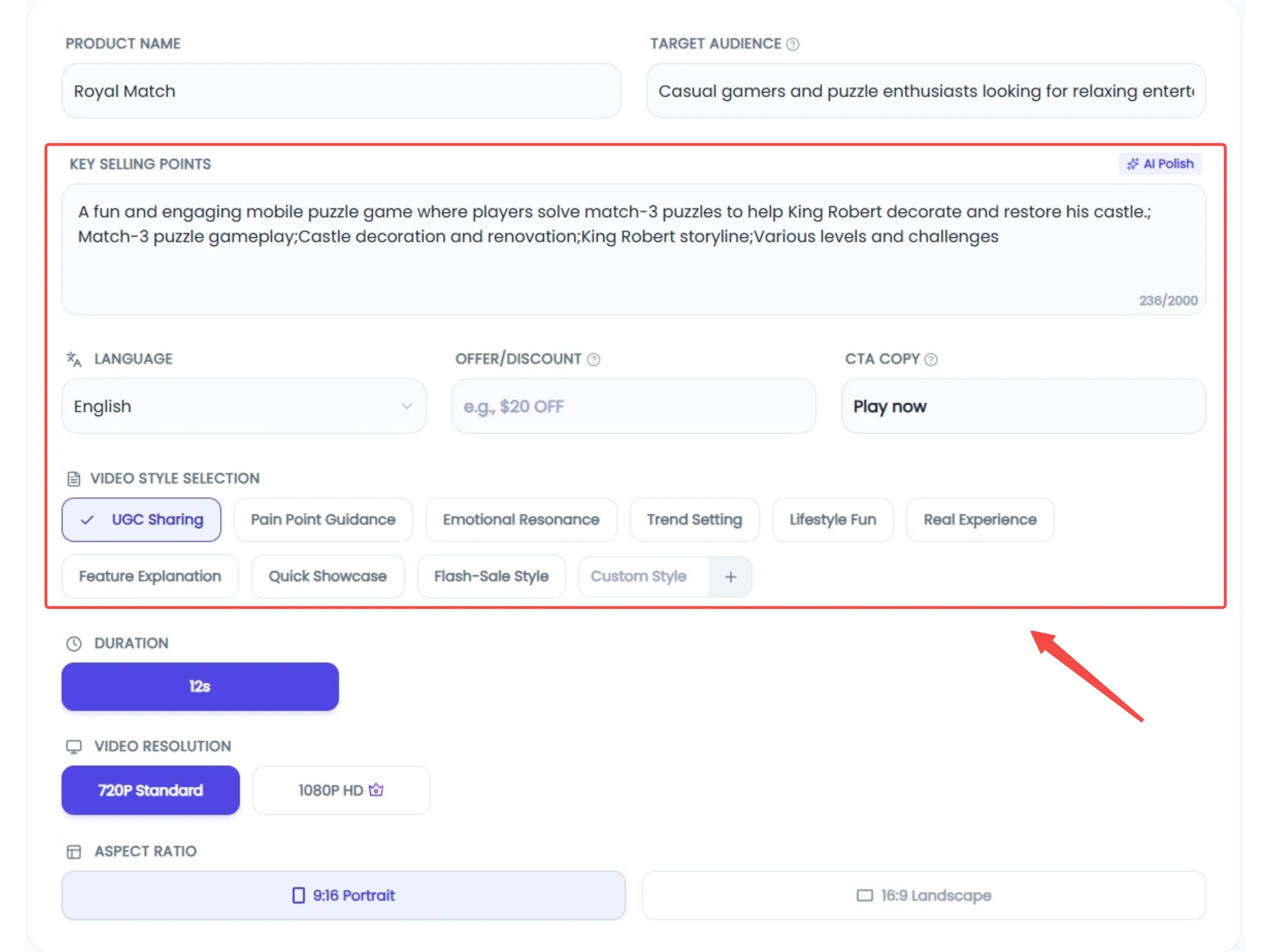
Step 2: Intelligent Customization & Creative Enhancement


Tailor your content for a global audience with support for over 20 languages. Describe your ideal style, setting, and character persona; if you're struggling to find the perfect phrasing, our AI Polishing tool will refine your prompts for maximum precision. Once configured, just hit "Generate" and let the AI handle the heavy lifting.


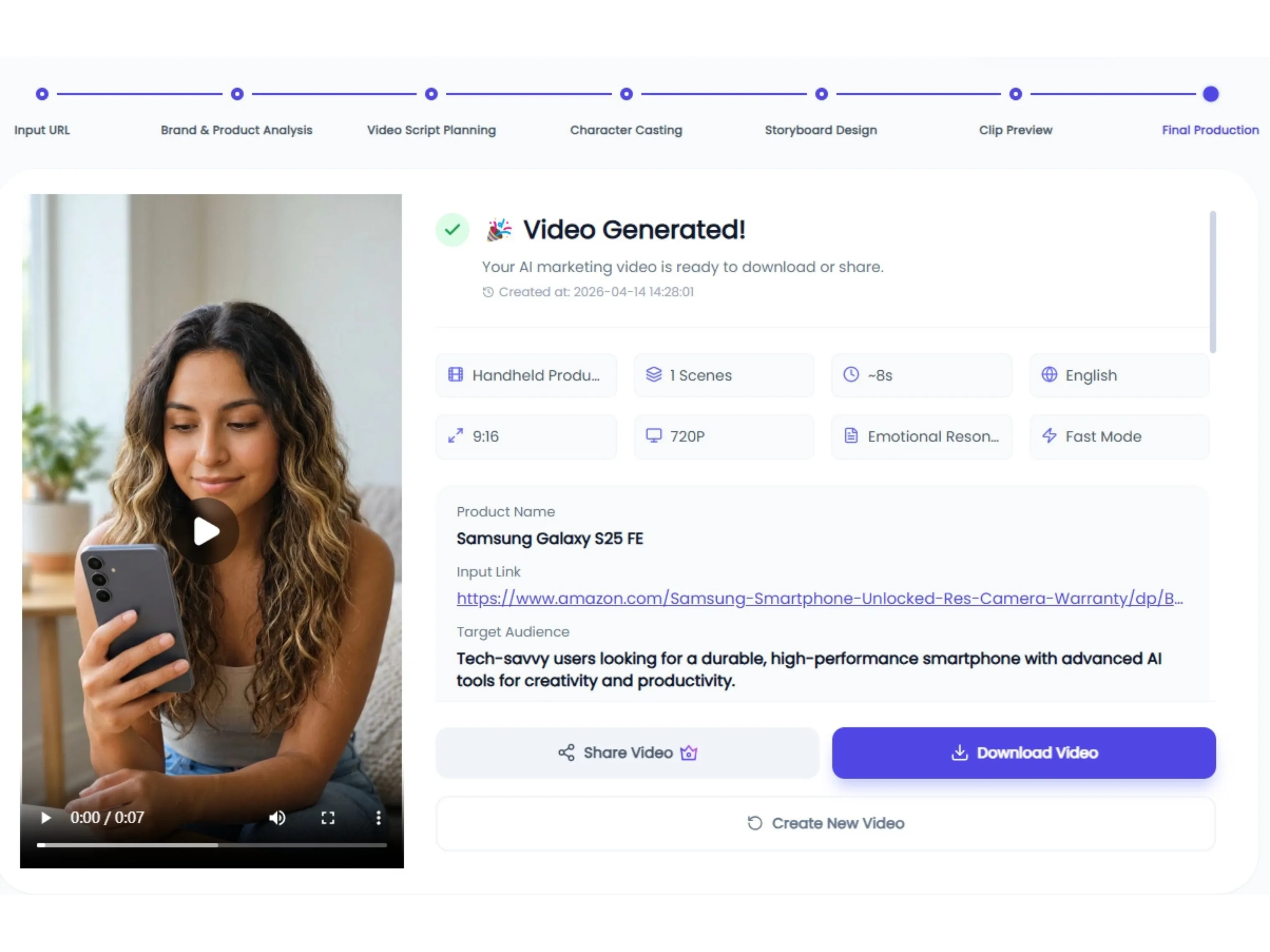
Step 3: Final Preview & Seamless Publishing


Take full control of your video's impact by selecting the perfect opening and closing frames to maximize engagement. Review the final output to ensure every detail is spot-on, then publish directly to your chosen platforms with a single click.
Common pitfalls (and what to do instead)

 
Pitfall
Why it hurts
Better practice
One asset for every placement
Crops look awkward; text gets covered
Generate placement-native masters
Audio-dependent jokes
Mute viewers miss the point
Write to supers and captions
Too many claims in 5 seconds
Confusion and distrust
One promise + one proof + one CTA
Skipping policy review
Disapprovals waste time
Check restricted claims early
 
This critique section matters for transparency: AI can speed production, but it cannot guarantee approval or performance.
 

One Product URL. Unlimited Ad Variants

In the fast-paced world of Facebook ads, speed and iteration are your greatest competitive advantages. With KreadoAI, you can turn a single product URL into a library of high-performing, platform-native video assets in minutes.


FAQ

How do I create Facebook video ads with AI for free?

 
You can often start in a free or trial tier, but "free" still has limits (export resolution, credits, or concurrency). Treat free tiers as proof of concept, then plan budget for scale and testing.
 

What is the best size for Facebook video ads in 2026?

 
It depends on placement. 1080×1080 (1:1) remains a common Feed workhorse; 1080×1920 (9:16) is the typical vertical format for Reels/Stories-style surfaces. Confirm in Ads Manager when you select placements.
 

Do Facebook video ads play without sound?

 
Often yes, especially in feed environments. Design for mute-first comprehension with captions and clear visuals.
 

Can AI generate Facebook Reels ads automatically?

 
AI can generate candidates quickly, but you still need to validate policy, brand, and measurement. Treat AI as a generator, not an autopilot.
 

Does KreadoAI comply with Meta ad policies?

 
Tools do not "comply" on your behalf. You remain responsible for claims and categories. Use Meta's official resources for policy interpretation .
 

What length works best for Facebook video ads?

 
There is no universal optimum. Many teams start with 6–15 seconds for prospecting tests, then scale what wins. Let structured A/B tests decide—not a headline.
 

How do I get started with KreadoAI’s Facebook workflow?

 
If your primary bottleneck lies in creative iterations—managing multiple hooks, varied cuts, and platform-specific formatting—the most efficient starting point is KreadoAI's dedicated Facebook Video Ads portal.
 
From there, you can seamlessly integrate these assets into your broader AI Marketing Video workflow, ensuring a cohesive and scalable production cycle.
