




Valentine's Day is all about expressing love and appreciation, and what better way to do that than with a personalized video? Instead of a traditional card or a generic message, you can now create an AI-powered Valentine's video that is unique, heartfelt, and visually stunning. With AI video creation tools like KreadoAI, you can design a romantic video in just a few minutes—without any editing skills!
In this guide, we’ll walk you through the step-by-step process to create the perfect Valentine’s video using AI.
Why Choose an AI-Generated Video for Valentine’s Day?
Traditional Valentine’s gifts like flowers and chocolates are sweet, but a personalized video is memorable, creative, and meaningful. AI video tools allow you to:
✔ Save time – No need to learn video editing; AI does the work for you.
✔ Customize every detail – Add personal messages, images, and music.
✔ Create a lifelike digital avatar – Use an AI avatar to express your message.
✔ Make it interactive – Add animations, text effects, and more.
With AI-powered video tools, you can create something beautiful and heartfelt—perfect for surprising your partner, family, or friends!
Step-by-Step Guide to Creating a Valentine's AI Video
Step 1: Choose Your AI Video Creation Tool
To get started, pick an AI video generator like KreadoAI, Synthesia, or D-ID. These platforms allow you to create digital avatar videos or talking photo avatar videos with ease.
Step 2: Select a Video Template
Most AI video tools offer Valentine's Day-themed templates with romantic visuals and effects. Choose a design that fits the mood you want—whether it’s sweet, funny, or deeply emotional.
Step 3: Write a Heartfelt Script
A powerful Valentine’s video starts with a meaningful message. Consider:
💖 Expressing your love and appreciation
💖 Sharing a special memory
💖 Adding a personal touch with inside jokes or meaningful quotes
If you’re unsure where to start, you can use AI writing tools like ChatGPT or KreadoAI Text Generator to generate a heartfelt script.
Step 4: Personalize with an AI Avatar or Voiceover
To make your video more engaging, you can:
🎤 Use AI-generated voiceovers – Choose a warm, romantic tone.
🧑 Add an AI avatar – Create a digital version of yourself to deliver the message.
🎶 Select background music – Soft romantic tunes enhance the emotion of your video.
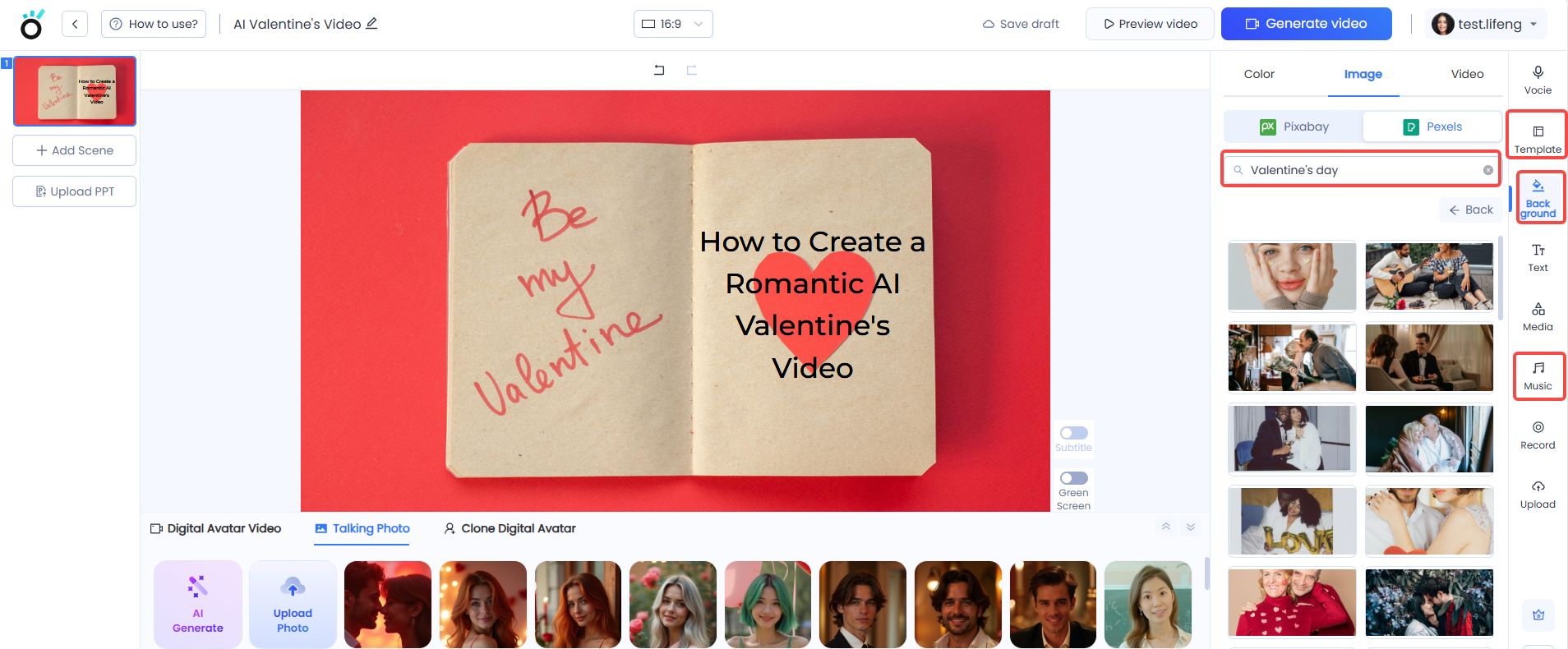
Step 5: Add Visual Effects and Animations
Make your video pop by including:
🌟 Text overlays – Highlight special words or dates.
💫 Transitions and animations – Smooth scene changes keep it visually appealing.
🎥 Personal photos or videos – A nostalgic touch makes it even more personal.
Step 6: Preview and Edit
Before finalizing, review your video:
✅ Is the message clear and heartfelt?
✅ Are the visuals and animations smooth?
✅ Does the background music match the mood?
Most AI platforms allow you to preview and tweak before exporting.
Step 7: Download and Share Your Video
Once you're happy with the final result, export the video and share it via:
📲 WhatsApp, Instagram, Facebook – Send directly to your loved one.
📧 Email – Add a romantic note.
🎬 YouTube or TikTok – If you want to make it a public surprise!
Pro Tips for an Unforgettable AI Valentine's Video
🌹 Keep it personal – The best videos feel authentic and heartfelt.
💡 Use a mix of visuals – Blend photos, AI avatars, and text for variety.
🎼 Pick the right music – A soft, romantic tune can set the perfect mood.
🎞️ Make it short and sweet – 60-90 seconds is the ideal length.
Conclusion
AI-powered video creation is revolutionizing how we express love and appreciation. This Valentine's Day, instead of a simple text or card, surprise your loved one with a custom AI-generated video that’s creative, emotional, and effortlessly beautiful.
With KreadoAI and other AI tools, you don’t need any video editing skills—just your heartfelt message and a few minutes to create a magical Valentine’s surprise.
💌 Try it today and make this Valentine’s Day truly unforgettable!


