




Have you ever felt overwhelmed by scattered video and media files when creating digital human videos?
😵💫 Can't find the files you uploaded?
😖 Want to reuse videos but have to upload them again?
🤯 Switching between face swap, subtitle remover, and cloning tools feels clunky?
We heard you!
With the new launch, we’re introducing the all-new "My Asset Center" — your one-stop space to manage, preview, and reuse all your uploaded and generated content.
Say goodbye to chaos, and hello to smoother, faster video creation workflows!
🎯 What's new? 4 key updates you’ll love
1. All your uploaded resources, all in one place
Easily view, organize, and preview your uploaded images, videos, and audio files. Files are sorted by upload time and neatly categorized — no more hunting for files!
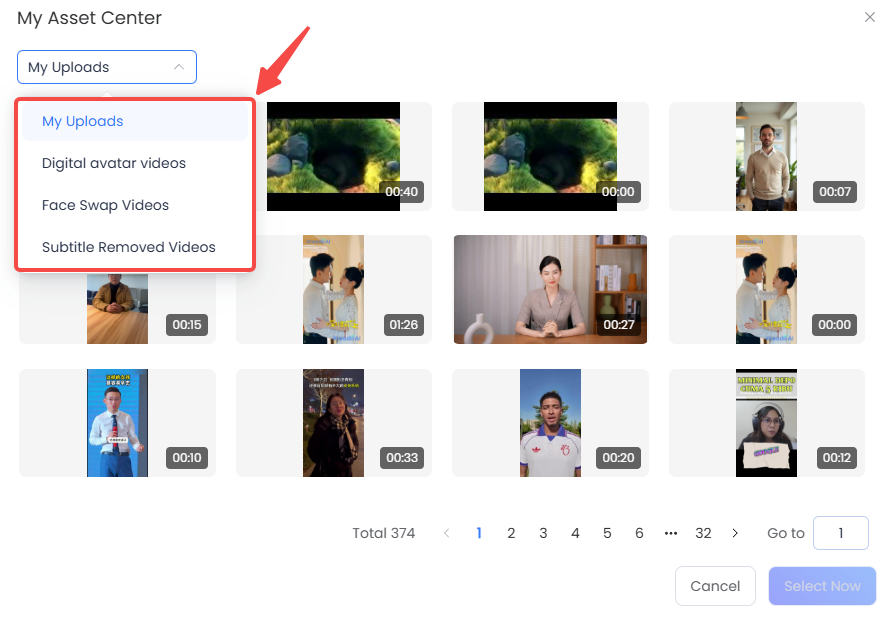
2. Directly select existing videos for Instant Clone
No more repeated uploads! Now, when using Instant Clone, you can directly select from:
- My Uploads
- Digital Human Videos
- Face Swap Videos
- Subtitle Removed Videos
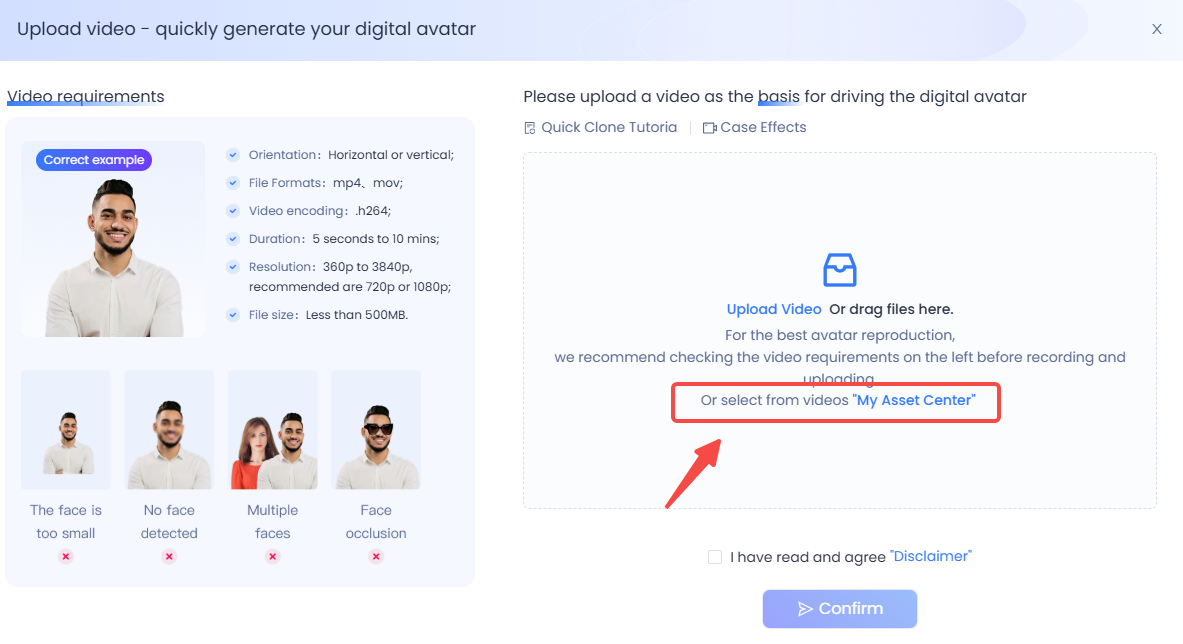
Just pick and start creating!
3. Enhanced workflows in Face Swap & Subtitle Remover
Both modules now support "My Asset Center", allowing you to quickly pull in any previously processed videos for further editing or new creations.
4. One-click to generate AI Avatar lip-sync videos
For videos processed via face swap or subtitle remover, you can now instantly generate lip-synced avatar videos with one click — seamlessly entering our Instant Clone workflow and bringing your video to life.
✅ In short:
Your uploaded videos, images, and audio are now fully reusable across KreadoAI — no more re-uploading, no more jumping between tools, just fast and easy digital human video creation.
This update not only helps you manage your content better but also significantly speeds up your creative process.
Ready to try it out?


