




In e-commerce, social media, and advertising, visuals make the first impression. Traditional product photography requires models, studios, and post-production—time-consuming and expensive.
With KreadoAI Image Generator powered by the popular Nano Banana model, you can generate professional product images from a simple text prompt, saving time, cutting costs, and boosting your brand’s visual impact.
Why Use Nano Banana?
- Lightning-fast generation: High-resolution images in seconds
- Cost-effective: No need for expensive photoshoots or editing
- Multiple styles: Realistic, illustration, cartoon, minimalistic—switch freely
- Flexible editing: Remove backgrounds, add elements, or change scenes
How to Use Nano Banana: Step-by-Step
1️⃣Go to KreadoAI's Image Generation Section
2️⃣Enter your prompt
- Describe your product or scene clearly
- Example: Upload two images (headphones + model)
“Merge these two images so the model is wearing the headphones, keeping the original lighting and style.”
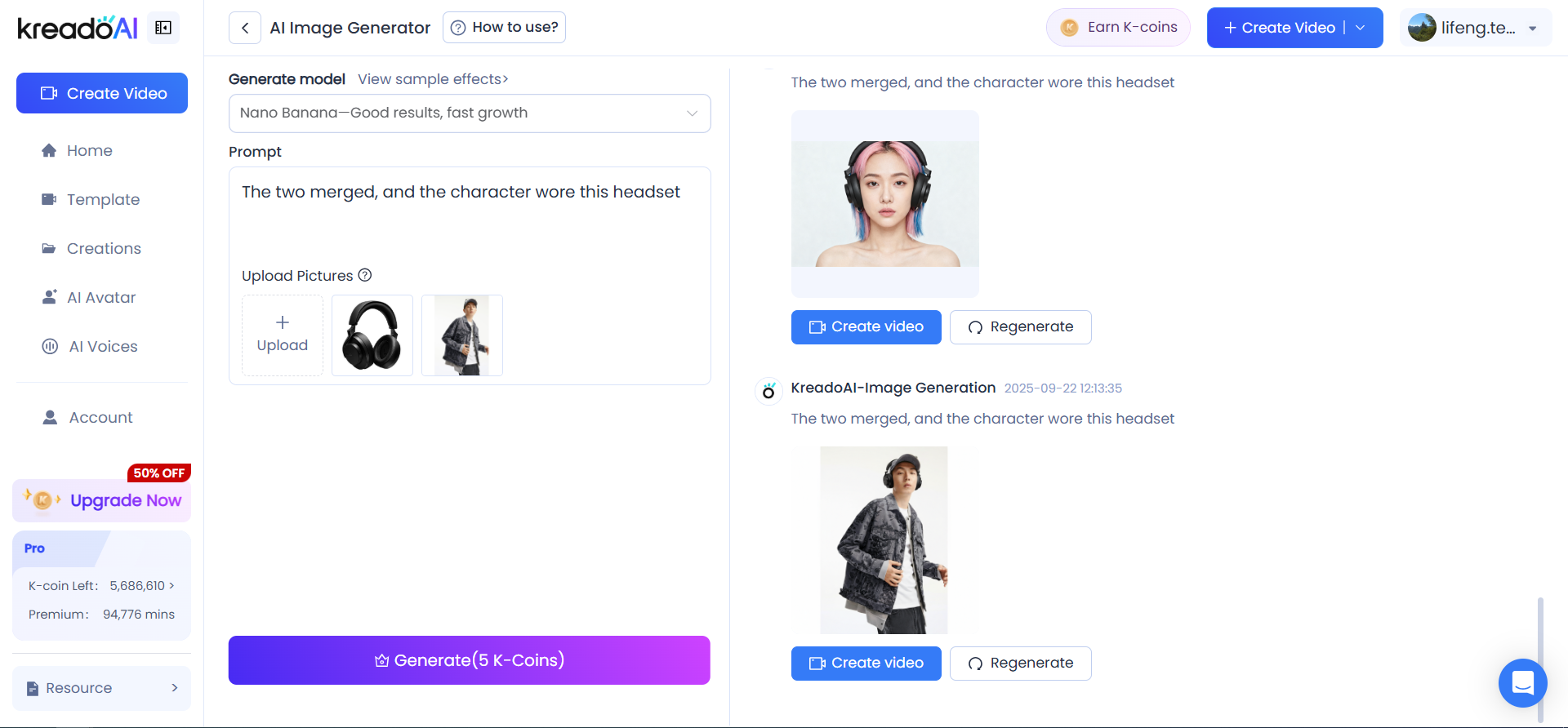
3️⃣Click Generate
- Your AI-generated image appears in seconds; save or refine as needed
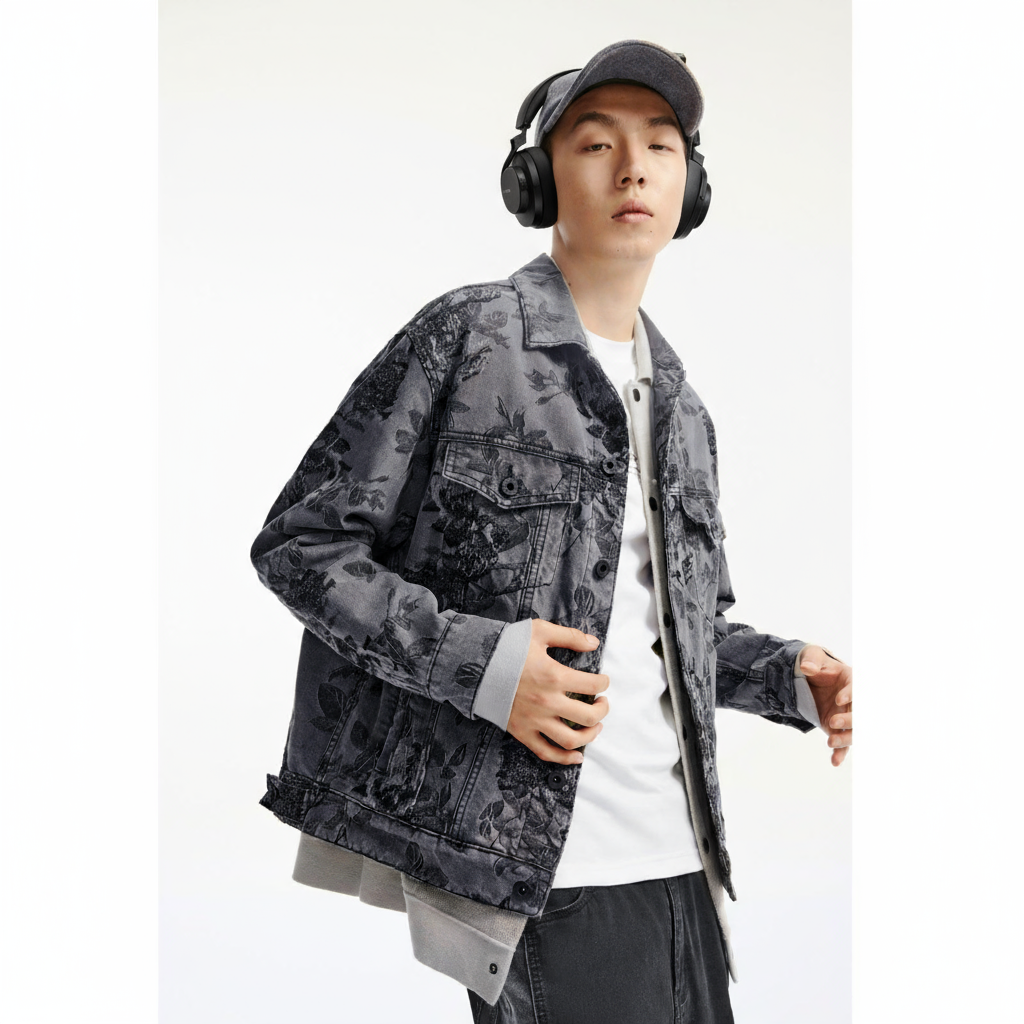
4️⃣Optimize and edit
- Remove backgrounds or swap scenes
- Add seasonal elements like Christmas boxes or Black Friday tags
- Combine multiple images—merge models and products in one scene
Pro Tips for Better Results
- Be specific with your scene: “White minimalist coffee cup under studio lights” works better than just “coffee cup”
- Specify style: Minimal, illustration, comic, or realistic
- Step-by-step creation: Generate the background first, then add models/products
- Iterative refinement: Make multiple small edits to adjust lighting, colors, and poses
Advanced Applications
- E-commerce product images: Quickly showcase products on models to increase conversions
- Social media content: Create brand-aligned visuals to boost engagement
- Advertising graphics: Blend products with people for banners, posters, or creative ads
- Creative projects: Magazine covers, illustrations, or packaging concepts
By iterating and describing details carefully, you can control lighting, angles, materials, and colors for natural, realistic results.
Best Practices for Nano Banana
- Give clear instructions: Treat the AI like a human designer—specific prompts work best
- Use stepwise editing: Multiple small adjustments usually outperform one complex instruction
- Experiment creatively: Nano Banana has rich world knowledge—try unique scenarios for standout visuals
With KreadoAI Image Generator, simply upload your product images and generate high-quality creative visuals in seconds.
Whether it’s for e-commerce listings, advertising campaigns, or social media posts, you can create professional images fast, easily, and cost-effectively.
Start uploading your images today and bring your product visuals to life!


