




KreadoAI's brand-new feature, AI Smart Canvas, is now online. Let's explore its powerful capabilities and see what it can do for your creative design.
What is AI Smart Canvas?
AI Smart Canvas is a next-generation creative design solution developed by KreadoAI. It solves common pain points of traditional AI design, such as uncontrollable generation results, low design efficiency, and complicated global content creation.
Users can directly edit and customize raw AI materials to make high-quality visuals ready for commercial use. Unlike regular AI tools that produce random, one-time results, this all-in-one smart canvas combines marketing functions and precise design editing.
Teams no longer need a full design team or high labor costs. You can easily create high-conversion marketing visuals, and complete brand content creation in a simple, efficient way.
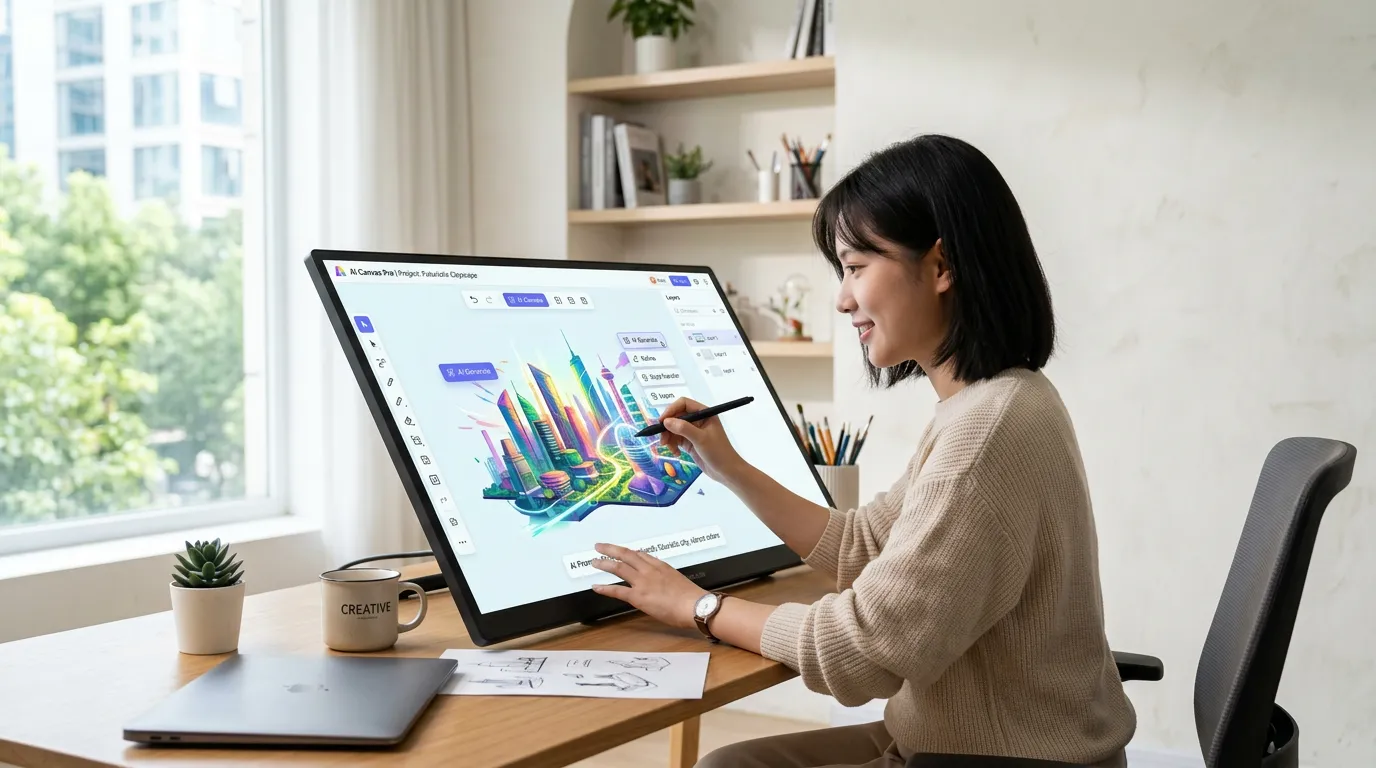
Why Smart Canvas?
In traditional ad creation, marketers often face the "AI Lottery"—where generation results are unpredictable, localization is a headache, and resizing for different platforms feels like a full-time job. AI Smart Canvas is built to bridge the gap between raw AI output and a polished, high-converting final product.
Here is why Smart Canvas is a game-changer for your workflow:
-
From "Black Box" to Absolute Control
Standard AI generation can be a gamble; if one detail is off, you often have to start from scratch.
• The Pain Point: The background is perfect, but the text is wrong. The avatar is great, but the composition feels off.
• The Solution: Smart Canvas puts the creative reins back in your hands. Think of it as a professional design suite powered by AI. You can drag, drop, edit, and reorder text, characters, and backgrounds until every pixel aligns with your brand vision.
-
Instant Localization for Global Impact
Scaling your brand across borders shouldn't mean spending hours in translation software.
• The Pain Point: Copy-pasting translations back and forth often leads to broken layouts and "lost-in-translation" designs.
• The Solution: With built-in AI Translation, you can convert your ad copy into 140+ languages with a single click. Even better, the canvas automatically adjusts layouts to ensure your design stays crisp and professional, regardless of the language length.
-
Eliminate the "Resizing" Chore
Every platform has its own rules—9:16 for TikTok, 1:1 for Instagram, 16:9 for YouTube.
• The Pain Point: Manually cropping and repositioning elements for five different platforms is a massive productivity killer.
• The Solution: Use Multi-Size Adaptation to create one "Master Creative" and instantly derive every version you need. Our AI intelligently repositions focal points, ensuring your message is never cropped out of the frame.
-
Studio-Quality Results Without the Learning Curve
You shouldn't need a degree in Photoshop to create high-performing ads.
• The Pain Point: Professional designers are expensive/busy, and DIY tools often lack that "pro" look.
• The Solution: Smart Canvas simplifies complex design tasks into intuitive, one-click actions. By combining KreadoAI's massive library of digital humans and assets with an easy-to-use editor, anyone on your team can produce studio-grade content in minutes, not hours.
How to Use the 4 Core Power-Ups of Smart Canvas
-
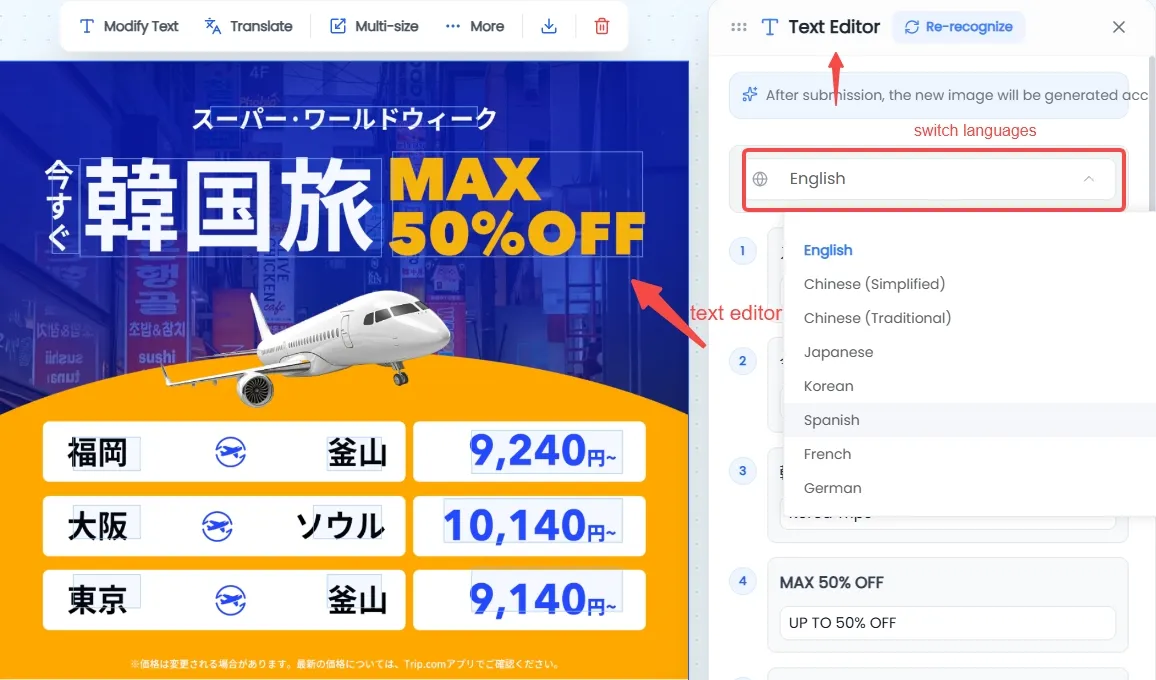
Real-Time Text Editing
Modify copy directly on the canvas with a single click. Whether you’re tweaking your CTA or fixing a typo, you can update content instantly without re-generating the entire image, all while maintaining full control over fonts and styles.
-
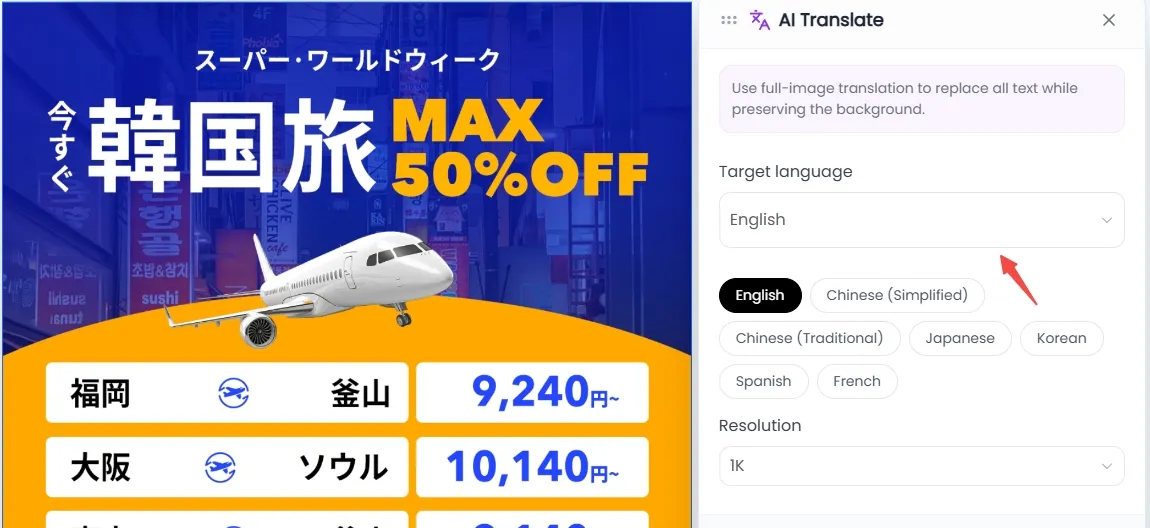
One-Click Full-Canvas Translation
Effortlessly localize your ads with one-click translation for 7 languages. Our AI intelligently adapts layouts to fit different text lengths, so your creative always looks professional, no matter the language.
-
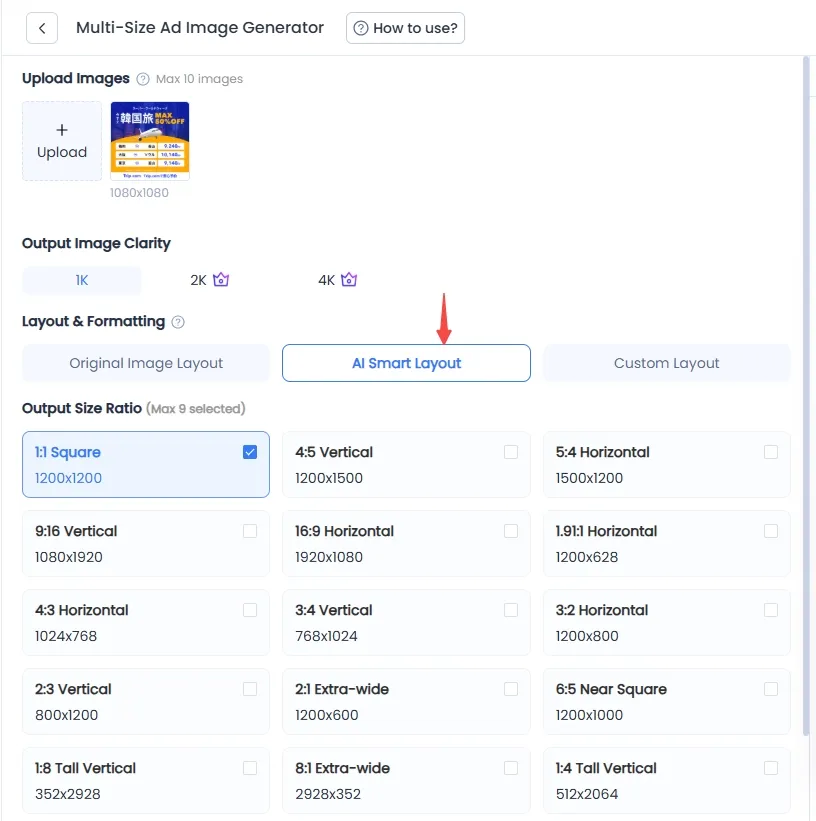
Multi-Platform Adaptation
Select your preferred style from Original Image Layout, AI Smart Layout, or Custom layout. With a single click, instantly generate multi-size assets perfectly tailored to your specific ad requirements.
-
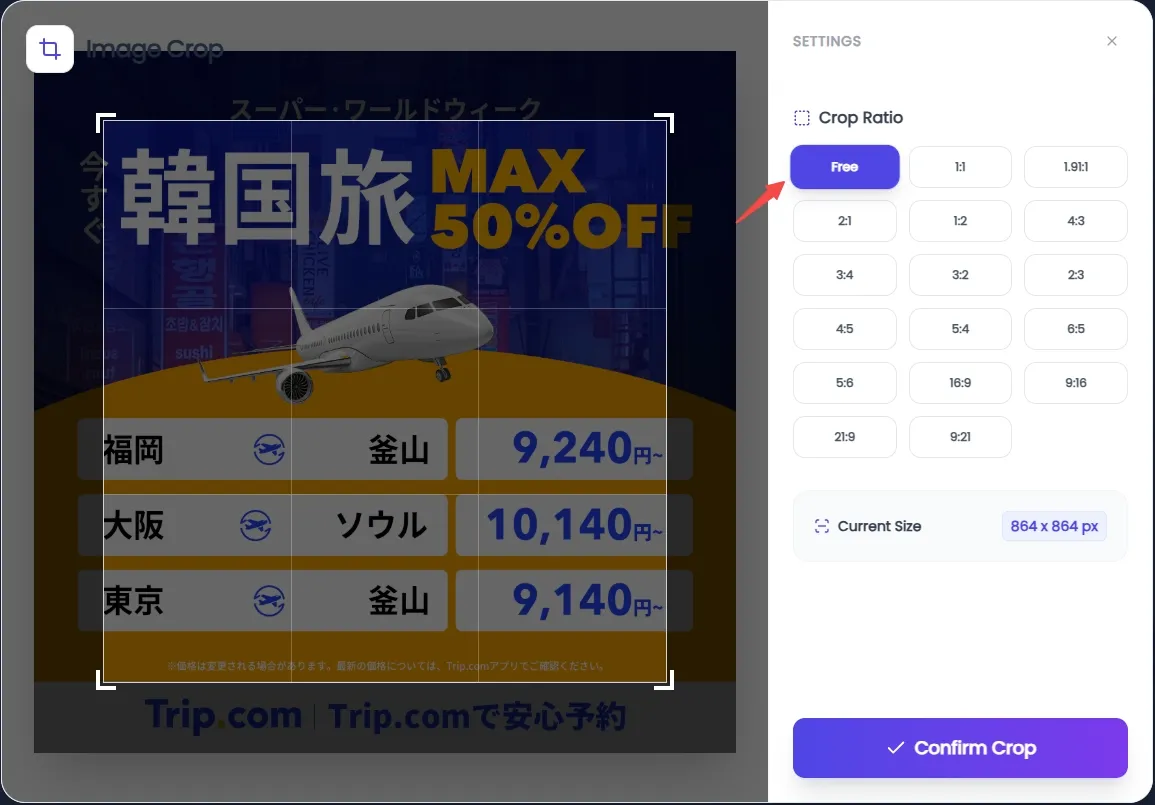
Smart Precision Cropping
You can freely select crop formats. It supports custom cropping and a full range of preset sizes, to perfectly fit all your usage needs.
💡Pro Tip
Start with Multi-Size to define your format, use Crop to fine-tune your composition, and finish with Edit Text for the final localized touch.


