




Still struggling with these issues?
- Does voice transformation sound too stiff and unnatural, not usable in final content?
- Are AI-generated images unstable, no matter how many prompts you try?
- After uploading a photo, can't figure out how to make it "come to life"?
- Can't upload PDF files for automatic content conversion to digital human videos?
We’ve heard your feedback and have worked hard to address these issues with functional upgrades and experience improvements. This update brings not just enhanced voice tones, but four major capabilities to elevate your creative process:
🎤 01. All-New Upgraded [Voice Transformation] Feature
This is the most anticipated feature in this round of updates. It’s not just about “changing the voice”; it’s about making the voice sound like your own, but with a different tone.
🔹 Retains original emotion and expression, naturally, not robotic
🔹 Supports 29 languages, breaking down language barriers
🔹 Works with audio files ≤ 5 minutes, quick voice transformation in just a few seconds
🔹 Flexible switching between system voices, custom voices, and cloned voices
Effect Demo:
📍 Simple Operation Path:
Creation Platform > My Voice > Select Voice > Click "Voice Change" > Choose Voice > Submit for Transformation
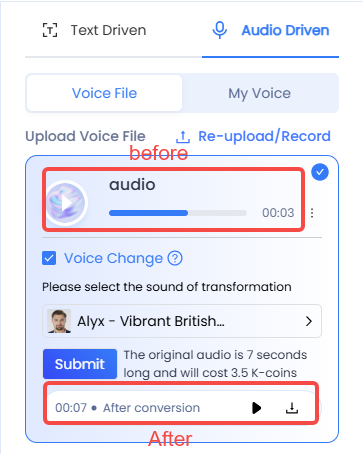
💡 Helpful Tip:
- Every 2 seconds of audio consumes only 1 K-coin, failure automatically refunded
- Choose from cloned voices or system-provided voices
Voice transformation is ideal for various content scenarios like short video voiceovers, drama dialogues, and multi-character performances. It supports 29 languages, retaining original emotions and details, making it perfect for creating virtual personas, enhancing multilingual content, and protecting voice privacy.
🖼️ 02. Faster, More Stable, Smarter Text-to-Image Generation
We’ve optimized the image generation logic, particularly for everyday creator efficiency:
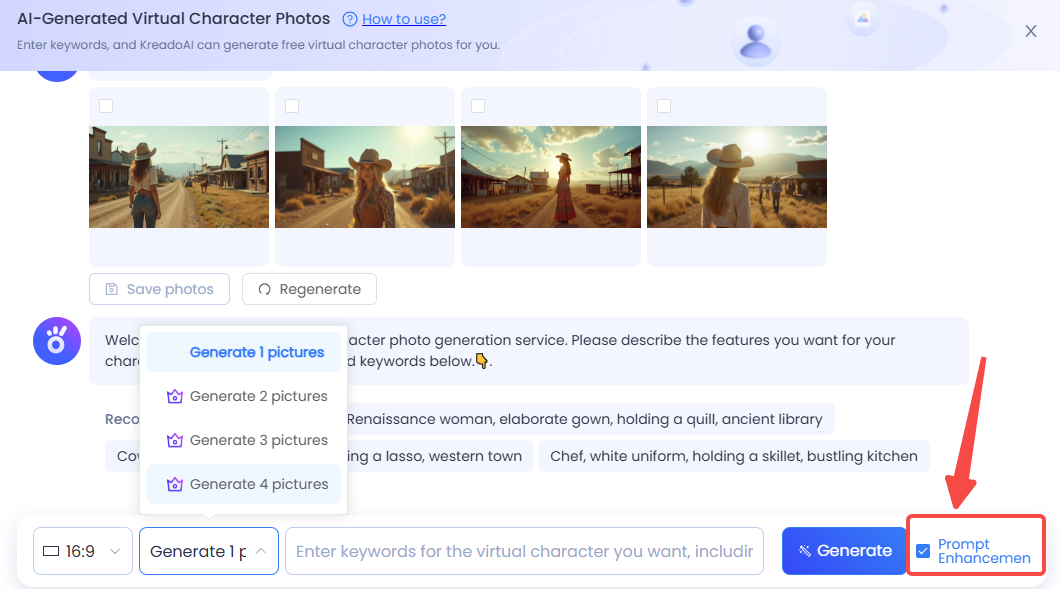
✔️ Default to generating 1 image for fast previews and quick selections
✔️ Now supports parallel multi-image generation, quickly building character image sets
✔️ New prompt-enhancement mode, even minimal key prompts can result in stunning generated images
✔️ Supports full-body character images, expanding application scenarios
📸 03. Enhanced “AI in Motion” Experience
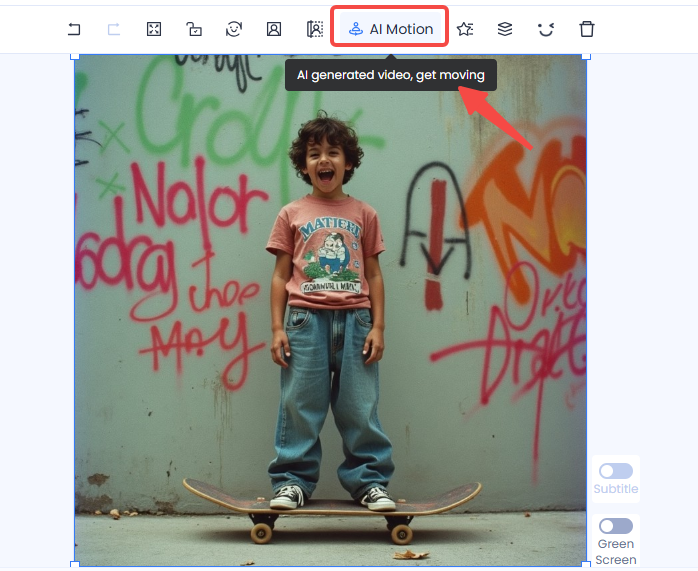
Your static photos are now easier to bring to life:
🎬 After uploading a photo, you can directly generate voiceover videos or dynamic images on the same page
🎯 From upload to generation, the process is smoother, and the path is more intuitive, significantly improving creation efficiency
📄 04. Support PDF Upload for Digital Human Voiceover Videos
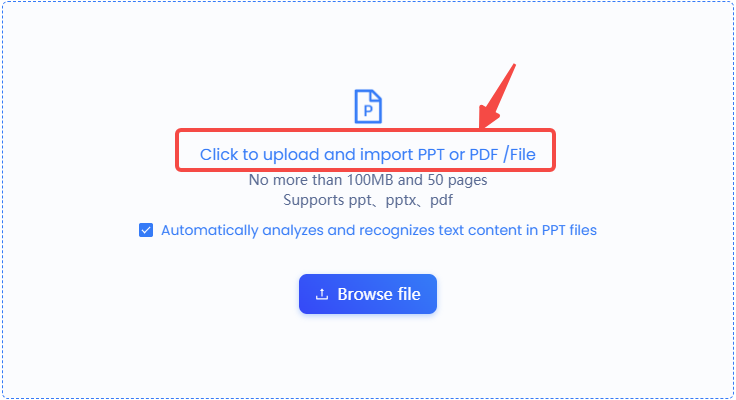
Now, you can upload PDF files and create digital human voiceover videos with AI voices.
🎯 Simplified Process, Save Time: Just like with PPT uploads, upload a PDF and quickly generate a voiceover video, transforming your document into multimedia content effortlessly.
🔮 Future Plans: In addition to PDF and PPT, KreadoAI will soon support Word document uploads, further expanding the document-to-video capabilities.
💬 All of This is Thanks to Your Feedback
We firmly believe that the best products are created together with users, not in isolation. Every suggestion, every inconvenience encountered during use, we take it to heart. This update is our answer to your feedback and another step forward in evolving the content creation tool experience.
👉 No need to wait, come experience these brand new upgrades now!
From more realistic voices to faster image generation, and smoother dynamic image creation, we’ve streamlined every step of the creative process. Let KreadoAI be your truly reliable creative assistant.
🔗Try KreadoAI now and feel the power of new creativity!


