


We’re excited to announce that KreadoAI has integrated Doubao Seedream 4.0, bringing creators a powerful new tool for generating high-quality images faster and more efficiently.
With this update, you can:
- 🎨Generate images from text prompts with richer details and realism
- 🎨Use reference images to guide new creations
- 🎨Edit existing images with precision
- 🎨Produce multiple images in one batch
Seedream 4.0 supports multi-image input, custom resolutions, and 10+ output sizes, giving you the flexibility to create visuals for social media, marketing campaigns, educational content, and more.
What’s New in Seedream 4.0
1️⃣High-Quality Outputs: Images come out more detailed, natural, and visually compelling.
2️⃣Multi-Image Reference: Upload several images and extract features like characters, style, and objects for smooth blending.
3️⃣Flexible Composition: Control perspectives, wide-angle shots, close-ups, and custom resolutions.
4️⃣ Fast Generation: Produce high-quality visuals quickly without complex setup.
Prompt Examples
1️⃣ Text-to-Image
Prompt:
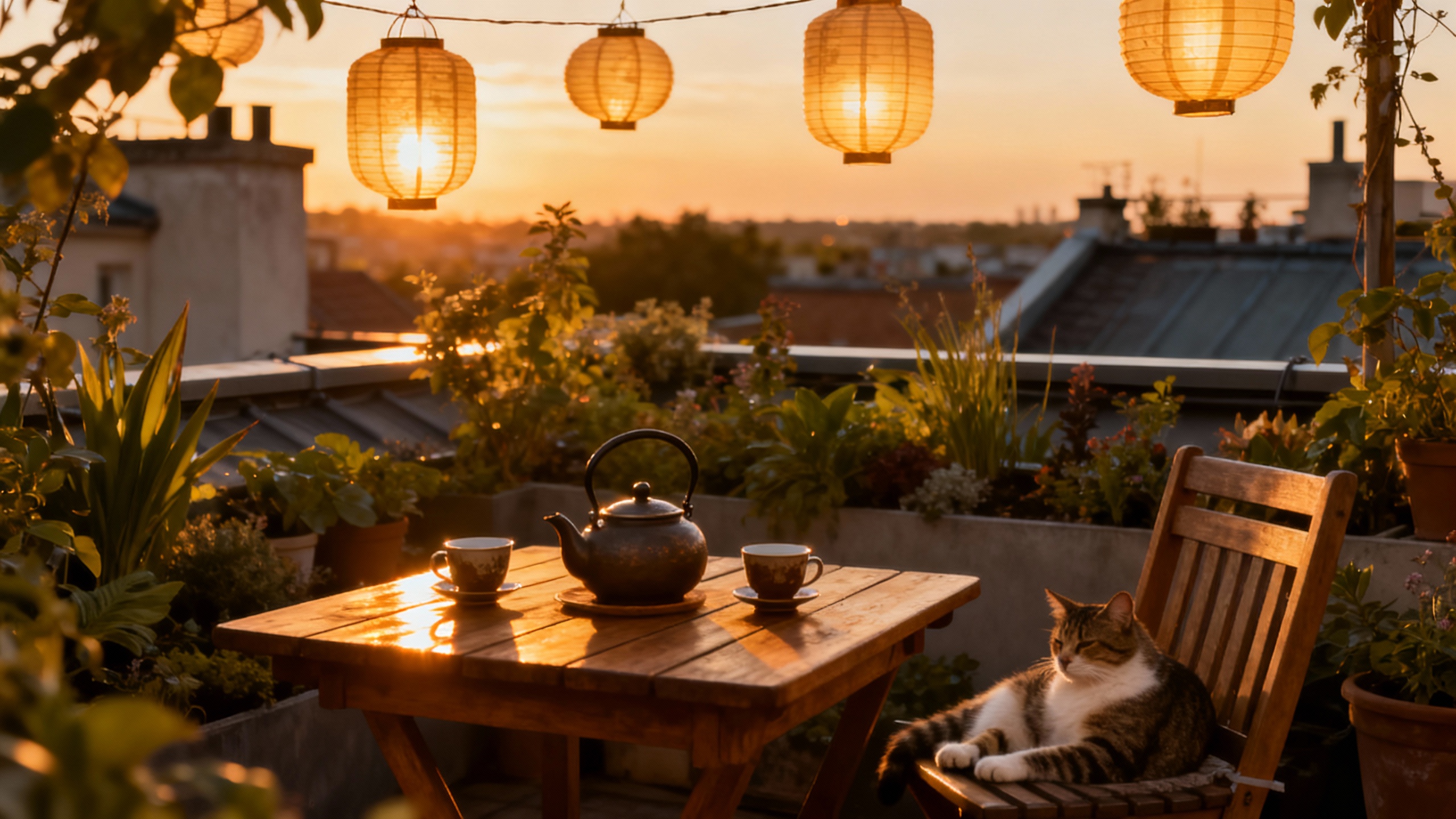
A cozy rooftop garden at sunset: a wooden table with a teapot and two cups, lanterns hanging above,
soft warm light reflecting on the plants, a cat lounging on a chair, cinematic and dreamy atmosphere.
Output: A warm, atmospheric rooftop garden scene with realistic lighting and detailed props.
2️⃣ Reference Image
Prompt:
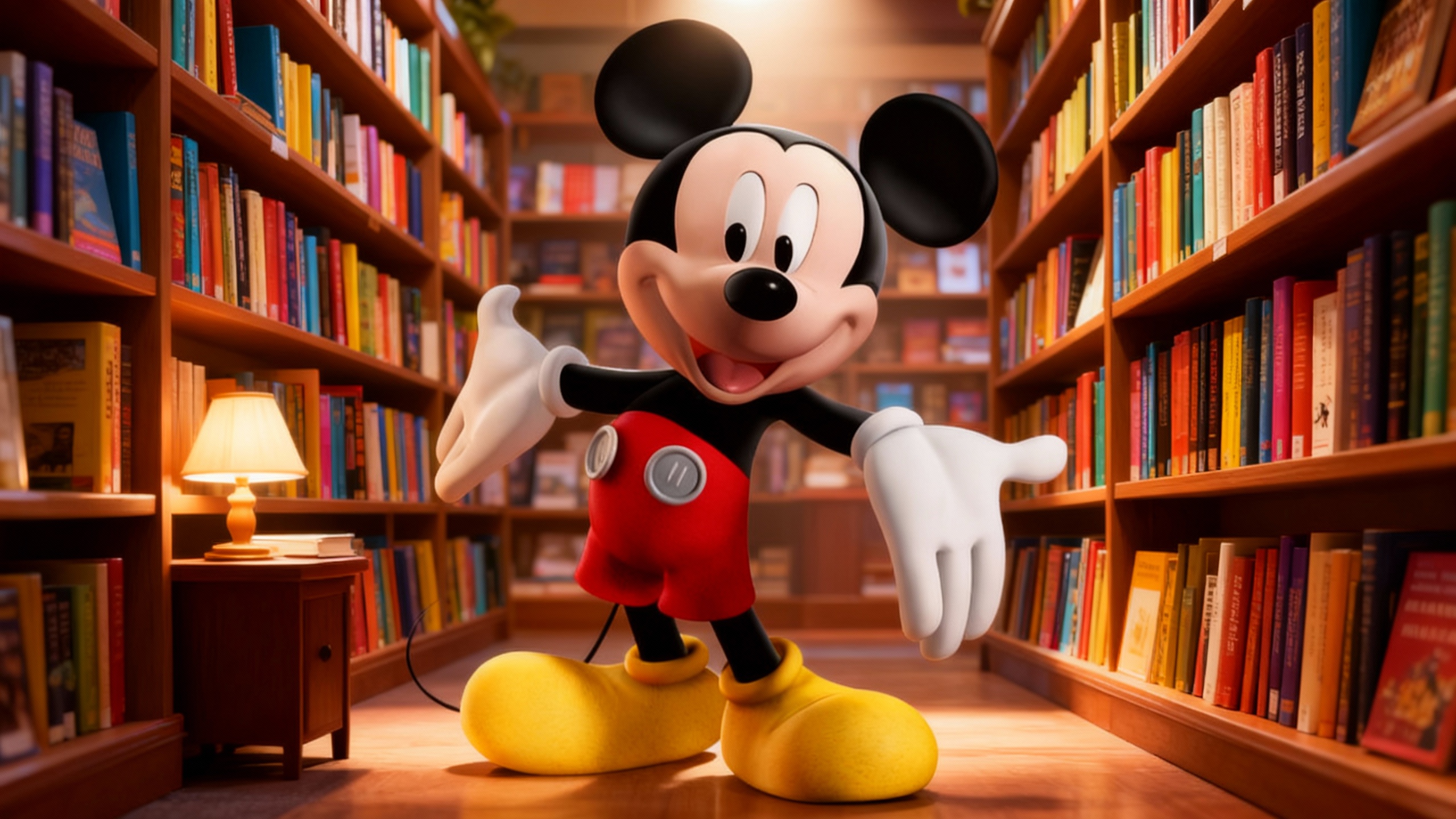
Take the character from the reference photo and place them in a bookstore scene;
add shelves filled with colorful books, a small lamp on a side table,
maintain the character’s pose and outfit, cinematic lighting.
Input Image: Character reference photo
Output: A new scene where the character is naturally integrated into a cozy bookstore, with style preserved.
3️⃣ Image Editing
Prompt:
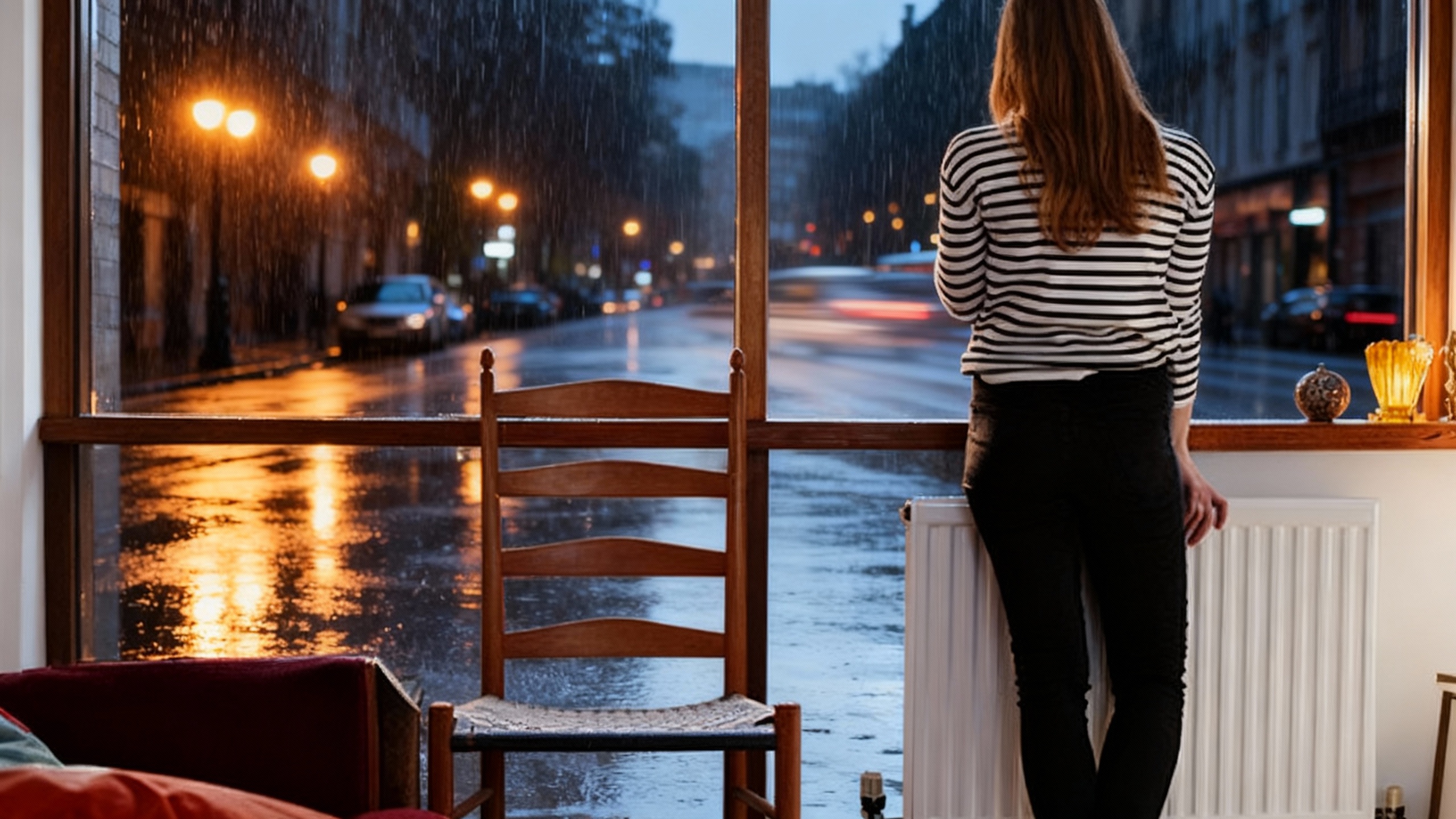
Keep the central figure unchanged, turn the background into a rainy city street,
add reflections on the wet pavement, street lamps casting warm glows, subtle motion blur on passing cars.
Input Image: Original cityscape
Output: Edited image with realistic rainy atmosphere while keeping main figure intact.
Tips for Best Results
- Be specific but concise: detailed prompts guide Seedream 4.0 to produce accurate outputs.
- Combine subject, action, environment, style, color, and lighting naturally.
- For technical or educational images, include professional terms and layout instructions.
- More prompt tips: How To Write Prompts When Using The Doubao Text-to-Image Model | KreadoAI
Try KreadoAI Image Generator Now
Seedream 4.0 is live in KreadoAI’s Image Generator! Whether you’re generating images from text, referencing photos, or editing existing visuals, it’s now faster and easier to bring ideas to life.
👉 Experience KreadoAI Image Generator
With Seedream 4.0, your ideas can instantly turn into high-quality, detailed visuals—no design skills required.


