


Transform Your Photos into Dynamic Videos with KreadoAI Talking Photo Video
Bring your photos to life with KreadoAI’s cutting-edge photo digital avatar feature! Whether you're animating existing photos or creating entirely new ones, KreadoAI empowers you to generate captivating AI digital avatar videos with ease. Supporting 140+ languages and offering 1,600+ voice options, KreadoAI ensures your videos are personalized and impactful. Elevate your content creation game and experience the magic of photo-to-video transformation today!
Why Choose KreadoAI for Photo Digital Avatar Videos?
Photo-to-Video Magic: Turn static photos into engaging, lifelike videos.
AI-Powered Customization: Access a vast library of voices, languages, and templates.
Free Photo Digital Avatar Tools: Explore basic features at no cost and upgrade as needed.
Efficiency and Creativity: Streamline your workflow with intuitive tools and AI-driven solutions.
Step-by-Step Guide to Creating Photo Digital Avatar Videos
Step 1: Access the Video Creation Page
Begin your journey by visiting KreadoAI's platform:
👉 Turn your text or picture into video in minutes
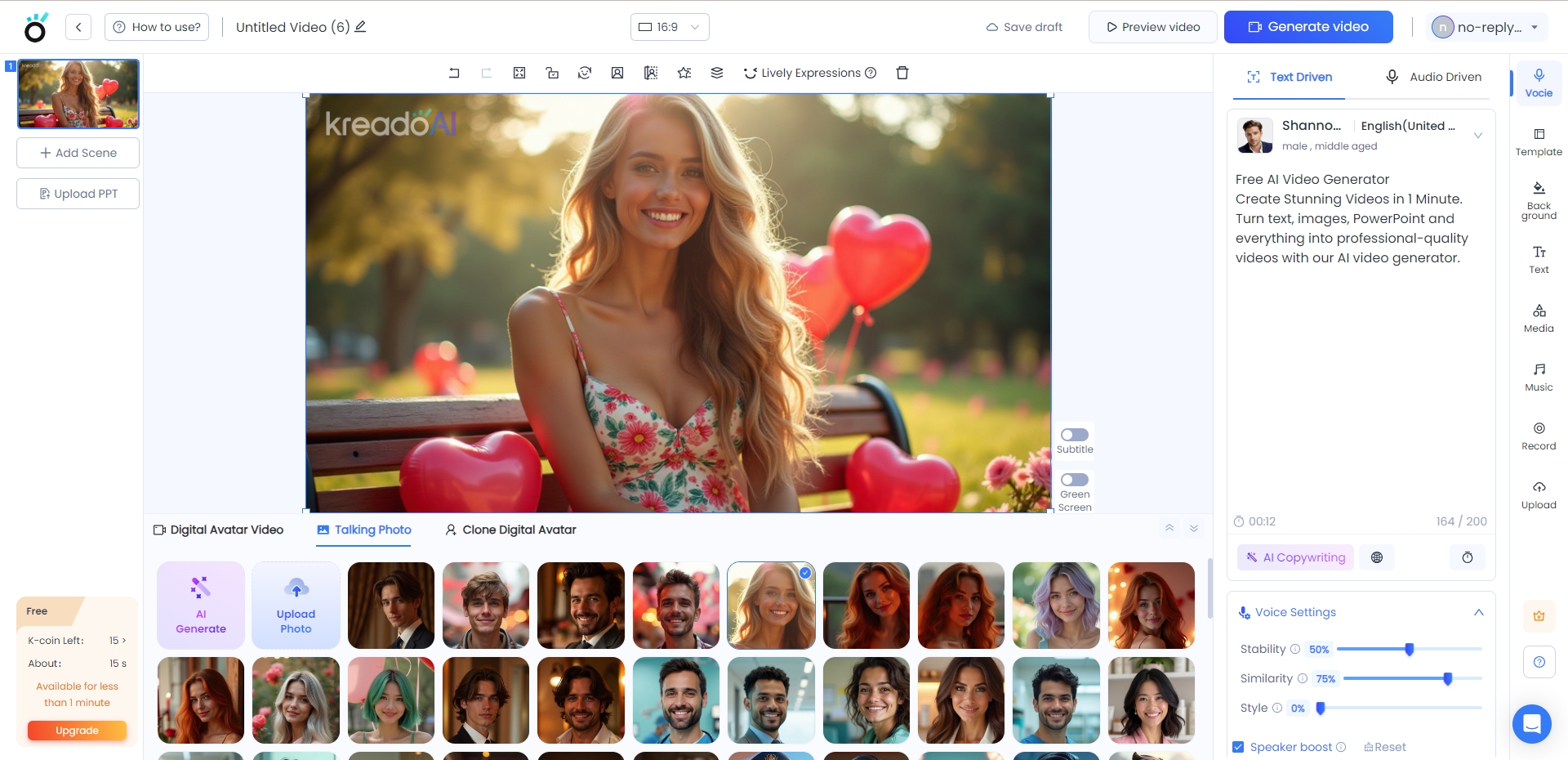
Step 2: Select Your Photo
KreadoAI offers multiple options to source your photo for AI digital human video generation:
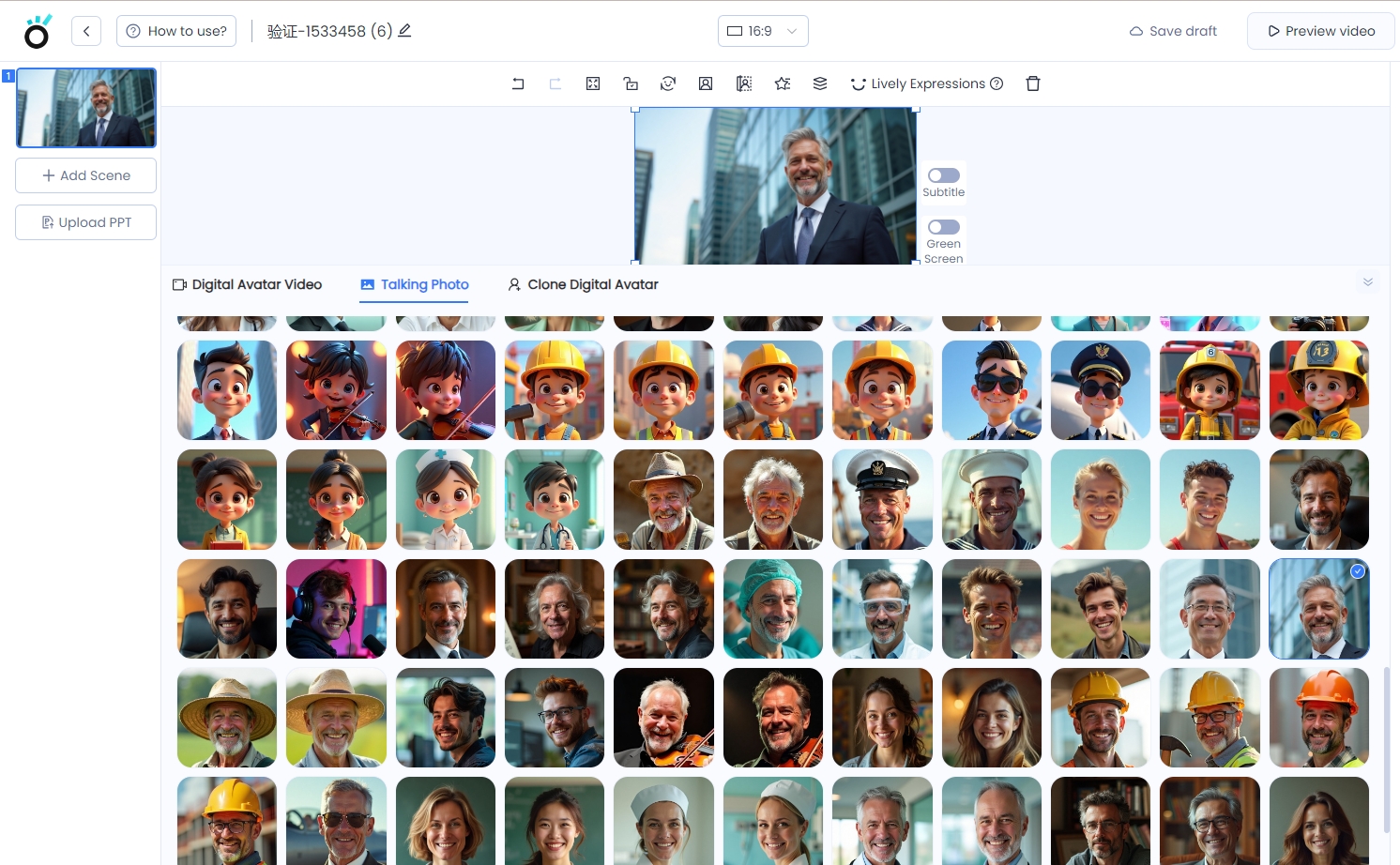
Use Default Photos
Choose from a diverse collection of high-quality default photos provided by KreadoAI.
Upload Custom Photos
Upload your own photos, ensuring they meet the following requirements:
Frontal view of the person.
Clear headshot (no group photos).
No obstructions on the face, neutral expressions, and closed mouth.
Half-body images are ideal.
File size under 10MB, with dimensions less than 4000px.
Generate AI Photos
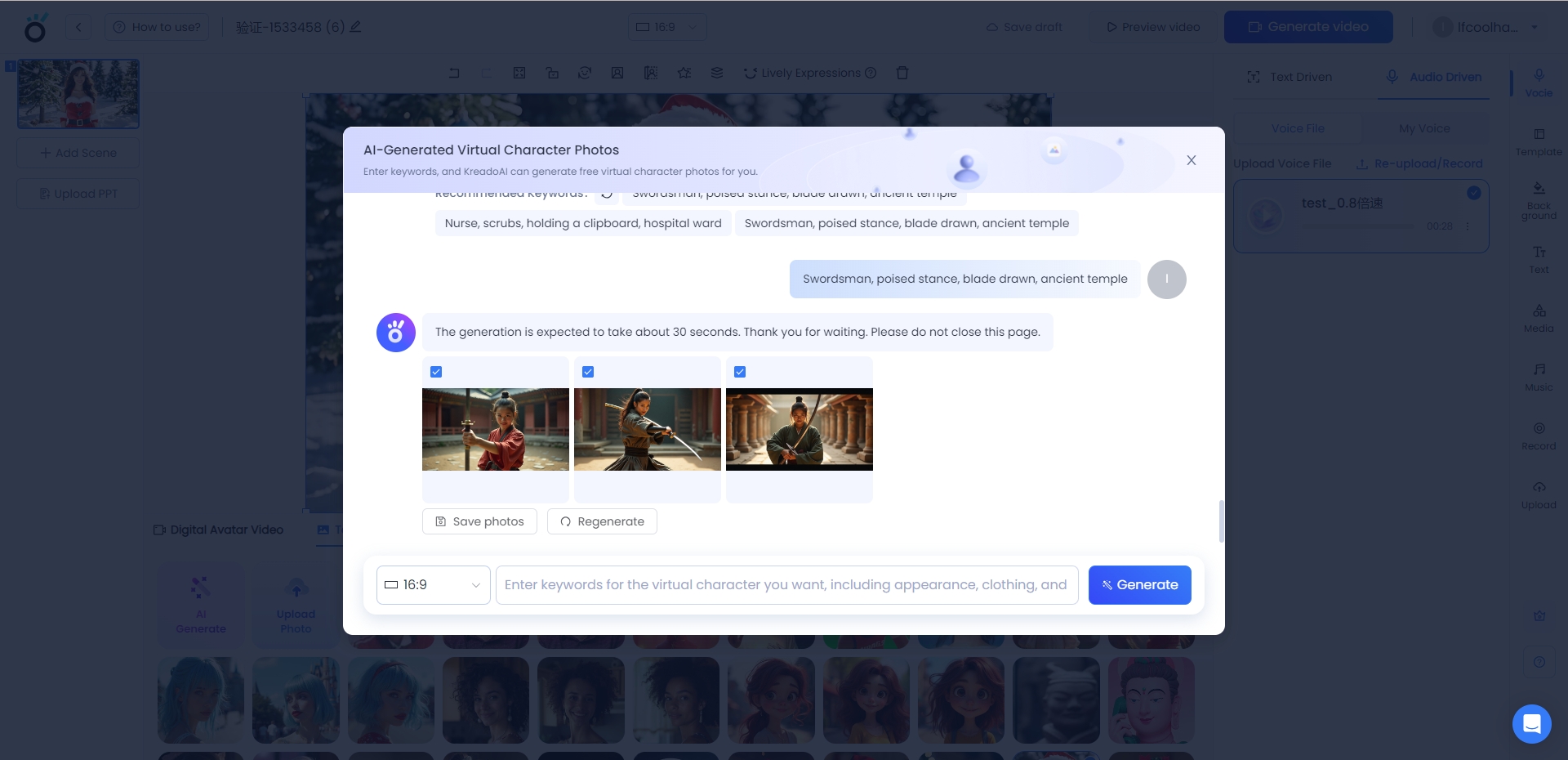
Click “AI Generate Photo” to create a virtual character. Customize the text or use AI-generated prompts, then click “Generate Now” to produce the photo. Save the image to your library or click “Regenerate” for more options.
Step 3: Start Creating Your Video
Select your chosen photo to begin the photo digital human video creation process. KreadoAI’s intuitive interface will guide you through the next steps, including voice selection, language customization, and more.
Key Features of KreadoAI Photo Digital Avatar
AI-Generated Photos: Create unique virtual characters with just a few clicks.
Multi-Language Support: Reach global audiences with 140+ language options.
Voice Customization: Choose from 1,600+ voices to match your video’s tone and style.
Seamless Integration: Export videos for use on social media, websites, and more.
Unlock the Power of Photo Digital Avatar Videos
Whether you’re a marketer, content creator, or business owner, KreadoAI's photo-to-video technology empowers you to create captivating content effortlessly. From free photo digital human tools to advanced customization options, KreadoAI has everything you need to stand out in the digital landscape.
Ready to transform your photos into engaging videos?
Click the link below to begin your photo digital human video creation journey:
With KreadoAI, your photos are no longer static—they’re dynamic, interactive, and ready to captivate your audience. Try it now and experience the future of content creation!
Get Started Now


