




In today’s digital world, video-based training has become a game-changer for educators, trainers, and businesses. Studies show that 58% of employees prefer self-paced learning, making video content an essential tool for effective knowledge transfer.
However, creating high-quality training videos traditionally requires extensive resources, including scriptwriting, filming, and editing. AI-driven solutions now automate and simplify this process, making it possible to create professional training videos in minutes.
In this guide, we’ll explore how AI-powered video creation can revolutionize corporate training and learning experiences. Whether you’re an educator, HR professional, or content creator, follow these steps to boost efficiency and engagement with AI-driven training videos.
Why AI-Generated Training Videos Are a Game-Changer
Traditional training methods often struggle to keep learners engaged. Text-heavy manuals and dull PowerPoint slides can fail to capture attention. On the other hand, AI-powered training videos offer:
📌Higher Retention and Understanding
Videos make learning more engaging, breaking down complex topics into digestible content using visuals, voiceovers, and animations.
📌Increased Accessibility
AI-generated subtitles and multilingual voiceovers help learners from diverse backgrounds, making training more inclusive.
📌Enhanced Engagement & Motivation
Interactive AI-driven videos incorporate storytelling and quizzes, keeping learners actively involved.
📌Cost-Effective and Scalable Training
AI automates script generation, video production, and voiceovers—saving time and costs compared to traditional video production.
How to Create AI-Powered Training Videos
Follow these six steps to quickly create professional training videos using AI:
Step 1: Define Clear Learning Objectives
Start with a well-defined goal. Ask yourself:
✅Who is the target audience?
✅What should they learn?
✅How will success be measured?
Well-structured objectives will guide content creation and keep your video focused.
Step 2: Write an AI-Optimized Script
A strong script is the foundation of any training video. Use AI writing tools like ChatGPT or KreadoAI Text Generator to draft professional, engaging scripts in minutes. Tools like Grammarly can help refine content for clarity and correctness.
Step 3: Generate the Video with AI
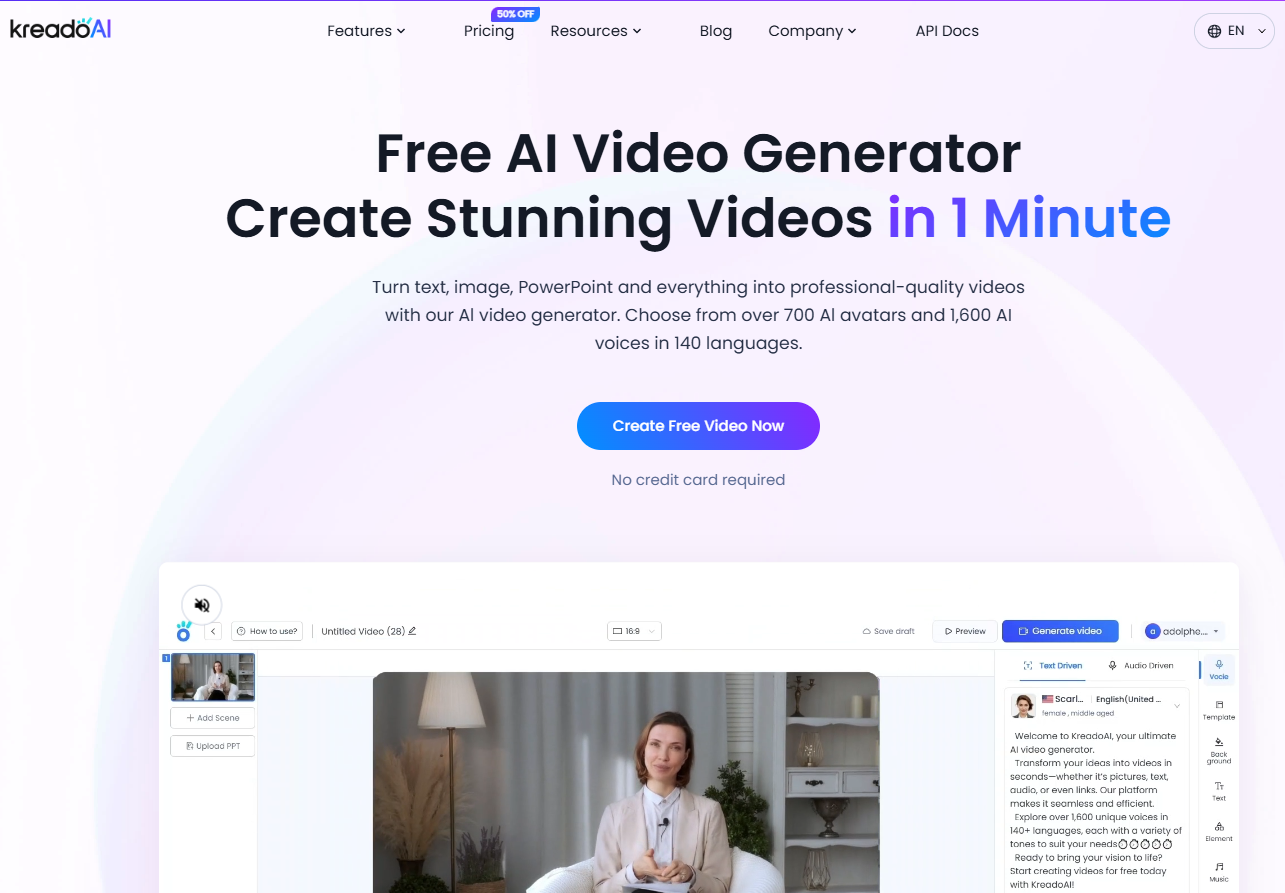
Paste your script into an AI video creation tool like KreadoAI Video Generator. The platform automatically transforms text into video with lifelike avatars and dynamic visuals.
Step 4: Add AI Avatars for a Personalized Touch
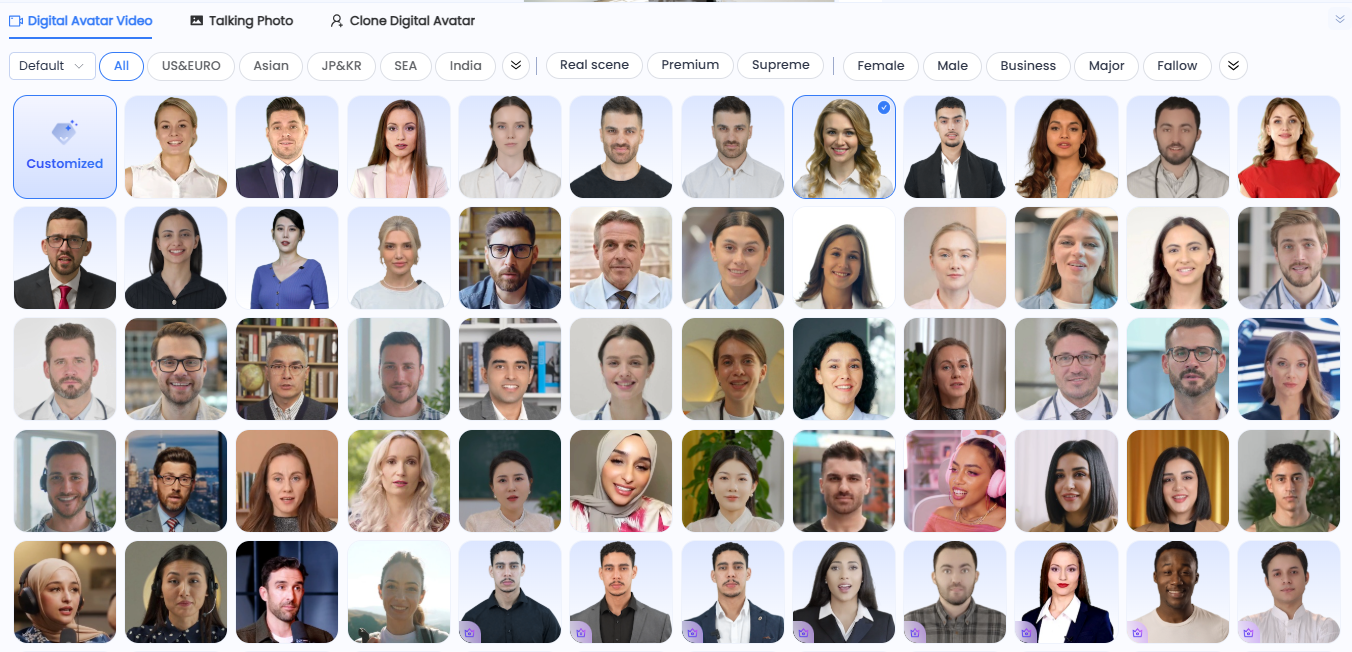
🤖Using AI avatars makes training videos more human-like and relatable. With KreadoAI, you can:
🤖Choose from pre-designed avatars or upload your own image.
🤖Use AI voice cloning to match existing branded voices.
🤖Generate multilingual versions effortlessly.
Step 5: Customize and Enhance Your Video
Make your video more engaging by adding:
🏷️ Background music for a professional feel.
🏷️ Text overlays, transitions, and animations to highlight key points.
🏷️ Watermarks for branding and protection.
Before finalizing, preview and edit the video to ensure quality.
Step 6: Export and Distribute the Video
Once satisfied, export the training video and distribute it via:
✅Learning Management Systems (LMS)
✅Company intranet or websites
✅YouTube or social media
✅Email newsletters
Best Practices for AI-Powered Training Videos
To maximize impact, follow these expert tips when creating AI-generated training videos:
🎯 Use High-Quality Visuals & Voiceovers
Choose clear, professional AI voices that match the tone of your content. Use relevant animations and images to enhance comprehension.
🎯 Incorporate Interactive Elements
Adding quizzes, polls, and simulations keeps learners engaged and helps measure their progress.
🎯 Optimize for Search & Social Media
Ensure videos are SEO-friendly by including targeted keywords in titles, descriptions, and tags. This boosts visibility on platforms like YouTube and Google.
🎯 Maintain Consistency in Style & Tone
To avoid cognitive overload, maintain a consistent color scheme, font style, and pacing throughout the video.
Final Thoughts: The Future of AI in Training
AI-powered video creation isn’t just a trend—it’s a revolution in corporate training and education. By leveraging tools like KreadoAI, businesses can enhance efficiency by up to 90%, delivering engaging, scalable, and cost-effective learning experiences.
Ready to create high-quality training videos effortlessly? Start using AI today and transform the way you educate!


