




The Rise of AI-Powered Training
Nowadays, companies and schools are looking for more professional training videos than ever. Businesses need engaging e-learning content for onboarding and compliance, and schools use digital lessons to make learning more effective.
But making videos the old-fashioned way? It’s a headache—expensive, time-consuming, and you need serious filming and editing skills.
That’s where AI video platforms come in. With AI avatar videos, smart editing, and AI voices, you can create polished training content quickly, without breaking the bank, and scale it however you need.
Why Choose AI Video Generation Platforms
AI-driven video tools provide significant advantages for training and e-learning:
- Automated Editing & Scene Generation – Instantly transform text or slides into polished courses.
- Multilingual Voiceovers & Subtitles – Reach a global audience with diverse language options.
- Brand Customization – Add logos, brand colors, fonts, and even custom AI avatar videos for consistency.
- Quick Updates – Easily edit or refresh modules without reshooting, saving time and money.
Top AI Video Generation Platforms
1. KreadoAI: The All-in-One Solution
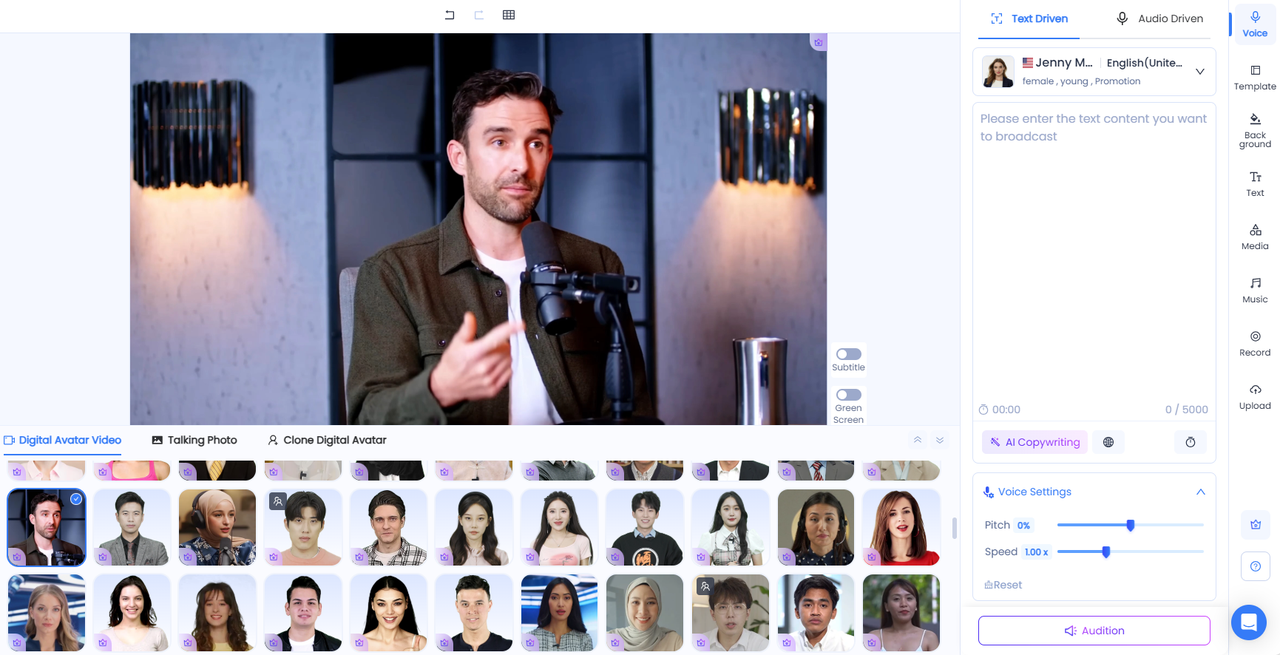
- Features: Digital Avatar Video, PPT Avatar Video, and 40,000+ AI voices powered by AI text-to-speech for training.
- Best For: Corporate training videos, educational courses, and long-form e-learning content.
- Pricing: Affordable packages compared to competitors.
- Pros:
- ✅No filming or editing required—KreadoAI works as an AI training video generator online, instantly turning scripts or slides into professional content.
- ✅1,000+ avatars and 40,000+ voices provide flexibility to design corporate training videos and academic lessons with diverse, engaging instructors.
- ✅Supports long-duration training modules, making it perfect for multi-module e-learning video platforms and large-scale onboarding.
- ✅PPT import and custom avatar cloning features let you easily create PPT digital avatar video for training, saving time and boosting efficiency.
- Cons: Advanced features, such as avatar cloning or premium voices, require a subscription.
2. Synthesia: The Market Veteran
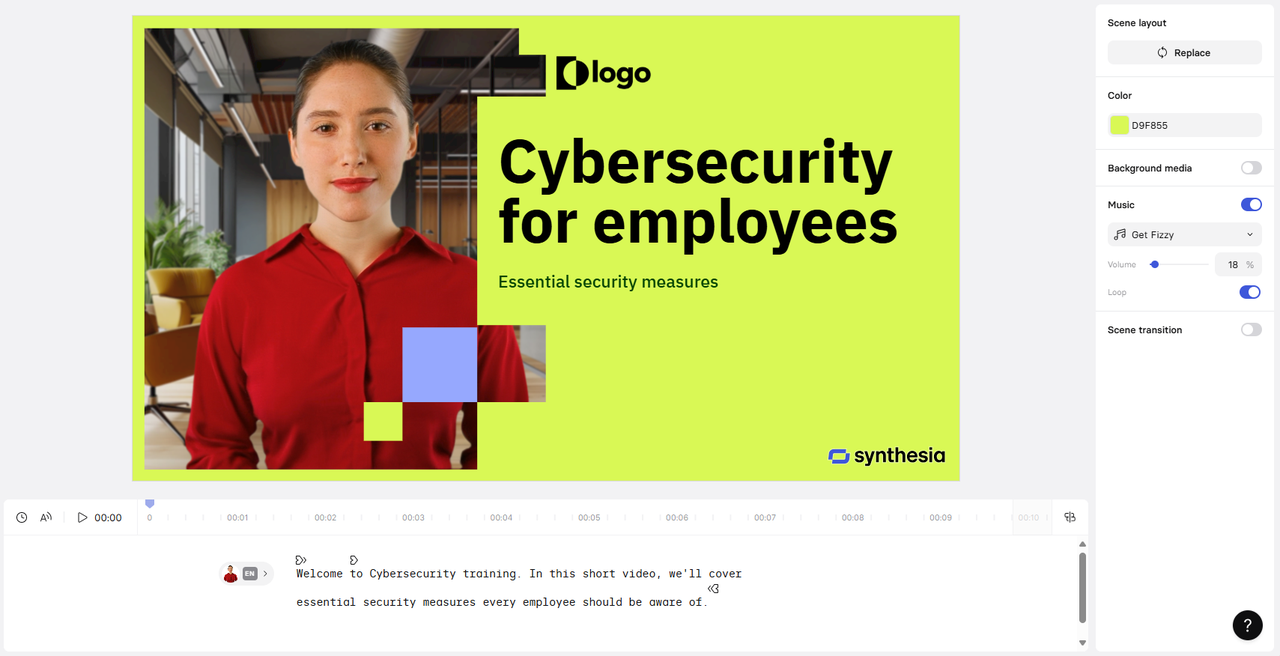
- Features: AI avatars, text-to-speech, templates for training.
- Best For: Quick corporate training videos, onboarding.
- Pricing: Higher than average.
- Pros: Professional output, trusted by enterprises.
- Cons:
- 1️⃣ Starter plan gives only ~10 video minutes/month, while KreadoAI supports much longer content—making Synthesia less ideal for full training courses.
- 2️⃣ Offers around 230 avatars (225+ on higher plans), still far fewer than KreadoAI’s 1,000+ avatars.
- 3️⃣ Pricing starts at $29/month with strict credit limits, whereas KreadoAI provides more avatars and longer video time at similar or lower cost.
3. Pictory: Fast Video Creation from Text or Blogs
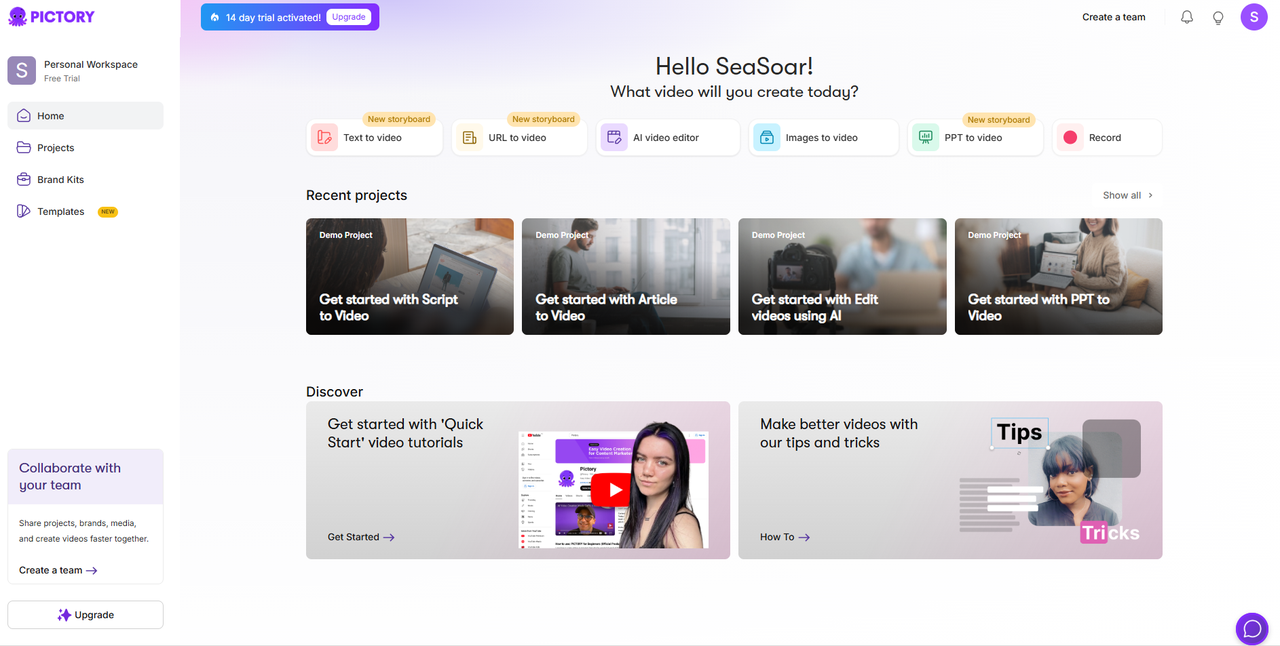
- Features: AI video generation from scripts, automatic captions, simple editing.
- Best For: Short learning clips, micro-training content.
- Pricing: Moderate.
- Pros: Easy to use, fast results.
- Cons:
- 1️⃣ Avatars are less diverse than KreadoAI’s 1,000+, and the platform lacks the same level of industry-specific customization.
- 2️⃣ Video length is restricted to about 10 minutes, making it difficult to produce full training courses, while KreadoAI supports much longer videos.
- 3️⃣ Pricing starts at $19/month, but with fewer avatars and shorter duration, it offers less value compared to KreadoAI’s broader features at a similar or lower cost.
How to Choose the Right Platform
When selecting an AI tool for training videos, consider:
- Type & Length of Videos: Do you need short clips or full-length courses?
- Language Support: Will you deliver content globally?
- Need for Avatars & Branding: Do you require custom AI avatar videos or corporate branding?
- Budget & Pricing Models: Subscription vs. pay-per-video options.
Best Practices for AI Training Videos
- Plan a Clear Script: A well-structured script ensures smooth delivery.
- Maintain Visual Consistency: Use uniform colors, fonts, and branding.
- Leverage Captions & Voiceovers: Improve accessibility and comprehension.
- Update Regularly: Refresh content to stay current with policies and standards.
Unlocking the Future of Training with AI
AI video platforms are totally changing the game when it comes to creating training videos—they make the process faster, cheaper, and way more engaging.
Sure, tools like Synthesia and Pictory have their perks, but KreadoAI really stands out with some unique features: you can turn PPTs into videos, clone your own AI Avatars, make longer courses, and all at a price that won’t break the budget.
Try KreadoAI for free today and start creating engaging AI training videos instantly!


